パッケージ、リポジトリ、アプリカテゴリを検索

loading_overlay のカバー
パッケージ詳細v0.5.0

loading_overlay

フェードイン・アウトするモーダルプログレスインジケーターウィジェット。非同期呼び出し中にウィジェットへのアクセスをブロックするため、他のウィジェットをラップします。

AndroidiOSWebmacOSWindowsLinux
30日間ダウンロード
2万
いいね数
192
Pub ポイント
150

パッケージをインストール

flutter pub add loading_overlay

パッケージ概要

公開情報に基づく選定ガイドです。参考としてご利用ください。

非同期操作(API呼び出しやデータ処理など)中にユーザーの操作を一時的にブロックするため、任意のウィジェットをラップしてモーダルプログレスインジケーターウィジェットを提供するFlutterパッケージです。UIフローを妨げることなくロード状態を表示するのに最適です。オーバーレイはプログラムで制御でき、複数のプラットフォームで進行中のタスクをクリーンかつカスタマイズ可能な方法で示すことができます。

用途

  • APIリクエスト中にロード状態を表示する
  • データ処理中にUIをブロックする
  • 非同期操作中のUXの改善
  • フォームでの視覚的フィードバックの提供
  • アプリでのバックグラウンドタスクの管理
  • ウェブおよびモバイルアプリの応答性を向上させる

主な機能

  • スムーズなフェードイン/フェードアウトアニメーション
  • プログラマブルなオーバーレイ制御
  • すべての主要プラットフォームをサポートしています
  • 既存のウィジェットとの簡単な統合
  • カスタマイズ可能な外観
  • 非ブロッキングの親ウィジェットの非アクティブ時のインタラクション

適している対象

  • 応答性のあるFlutterアプリを開発する開発者
  • ユーザー体験を重視するチーム
  • 明確な読み込みインジケーターを必要とするアプリ
  • クロスプラットフォームアプリケーション
  • UI重視のアプリケーション
  • 非同期ワークフローを使用するプロジェクト

注意事項

  • 慎重な状態管理が必要になる可能性があります
  • オーバーレイの表示状態は手動で切り替える必要があります
  • 複雑なUIにおけるパフォーマンスへの影響
  • 高度なスタイリングのカスタマイズオプションが限られている
  • 恒久的な読み込み状態には適していません
  • 正しいウィジェットツリー構造に依存しています

元の README

関連するソースリポジトリの README 原文のスナップショットです。最新の内容はリポジトリをご覧ください。

loading_overlay

A simple widget wrapper to enable modal progress HUD (a modal progress indicator, HUD = Heads Up Display).

Started as a fork of modal_progress_hud Inspired by this article.

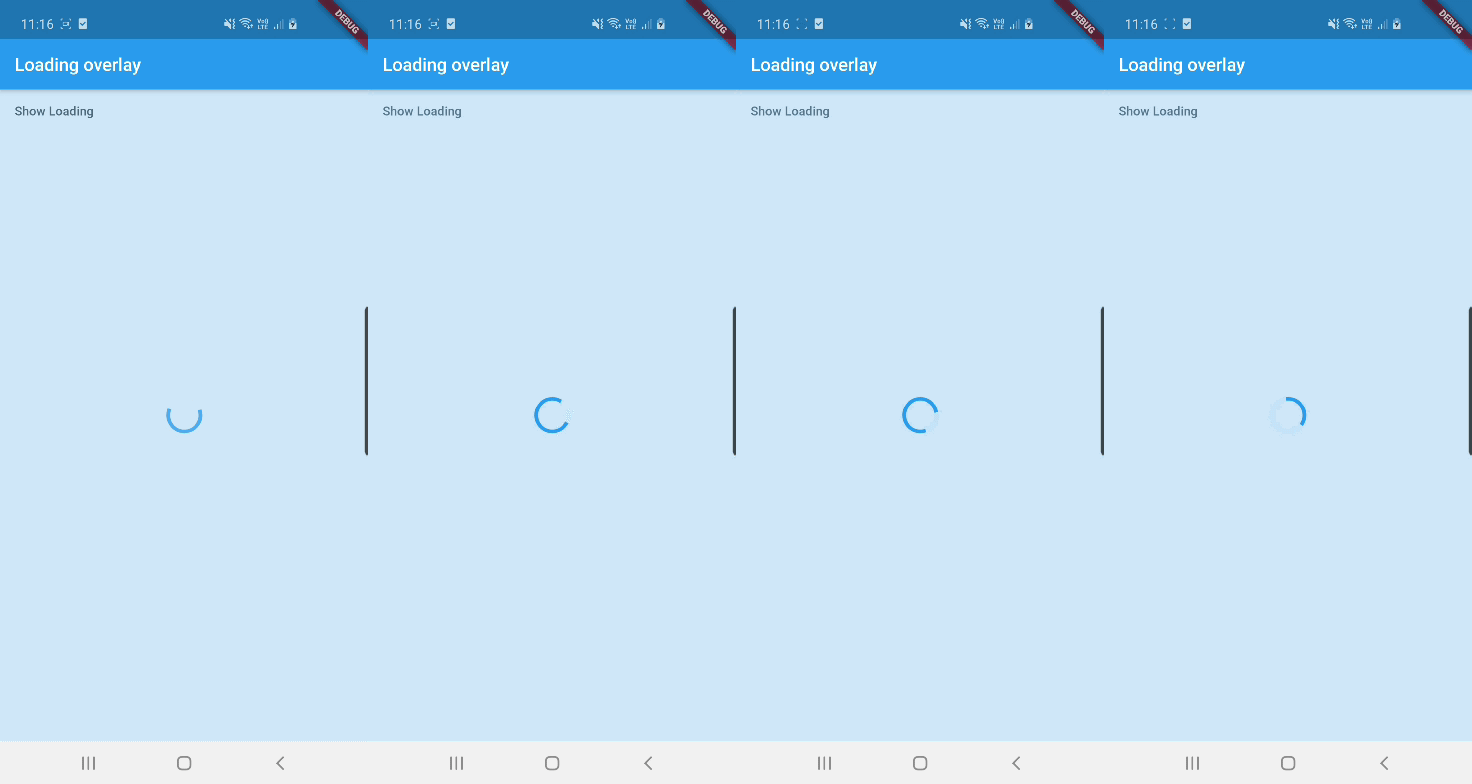
Demo

Demo

See example for details

Usage

Add the package to your pubspec.yml file.

dependencies:
  loading_overlay: ^0.4.0

Next, import the library into your widget.

import 'package:loading_overlay/loading_overlay.dart';

Now, all you have to do is simply wrap your widget as a child of LoadingOverlay, typically a form, together with a boolean that is maintained in local state.

...
bool _isSaving_ = false
...

@override
Widget build(BuildContext context) {
  return Scaffold(
     body: LoadingOverlay(
      color: Colors.black.withOpacity(0.5),
      child: Container(
       Form(...)
      ),
      isLoading: _isSaving_
      ),
  );
}

Alternatively, show the overlay until a Future completes (non-breaking new feature):

// Start an async operation
final saveFuture = _saveFormAsync();

return LoadingOverlay.withFuture(
  future: saveFuture,
  color: Colors.black.withOpacity(0.5),
  child: Form(...),
);

Options

The current parameters are customizable in the constructor

LoadingOverlay({
  required bool isLoading,
  required Widget child,
  Widget progressIndicator = const CircularProgressIndicator(),
  Color? color,
});

// New: show overlay until a Future completes
LoadingOverlay.withFuture({
  required Future<void> future,
  required Widget child,
  Widget progressIndicator = const CircularProgressIndicator(),
  Color? color,
});

Update: See this article on Medium about async form validation

See the example application source for a complete sample app using the modal progress HUD. Included in the example is a method for using a form's validators while making async calls (see flutter/issues/9688 for details).

Issues and feedback

Please file issues to send feedback or report a bug. Thank you!

カテゴリー

ソースリポジトリ

このパッケージを使用しているプロジェクト