パッケージ、リポジトリ、アプリカテゴリを検索

radio_group_v2 のカバー
パッケージ詳細v3.3.2

radio_group_v2

ユーザーがアプリ内で選択を行う際に快適な体験を提供できるように、ラジオボタンをグループ化するウィジェットです。

30日間ダウンロード
883
いいね数
32
Pub ポイント
160

パッケージをインストール

flutter pub add radio_group_v2

パッケージ概要

公開情報に基づく選定ガイドです。参考としてご利用ください。

radio_group_v2 は、Flutter ウィジェットで、グループ化されたラジオボタンの作成を簡素化し、相互排他的な動作と一貫したユーザー体験を保証します。1つのセットから1つのオプションを選択できるようにし、カスタマイズ、状態管理、スムーズなインタラクションを内蔵サポートしています。単一選択が必要なフォームや設定に最適であり、直感的なデザインとプラットフォーム間での一貫した振る舞いにより、使いやすさを向上させます。

用途

  • 単一選択付きフォーム入力
  • ユーザーの好み設定
  • アンケートまたはクイズインターフェース
  • オンボーディングフロー
  • 動的オプショングループ

主な機能

  • 相互排他的選択
  • カスタマイズ可能な外観
  • 組み込みの状態管理
  • 既存のウィジェットとの簡単な統合
  • レスポンシブデザインのサポート

適している対象

  • フォームを開発する開発者
  • 一貫性を求めるUIデザイナー
  • 単一選択入力が必要なアプリ
  • Flutterの初心者が状態管理を学習中
  • 軽量なラジオグループソリューションを必要とするプロジェクト

注意事項

  • 単一選択のみに制限される
  • 組み込みの検証なし
  • 選択コールバックの手動処理が必要
  • マルチセレクトのシナリオには適していません
  • 親ウィジェットのレイアウト制約に依存する

元の README

関連するソースリポジトリの README 原文のスナップショットです。最新の内容はリポジトリをご覧ください。

Radio Group

A widget that groups radio buttons so they can work together to give the user a pleasant experience when making selections within the app.

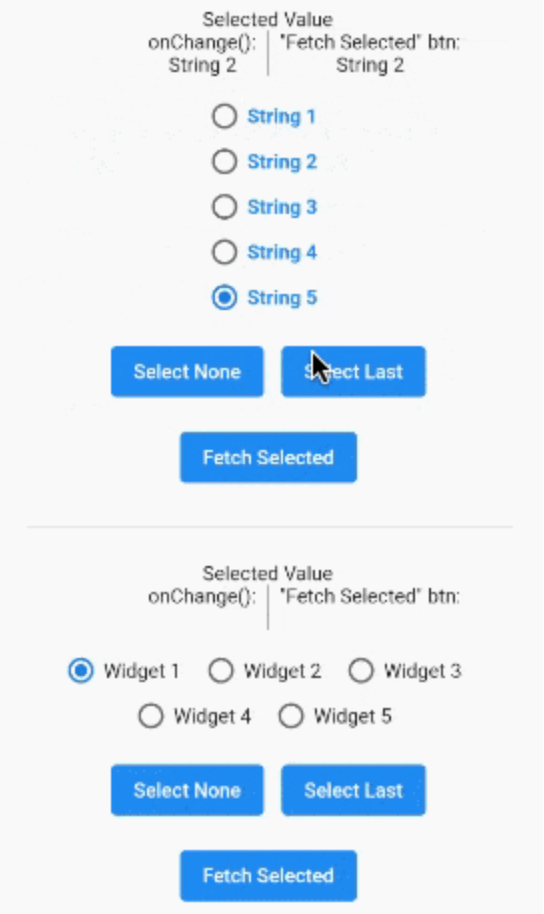
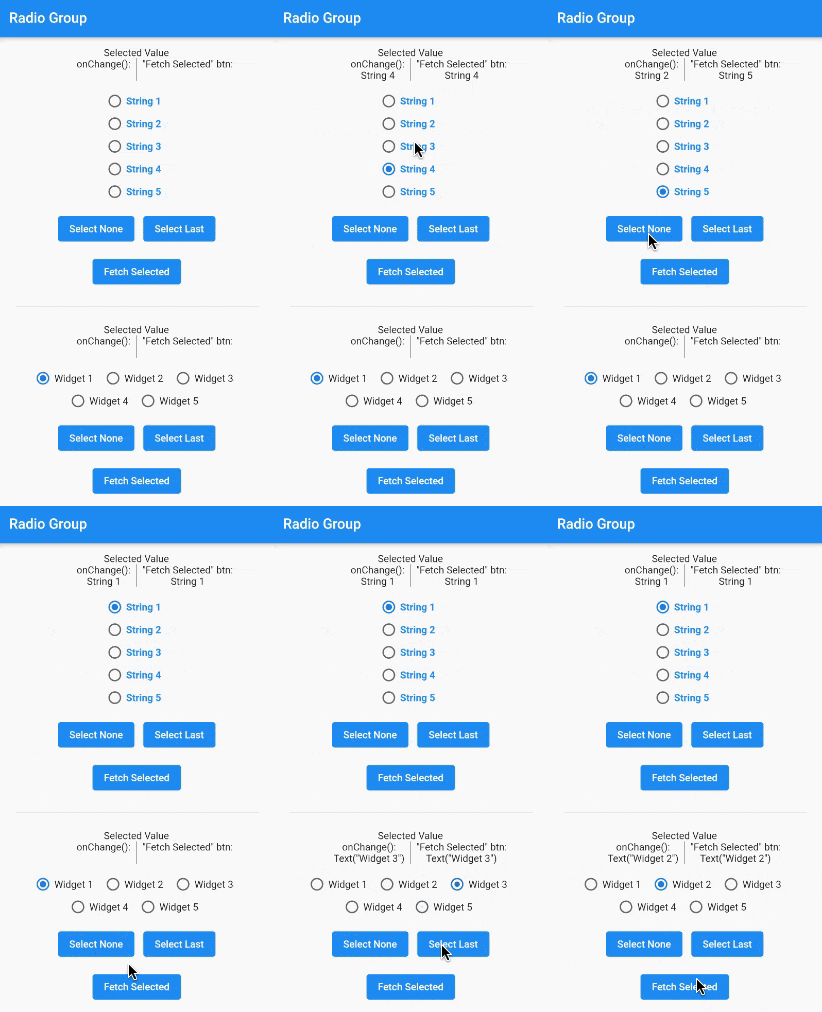
A gif demonstrating the radio group in action.

Installation

In the pubspec.yaml of your flutter project, add the following dependency:

dependencies:
  radio_group_v2: ^3.3.1

Import it to each file you use it in:

import 'package:radio_group_v2/radio_group_v2.dart';

Usage

Example 1

This example is a very basic, vertical radio group.

RadioGroupController myController = RadioGroupController();

RadioGroup(
  controller: myController,
  values: ["Choice1", "Choice2", "Choice3"],
)
Example 2

This example is a horizontal radio group with some decoration, and it starts with the first button selected.

RadioGroupController myController = RadioGroupController();

RadioGroup(
  controller: myController,
  values: ["Choice1", "Choice2", "Choice3"],
  indexOfDefault: 0,
  orientation: RadioGroupOrientation.Horizontal,
  decoration: RadioGroupDecoration(
    spacing: 10.0,
    labelStyle: TextStyle(
      color: Colors.blue,
    ),
    activeColor: Colors.amber,
  ),
)
Example 3

This example shows how to programmatically select an item using two different methods.

RadioGroupController myController = RadioGroupController();

List<String> items = ["Choice1", "Choice2", "Choice3"];

RadioGroup(
  controller: myController,
  values: items,
)

// Method 1 - Selects a specific item from the list.
myController.value = items[1]; // Selects Choice2

// Method 2 - Selects whatever item is at the given
//            index in the list.
myController.selectAt(2); // Selects Choice3
Example 4

This example shows how to programmatically select an item using two different silent methods. This means, when the new value in is selected in the list, the onChanged method will not be called.

RadioGroupController myController = RadioGroupController();

List<String> items = ["Choice1", "Choice2", "Choice3"];

RadioGroup(
  controller: myController,
  values: items,
)

// Method 1 - Selects a specific item from the list.
myController.setValueSilently(items[1]); // Selects Choice2

// Method 2 - Selects whatever item is at the given
//            index in the list.
myController.selectSilentlyAt(2); // Selects Choice3
Example 5

This example shows how to retrieve the selected value.

RadioGroupController myController = RadioGroupController();

RadioGroup(
  controller: myController,
  values: ["Choice1", "Choice2", "Choice3"],
)

String selected = myController.value.toString();

If you found this helpful, please consider donating. Thanks!

buy me a coffee      paypal      venmo


カテゴリー

ソースリポジトリ

このパッケージを使用しているプロジェクト

データはまだありません。