select_dialog Package
Package designed to select an item from a list, with the option to filter and even search the items online.
Versions
Non Null Safety Version : 1.2.3 or less
Null Safety Version : 2.0.0 or more
pubspec.yaml
select_dialog: <last version>
import
import 'package:select_dialog/select_dialog.dart' ;
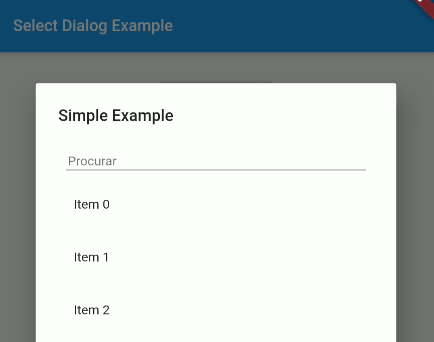
Simple example
String ex1 = "No value selected" ;
SelectDialog .showModal<String >(
context,
label: "Simple Example" ,
selectedValue: ex1,
items: List .generate (50 , (index) => "Item $index " ),
onChange: (String selected) {
setState (() {
ex1 = selected;
});
},
);
Multiple items select
List <String > ex5 = [];
SelectDialog .showModal<String >(
context,
label: "Multiple Items Example" ,
multipleSelectedValues: ex5,
items: List .generate (50 , (index) => "Item $index " ),
onMultipleItemsChange: (List <String > selected) {
setState (() {
ex5 = selected;
});
},
);
Attention
To use a template as an item type, you need to implement toString , equals and hashcode , as shown below:
class UserModel final String id;
final DateTime createdAt;
final String name;
final String avatar;
UserModel ({this .id, this .createdAt, this .name, this .avatar});
@override
String toString () => name;
@override
operator ==(o) => o is UserModel && o.id == id;
@override
int get hashCode => id.hashCode^name.hashCode^createdAt.hashCode;
}
Getting Started
This project is a starting point for a Dart
package ,
a library module containing code that can be shared easily across
multiple Flutter or Dart projects.
For help getting started with Flutter, view our
online documentation , which offers tutorials,
samples, guidance on mobile development, and a full API reference.