パッケージ、リポジトリ、アプリカテゴリを検索

slide_action のカバー
パッケージ詳細v0.0.2

slide_action

アクションを実行するための高度にカスタマイズ可能なスライドウィジェット。このパッケージは、複数のプラットフォームでサポートされる使いやすいウィジェットを提供します。

AndroidiOSWebmacOSWindowsLinux
30日間ダウンロード
3610
いいね数
93
Pub ポイント
160

パッケージをインストール

flutter pub add slide_action

パッケージ概要

公開情報に基づく選定ガイドです。参考としてご利用ください。

SlideAction は、ユーザーがスワイプすることでアクションをトリガーできるカスタマイズ可能なスライディングウィジェットです。クロスプラットフォーム対応で、Android、iOS、Web、macOS、Windows、Linux をサポートしています。滑らかなアニメーションと直感的な操作を提供し、アイテムの削除やリクエストの承認などのアクションを確認するのに最適です。色、形状、ラベル、ジェスチャーの感度など、さまざまなオプションでカスタマイズ可能です。Flutter で構築されており、追加の依存関係なしに既存のアプリにシームレスに統合できます。

用途

  • 削除の確認
  • アクションの承認
  • ユーザーのオンボーディングフロー
  • フォームの送信
  • インタラクティブなチュートリアル
  • トグルベースのインターフェース

主な機能

  • クロスプラットフォーム互換性
  • カスタマイズ可能な外観
  • スムーズなスワイプアニメーション
  • 設定可能なアクショントリガー
  • 複数のプラットフォームをサポートしています
  • Flutter との簡単な統合

適している対象

  • インタラクティブなUIを構築する開発者
  • ジェスチャーによる確認が必要なアプリ
  • 再利用可能なウィジェットを探しているデザイナー
  • 複数のプラットフォームをターゲットにするプロジェクト
  • 迅速なユーザーインタラクションのプロトタイピング

注意事項

  • タッチ感度に合わせて調整が必要になる場合があります
  • スワイプベースの操作に限定
  • 複雑なジェスチャーには適していない
  • パフォーマンスはアニメーションの複雑さに依存します
  • アクセシビリティを考慮した注意深い設計が必要です

元の README

関連するソースリポジトリの README 原文のスナップショットです。最新の内容はリポジトリをご覧ください。

pub.dev likes popularity pub points pub.dev

➡️ Slide Action

Slide action is a simple to use widget where the user has to slide to perform an action.


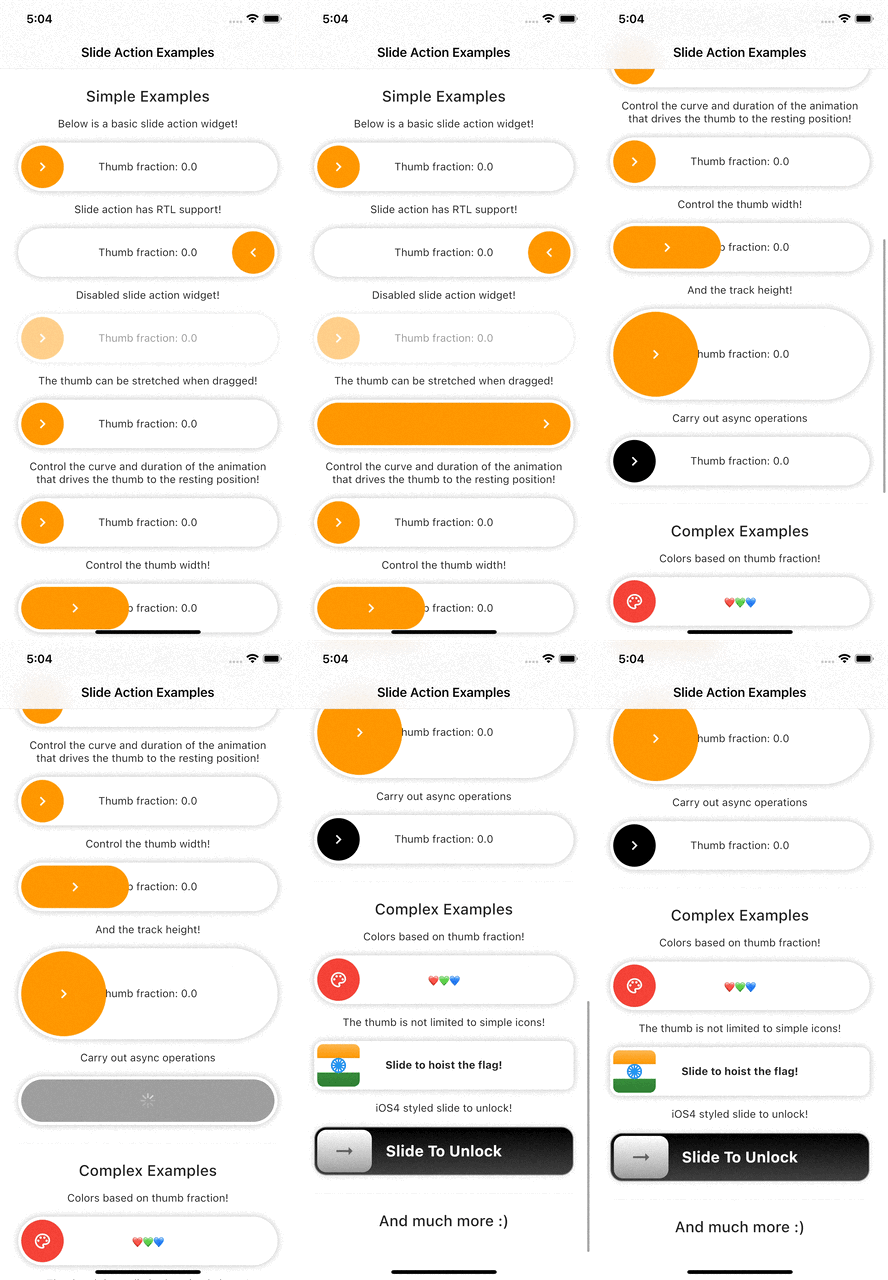
Example Preview 📱

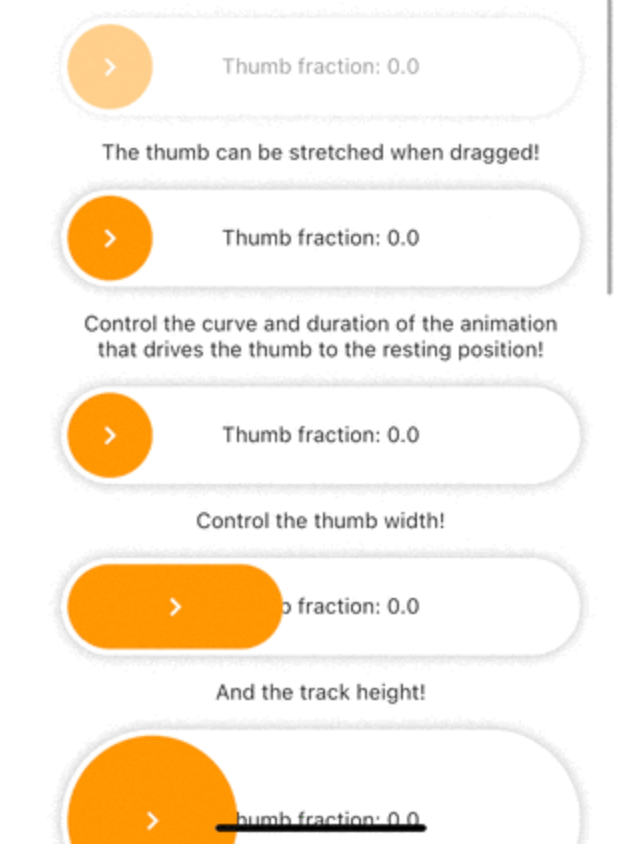
Slide action preview


Features

  • Highly customizable.
  • Smooth thumb movement.
  • RTL support.
  • Async operations support.
  • Multi-platform support.
  • Multiple examples (included in example project)

Installing

Add this line to your pubspec.yaml under the dependencies:

dependencies:
  slide_action: ^0.0.1+3

alternatively, you can use this command:

flutter pub add slide_action

Usage

Simple Example

SlideAction(
    trackBuilder: (context, state) {
        return Container(
            decoration: BoxDecoration(
                borderRadius: BorderRadius.circular(16),
                color: Colors.white,
                boxShadow: const [
                    BoxShadow(
                        color: Colors.black26,
                        blurRadius: 8,
                    ),
                ],
            ),
            child: Center(
                child: Text(
                    "Thumb fraction: ${state.thumbFractionalPosition.toStringAsPrecision(2)}",
                ),
            ),
        );
    },
    thumbBuilder: (context, state) {
        return Container(
            margin: const EdgeInsets.all(4),
            decoration: BoxDecoration(
                color: Colors.orange,
                borderRadius: BorderRadius.circular(16),
            ),
            child: const Center(
                child: Icon(
                    Icons.chevron_right,
                    color: Colors.white,
                ),
            ),
        );
    },
    action: () {
        debugPrint("Hello World");
    },
);

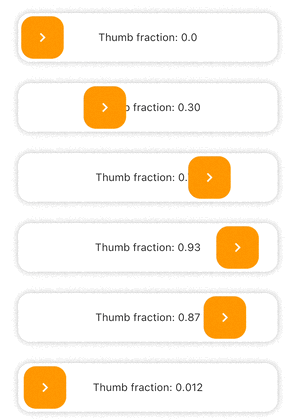
SlideAction Simple Example 1


Async Example
SlideAction(
    trackBuilder: (context, state) {
        return Container(
            decoration: BoxDecoration(
                borderRadius: BorderRadius.circular(16),
                color: Colors.white,
                boxShadow: const [
                    BoxShadow(
                        color: Colors.black26,
                        blurRadius: 8,
                    ),
                ],
            ),
            child: Center(
                child: Text(
                    // Show loading if async operation is being performed
                    state.isPerformingAction
                        ? "Loading..."
                        : "Thumb fraction: ${state.thumbFractionalPosition.toStringAsPrecision(2)}",
                ),
            ),
        );
    },
    thumbBuilder: (context, state) {
        return Container(
            margin: const EdgeInsets.all(4),
            decoration: BoxDecoration(
                color: Colors.orange,
                borderRadius: BorderRadius.circular(16),
            ),
            child: Center(
                // Show loading indicator if async operation is being performed
                child: state.isPerformingAction
                    ? const CupertinoActivityIndicator(
                        color: Colors.white,
                    )
                    : const Icon(
                        Icons.chevron_right,
                        color: Colors.white,
                    ),
            ),
        );
    },
    action: () async {
        // Async operation
        await Future.delayed(
            const Duration(seconds: 2),
            () => debugPrint("Hello World"),
        );
    },
);

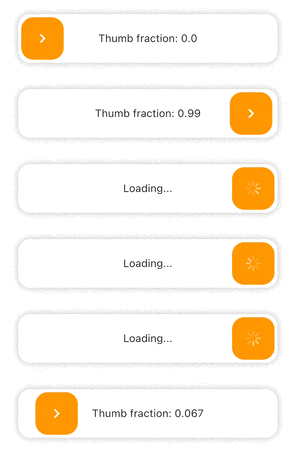
SlideAction Simple Example 2


Notes

  • As of version 0.0.2, disabledColorTint property does not work on web as the color blend modes support is currently buggy for web. The opacity of the widget is reduced instead in case of web when disabled.

Additional information

Check the documentation or example project on github for advanced usage.

Facing issues? Feel free to report an issue on the Github Page

カテゴリー

ソースリポジトリ

このパッケージを使用しているプロジェクト

データはまだありません。