パッケージ、リポジトリ、アプリカテゴリを検索

パッケージ詳細v1.1.1

sticky_footer_scrollview

スクロール可能なFlutterウィジェットで、スタックフッターは画面の下部またはスクロールボディの最後に固定されます。

AndroidiOSWebmacOSWindowsLinux
30日間ダウンロード
1180
いいね数
24
Pub ポイント
160

パッケージをインストール

flutter pub add sticky_footer_scrollview

パッケージ概要

公開情報に基づく選定ガイドです。参考としてご利用ください。

スクロール可能なコンテンツと、画面の下部またはスクロール可能なコンテンツの終端に固定されたフッターを提供するFlutterウィジェットです。フォームやチャットインターフェース、または永続的なアクションバーが必要な任意のレイアウトに最適です。フッターはスクロール位置に応じて動的に固定され、モバイル、Web、デスクトップを含むすべてのプラットフォームでの使いやすさを保証します。複雑な設定なしに既存のスクロール構造にスムーズに統合できます。

用途

  • チャットインターフェース
  • 永続的なアクションを備えたフォーム入力
  • スクロール可能なリスト内の下部ナビゲーション
  • 固定コントロール付きの動的コンテンツ
  • モバイルおよびウェブアプリのフッター

主な機能

  • 画面下部のスタティックフッター
  • フッターはコンテンツの最後に接着する
  • クロスプラットフォーム対応
  • ScrollView との簡単な統合
  • カスタマイズ可能な接着動作
  • Android、iOS、Web、macOS、Windows、Linux で動作します

適している対象

  • 永続的なフッタを備えたスクロール可能なUIを開発する開発者
  • 応答性のあるボトムバーを必要とするアプリ
  • スタック要素を実装するデザイナー
  • マルチプラットフォーム Flutter プロジェクト
  • 動的配置を必要とするUIコンポーネント

注意事項

  • 慎重なパディング管理が必要になる場合があります
  • 動作はスクロール範囲に依存します
  • ネストされたスクロール状況には適していない
  • 大規模なデータセットのパフォーマンスへの影響
  • 基本的な接着性を超えるカスタマイズは限られている

元の README

関連するソースリポジトリの README 原文のスナップショットです。最新の内容はリポジトリをご覧ください。

sticky_footer_scrollview

pub package

A Flutter Widget that is scrollable with a sticky footer either stick to the bottom of screen of the end of the scroll body.

Background

This package using SingleScrollView and CustomMultiChildLayout to acheive a scrollable widget with a sticky footer. This allow a dynamic height of child widgets in scroll body.

At the same time, because of the SingleScrollView with Column approach, this is not recommended to use with lots of child widgets for performance reason. You may simiply test with the example to see whether it is fit for your case.

Usage

This shows Widget's full customizations:

StickyFooterScrollView({    
    this.footer,
    @required this.itemBuilder,
    @required this.itemCount,
    this.scrollController,
})
  1. footer is the footer widget that is placed either at the bottom of screen or the end of the scroll body.
  2. itemBuilder to build child widgets of scroll body
  3. itemCount is the nunber of child widgets in scroll body. Only allows >= 0.
  4. scrollController allows maunally jump to certain offset position.

Example

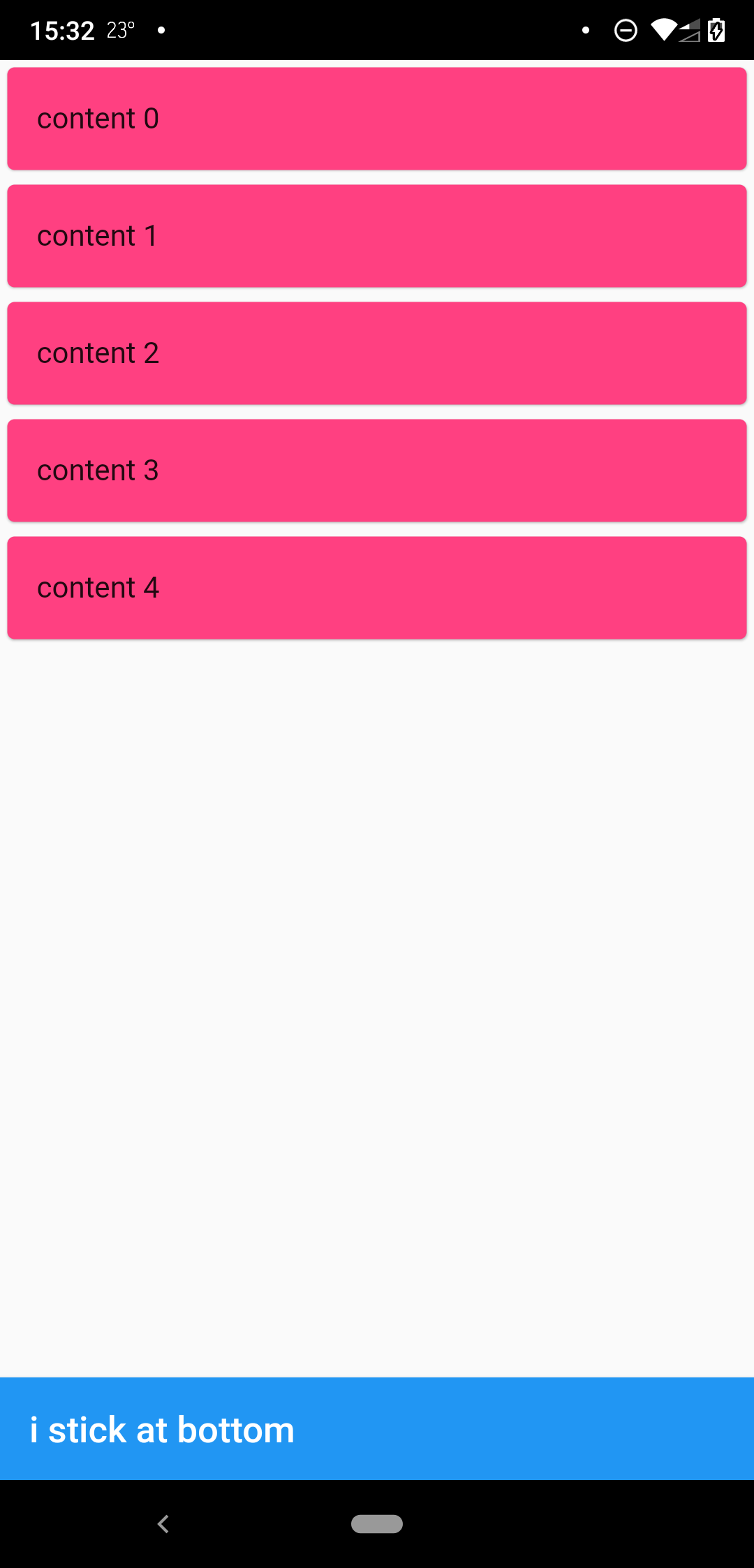
when scrollbody is shorter than the avialble widget height

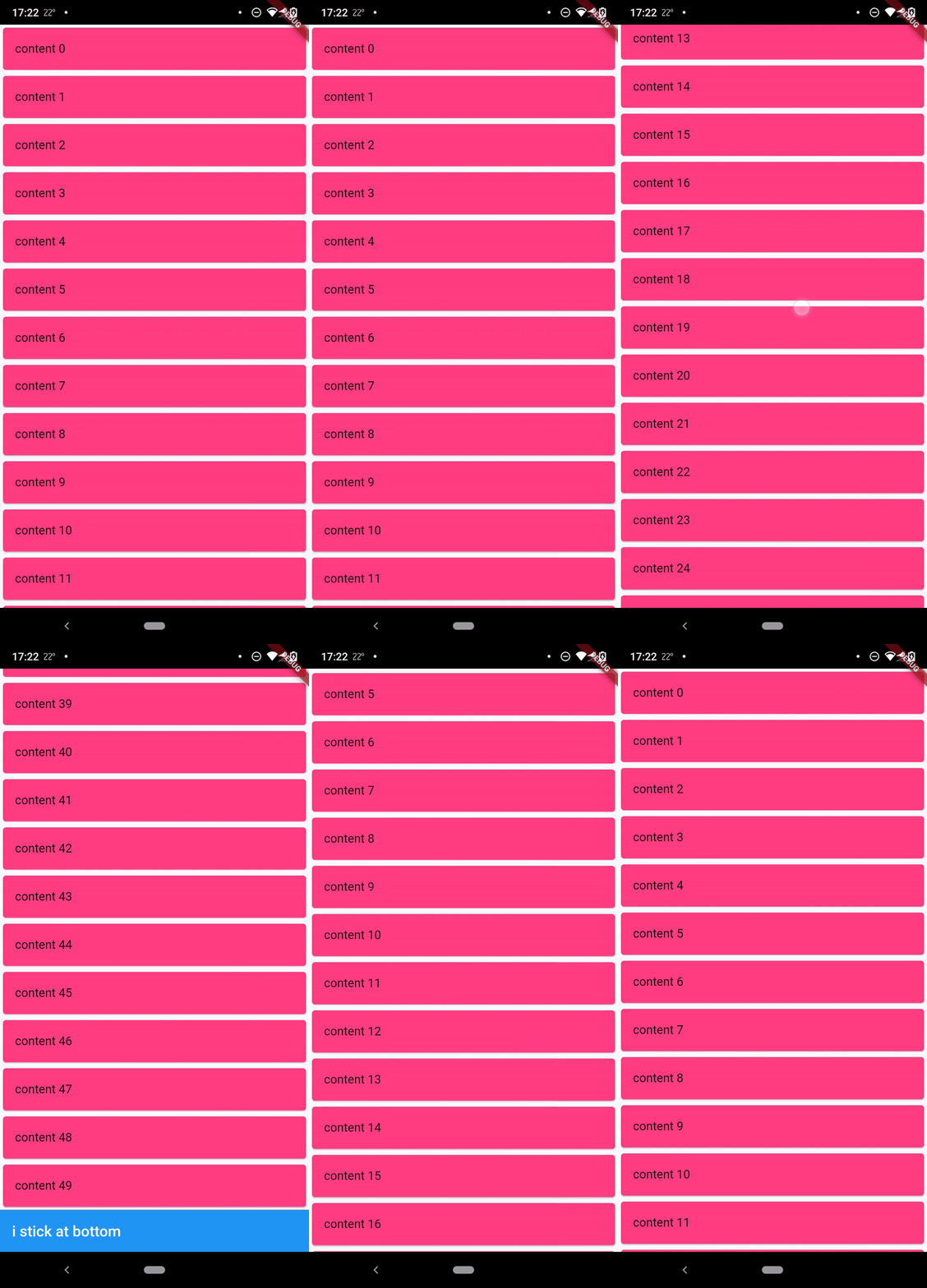
when scrollbody is longer than the avialble widget height

@override
  Widget build(BuildContext context) {
    return SafeArea(
      child: Scaffold(
        body: StickyFooterScrollView(
          itemCount: 50,
          itemBuilder: (context, index) {
            return Card(
              child: ListTile(
                title: Text('content $index'),
              ),
              color: Colors.pinkAccent,
            );
          },
          footer: AppBar(
            title: Text('i stick at bottom'),
          ),
        ),
      ),
    );
  }

Lisence

MIT

カテゴリー

ソースリポジトリ

このパッケージを使用しているプロジェクト

データはまだありません。