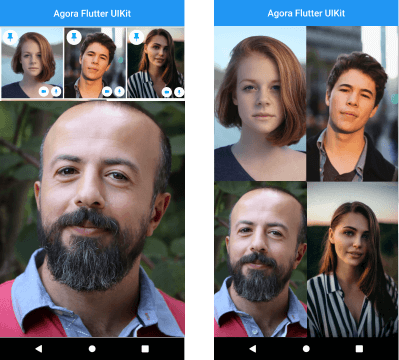
Agora UIKit은 개발자가 최소한의 코드로 애플리케이션에 실시간 영상 통화 및 라이브 영상 스트리밍을 빠르게 통합할 수 있도록 해주는 플러터 플러그인입니다. Agora.io에서 개발한 이 도구는 영상 회의를 위한 사전 구축된 UI 컴포넌트를 제공하여 오디오/비디오 통화, 화면 공유, 라이브 방송 등의 기능을 쉽게 구현할 수 있게 합니다. 직관적인 API를 통해 복잡한 실시간 통신 워크플로우를 단순화하여 개발 시간을 크게 줄여줍니다. 다양한 플랫폼 간 확장 가능하고 낮은 지연 시간의 상호작용을 지원하며, 원활한 영상 연결이 필요한 앱에 적합합니다.
사용 사례
비디오 회의 앱
라이브 스트리밍 플랫폼
가상 강의실
원격 의료 상담
팀 협업 도구
주요 기능
사전 구축된 비디오 통화 UI
몇 줄의 코드로 간편하게 통합
라이브 스트리밍 및 그룹 통화 지원
저지연 실시간 통신
사용자 정의 가능한 UI 구성 요소
적합한 대상
빠른 비디오 통합을 원하는 개발자
실시간 비디오 기능이 필요한 앱
통신 중심 앱을 개발하는 스타트업
교육 및 원격의료 플랫폼
고려 사항
Agora 계정과 API 키가 필요합니다
추가 코드 없이 제한된 사용자 지정
아고라의 백엔드 인프라에 의존
완전한 기능을 위해 플랫폼별 구성이 필요할 수 있습니다
원본 README
연결된 소스 저장소의 README 원문 스냅샷입니다. 최신 내용은 저장소에서 확인하세요.
[ARCHIVED] Agora VideoUIKit for Flutter
⚠️ This project is no longer maintained and has been archived.
Please note that this repository is now in a read-only state and will not receive any further updates or support.
We recommend migrating to the following alternatives:
Agora SDK: For developers seeking a customizable solution with full control over the user experience. Learn more
Agora App Builder: For those preferring a no-code approach to integrate real-time engagement features. Get started
Instantly integrate Agora video calling or video streaming into your Flutter application.
NOTE: The Flutter VideoUIKit( >version 1.1.0) uses the latest version of the Agora 4.x SDK. To know more about the changes and the new features in the 4.x SDK, kindly take a look at the docs.
Getting started
Roadmap
[ ] Add Usernames
[x] More Event Callbacks
[x] Add RTM SDK
[x] Screen Sharing (Currently in Beta)
[x] Layout for One to One Video Call
[ ] Layout for Voice Calls
[ ] Re-orderable list view (Floating Layout)
[ ] Cloud recording
[ ] Promoting an audience member to a broadcaster role.
Agora Video SDK requires camera and microphone permission to start video call.
Android
Open the AndroidManifest.xml file and add the required device permissions to the file.
<manifest>
...
<uses-permissionandroid:name="android.permission.READ_PHONE_STATE"/><uses-permissionandroid:name="android.permission.INTERNET" /><uses-permissionandroid:name="android.permission.RECORD_AUDIO" /><uses-permissionandroid:name="android.permission.CAMERA" /><uses-permissionandroid:name="android.permission.MODIFY_AUDIO_SETTINGS" /><uses-permissionandroid:name="android.permission.ACCESS_NETWORK_STATE" /><!-- The Agora SDK requires Bluetooth permissions in case users are using Bluetooth devices.--><uses-permissionandroid:name="android.permission.BLUETOOTH" />
...
</manifest>
iOS
Open info.plist and add:
Privacy - Microphone Usage Description, and add a note in the Value column.
Privacy - Camera Usage Description, and add a note in the Value column.
Your application can still run the voice call when it is switched to the background if the background mode is enabled. Select the app target in Xcode, click the Capabilities tab, enable Background Modes, and check Audio, AirPlay, and Picture in Picture.
The plan is to grow this library and have similar offerings across all supported platforms. There are already similar libraries for Android, iOS, React Native, and Web React, so be sure to check them out.