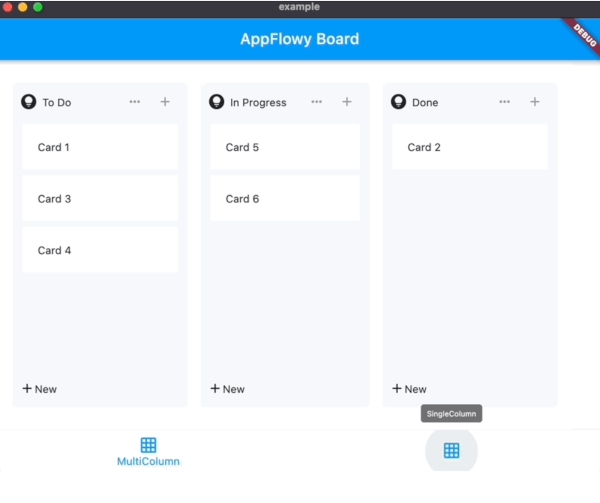
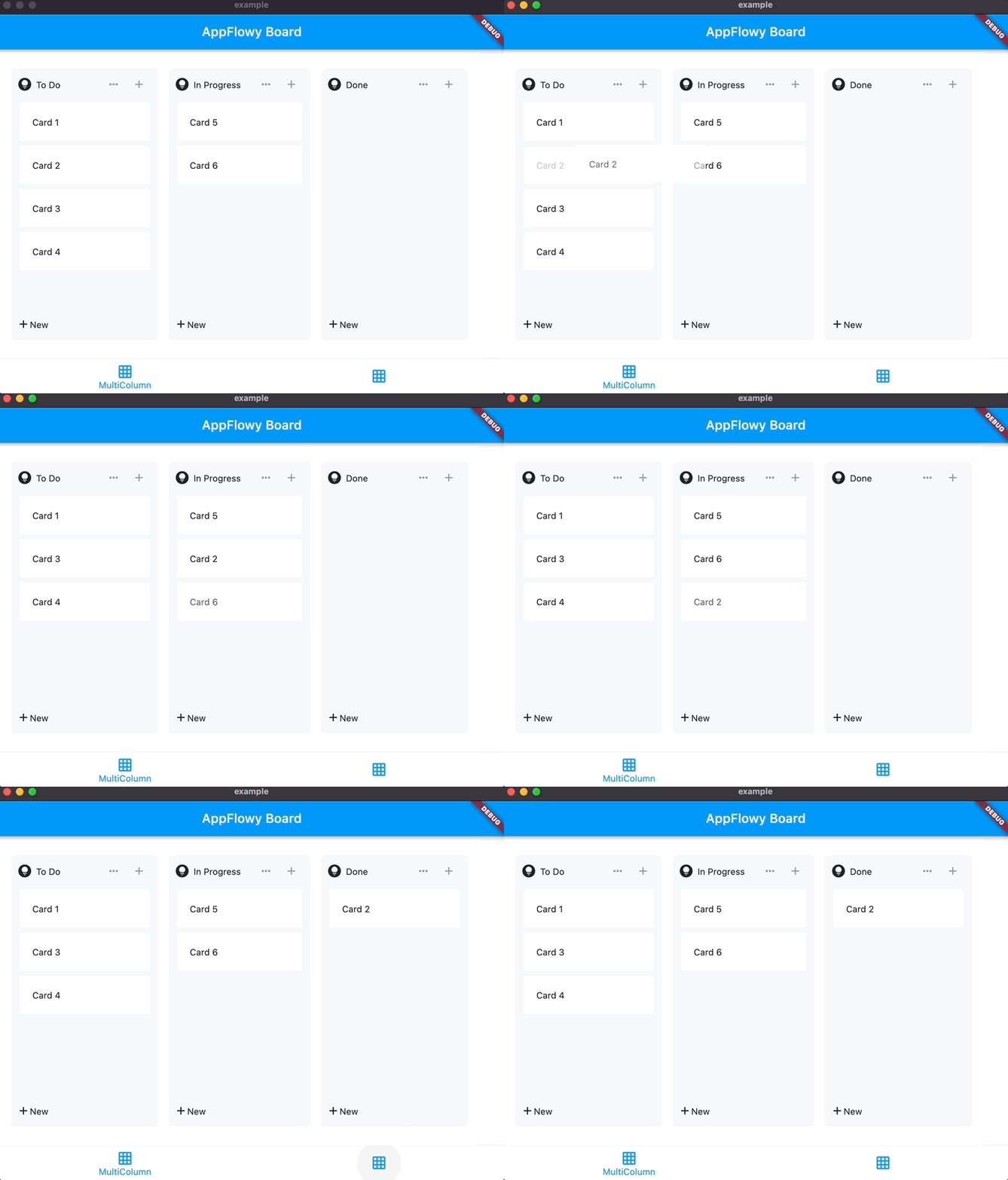
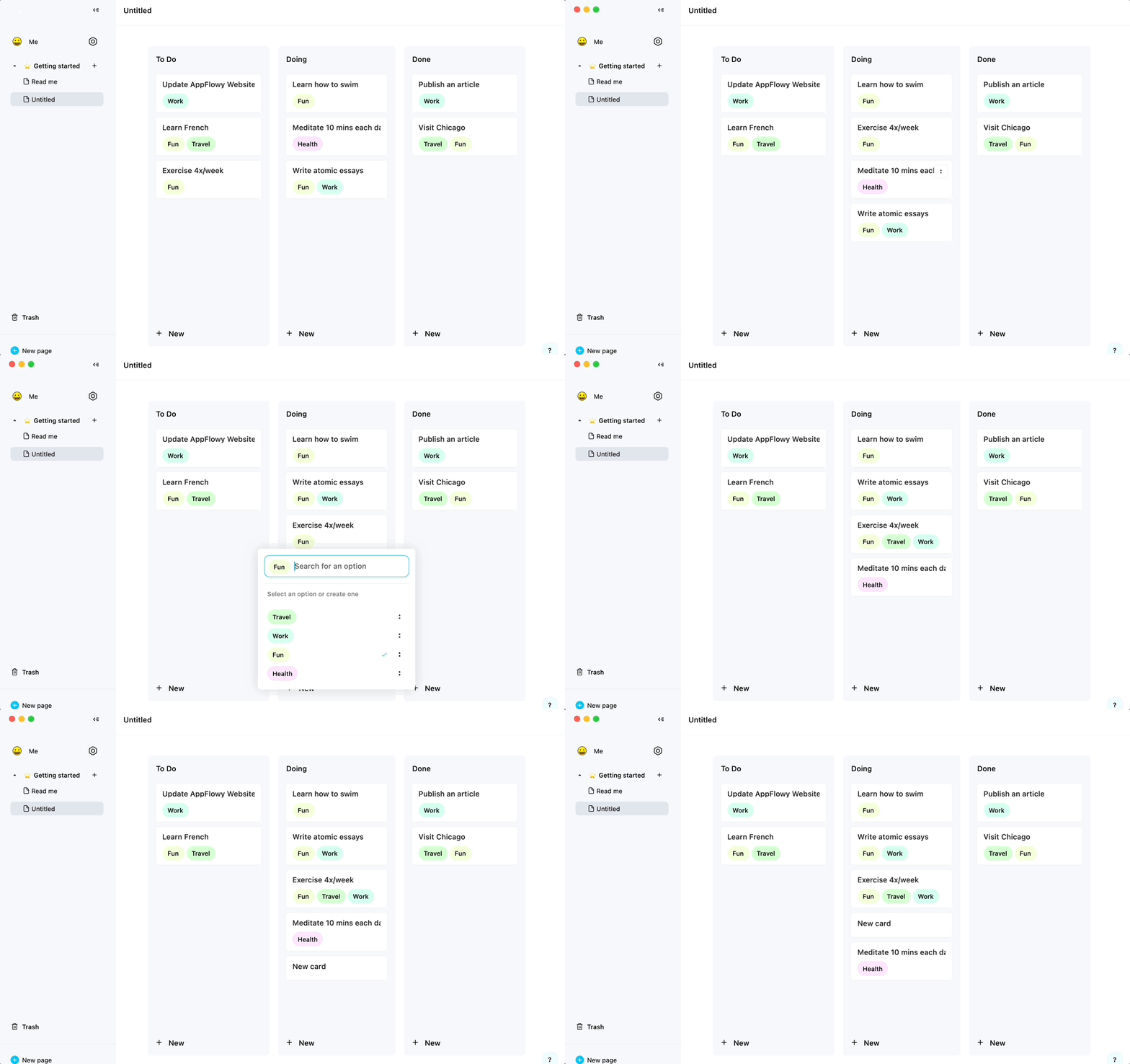
AppFlowyBoard는 여러 그룹을 갖춘 보드 형 인터페이스를 만들기 위해 설계된 Flutter 위젯으로, 그룹 간에 직관적인 드래그 앤 드롭 상호작용을 가능하게 합니다. 작업, 프로젝트 또는 콘텐츠를 시각적이고 유연한 레이아웃으로 정리하는 데 이상적입니다. 크로스플랫폼 사용을 위해 제작되었으며 Android, iOS, macOS, Windows 및 Linux를 지원합니다. AppFlowy 생태계의 일부로서 생산성과 사용자 친화적인 데이터 관리를 중시합니다. 모듈식 설계 덕분에 개발자는 그룹 동작과 항목 상호작용을 쉽게 사용자 정의할 수 있습니다.
사용 사례
작업 관리
프로젝트 계획
콘텐츠 구성
시각적 워크플로 설계
협업 편집
주요 기능
다중 그룹 보드 레이아웃
그룹 간 드래그 앤 드롭
크로스 플랫폼 지원
사용자 정의 가능한 그룹 항목
확장 가능한 UI 컴포넌트
적합한 대상
생산성 앱
칸반 스타일 도구
대시보드 빌더
개발자 도구
상호작용형 데이터 표시
고려 사항
Flutter 제스처에 대한 이해가 필요합니다
추가적인 상태 관리가 필요할 수 있습니다
GitHub 외 문서가 제한적
중간에서 대규모 보드에 가장 적합
완전한 기능을 위해 AppFlowy 생태계에 의존합니다
원본 README
연결된 소스 저장소의 README 원문 스냅샷입니다. 최신 내용은 저장소에서 확인하세요.
appflowy_board
AppFlowy Board
A customizable and draggable Kanban Board widget for Flutter
This will add a line like this to your package's pubspec.yaml:
dependencies:
  appflowy_board: ^0.1.0
Create your first board
Initialize an AppFlowyBoardController for the board. It contains the data used by the board. You can
register callbacks to receive the changes of the board.
finalAppFlowyBoardController controller = AppFlowyBoardController(
onMoveGroup: (fromGroupId, fromIndex, toGroupId, toIndex) {
debugPrint('Move item from $fromIndex to $toIndex');
},
onMoveGroupItem: (groupId, fromIndex, toIndex) {
debugPrint('Move $groupId:$fromIndex to $groupId:$toIndex');
},
onMoveGroupItemToGroup: (fromGroupId, fromIndex, toGroupId, toIndex) {
debugPrint('Move $fromGroupId:$fromIndex to $toGroupId:$toIndex');
},
);
Provide an initial value of the board by initializing the AppFlowyGroupData. It represents a group data and contains list of items. Each item displayed in the group requires to implement the AppFlowyGroupItem class.
voidinitState() {
final group1 = AppFlowyGroupData(id: "To Do", items: [
TextItem("Card 1"),
TextItem("Card 2"),
]);
final group2 = AppFlowyGroupData(id: "In Progress", items: [
TextItem("Card 3"),
TextItem("Card 4"),
]);
final group3 = AppFlowyGroupData(id: "Done", items: []);
controller.addGroup(group1);
controller.addGroup(group2);
controller.addGroup(group3);
super.initState();
}
classTextItemextendsAppFlowyGroupItem{
finalString s;
TextItem(this.s);
@overrideStringget id => s;
}
Finally, return a AppFlowyBoard widget in the build method.
To quickly grasp how it can be used, look at the /example/lib folder.
First, run main.dart to play with the demo.
Second, let's delve into multi_board_list_example.dart to understand a few key components:
A Board widget is created via instantiating an AppFlowyBoard object.
In the AppFlowyBoard object, you can find the AppFlowyBoardController, which is defined in board_data.dart, is fed with pre-populated mock data. It also contains callback functions to materialize future user data.
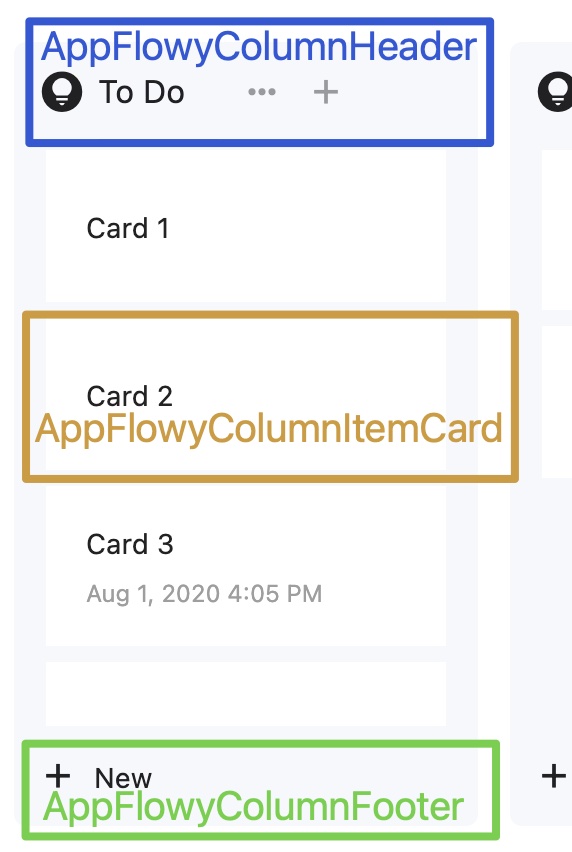
Three builders: AppFlowyBoardHeaderBuilder, AppFlowyBoardFooterBuilder, AppFlowyBoardCardBuilder. See below image for what they are used for.
Glossary
Please refer to the API documentation.
Contributing
Contributions are what make the open source community such an amazing place to learn, inspire, and create. Any contributions you make are greatly appreciated.