연결된 소스 저장소의 README 원문 스냅샷입니다. 최신 내용은 저장소에서 확인하세요.
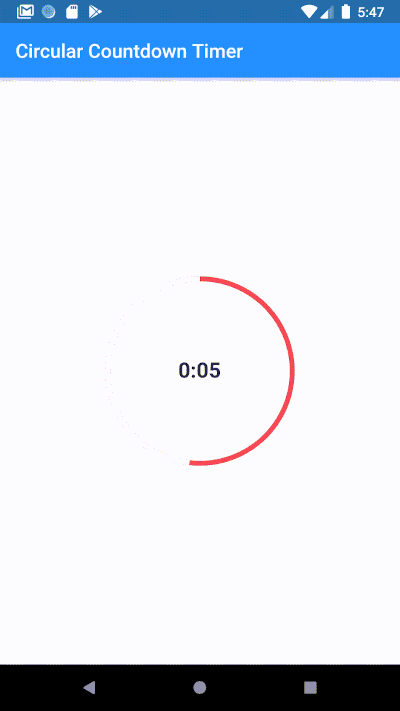
Circular Countdown Timer
Make an animated circular countdown using Circular Countdown Timer.
Getting Started
To use this plugin, add circular_countdown_timer as a dependency in your pubspec.yaml file.
Features
Forward Countdown Timer.
Reverse Countdown Timer.
Start, Pause, Resume, Restart and Reset Timer.
Usage
CircularCountDownTimer (
duration: 10 ,
initialDuration: 0 ,
controller: CountDownController (),
width: MediaQuery .of (context).size.width / 2 ,
height: MediaQuery .of (context).size.height / 2 ,
ringColor: Colors .grey[300 ]!,
ringGradient: null ,
fillColor: Colors .purpleAccent[100 ]!,
fillGradient: null ,
backgroundColor: Colors .purple[500 ],
backgroundGradient: null ,
strokeWidth: 20.0 ,
strokeCap: StrokeCap .round,
textStyle: TextStyle (
fontSize: 33.0 , color: Colors .white, fontWeight: FontWeight .bold),
textAlign: TextAlign .center,
textFormat: CountdownTextFormat .S,
isReverse: false ,
isReverseAnimation: false ,
isTimerTextShown: true ,
autoStart: false ,
onStart: () {
debugPrint ('Countdown Started' );
},
onComplete: () {
debugPrint ('Countdown Ended' );
},
onChange: (String timeStamp) {
debugPrint ('Countdown Changed $timeStamp ' );
},
timeFormatterFunction: (defaultFormatterFunction, duration) {
if (duration.inSeconds == 0 ) {
return "Start" ;
} else {
return Function .apply (defaultFormatterFunction, [duration]);
}
},
);
Parameters
Name
Type
Default Value
Description
keyKeynull
Key for Countdown Timer.
durationintnull
Countdown duration in Seconds.
initialDurationint0
Countdown initial elapsed Duration in Seconds.
controllerCountDownControllernull
Controls (i.e Start, Pause, Resume, Restart) the Countdown Timer.
widthdoublenull
Width of the Countdown Widget.
heightdoublenull
Height of the Countdown Widget.
ringColorColornull
Ring Color for Countdown Widget.
ringGradientGradientnull
Ring Gradient for Countdown Widget. Note that ringColor will not be effective if gradient is provided.
fillColorColornull
Filling Color for Countdown Widget.
fillGradientGradientnull
Filling Gradient for Countdown Widget. Note that fillColor will not be effective if gradient is provided.
backgroundColorColornull
Background Color for Countdown Widget.
backgroundGradientGradientnull
Background Gradient for Countdown Widget. Note that backgroundColor will not be effective if gradient is provided.
strokeWidthdouble5.0
Border Thickness of the Countdown Ring.
strokeCapStrokeCapStrokeCap.butt
Begin and end contours with a flat edge and no extension.
textStyleTextStyleTextStyle(fontSize: 16.0,color: Colors.black,)
Text Style for Countdown Text.
textFormatStringnull
Format for the Countdown Text.
isReverseboolfalse
Handles Countdown Timer (true for Reverse Countdown (max to 0), false for Forward Countdown (0 to max)).
isReverseAnimationboolfalse
Handles Animation Direction (true for Reverse Animation, false for Forward Animation).
isTimerTextShownbooltrue
Handles visibility of the Countdown Text.
autoStartbooltrue
Handles the timer start.
onStartVoidCallbacknull
This Callback will execute when the Countdown Starts.
onCompleteVoidCallbacknull
This Callback will execute when the Countdown Ends.
onChangeValueChanged<String>null
This Callback will execute when the Countdown Changes.
timeFormatterFunctionFunction(Function(Duration duration) defaultFormatterFunction,Duration duration)null
This Callback allows you to format the current duration to any String in Countdown Widget.
Demo
Youtube
Bekar Programmer