client_information 패키지는 플러터 애플리케이션 내에서 기본적인 클라이언트 장치 정보에 쉽게 접근할 수 있도록 제공합니다. Android, iOS 및 웹 플랫폼을 지원하며, 모델, OS 버전, 플랫폼 유형과 같은 중요한 장치 세부 정보를 검색할 수 있습니다. 간단한 설계로 직관적인 API를 사용하여 기존 프로젝트와 원활하게 통합됩니다. 분석, 디버깅 또는 개인화 기능에 이상적이며, 다양한 환경에서 일관된 동작을 보장합니다.
사용 사례
장치 분석
사용자 프로파일링
디버깅 및 문제 해결
개인화된 사용자 경험
크로스플랫폼 앱 개발
주요 기능
크로스 플랫폼 지원 (Android, iOS, Web)
간단하고 직관적인 API
기기 모델 및 OS 정보 검색
경량이고 빠름
다양한 플랫폼 간 일관된 데이터
적합한 대상
크로스 플랫폼 앱을 개발하는 개발자
장치 수준의 통찰이 필요한 팀
사용자 기기 컨텍스트가 필요한 앱
분석 및 모니터링 도구
웹 및 모바일 하이브리드 애플리케이션
고려 사항
Android 및 iOS에 적절한 권한이 필요합니다
기본 장치 정보에 한정
데이터를 수집할 때는 개인정보 보호 준수 필요
실시간 업데이트 없음
플랫폼별 구현에 의존
원본 README
연결된 소스 저장소의 README 원문 스냅샷입니다. 최신 내용은 저장소에서 확인하세요.
Client Information
This is a plugin that lets you get basic information from your application's client. It's easy to use and supports different platforms (Android, iOS, and Web). There are four different information types: "application information", "software information", "operating system information", and "device information".
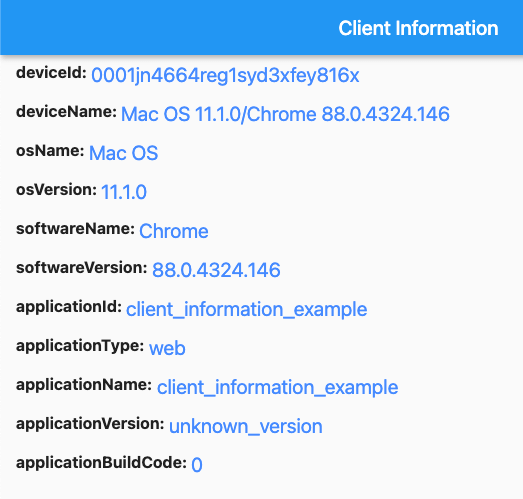
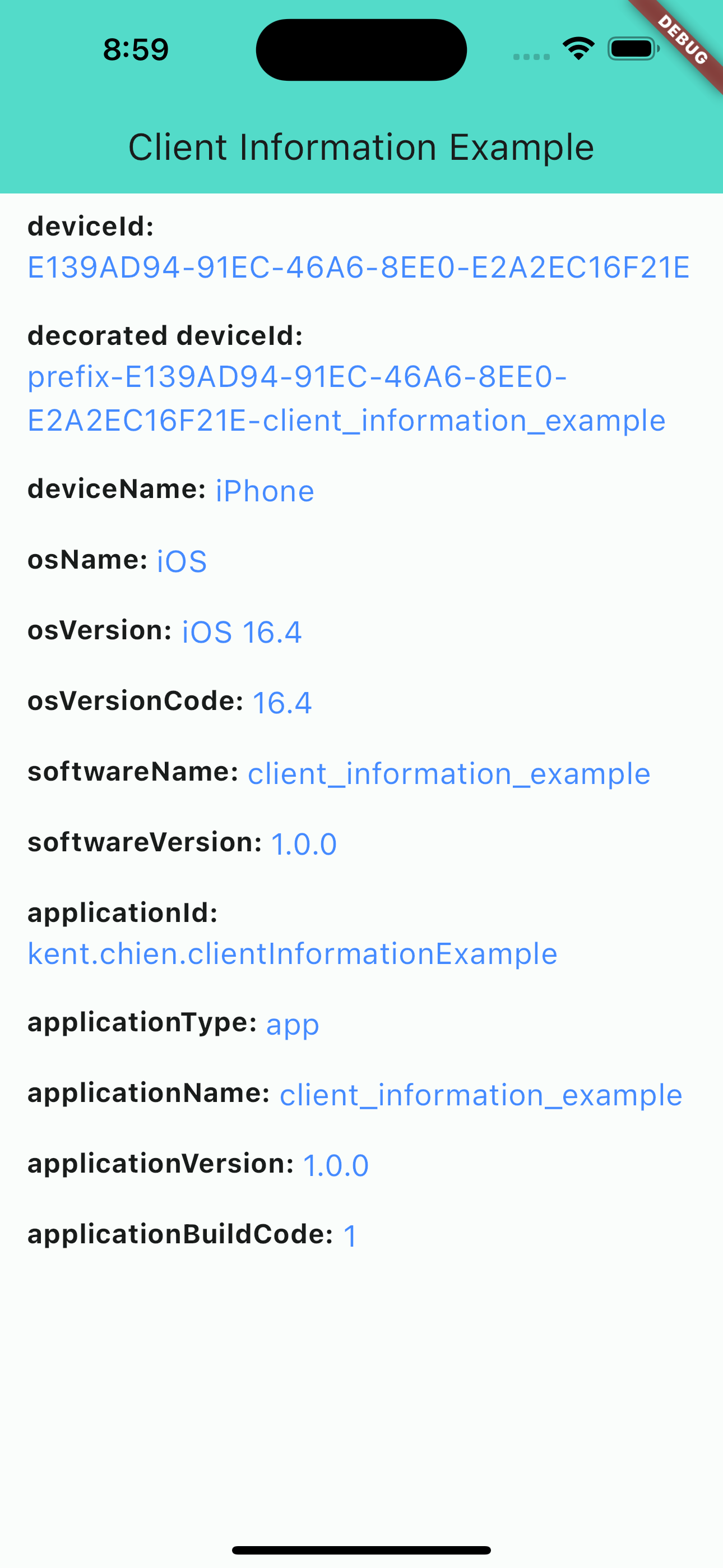
iOS screenshot
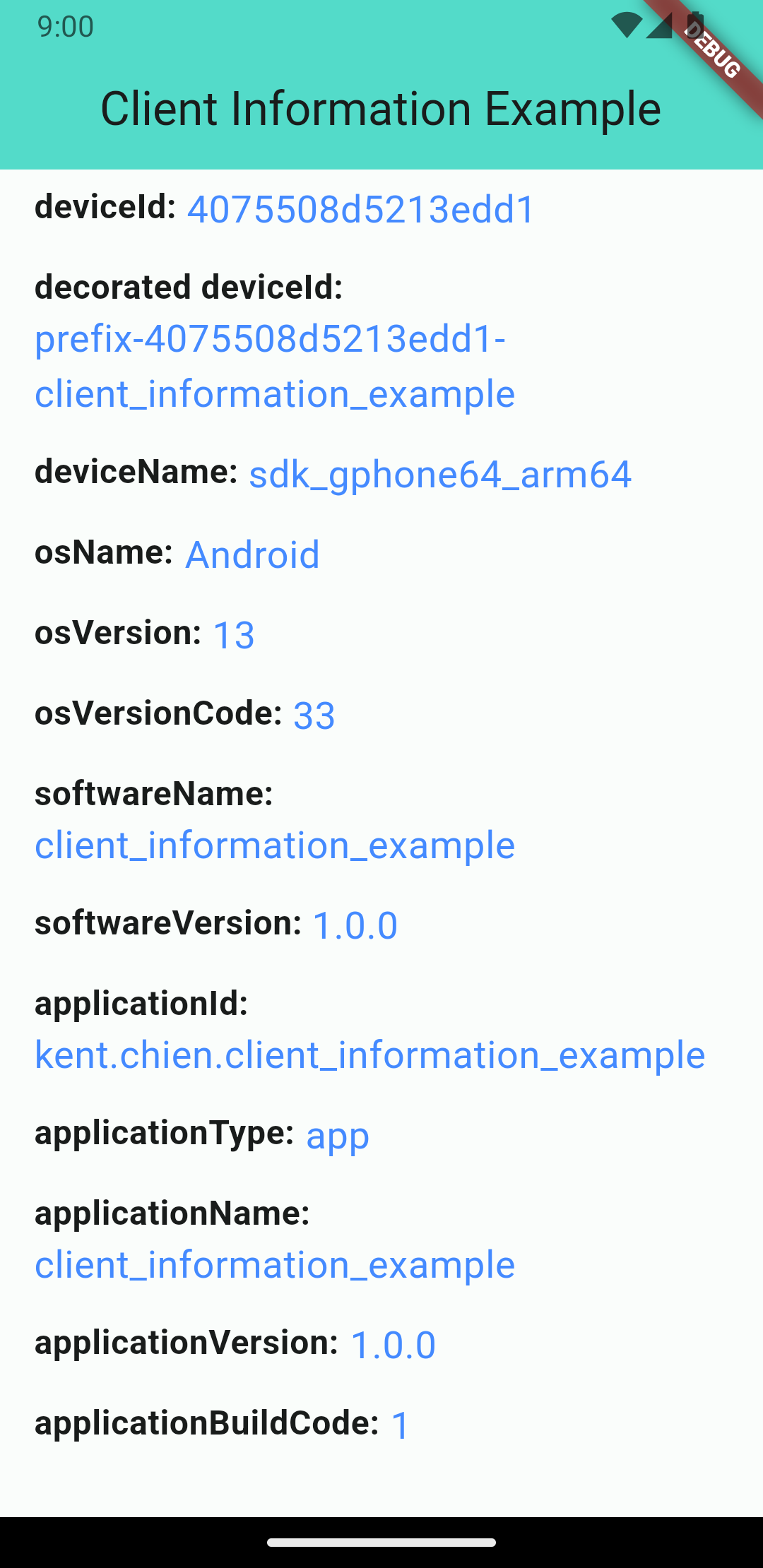
Android screenshot
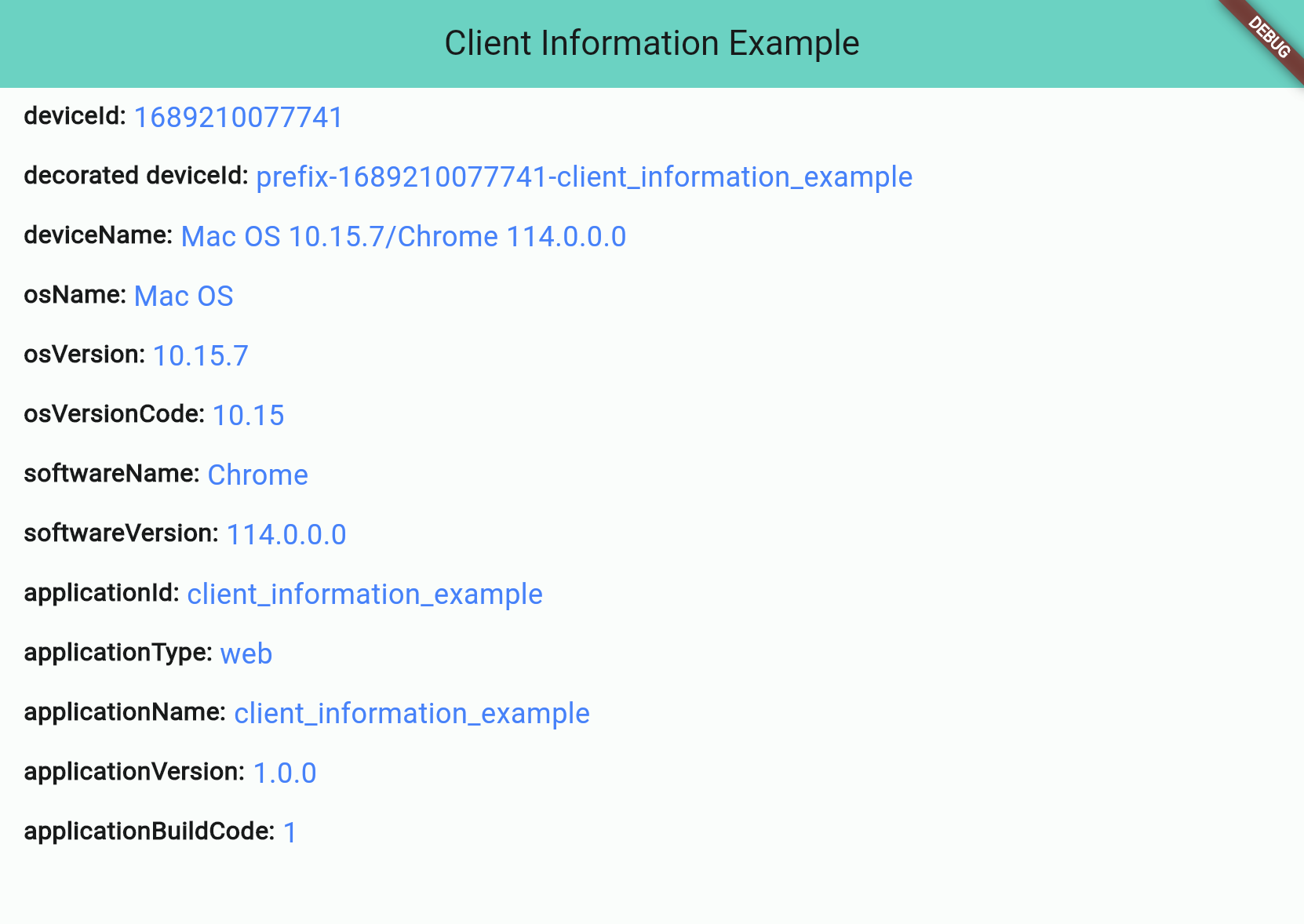
Web screenshot
Information Types
There are 4 different types:
Application Information
Software Information
Operating System Information
Device Information
Application Information
Application information is all about the application you build. And notice that applicationId is not supported for web applications.
Attribute
iOS
Android
Web
applicationId String
⭕ bundleIdentifier
⭕ package name
❌ default: application name
applicationType String (app/web)
⭕
⭕
⭕
applicationName String
⭕
⭕
⭕
applicationVersion String
⭕
⭕
⭕
applicationBuildCode String
⭕
⭕
⭕
Software Information
"Software" stands for the "software" that runs your application, such as "Operating System" for iOS/Android projects or "Browser" for web projects.
Attribute
iOS
Android
Web
softwareName String
⭕ OS name
⭕ OS name
⭕ Browser name
softwareVersion String
⭕ OS version
⭕ OS version
⭕ Browser version
Operating System Information
OS information will show you the OS's name and version. Notice: Web projects may not get this information if the browser's user-agent doesn't contain any information about the operating system.
Attribute
iOS
Android
Web
osName String
⭕ OS name
⭕ OS name
⚠️ OS name (*unknown possible)
osVersion String
⭕ OS version
⭕ OS version
⚠️ OS Version (*unknown possible)
osVersionCode String
⭕ iOS version(number)
⭕ Android API level
⚠️ OS Version(number) (*unknown: -1)
Device Information
The device information will display device's ID and name. Note that web projects don't support real deviceId, so they will use the package uuid to generate a unique string and save to the browser's cookie.
// Get client informationClientInformation info = awaitClientInformation.fetch();
print(info.deviceId); // EA625164-4XXX-XXXX-XXXXXXXXXXXXprint(info.osName); // iOS
Decoration
Starting from version 2.1.0, you can customize some information by passing the decorators. Like below:
var information = awaitClientInformation.fetch(
// you can pass decorators to decoration the value before it return.
decorators: ClientInformationDecorators(
deviceId: (oriInfo, value) =>
'prefix-$value-${oriInfo.applicationName}',
),
);
Or, you can use extension method like this:
var information = awaitClientInformation.fetch();
print('Original DeviceId: ${information.deviceId}');
// Original DeviceId: EA625164-4XXX-XXXX-XXXXXXXXXXXXvar decoratedInfo = information.decoration(deviceId: (oriInfo, value) => '$value-some-suffix-string-here');
print('Decorated DeviceId: ${decoratedInfo.deviceId}');
// Decorated DeviceId: EA625164-4XXX-XXXX-XXXXXXXXXXXX-some-suffix-string-here
Mock Data for Test
Starting from version 1.0.2, you can mock data or enable "mockMode" to facilitate testing. Here is how to set it up:
In your test file:
setUp(() async {
// Change to "MockMode" and set the default data you need.ClientInformation.mockOn(
deviceId: 'mock_device_id', osName: 'MyCustomOS');
});
tearDown(() {
// Close the "MockMode" in tearDown methodClientInformation.mockOff();
});
// Run your testtest('`deviceId` will be "mock_device_id"', () async {
ClientInformation info = awaitClientInformation.fetch();
expect(info.deviceId, 'mock_device_id');
});