패키지, 저장소 및 앱 카테고리 검색

draggable_float_widget 표지
패키지 상세v0.1.0

draggable_float_widget

이것은 스크롤뷰의 스크롤 이벤트를 통해 표시 여부를 제어할 수 있는 드래그 가능한 플로팅 Flutter 위젯입니다.

AndroidiOSWebmacOSWindowsLinux
30일 다운로드
17.7만
좋아요
116
Pub 점수
150

패키지 설치

flutter pub add draggable_float_widget

패키지 개요

공개 정보를 바탕으로 생성한 선택 가이드입니다.

스크롤 이벤트에 반응하여 자동으로 표시되거나 숨겨지는 드래그 가능한 플로팅 위젯을 제공하는 플러터 패키지입니다. 사용자의 스크롤 동작을 따르는 플로팅 액션 버튼이나 커스텀 오버레이와 같은 인터랙티브 UI 요소를 만들기에 적합합니다. 위젯은 화면에서 자유롭게 이동할 수 있으며, 스크롤 방향과 ScrollView 내 위치에 따라 가시성을 자동으로 조정합니다. Android, iOS, Web, macOS, Windows, Linux 등 모든 주요 플랫폼을 지원합니다.

사용 사례

  • 스크롤 가능한 목록 내 플로팅 액션 버튼
  • 스크롤에 반응하는 인터랙티브 오버레이
  • 사용자 정의 드래그 가능한 UI 컴포넌트
  • 모바일 앱 탐색 개선
  • 웹 애플리케이션의 동적 UI 요소

주요 기능

  • 드래그 가능한 위치 지정
  • 스크롤 트리거 기반의 가시성 제어
  • 크로스 플랫폼 호환성
  • 드래그 중 부드러운 애니메이션
  • 사용자 지정 가능한 표시/숨기기 임계값
  • 여러 플랫폼 대상을 지원합니다

적합한 대상

  • 스크롤 인식 UI를 구축하는 개발자
  • 동적 플로팅 요소가 필요한 모바일 및 웹 앱
  • 손짓 기반 상호작용을 구현하는 디자이너
  • 복잡한 오버레이 요구 사항을 가진 앱
  • 다중 플랫폼 배포를 목표로 하는 팀

고려 사항

  • 큰 목록에서는 성능 조정이 필요할 수 있습니다
  • 복잡한 스크롤 동작을 위해 가시성 로직을 맞춤설정해야 할 수 있습니다
  • 제한된 내장 스타일 옵션
  • 정적 플로팅 요소에 적합하지 않음
  • 중첩 스크롤 뷰에서 신중한 처리가 필요합니다

원본 README

연결된 소스 저장소의 README 원문 스냅샷입니다. 최신 내용은 저장소에서 확인하세요.

draggable_float_widget

This is a draggable and floating Flutter widget, which can control its visibility through the scrolling event of ScrollView.

Usage

To use this plugin, add draggable_float_widget as a dependency in your pubspec.yaml file.

constructor
  • the constructor of component

    DraggableFloatWidget({
      Key? key,
      this.width = defaultWidgetWidth,
      this.height = defaultWidgetHeight,
      this.eventStreamController,
      this.config = const DraggableFloatWidgetBaseConfig(),
      required this.child,
      this.onTap,
    }) : super(key: key);
    
  • special field instructions

    property description default
    eventStreamController The [StreamController] of [OperateEvent] null
    config the base config of [DraggableFloatWidget] DraggableFloatWidgetBaseConfig()
  • the base config of component

    DraggableFloatWidgetBaseConfig({
      this.isFullScreen = true,
      this.appBarHeight = kToolbarHeight,
      this.initPositionXInLeft = true,
      this.initPositionYInTop = true,
      this.initPositionYMarginBorder = 0,
      this.borderLeft = defaultBorderWidth,
      this.borderRight = defaultBorderWidth,
      this.borderTop = defaultBorderWidth,
      this.borderTopContainTopBar = false,
      this.borderBottom = defaultBorderWidth,
      this.exposedPartWidthWhenHidden = defaultExposedPartWidthWhenHidden,
      this.animDuration = const Duration(milliseconds: 300),
      this.delayShowDuration = const Duration(milliseconds: 500),
      this.debug = false,
    });
    
example
  • the first, add scroll listener

    ⚠️Ignore this step if the component is not affected by ScrollView scrolling, and you don't need to pass an StreamController instance into the instance.

    NotificationListener(
      onNotification: (notification) {
        if (notification is ScrollStartNotification) {
          eventStreamController.add(OperateEvent.OPERATE_HIDE);
        } else if (notification is ScrollEndNotification) {
          eventStreamController.add(OperateEvent.OPERATE_SHOW);
        }
        return true;
      },
      child: ListView(...),
    )
    
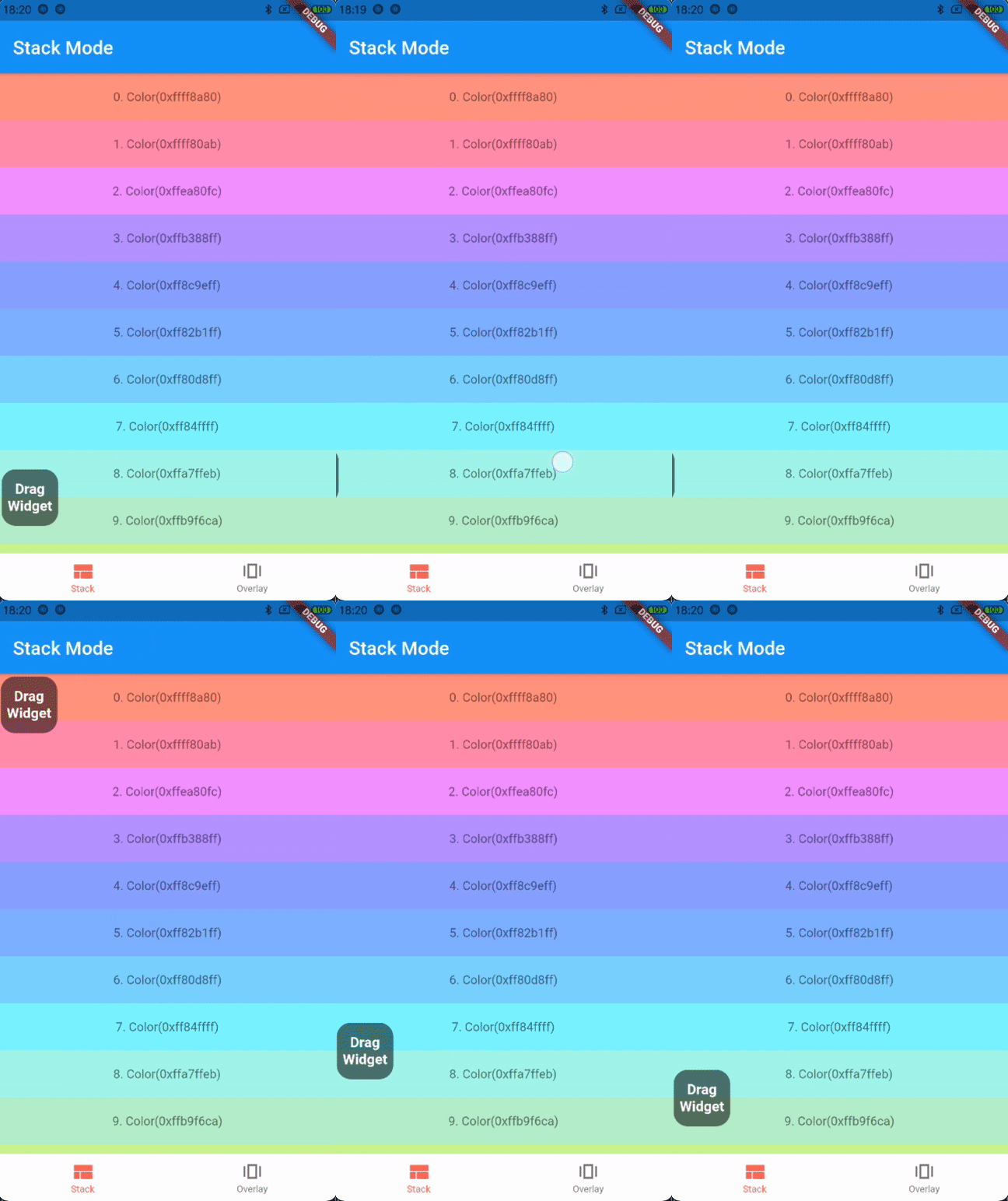
  • the first way: stack mode

    Stack(
      children: [
        listView,
        DraggableFloatWidget(
          child: child,
          eventStreamController: eventStreamController,
          config: DraggableFloatWidgetBaseConfig(
            isFullScreen: false,
            initPositionYInTop: false,
            initPositionYMarginBorder: 50,
            borderBottom: navigatorBarHeight + defaultBorderWidth,
          ),
          onTap: () => print("Drag onTap!"),
        )
      ],
    )
    

    stack mode

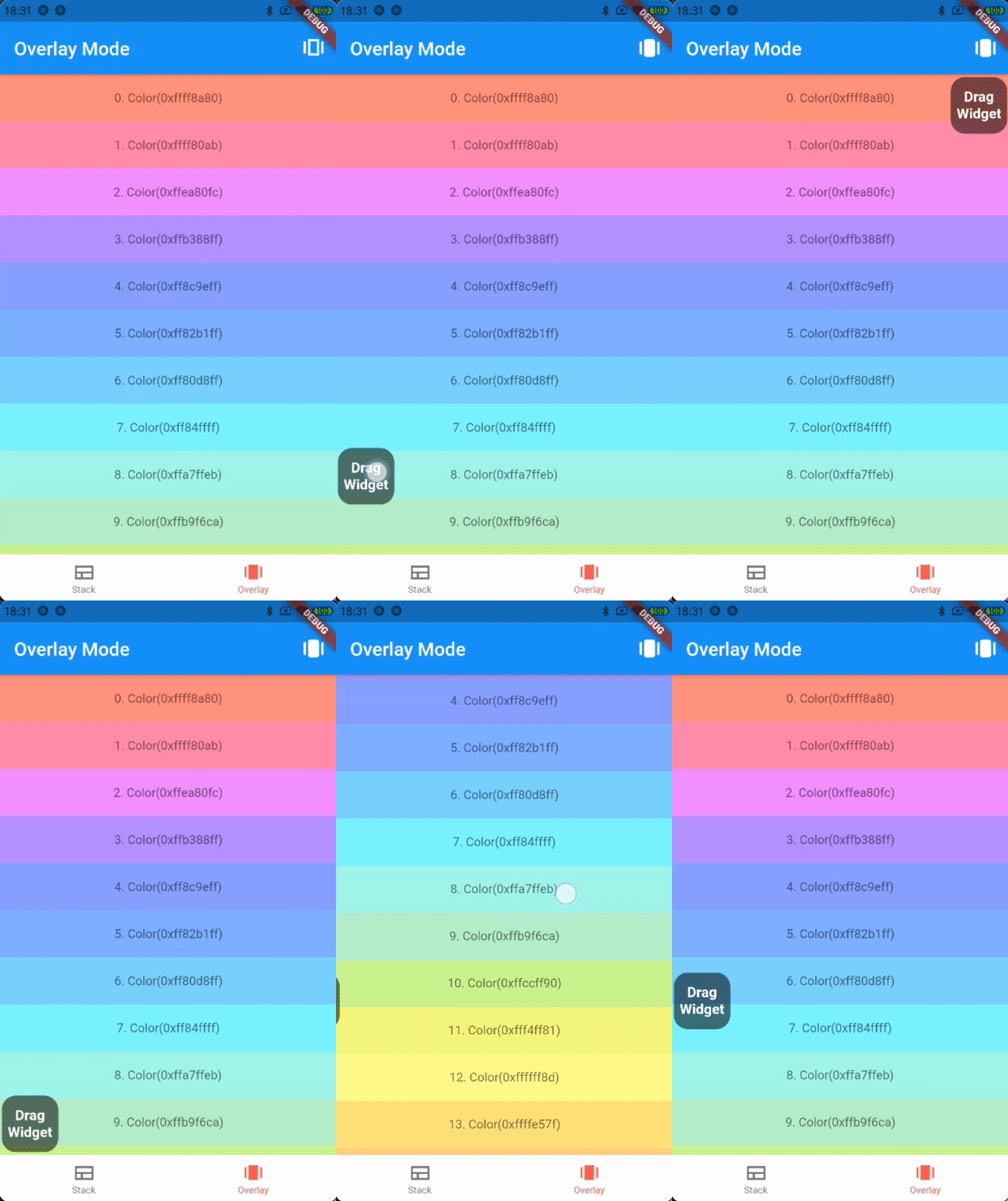
  • the second way: overlay mode

    _overlayEntry = OverlayEntry(builder: (context) {
      return DraggableFloatWidget(
        child: widget.child,
        eventStreamController: widget.eventStreamController,
        config: DraggableFloatWidgetBaseConfig(
          initPositionYInTop: false,
          initPositionYMarginBorder: 50,
          borderTopContainTopBar: true,
          borderBottom: widget.navigatorBarHeight + defaultBorderWidth,
        ),
        onTap: () => print("Drag onTap!"),
      );
    });
    
    /// Warning: context cannot be the context of MaterialApp
    Overlay.of(context)?.insert(_overlayEntry!);
    

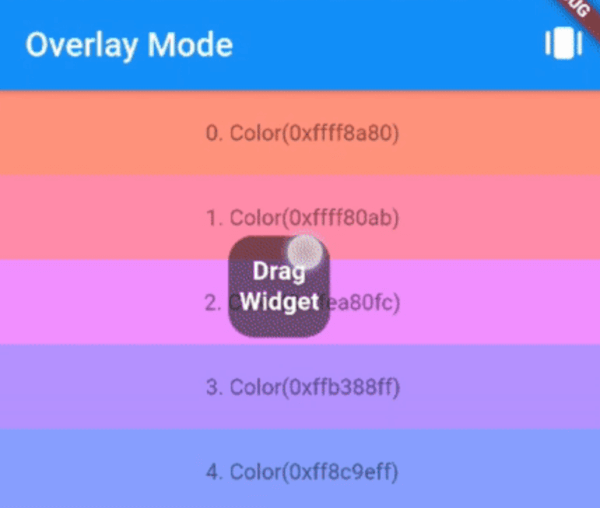
    overlay mode

Contributions

If you encounter any problem or the library is missing a feature feel free to open an issue. Feel free to fork, improve the package and make pull request.

License

MIT

카테고리

소스 저장소

이 패키지를 사용하는 프로젝트