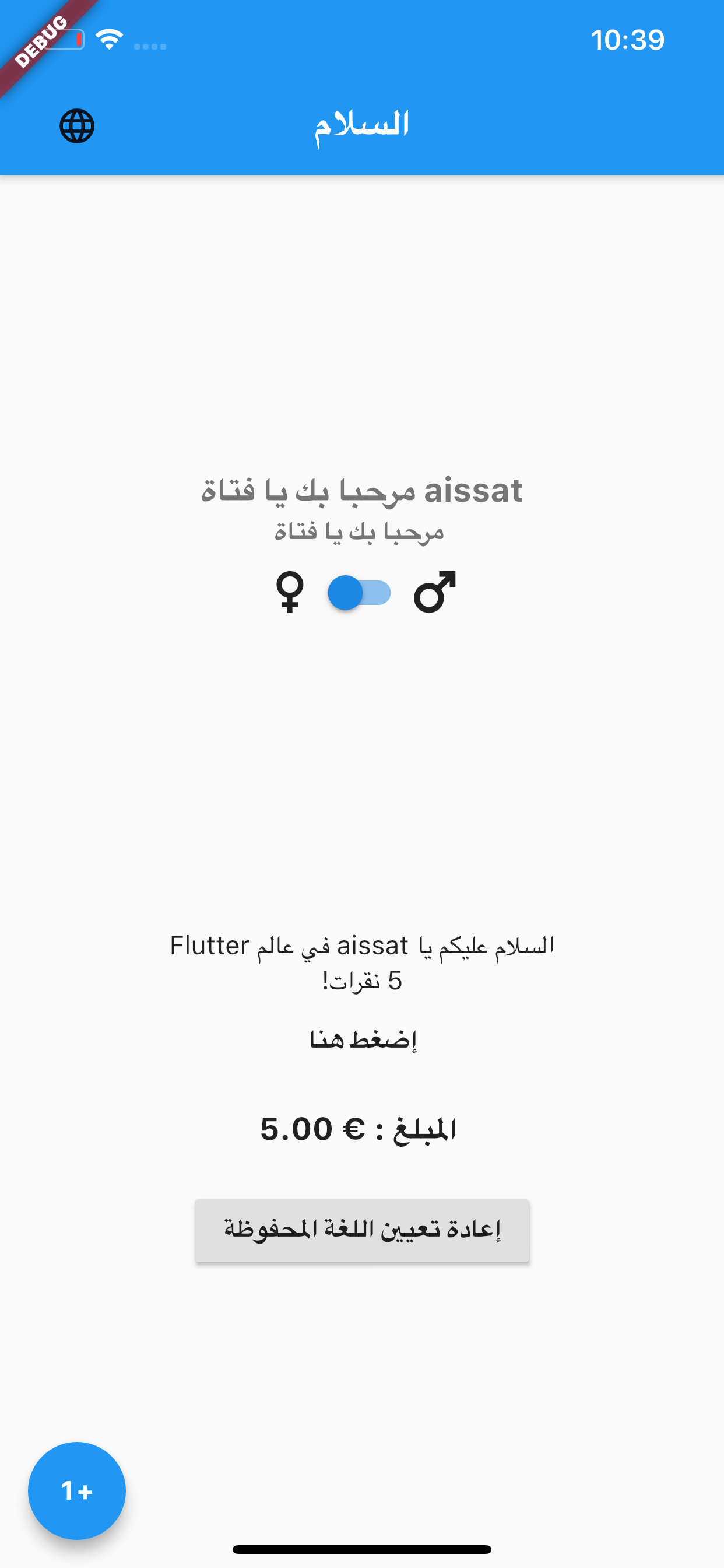
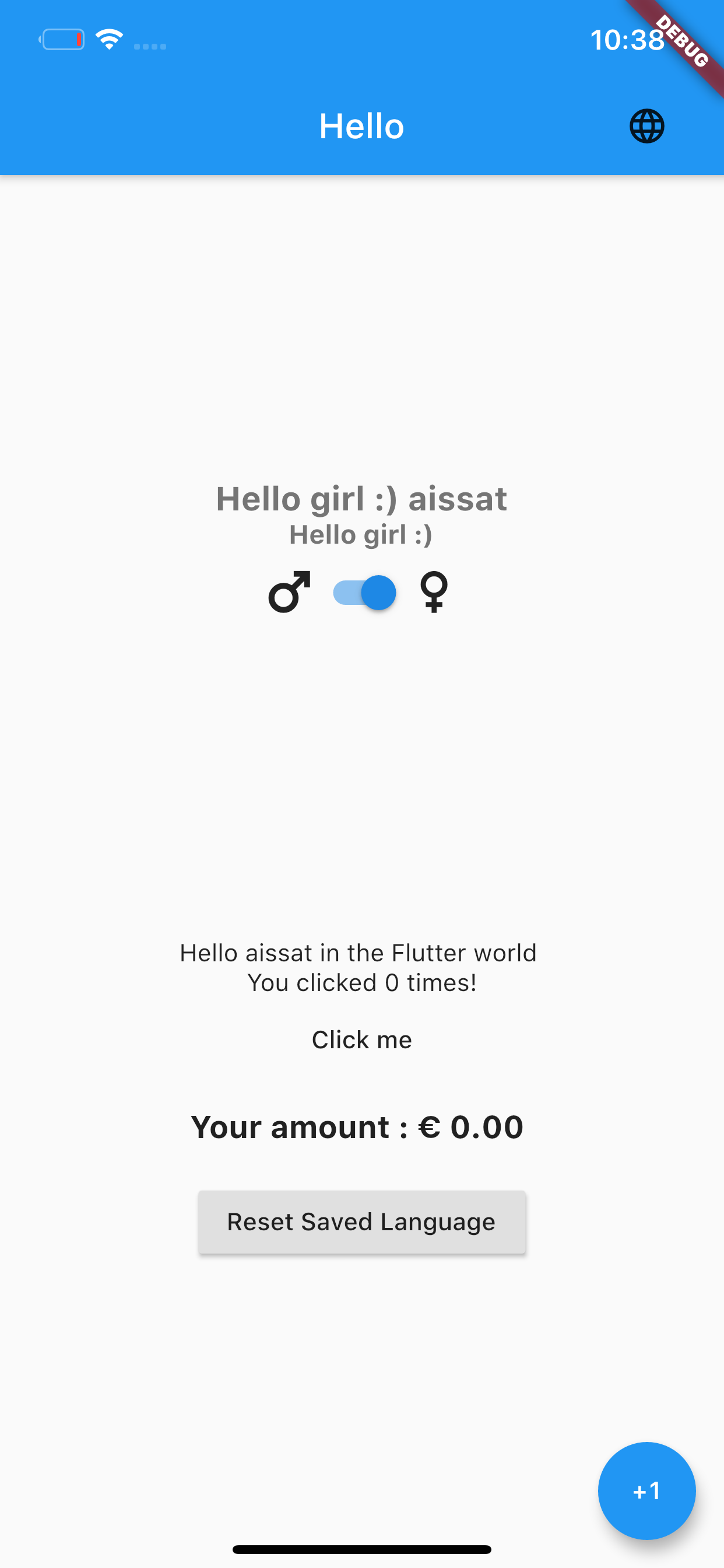
Easy_Localization은 앱에서 국제화 및 지역화를 간소화하는 Flutter 패키지입니다. 문자열 번역, 날짜 및 숫자 형식 지정, 런타임 중 로케일 전환을 위한 간단한 API를 제공하여 개발자가 여러 언어를 효율적으로 관리할 수 있도록 합니다. Android, iOS, Web, macOS, Windows, Linux 등 모든 주요 플랫폼을 지원합니다. JSON 기반 번역 파일에 내장된 지원으로 반복 코드를 줄이고 로컬라이제이션 워크플로우를 간소화합니다. 글로벌 사용자를 대상으로 하는 앱에 이상적이며, 다국어 콘텐츠의 유지보수성과 확장성을 향상시킵니다.
사용 사례
다국어 앱 개발
런타임 언어 전환
JSON 기반 번역
RTL 언어 지원
앱 로컬라이제이션 테스트
Flutter 위젯과의 원활한 통합
주요 기능
간단한 JSON 파일 구조
자동 로케일 감지
동적 로케일 전환
RTL 레이아웃 지원
복수형 및 성별 처리
내장된 백업 메커니즘
적합한 대상
다국어 앱을 개발하는 개발자
번역 워크플로우를 관리하는 팀
빠른 현지화 설정이 필요한 프로젝트
국제 시장을 겨냥한 앱
Flutter 초보자가 i18n 배우기
고려 사항
수동 번역 파일 관리가 필요합니다
복잡한 서식 지정에 대한 제한된 지원
내장 번역 서비스 통합 없음
누락된 키에 대해 사용자 정의 오류 처리가 필요할 수 있습니다
대규모 번역 파일의 성능 영향
원본 README
연결된 소스 저장소의 README 원문 스냅샷입니다. 최신 내용은 저장소에서 확인하세요.
Easy and Fast internationalization for your Flutter Apps
Class loader for localization files. You can use custom loaders from Easy Localization Loader or create your own class.
extraAssetLoaders
false
null
A List of asset loaders, in case of needing assets being loaded from a different module or package. (e.g. adding a package that uses [Easy Localization Loader]).
fallbackLocale
false
Returns the locale when the locale is not in the list supportedLocales.
startLocale
false
Overrides device locale.
saveLocale
false
true
Save locale in device storage.
useFallbackTranslations
false
false
If a localization key is not found in the locale file, try to use the fallbackLocale file.
useFallbackTranslationsForEmptyResources
false
false
If translation is empty in the locale file, try to use the fallbackLocale file. Does not take effect if useFallbackTranslations is false.
useOnlyLangCode
false
false
Trigger for using only language code for reading localization files.
Call EasyLocalization.ensureInitialized() in your main before runApp.
voidmain() async{
// ...// Needs to be called so that we can await for EasyLocalization.ensureInitialized();WidgetsFlutterBinding.ensureInitialized();
awaitEasyLocalization.ensureInitialized();
// ...runApp(....)
// ...
}
🔥 Change or get locale
Easy localization uses extension methods [BuildContext] for access to locale.
It's the easiest way change locale or get parameters 😉.
ℹ️ No breaking changes, you can use old the static method EasyLocalization.of(context)
You can use extension methods of [String] or [Text] widget, you can also use tr() as a static function.
Text(context.tr('title'))
You can also use tr() without [Context] as a static function.
This is not recommend in build methods, because the widget won't rebuild when the language changes.
Text('title').tr() //Text widgetprint('title'.tr()); //Stringvar title = tr('title') //Static function
Arguments:
Name
Type
Description
args
List<String>
List of localized strings. Replaces {} left to right
namedArgs
Map<String, String>
Map of localized strings. Replaces the name keys {key_name} according to its name
gender
String
Gender switcher. Changes the localized string based on gender string
Example:
{"msg":"{} are written in the {} language","msg_named":"Easy localization is written in the {lang} language","msg_mixed":"{} are written in the {lang} language","gender":{"male":"Hi man ;) {}","female":"Hello girl :) {}","other":"Hello {}"}}
You can translate with pluralization.
To insert a number in the translated string, use {}. Number formatting supported, for more information read NumberFormat class documentation.
You can use extension methods of [String] or [Text] widget, you can also use plural() as a static function.
Arguments:
Name
Type
Description
value
num
Number value for pluralization
args
List<String>
List of localized strings. Replaces {} left to right
namedArgs
Map<String, String>
Map of localized strings. Replaces the name keys {key_name} according to its name
name
String
Name of number value. Replaces {$name} to value
format
NumberFormat
Formats a numeric value using a NumberFormat class
Example:
{"day":{"zero":"{} дней","one":"{} день","two":"{} дня","few":"{} дня","many":"{} дней","other":"{} дней"},"money":{"zero":"You not have money","one":"You have {} dollar","many":"You have {} dollars","other":"You have {} dollars"},"money_args":{"zero":"{} has no money","one":"{} has {} dollar","many":"{} has {} dollars","other":"{} has {} dollars"},"money_named_args":{"zero":"{name} has no money","one":"{name} has {money} dollar","many":"{name} has {money} dollars","other":"{name} has {money} dollars"}}
⚠️ Key "other" required!
//Text widget with formatText('money').plural(1000000, format: NumberFormat.compact(locale: context.locale.toString())) // output: You have 1M dollars//Stringprint('day'.plural(21)); // output: 21 день//Static functionvar money = plural('money', 10.23) // output: You have 10.23 dollars//Text widget with plural BuildContext extensionText(context.plural('money', 10.23))
//Static function with argumentsvar money = plural('money_args', 10.23, args: ['John', '10.23']) // output: John has 10.23 dollars//Static function with named argumentsvar money = plural('money_named_args', 10.23, namedArgs: {'name': 'Jane', 'money': '10.23'}) // output: Jane has 10.23 dollarsvar money = plural('money_named_args', 10.23, namedArgs: {'name': 'Jane'}, name: 'money') // output: Jane has 10.23 dollars
⚙️ Configuring Plural Rules with ignorePluralRules
In some languages, pluralization is simple and only involves using zero, one, two, and other forms, without needing to handle the few or many categories.
By default, easy_localization ignores the few and many plural forms and uses just the zero, one, two, and other forms.
If you want to enable the handling of the few and many plural categories for specific languages, you can configure the ignorePluralRules flag to false in the EasyLocalization initialization.
Here’s how to configure it:
EasyLocalization(
  ignorePluralRules: false, // Set this line to false to enable 'few' and 'many' plural categories
  supportedLocales: [Locale('en', 'US'), Locale('de', 'DE')],
  path: 'assets/translations',
  fallbackLocale: Locale('en', 'US'),
  child: MyApp()
)
Setting ignorePluralRules: false will enable the few and many plural categories, allowing your translations to handle all plural forms, including few and many, for supported languages.
🔥 Linked translations:
If there's a translation key that will always have the same concrete text as another one you can just link to it. To link to another translation key, all you have to do is to prefix its contents with an @: sign followed by the full name of the translation key including the namespace you want to link to.
You can also do nested anonymous and named arguments inside the linked messages.
Example:
{
...
"date":"{currentDate}.","dateLogging":"INFO: the date today is @:date"
...
}
print('dateLogging'.tr(namedArguments: {'currentDate': DateTime.now().toIso8601String()})); //Output: INFO: the date today is 2020-11-27T16:40:42.657.
Formatting linked translations:
Formatting linked locale messages
If the language distinguishes cases of character, you may need to control the case of the linked locale messages. Linked messages can be formatted with modifier @.modifier:key
The below modifiers are available currently.
upper: Uppercase all characters in the linked message.
lower: Lowercase all characters in the linked message.
capitalize: Capitalize the first character in the linked message.
Example:
{
...
"example":{"fullName":"Full Name","emptyNameError":"Please fill in your @.lower:example.fullName"}
...
}
Output:
print('example.emptyNameError'.tr()); //Output: Please fill in your full name
🔥 Linked files:
You can split translations for a single locale into multiple files by using linked files. This helps keep your JSON clean and maintainable.
To link an external file, set the key’s value to a path prefixed with :/, relative to your translations directory. For example, with default path assets/translations and locale en-US:
If you prefer to not generate keys you can see an audit of your translation keys to see the one present in your app code but not in your translations file by running the audit command.
flutter pub run easy_localization:audit
If you are not using the default translations folder path (assets/translations) or the lib folder for your code you can specify your custom paths :
Arguments
Short
Default
Description
--translations-dir
-t
assets/translations
Folder containing localization files
--source-dir
-s
lib
Folder containing the app code files
🖨️ Logger
[Easy Localization] logger based on [Easy Logger]
You can customize logger for you project
Show only lost keys message
Lost translations keys logged like warning messages. Change [Easy Logger] level for display only errors and warnings.
We need your support. Projects like this can not be successful without support from the community. If you find this project useful, and would like to support further development and ongoing maintenance, please consider donating.