Flutter Gemini는 모바일 및 데스크톱 애플리케이션에 Google의 최첨단 대규모 언어 모델(LLM)을 통합하는 Flutter 패키지입니다. 개발자들이 자연어 이해, 텍스트 생성, 대화 지능과 같은 최신 AI 기능을 Flutter 앱 내에서 활용할 수 있도록 해줍니다. Android, iOS, Web, macOS, Windows, Linux에서 원활하게 사용되도록 설계되었으며, 간단한 API를 통해 Google Gemini의 강력한 AI 기능에 쉽게 접근할 수 있습니다. 지능형 챗봇, 콘텐츠 어시스턴트, AI 기반 사용자 경험 구축에 이상적입니다.
사용 사례
인공지능 기반 챗봇
콘텐츠 생성
음성에서 텍스트로 변환하는 보조 도구
스마트 폼 채우기
실시간 번역
개인화된 추천
주요 기능
Google Gemini LLM과의 네이티브 통합
크로스 플랫폼 지원
텍스트 생성을 위한 간단한 API
보안 인증 처리
실시간 응답 스트리밍
오프라인 모드 준비 완료
적합한 대상
AI 챗 앱을 개발하는 개발자
Flutter 앱에 LLM을 통합하는 팀
교육 및 생산성 도구
생성형 AI 탐구 중인 스타트업
고려 사항
Google Cloud API 키가 필요합니다
인터넷 연결에 따라 달라짐
응답의 잠재적 지연
API 호출 기반 사용 비용
제한된 오프라인 기능
레이트 제한이 적용됩니다
원본 README
연결된 소스 저장소의 README 원문 스냅샷입니다. 최신 내용은 저장소에서 확인하세요.
Flutter Gemini
Google Gemini is a set of cutting-edge large language models (LLMs) designed to be the driving force behind Google's future AI initiatives.
This package provides a powerful bridge between your Flutter application and Google's revolutionary Gemini AI. It empowers you to seamlessly integrate Gemini's capabilities into your app, unlocking possibilities for building innovative, intelligent, and engaging experiences that redefine user interaction.
To use the Gemini API, you'll need an API key. If you don't already have one, create a key in Google AI Studio. Get an API key.
Initialize Gemini
For initialization, you must call the init constructor for Flutter Gemini in the main function.
const apiKey = '--- Your Gemini Api Key ---';
voidmain() {
/// Add this lineGemini.init(apiKey: apiKey);
runApp(constMyApp());
}
Now you can create an instance
Content-based APIs
Prompt Stream
Offers a powerful method promptStream that allows developers to interact with
a stream of data in a flexible and efficient way. One of the key features of this package is
the ability to use different types of Part classes,
enabling the transmission of various forms of data.
Usage Example
To use the promptStream method, you can pass an array of Part objects, where each Part can represent different types of data. For instance, a simple request to ask a question could look like this:
Gemini.instance.promptStream(parts: [
  Part.text('Write a story about a magic backpack'),
]).listen((value) {
  print(value?.output);
});
Available Part Types
Part.text | TextPart: For sending text data.
Part.inline | InlinePart: For sending raw byte data.
Part.file | FilePart: For sending uploaded file to Gemini cloud ( will be updated )
...
( Others will be added ASAP )
These Part types are abstracted into a base class, providing flexibility to add more data types in the future. This modular design ensures that users can easily extend the package to accommodate their specific needs, whether it's for text, files, or binary data.
By using these different Part classes, you can tailor the behavior of the promptStream method to meet your application's specific requirements.
Prompt
You can send a question or request and get an immediate response using the prompt method. This method works with various Part types to allow flexible input, such as text, videos, or audios.
Usage Example
The following example shows how to use the Flutter_Gemini package with the Future approach to send a text request and handle the response:
Gemini.instance.prompt(parts: [
  Part.text('Write a story about a magic backpack'),
]).then((value) {
  print(value?.output);
}).catchError((e) {
  print('error ${e}');
});
Explanation:
The prompt method takes a list of Part objects, such as Part.text ( TextPart ), to define the request.
The response is processed once it is available, and you can access the result via value?.output.
Errors can be handled using catchError.
This method provides a straightforward way to handle asynchronous tasks without dealing with streams.
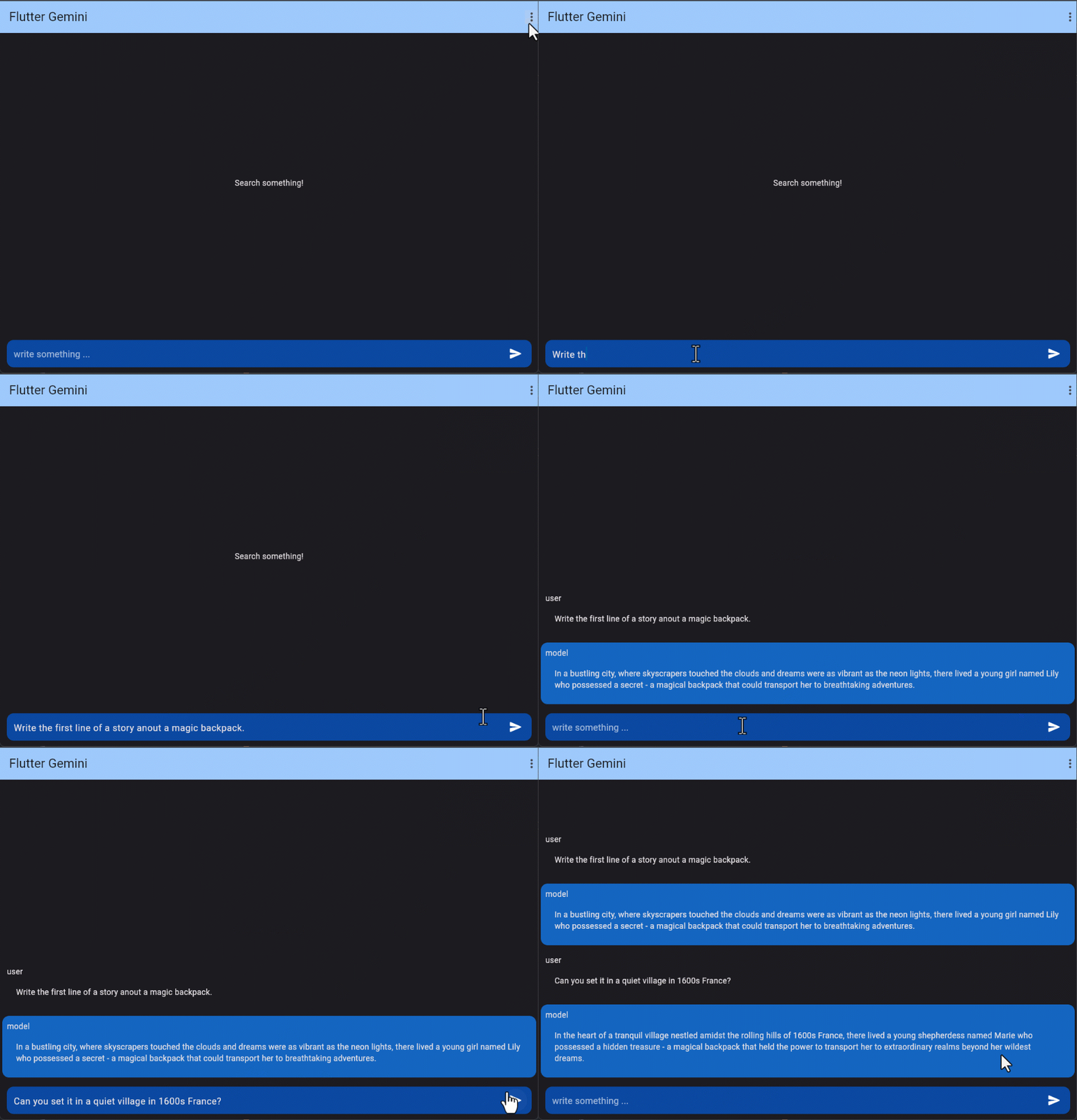
Multi-turn conversations (chat)
Using Gemini, you can build freeform conversations across multiple turns.
  final gemini = Gemini.instance;

  gemini.chat([
    Content(parts: [
      Part.text('Write the first line of a story about a magic backpack.')],
        role: 'user'),
    Content(parts: [
      Part.text('In the bustling city of Meadow brook, lived a young girl named Sophie. She was a bright and curious soul with an imaginative mind.')],
        role: 'model'),
    Content(parts: [
      Part.text('Can you set it in a quiet village in 1600s France?')],
        role: 'user'),
    ])
        .then((value) => log(value?.output ?? 'without output'))
        .catchError((e) => log('chat', error: e));
Count tokens
When using long prompts, it might be useful to count tokens before sending any content to the model.
final gemini = Gemini.instance;

gemini.countTokens("Write a story about a magic backpack.")
    .then((value) => print(value)) /// output like: `6` or `null`
    .catchError((e) => log('countTokens', error: e));
Model info
If you GET a model's URL, the API uses the get method to return information about that model such as version, display name, input token limit, etc.
If you GET the models directory, it uses the list method to list all of the models available through the API, including both the Gemini and PaLM family models.
final gemini = Gemini.instance;

gemini.listModels()
    .then((models) => print(models)) /// list
    .catchError((e) => log('listModels', error: e));
embedContents and batchEmbedContents
Embedding is a method that transforms information, like text, into a list of floating-point numbers in an array. Gemini enables the representation of text, such as words or sentences, in a vectorized form. This facilitates the comparison of embeddings, allowing for the identification of similarities between texts through mathematical techniques like cosine similarity. For instance, texts with similar subject matter or sentiment should exhibit similar embeddings.
The generation_config argument allows you to modify the generation parameters.
gemini.streamGenerateContent('Utilizing Google Ads in Flutter',
          generationConfig: GenerationConfig(
            temperature: 0.75,
            maxOutputTokens: 512,
          ))
      .listen((value) {})
      .onError((e) {});
Legacy APIs
Stream Generate Content
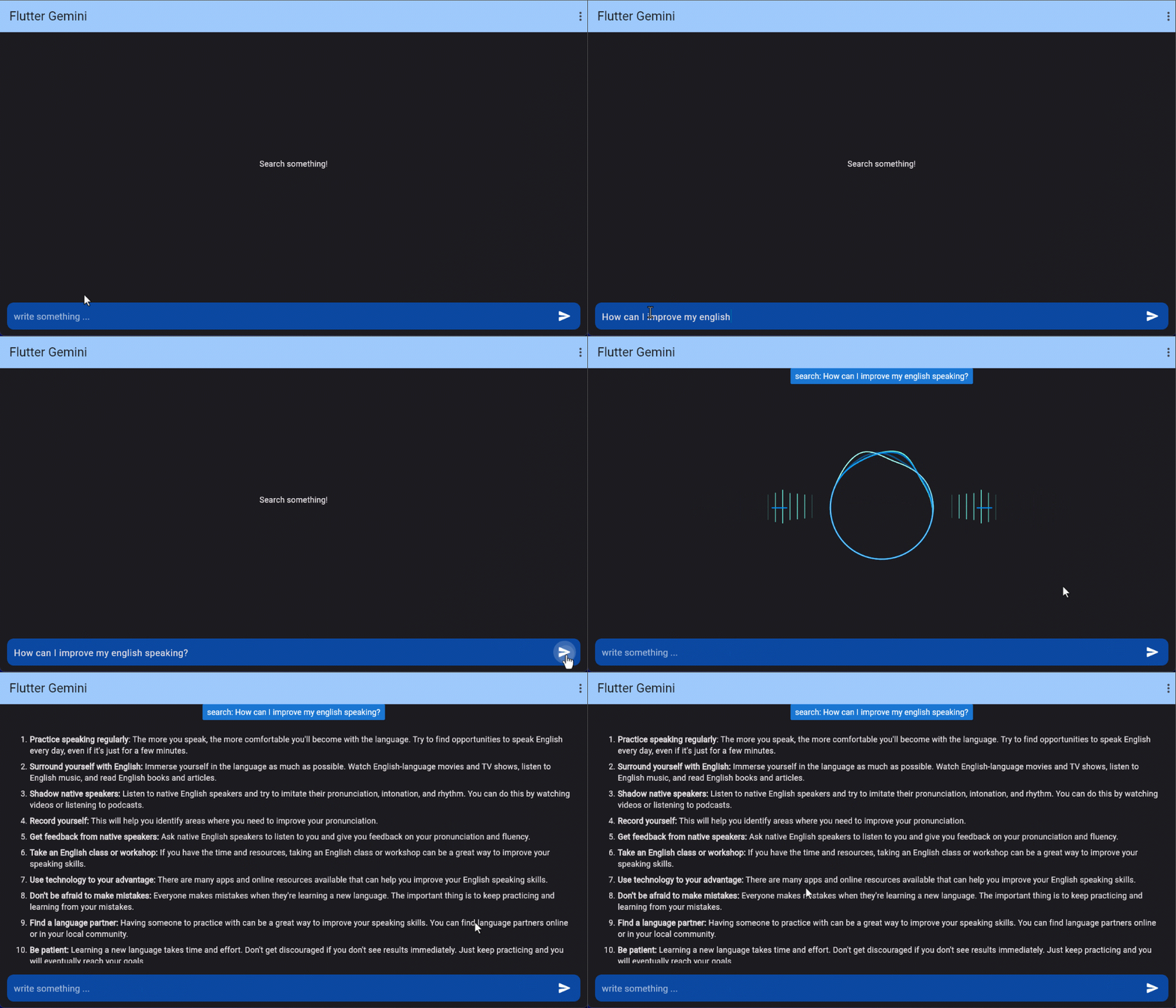
The model usually gives a response once it finishes generating the entire output. To speed up interactions, you can opt not to wait for the complete result and instead use streaming to manage partial results.
final gemini = Gemini.instance;

gemini.streamGenerateContent('Utilizing Google Ads in Flutter')
  .listen((value) {
    print(value.output);
  }).onError((e) {
    log('streamGenerateContent exception', error: e);
  });
Text-only input
This feature lets you perform natural language processing (NLP) tasks such as text completion and summarization.
final gemini = Gemini.instance;

gemini.text("Write a story about a magic backpack.")
  .then((value) => print( value?.output )) /// or value?.content?.parts?.last.text
  .catchError((e) => print(e));
Text-and-image input
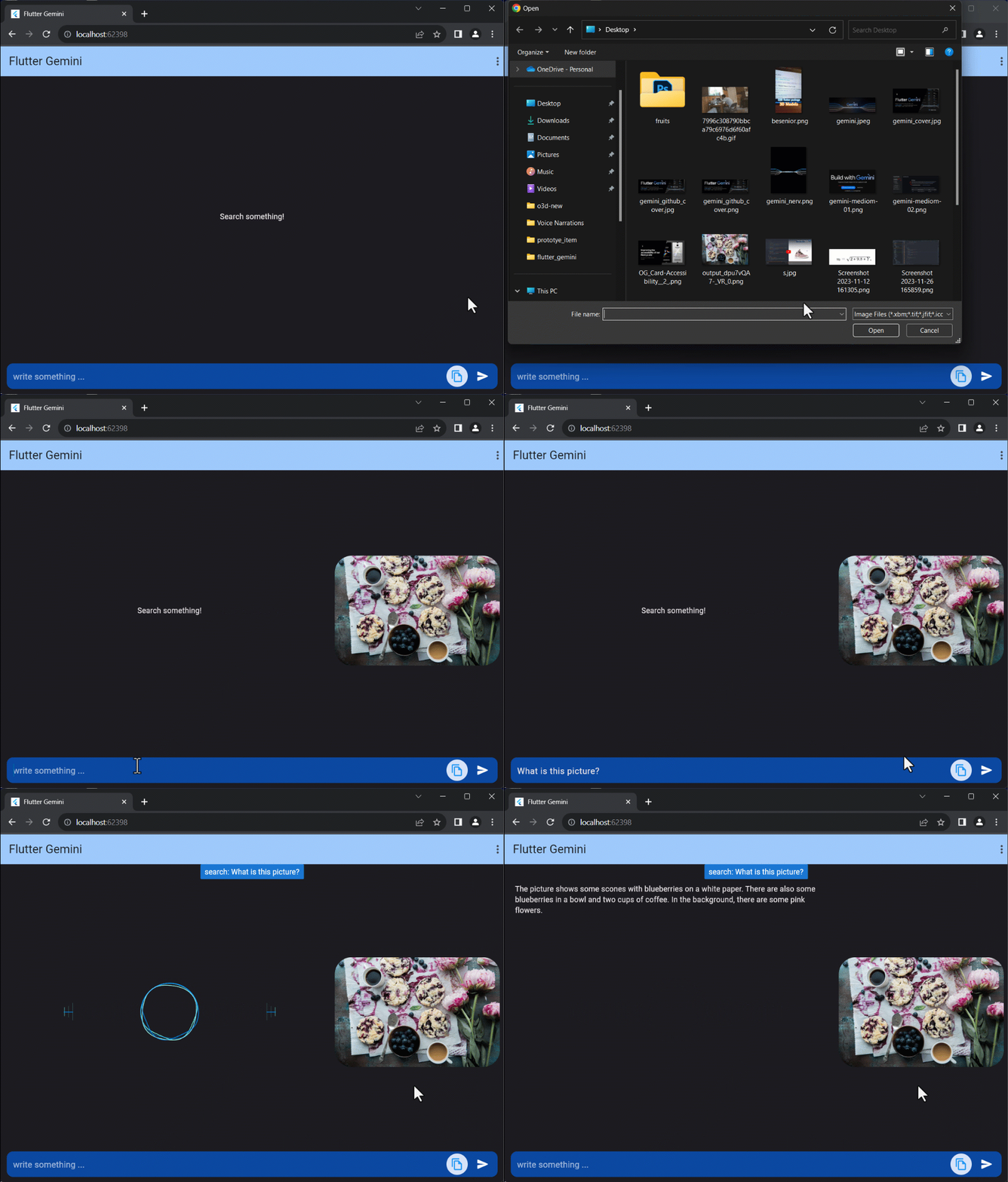
If the input contains both text and image, You can send a text prompt with an image to the gemini-1.5-flash model to perform a vision-related task. For example, captioning an image or identifying what's in an image.
  final gemini = Gemini.instance;

  final file = File('assets/img.png');
  gemini.textAndImage(
        text: "What is this picture?", /// text
        images: [file.readAsBytesSync()] /// list of images
      )
      .then((value) => log(value?.content?.parts?.last.text ?? ''))
      .catchError((e) => log('textAndImageInput', error: e));
Note that, there are changes on properties
- image: file.readAsBytesSync(), /// image+ images: [file.readAsBytesSync()] /// list of images