분류, 패키지 및 저장소 검색

flutter_image_slideshow 표지
패키지 상세v0.1.6

flutter_image_slideshow

간단한 이미지 슬라이드쇼 위젯입니다. 주로 이미지 위젯용이지만 다른 위젯도 사용할 수 있습니다.

AndroidiOSWebmacOSWindowsLinux
30일 다운로드
7.1천
좋아요
202
Pub 점수
160

패키지 설치

flutter pub add flutter_image_slideshow

패키지 개요

공개 정보를 바탕으로 생성한 선택 가이드입니다.

부드러운 전환 효과를 갖춘 이미지 슬라이드쇼를 만들 수 있는 가벼운 플러터 위젯입니다. 주로 이미지 표시를 위해 설계되었으며, 슬라이드쇼 내에서 사용자 정의 위젯도 지원합니다. 갤러리, 제품 소개 또는 시작 화면에 적합합니다. 이 패키지는 크로스플랫폼으로 Android, iOS, 웹, macOS, Windows, Linux에서 원활하게 작동합니다. 단일 종속성으로 쉽게 통합되며, 슬라이드와 애니메이션을 관리하기 위한 깔끔한 API를 제공합니다.

사용 사례

  • 이미지 갤러리
  • 제품 캐러셀
  • 온보딩 화면
  • 디지털 사이니지
  • 프레젠테이션 인터페이스

주요 기능

  • 부드러운 슬라이딩 전환
  • 사용자 정의 위젯 지원
  • 크로스 플랫폼 호환성
  • pub add를 사용한 간단한 설정
  • 사용자 정의 가능한 자동 재생 및 지속 시간

적합한 대상

  • 시각 콘텐츠 표시를 구축하는 개발자
  • 인터랙티브 이미지 프레젠테이션을 필요로 하는 앱
  • 슬라이드 쇼를 위한 최소한의 설정이 필요한 프로젝트

고려 사항

  • 대규모 이미지 세트에 대한 최적화가 필요할 수 있습니다
  • 복잡한 애니메이션에 대한 사용자 정의 제한
  • 고성능 비디오 슬라이드쇼에는 적합하지 않음

원본 README

연결된 소스 저장소의 README 원문 스냅샷입니다. 최신 내용은 저장소에서 확인하세요.

flutter_image_slideshow

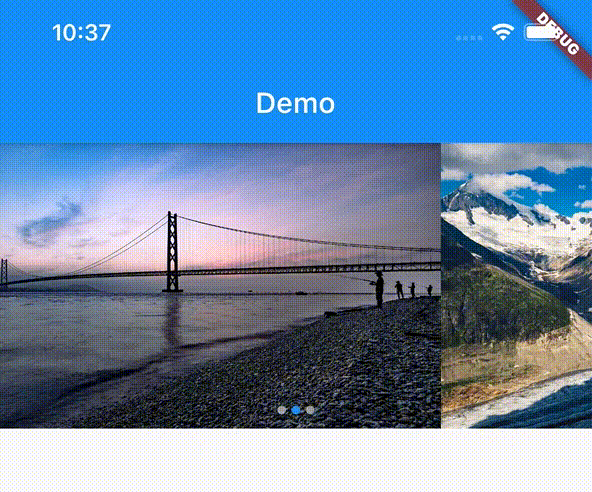
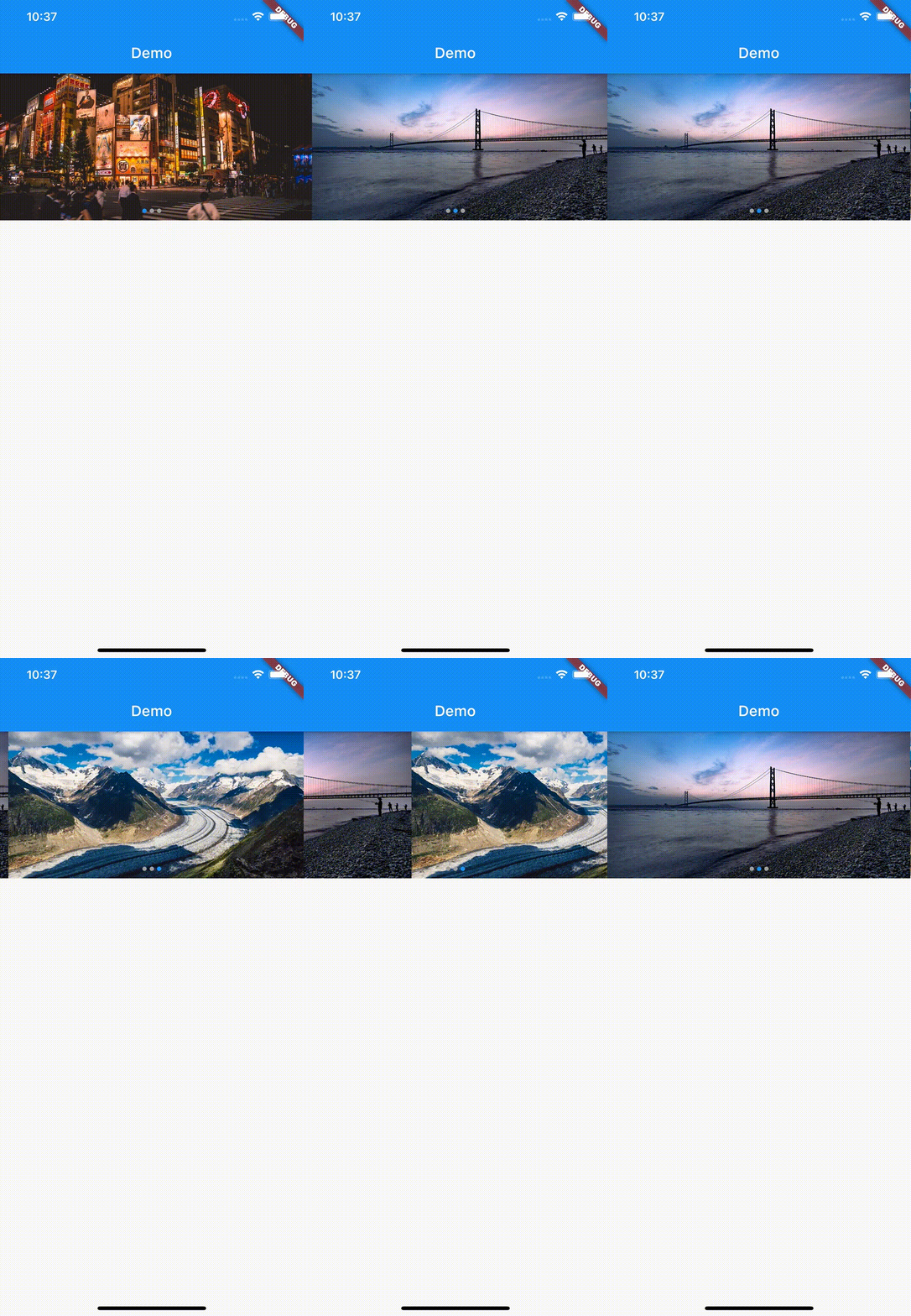
A simple image slideshow widget. Mainly intended for image widget, but other widgets can also be used.
Getting Started

In the pubspec.yaml of your flutter project, add the following dependency:

dependencies:
  flutter:
    sdk:
  flutter_image_slideshow: any

In your library add the following import:

  import 'package:flutter_image_slideshow/flutter_image_slideshow.dart';

Usage

These are The ImageSlideshow properties.

/// The widgets to display in the [ImageSlideshow].
///
/// Mainly intended for image widget, but other widgets can also be used.
List<Widget> children

/// Width of the [ImageSlideshow].
double width

/// Height of the [ImageSlideshow].
double height

/// The page to show when first creating the [ImageSlideshow].
int initialPage

/// The color to paint the indicator.
Color indicatorColor

/// The color to paint behind th indicator.
Color indicatorBackgroundColor

/// Called whenever the page in the center of the viewport changes.
ValueChanged<int> onPageChanged

/// Auto scroll interval.
///
/// Do not auto scroll with null or 0.
int autoPlayInterval

/// Loops back to first slide.
bool isLoop

/// Radius of circle indicator.
double indicatorRadius

/// Disable page changes by the user.
bool disableUserScrolling

Example

Create the ImageSlideshow widget. And pass the parameters.

import 'package:flutter/material.dart';
import 'package:flutter_image_slideshow_test/flutter_image_slideshow.dart';

void main() {
  runApp(MyApp());
}

class MyApp extends StatelessWidget {
  @override
  Widget build(BuildContext context) {
    return MaterialApp(
      home: Scaffold(
        appBar: AppBar(
          title: Text('Demo'),
        ),
        body: ImageSlideshow(

          /// Width of the [ImageSlideshow].
          width: double.infinity,

          /// Height of the [ImageSlideshow].
          height: 200,

          /// The page to show when first creating the [ImageSlideshow].
          initialPage: 0,

          /// The color to paint the indicator.
          indicatorColor: Colors.blue,

          /// The color to paint behind th indicator.
          indicatorBackgroundColor: Colors.grey,

          /// The widgets to display in the [ImageSlideshow].
          /// Add the sample image file into the images folder
          children: [
            Image.asset(
              'images/sample_image_1.jpg',
              fit: BoxFit.cover,
            ),
            Image.asset(
              'images/sample_image_2.jpg',
              fit: BoxFit.cover,
            ),
            Image.asset(
              'images/sample_image_3.jpg',
              fit: BoxFit.cover,
            ),
          ],

          /// Called whenever the page in the center of the viewport changes.
          onPageChanged: (value) {
            print('Page changed: $value');
          },

          /// Auto scroll interval.
          /// Do not auto scroll with null or 0.
          autoPlayInterval: 3000,

          /// Loops back to first slide.
          isLoop: true,
        ),
      ),
    );
  }
}

카테고리

소스 저장소

이 패키지를 사용하는 프로젝트

아직 데이터가 없습니다.