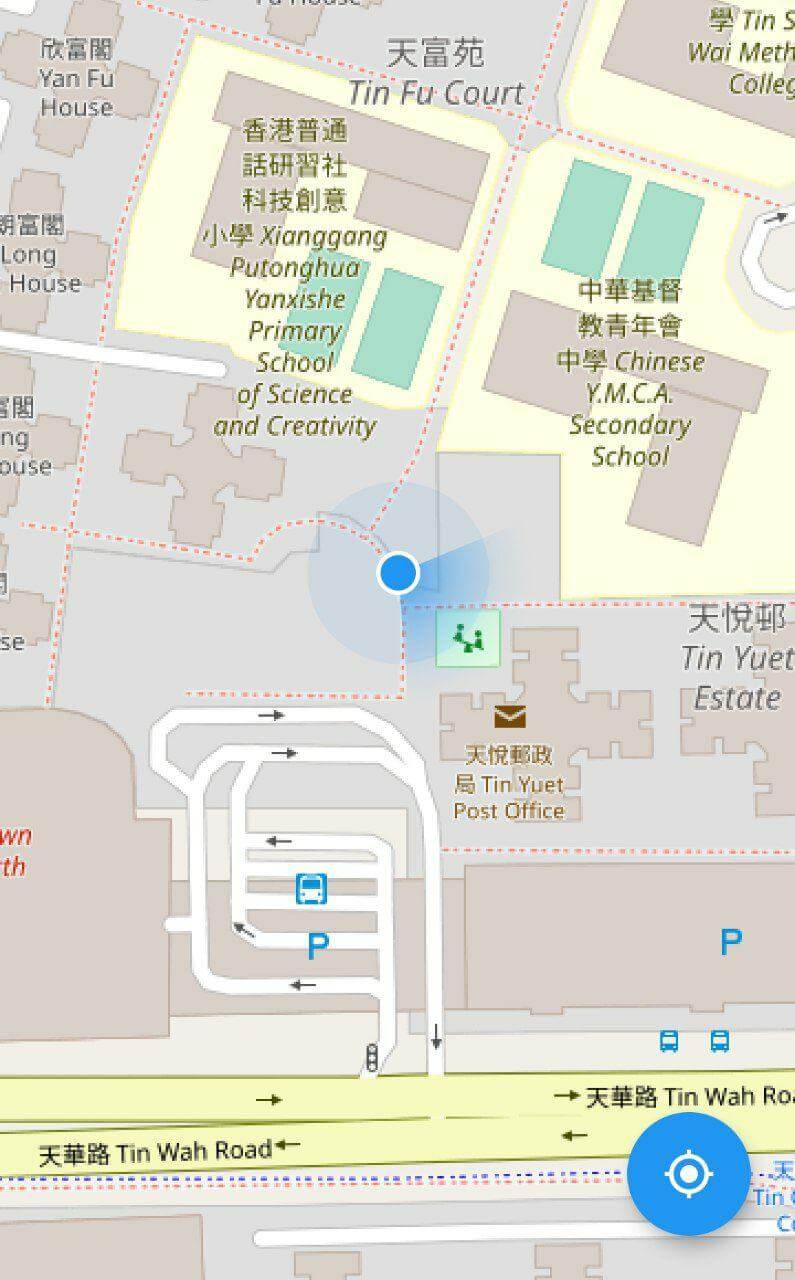
flutter_map를 사용하여 지도 위에 장치의 현재 위치를 표시할 수 있는 플러터 플러그인입니다. 사용자의 실시간 위치를 사용자 정의 가능한 마커로 쉽게 시각화하여 지리적 위치 기반 애플리케이션을 향상시킵니다. 이 플러그인은 flutter_map 패키지와 원활하게 통합되며, 안드로이드, iOS, 웹, 맥OS, 윈도우, 리눅스 등 다양한 플랫폼을 지원합니다. 내비게이션 도구, 배송 추적, 위치 공유 서비스와 같은 위치 인식이 필요한 앱에 적합합니다.
사용 사례
실시간 위치 추적
내비게이션 앱
배송 및 물류
위치 기반 서비스
사용자 위치와 지도 오버레이
주요 기능
현재 장치 위치 표시
사용자 정의 위치 마커
flutter_map와의 원활한 통합
다수의 플랫폼을 지원합니다
위치 변경에 대한 자동 업데이트
적합한 대상
지도 통합 앱을 개발하는 개발자
실시간 GPS 추적을 필요로 하는 앱
크로스 플랫폼 지오로케이션 솔루션
위치 인식 대시보드
고려 사항
위치 권한이 필요합니다
활성 상태일 때 배터리를 소모할 수 있습니다
flutter_map 설치가 필요합니다
정확도는 장치의 GPS에 따라 달라집니다
권한 요청에 적절한 처리가 필요합니다
원본 README
연결된 소스 저장소의 README 원문 스냅샷입니다. 최신 내용은 저장소에서 확인하세요.
flutter_map_location_marker
flutter_map_location_marker is a flutter_map plugin for
displaying the device's current location on a map. It provides a simple and flexible way to add a
customizable location marker to your map.
Join flutter_map Discord server to talk
about flutter_map_location_marker, get help and help others in the #plugins channel.
Features
Simple: The only thing you need to do is to add a CurrentLocationLayer() to your map
because all parameters have good default values.
Flexible: The default implementation receives the device's position from
the geolocator package and the device's heading from
the flutter_rotation_sensor package, but with
type conversion, streams from other sources are also supported.
Auto-following: The map follows the new location when the location is updated. This feature is
disabled by default.
Auto-rotating: The map can be rotated automatically in navigation mode. This feature is
disabled by default.
Customization: The location marker can be fully customized, including the colors of the
accuracy circle and heading sector.
Usage
Add flutter_map_location_marker to your pubspec.yaml:
dependencies:flutter_map_location_marker:any# or latest version
Add permission by following the instructions from
the geolocator package.
Custom Stream:
Use your own stream, such as position stream from another library or predefined route, as the
source.
No Stream:
Use Flutter setState() to update position and heading.
Navigation Mode:
Rotate the map to keep heading pointing upward.
Default Stream:
Share the default streams between your app and this plugin.
FAQ
Q: How can I get
the positionStream
, headingStream
or their origin streams from a CurrentLocationLayer widget?
A: You should not get these streams from a CurrentLocationLayer widget. Instead, create your own
streams with the same types and also pass them to all widgets that need them. CurrentLocationLayer
doesn't own the streams; it just listens to them. You can use any implementation of position and
heading streams, as long as the stream types are Stream<LocationMarkerPosition?> and
Stream<LocationMarkerHeading?>, respectively. You may
see this example
to know about how to do this.