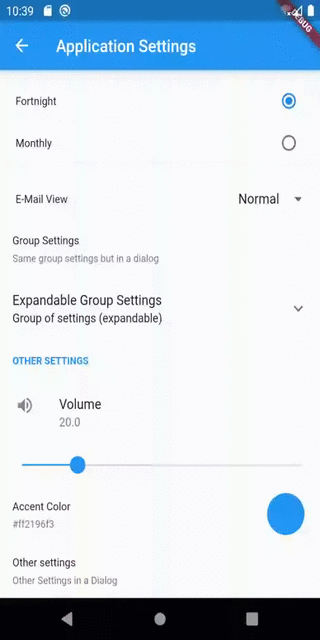
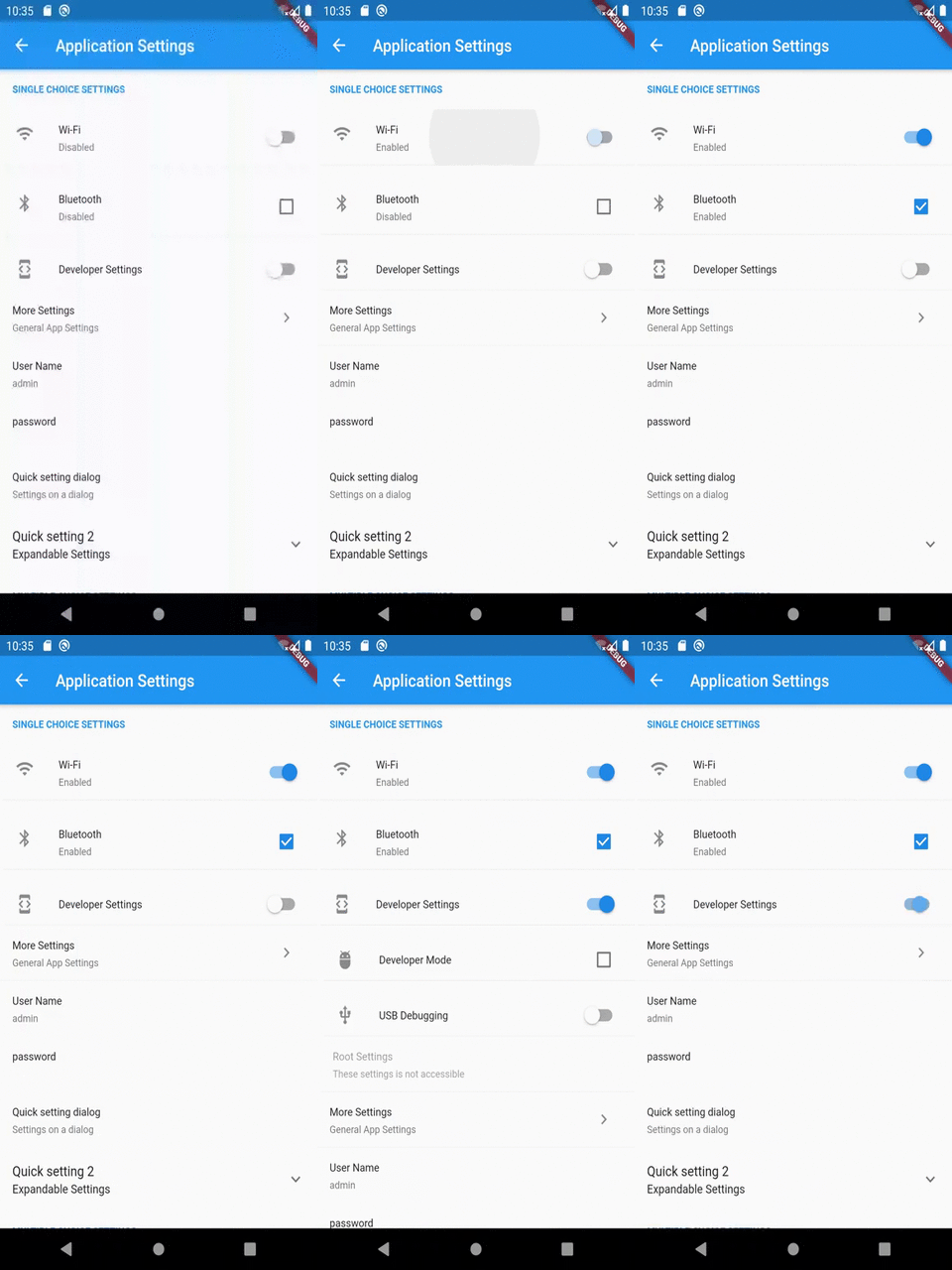
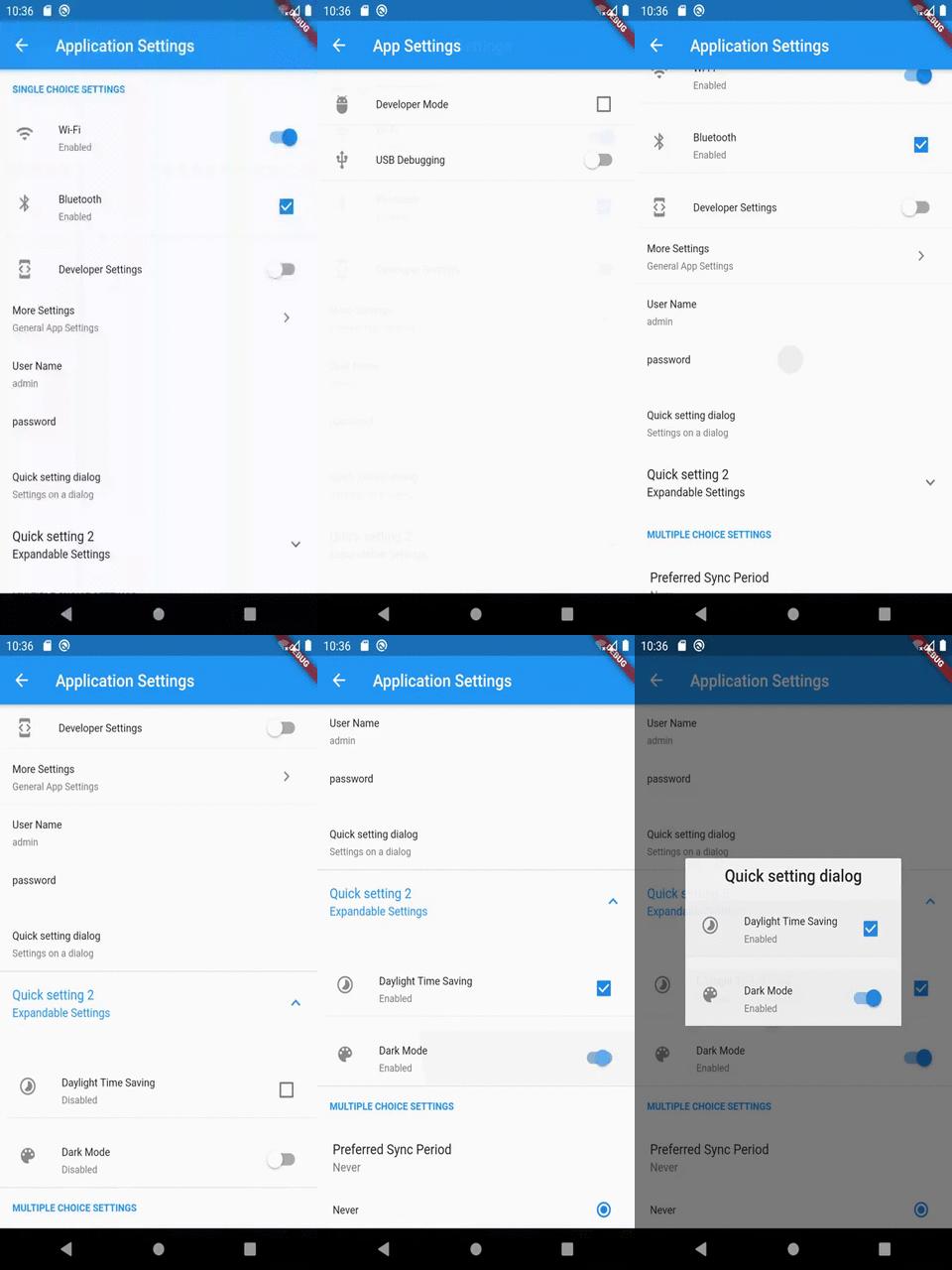
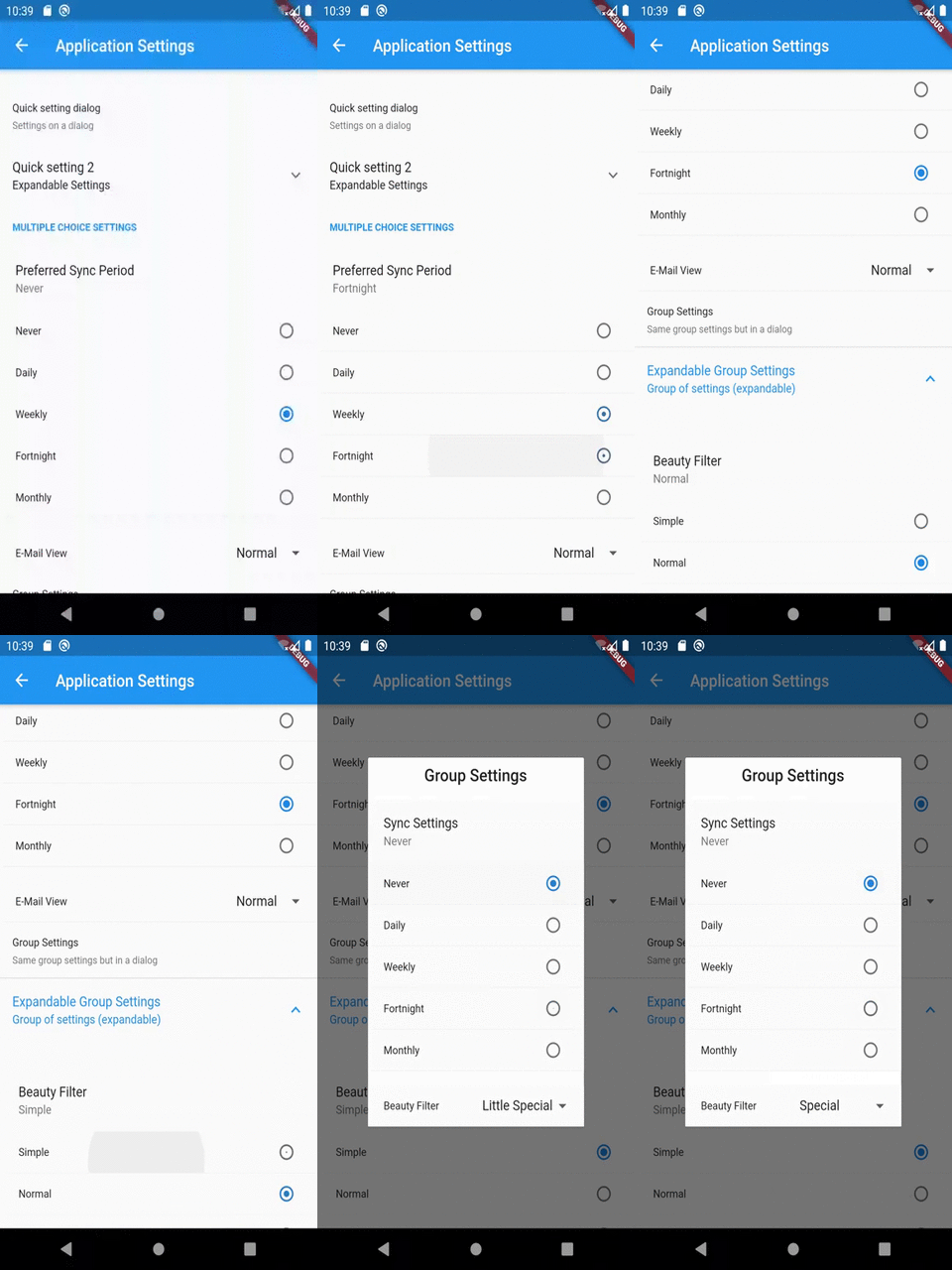
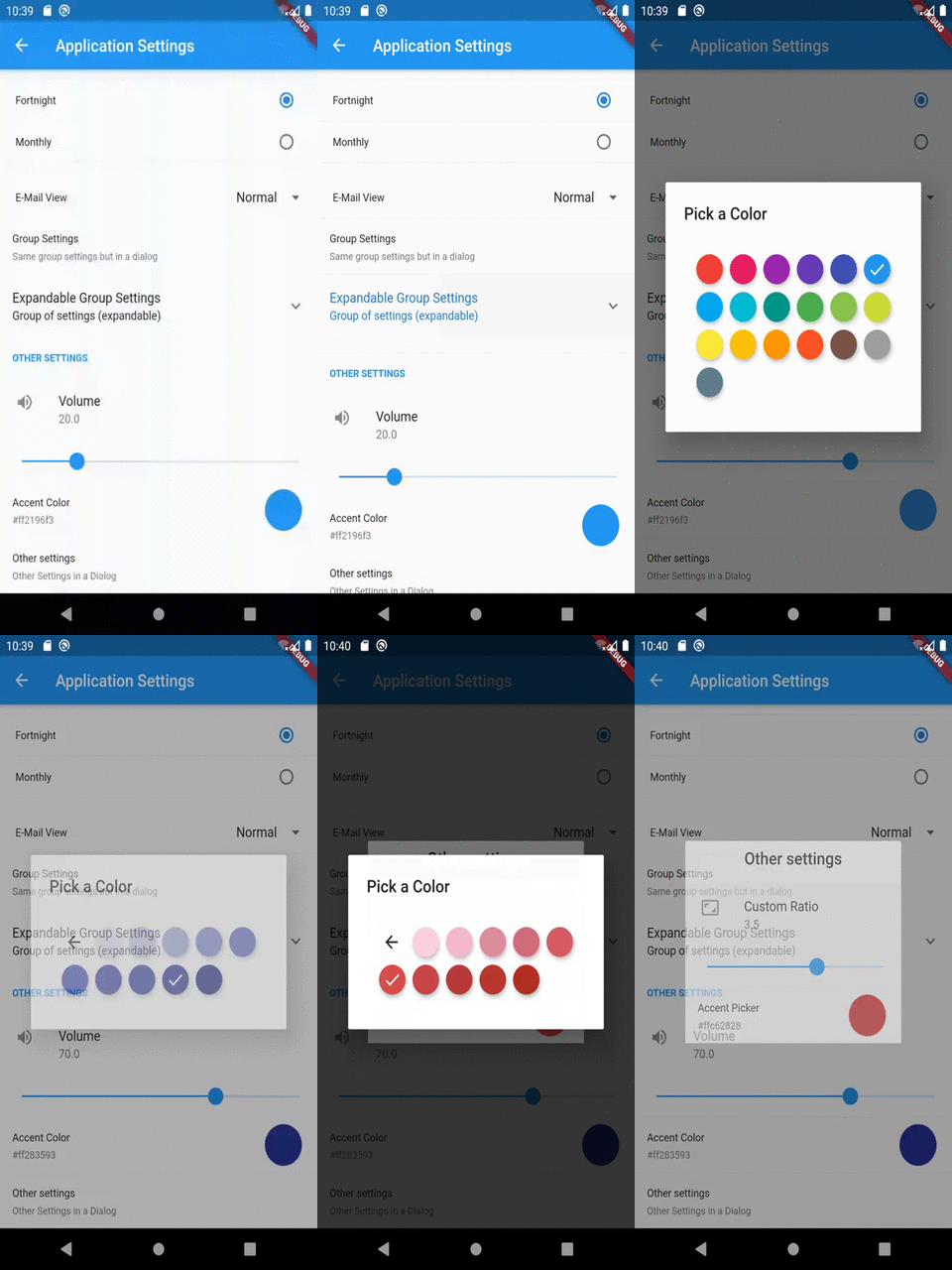
설정 UI 화면 생성을 간소화하기 위해 설계된 가벼운 플러터 패키지입니다. 직관적인 설정 인터페이스를 구축하기 위한 사용자 정의 가능한 컴포넌트를 제공하여 개발자가 UI 요소, 동작 및 저장 메커니즘을 맞춤 설정할 수 있도록 합니다. 여러 플랫폼에서 깔끔하고 구조화된 설정 경험을 필요로 하는 앱에 이상적입니다. 이 패키지는 네이티브와 유사한 상호작용을 지원하며 기존 플러터 프로젝트와 원활하게 통합됩니다.
사용 사례
앱 설정 화면 만들기
사용자 선호 사항 UI 맞춤 설정
테마 및 언어 설정 구현
사용자 정의 가능한 앱 동작 만들기
사용자 데이터 지속성 관리
크로스 플랫폼 설정 인터페이스 설계
주요 기능
높은 사용자 정의 가능한 UI 컴포넌트
다중 스토리지 백엔드 지원
크로스 플랫폼 호환성
Flutter 앱과의 간편한 통합
모듈러 및 확장 가능한 설계
일반 설정 유형에 대한 내장 지원
적합한 대상
기능이 풍부한 모바일 앱을 만드는 개발자
일관된 설정 UX가 필요한 팀
플랫폼에 관계없이 설정이 필요한 프로젝트
사용자 선호도 관리 기능이 있는 앱
프론트엔드 중심의 플러터 개발자
설정 인터페이스의 빠른 프로토타이핑
고려 사항
사용자 지정 저장소를 위해 수동 설정이 필요합니다
제한된 내장 검증
추가적인 상태 관리가 필요할 수 있습니다
매우 큰 설정 트리에 최적화되지 않음
사용자 정의 스타일링을 위해서는 Flutter 위젯에 익숙해져야 합니다
외부 저장소 구현 선택에 의존
원본 README
연결된 소스 저장소의 README 원문 스냅샷입니다. 최신 내용은 저장소에서 확인하세요.
flutter_settings_screens
This is a simple flutter plugin for easily creating app settings screens.
The unique thing about this library is that it is not dependent upon any specific storage library used to store settings.
Note:
The plugin must be initialized before Navigating to the settings page.
It is recommended that Settings.init() should be called before runApp() is called in the main file. However, anywhere before showing the settings page is fine.
Cache Provider Interface
Cache Provider is an interface by which the plugin accesses the underlying caching storage.
This plugin includes an implementation of the CacheProvider using the SharedPreferences library by flutter. If cacheProvider parameter is not given explicitly then the default implementation will be used to store the settings.
However, if you wish to use other means for storing the data, you can implement one by yourself.
All you have to do is create a class as follows:
import'package:flutter_settings_screens/flutter_settings_screens.dart';
classCustomCacheProviderextendsCacheProvider{
///...///implement the methods as you want///...
}
for example,
/// A cache access provider class for shared preferences using shared_preferences libraryclassSharePreferenceCacheextendsCacheProvider{
//...
}
OR
/// A cache access provider class for shared preferences using Hive libraryclassHiveCacheextendsCacheProvider{
//...
}
Once you implement the class, use an instance of this class to initialize the Settings class.
Accessing/Retrieving data
You can use static methods of Settings class to access any data from the storage.
Since, Color or MaterialColor is a Flutter object, we need to convert it to string version of the color before saving it to cache & convert string version to color while fetching it from the cache.
For that the plugin exposes ConversionUtils class with utility method to do that needed.
CheckboxSettingsTile is a widget that has a Checkbox with given title, subtitle and default value/status of the Checkbox
This widget supports an additional list of widgets to display when the Checkbox is checked. This optional list of widgets is accessed through childrenIfEnabled property of this widget.
SwitchSettingsTile is a widget that has a Switch with given title, subtitle and default value/status of the switch
This widget supports an additional list of widgets to display when the switch is enabled. This optional list of widgets is accessed through childrenIfEnabled property of this widget.
This widget works similar to CheckboxSettingsTile.
RadioSettingsTile is a widget that has a list of Radio widgets with given title, subtitle and default/group value which determines which Radio will be selected initially.
This widget supports Any type of values which should be put in the preference.
However, since any type of value is supported, the input for this widget is a Map to the required values with their string representation.
For example, if the required value type is a boolean then the values map can be as following:
DropDownSettingsTile is a widget that has a list of DropdownMenuItems with given title, subtitle and default/group value which determines which value will be set to selected initially.
This widget supports Any type of values which should be put in the preference.
However, since any type of value is supported, the input for this widget is a Map to the required values with their string representation.
For example, if the required value type is a boolean then the values map can
be as following:
SliderSettingsTile is a widget that has a slider given title, subtitle and default value which determines what the slider's position will be set initially.
This widget supports double and integer types of values which should be put in the preference.
ColorPickerSettingsTile is a widget which allows user to select a color from a set of Material color choices.
Since, Color is an in-memory object type, the serialized version of the value of this widget will be a Hex value String of the selected color.
For example, If selected color is red then the stored value will be "#ffff0000", but when retrieved, the value will be an instance of Color with properties of red color.
This conversion string <-> color, makes this easy to check/debug the values from the storage/preference manually.
The color panel shown in the widget is provided by the flutter_material_color_picker library.
A simple Screen widget that may contain settings tiles or other widgets.
The following example shows how you can create an empty settings screen with a title:
Inside the children parameter, you can define settings tiles and other widgets. In this example we create a screen with a simple CheckboxSettingsTile in it:
SettingsScreen(
    title: "Application Settings",
    children:
        CheckboxSettingsTile(
            settingKey: 'key-of-your-setting',
            title: 'This is a simple Checkbox',
        ),
    ,
);
SettingsContainer
A widget that helps its child or children to fin in the settings screen. It is helpful if you want to place other widgets than settings tiles in the settings screen body.
The following example shows how you can create a container with one Text widget:
SettingsContainer(
    child: Text('Hello world'),
);
In this example, we create a container with multiple Text widgets:
SimpleDropDownSettingsTile is a simpler version of the DropDownSettingsTile.
Instead of a Value-String map, this widget just takes a list of String values.
In this widget, the displayed value and the stored value will be the same.
File an issue on the repository, if something is not working as expected.
Please follow the issue template used in flutter-sdk's repository, may be we'll integrate that here as well.
File an issue in the repository, If you have any suggestions and/or feature requests, use [Suggestion] or [FeatureRequest] tags in issue titles.
To support you just have to help out fellow developers on of the filed issues in this repository.
To contribute, just follow the standard open source contributions instructions, maybe we can follow the ones used in the flutter sdk. We'll see how it goes.
All help, issues, support and contributions are most welcome.
If any one is interested in helping me maintain this library then please reach to me via comment on this issue.