패키지, 저장소 및 앱 카테고리 검색

fp_bt_printer 표지
패키지 상세v0.0.3

fp_bt_printer

블루투스 열전사 프린터에서 영수증 인쇄하기(안드로이드 전용).

Android
30일 다운로드
35
좋아요
23
Pub 점수
125

패키지 설치

flutter pub add fp_bt_printer

패키지 개요

공개 정보를 바탕으로 생성한 선택 가이드입니다.

안드로이드 기기 전용으로 설계된 블루투스 열전사 프린터에서 영수증을 인쇄하기 위한 플러터 패키지입니다. 모바일 앱에서 직접 인쇄 명령을 보내기 위해 호환되는 블루투스 프린터와 원활한 통신을 가능하게 합니다. 판매점 시스템, 소매 키오스크 및 이동 중에 영수증 인쇄가 필요한 소규모 비즈니스 애플리케이션에 적합합니다. 패킹, 연결 관리 및 데이터 전송을 효율적으로 처리합니다. 네이티브 안드로이드 블루투스 API에 의존하며 iOS 또는 기타 플랫폼은 지원하지 않습니다.

사용 사례

  • 포인트 오브 세일 시스템
  • 소매 영수증 인쇄
  • 모바일 키오스크 애플리케이션
  • 이벤트 티켓 인쇄
  • 현장 주문 처리

주요 기능

  • 블루투스 열식 프린터 통합
  • Android 전용 지원
  • 영수증 텍스트 및 이미지 인쇄
  • 자동 프린터 탐지
  • 프린트 명령을 위한 간단한 API

적합한 대상

  • 안드로이드 개발자
  • 소매 앱 제작자
  • POS 시스템 통합업체
  • 소규모 기업 소프트웨어
  • 모바일 인쇄 솔루션

고려 사항

  • 안드로이드 기기 필요
  • 블루투스 열식 프린터에 한정
  • iOS 지원 없음
  • AndroidManifest.xml에 적절한 권한이 필요합니다
  • 프린터 호환성은 확인되어야 합니다

원본 README

연결된 소스 저장소의 README 원문 스냅샷입니다. 최신 내용은 저장소에서 확인하세요.

fp_bt_printer

This library allows printing receipts on bluetooth thermal printers (android only). Support 58mm and 80mm printer.

It allows to print QR, BarCode, Images RasterImages with the esc_pos_utils package.

List bounded devices

Get list of bluetooth devices, it supports any version of bluetooth, not just BLE.

    List<PrinterDevice> devices = [];
    FpBtPrinter printer = FpBtPrinter();

    Future<void> getDevices() async {
        final response = await printer.scanBondedDevices();
        setState(() {
        devices = response;
        });
    }
Check device connected

You can check that the connection with the device is correct.

    Future<void> setConnet(PrinterDevice d) async {
        final response = await printer.checkConnection(d.address);
        print(response.message);
    }
Print data

This method recibe address of the printer and List of the data;

    FpBtPrinter printer = FpBtPrinter();
    final resp = await printer.printData(bytes, address: address);
    if (resp.success) {
     //print ok
    } else {
    print(resp.message); //print error
    }
Ticket with Styles usin :
List<int> getTicket() {
  final List<int> bytes = [];
  // Using default profile
  final profile = await CapabilityProfile.load();
    final generator = Generator(PaperSize.mm80, profile);
    List<int> bytes = [];

    // //  Print image:
    final ByteData data = await rootBundle.load('assets/wz.png');
    final Uint8List bytesImg = data.buffer.asUint8List();
    var image = decodePng(bytesImg);

    // resize
    var thumbnail =
        copyResize(image!, interpolation: Interpolation.nearest, height: 200);

    bytes += generator.text("fp_bt_printer",
        styles: PosStyles(align: PosAlign.center, bold: true));

    bytes += generator.imageRaster(thumbnail, align: PosAlign.center);

    bytes += generator.reset();
    bytes += generator.setGlobalCodeTable('CP1252');
    bytes += generator.feed(1);
    bytes += generator.text("HELLO PRINTER by FPV",
        styles: PosStyles(align: PosAlign.center, bold: true));
    bytes += generator.qrcode("https://github.com/FranciscoPV94",
        size: QRSize.Size6);
    bytes += generator.feed(1);
    bytes += generator.feed(1);

    final resp = await printer.printData(bytes, address: address);
  return bytes;
}

Tested and working with following Bluetooth Thermal Printers:

Xprinter Portable Thermal Printer

Model: Bixolon SPP-R310

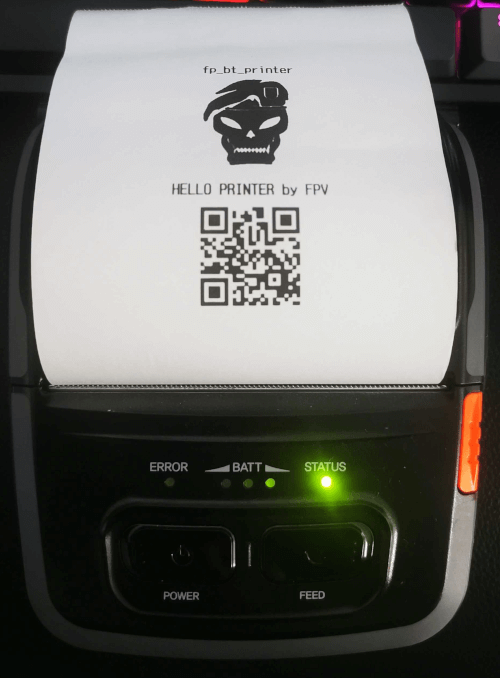
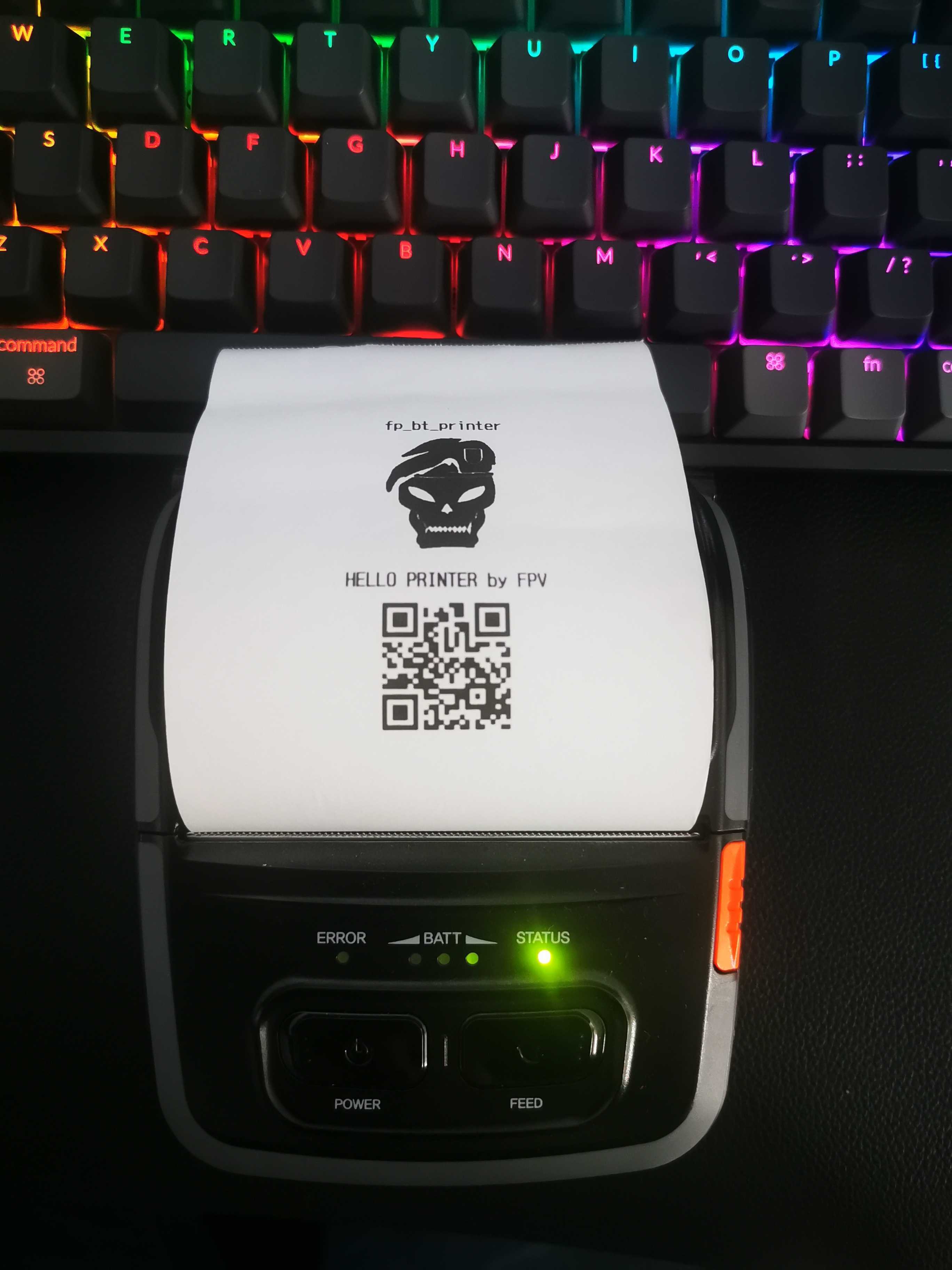
Evidence

test receipt

Support me

If you think that this project has helped you with your developments, you can support this project, any support is much appreciated. Paypal

카테고리

의존성

의존성 목록 1 개

소스 저장소

이 패키지를 사용하는 프로젝트

아직 데이터가 없습니다.