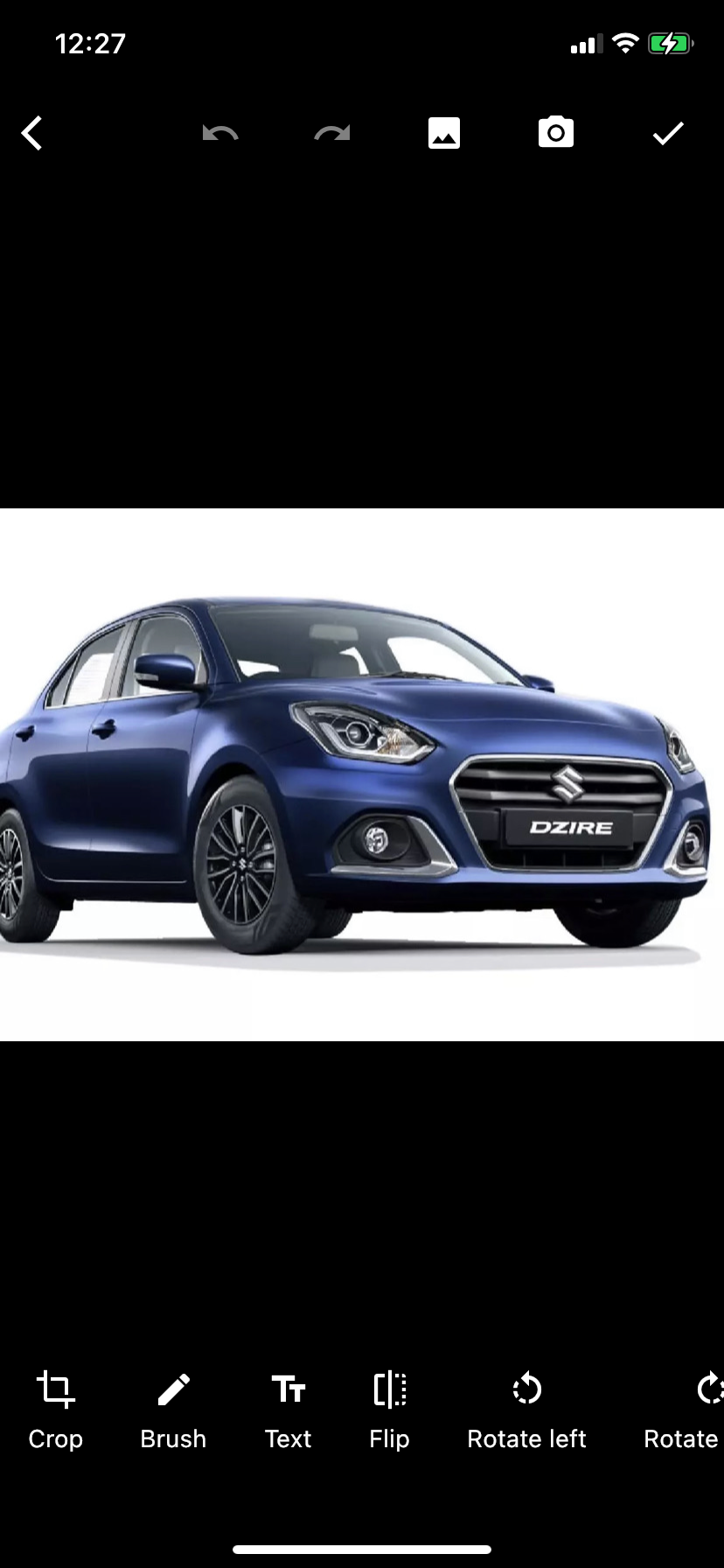
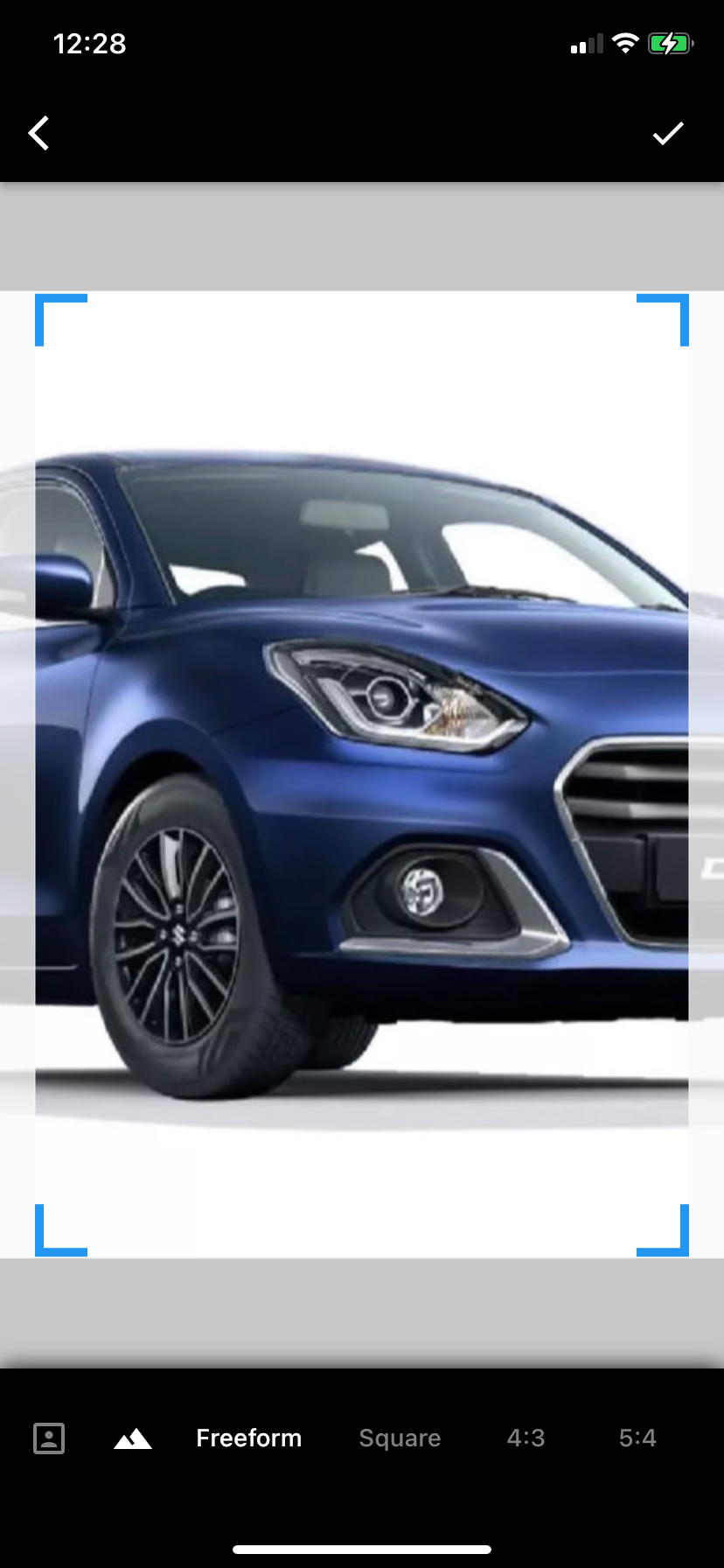
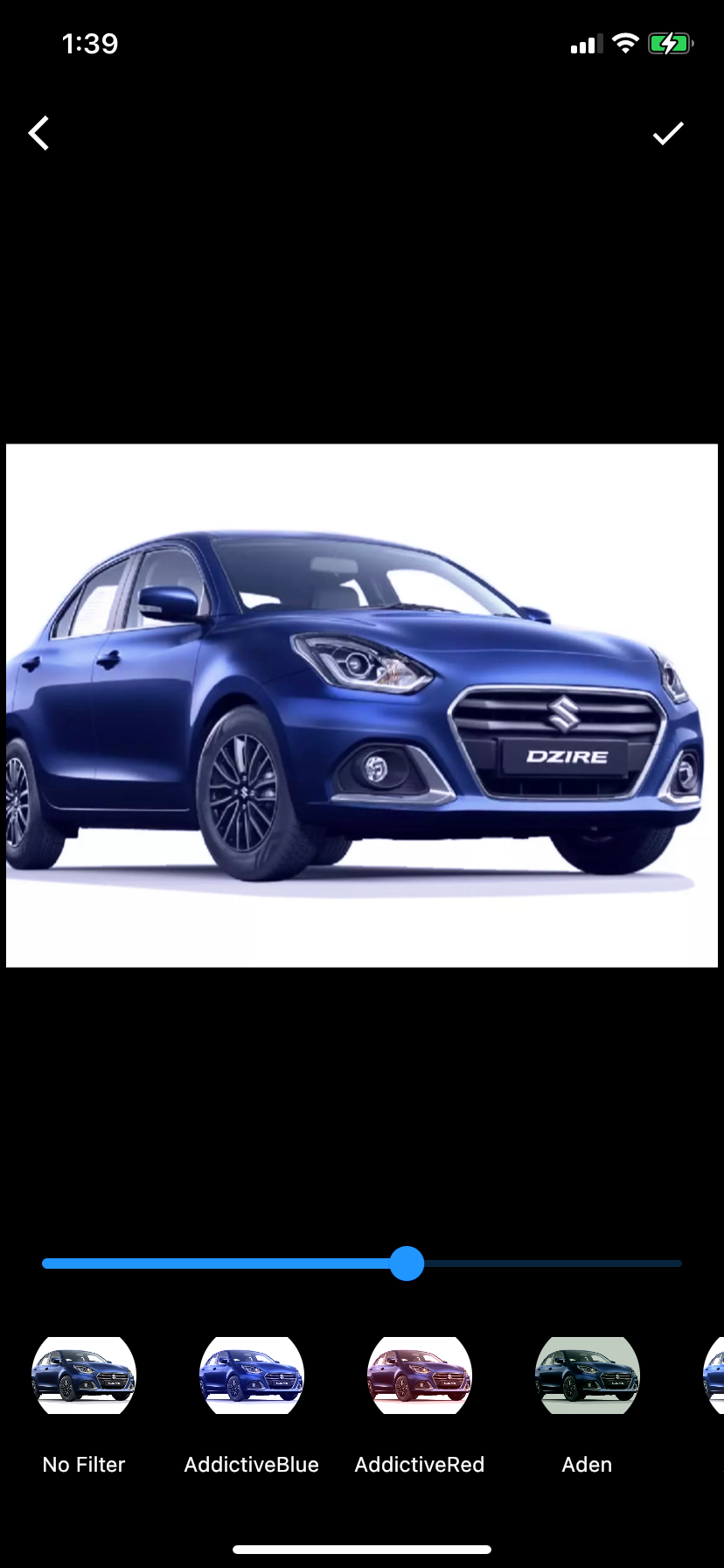
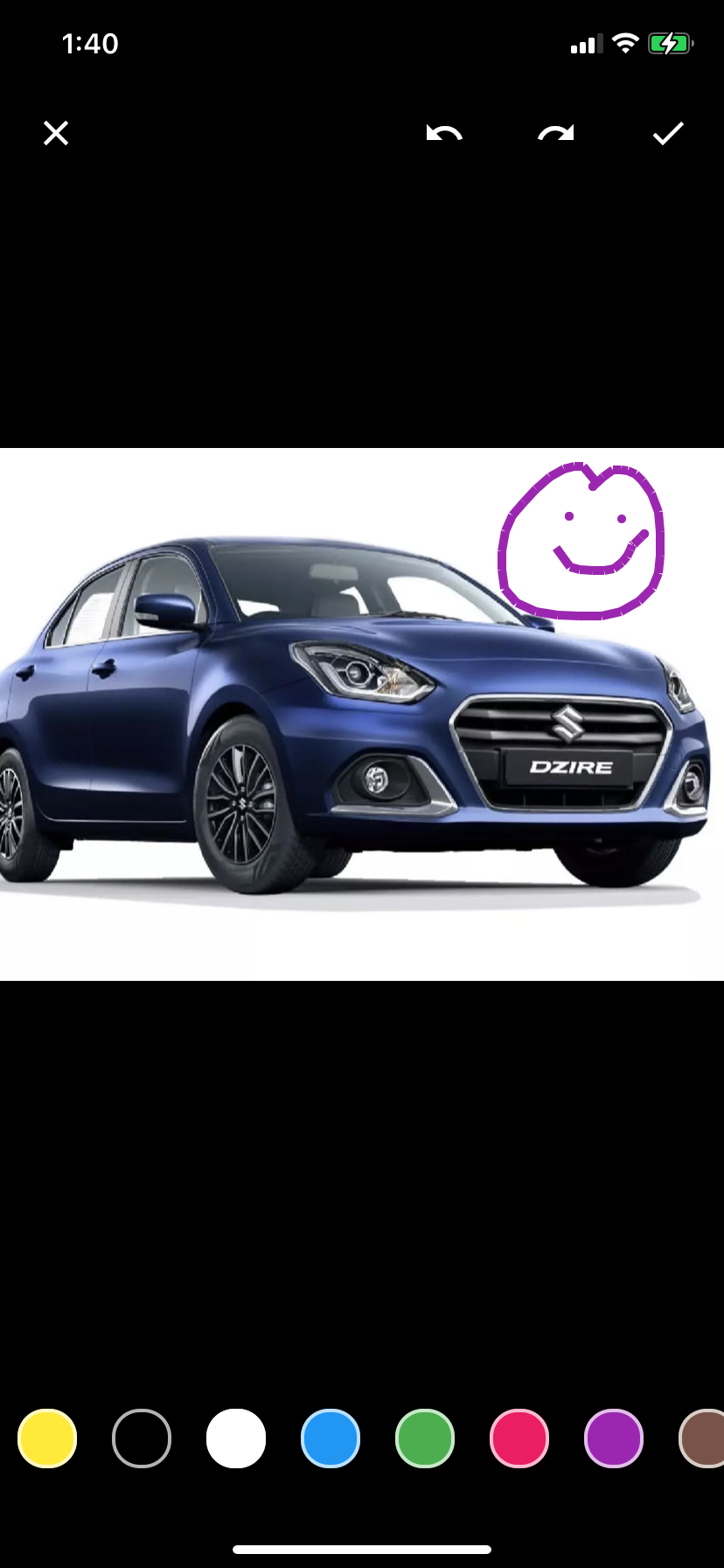
Image Editor Plus는 필터, 그림 도구, 텍스트 추가 및 이모지 지원 등 다양한 기능을 통해 이미지를 편집할 수 있는 Flutter 플러그인입니다. 스토리처럼 보이는 시각적 콘텐츠를 만들기에 적합합니다. Android, iOS, Web, Windows 플랫폼을 모두 지원하며, 다양한 장치에서 원활한 경험을 제공합니다. pub.dev를 통해 쉽게 통합 가능하며, 개발자가 앱 내 이미지 편집 기능을 강화할 수 있도록 사용자 정의 가능한 인터페이스를 제공합니다. 소셜 미디어, 사진 공유 또는 창작 콘텐츠 애플리케이션에 특히 유용합니다.
사용 사례
스토리 스타일 이미지 만들기
사진에 텍스트와 이모티콘 추가하기
실시간 이미지 필터 적용
이미지 기반 그리기
편집된 이미지를 압축하여 저장
주요 기능
여러 이미지 필터
실시간 드로잉 캔버스
텍스트 및 이모티콘 오버레이
이미지 압축 옵션
크로스 플랫폼 호환성
적합한 대상
소셜 미디어 앱
사진 편집 도구
크리에이티브 콘텐츠 플랫폼
사용자 생성 스토리 기능
모바일 및 웹 애플리케이션
고려 사항
이미지 접근을 위해 플랫폼별 권한이 필요합니다
저사양 기기에서는 성능이 다를 수 있습니다
완전한 데스크톱 편집기와 비교해 고급 편집 기능이 제한됨
최적의 사용자 경험을 위해 추가적인 UI 컴포넌트가 필요할 수 있습니다
특정 기능은 외부 종속성에 의존합니다
원본 README
연결된 소스 저장소의 README 원문 스냅샷입니다. 최신 내용은 저장소에서 확인하세요.
ImageEditor
Image Editor Plugin with simple, easy support for image editing using Paints, Text, Filters, Emoji and Sticker like stories.
To start with this, we need to simply add the dependencies in the gradle file of our app module like this
Add the following keys to your Info.plist file, located in <project root>/ios/Runner/Info.plist:
NSPhotoLibraryUsageDescription - describe why your app needs permission for the photo library. This is called Privacy - Photo Library Usage Description in the visual editor.
NSCameraUsageDescription - describe why your app needs access to the camera. This is called Privacy - Camera Usage Description in the visual editor.
NSMicrophoneUsageDescription - describe why your app needs access to the microphone, if you intend to record videos. This is called Privacy - Microphone Usage Description in the visual editor.
Or in text format add the key:
<key>NSPhotoLibraryUsageDescription</key><string>Used to demonstrate image picker plugin</string><key>NSCameraUsageDescription</key><string>Used to demonstrate image picker plugin</string><key>NSMicrophoneUsageDescription</key><string>Used to capture audio for image picker plugin</string>
Android
No configuration required - the plugin should work out of the box.
Example - Language translation
// before using image editorImageEditor.i18n({
'Remove': 'हटा दीजिये',
'Save': 'सहेजें',
'Slider Filter Color': 'स्लाइडर फिल्टर का रंग',
});
final editedImage = awaitNavigator.push(
context,
MaterialPageRoute(
builder: (context) => ImageCropper(
image: data, // <-- Uint8List of image
),
),
);
Example - Image Convert
import'package:image_editor_plus/utils.dart';
// to jpegfinal convertedImage = awaitImageUtils.convert(
image: data, // <-- Uint8List/path of image
format: 'jpg',
quality: 80,
);
// to heicfinal convertedImage = awaitImageUtils.convert(
image: data, // <-- Uint8List/path of image
format: 'heic',
quality: 80,
);
// to pngfinal convertedImage = awaitImageUtils.convert(
image: data, // <-- Uint8List/path of image
format: 'png',
);
// to webpfinal convertedImage = awaitImageUtils.convert(
image: data, // <-- Uint8List/path of image
format: 'webp',
quality: 80,
);
MIT License
Copyright (c) 2022-2025 hsbijarniya@gmail.com
Permission is hereby granted, free of charge, to any person obtaining a copy
of this software and associated documentation files (the "Software"), to deal
in the Software without restriction, including without limitation the rights
to use, copy, modify, merge, publish, distribute, sublicense, and/or sell
copies of the Software, and to permit persons to whom the Software is
furnished to do so, subject to the following conditions:
The above copyright notice and this permission notice shall be included in all
copies or substantial portions of the Software.
THE SOFTWARE IS PROVIDED "AS IS", WITHOUT WARRANTY OF ANY KIND, EXPRESS OR
IMPLIED, INCLUDING BUT NOT LIMITED TO THE WARRANTIES OF MERCHANTABILITY,
FITNESS FOR A PARTICULAR PURPOSE AND NONINFRINGEMENT. IN NO EVENT SHALL THE
AUTHORS OR COPYRIGHT HOLDERS BE LIABLE FOR ANY CLAIM, DAMAGES OR OTHER
LIABILITY, WHETHER IN AN ACTION OF CONTRACT, TORT OR OTHERWISE, ARISING FROM,
OUT OF OR IN CONNECTION WITH THE SOFTWARE OR THE USE OR OTHER DEALINGS IN THE SOFTWARE.