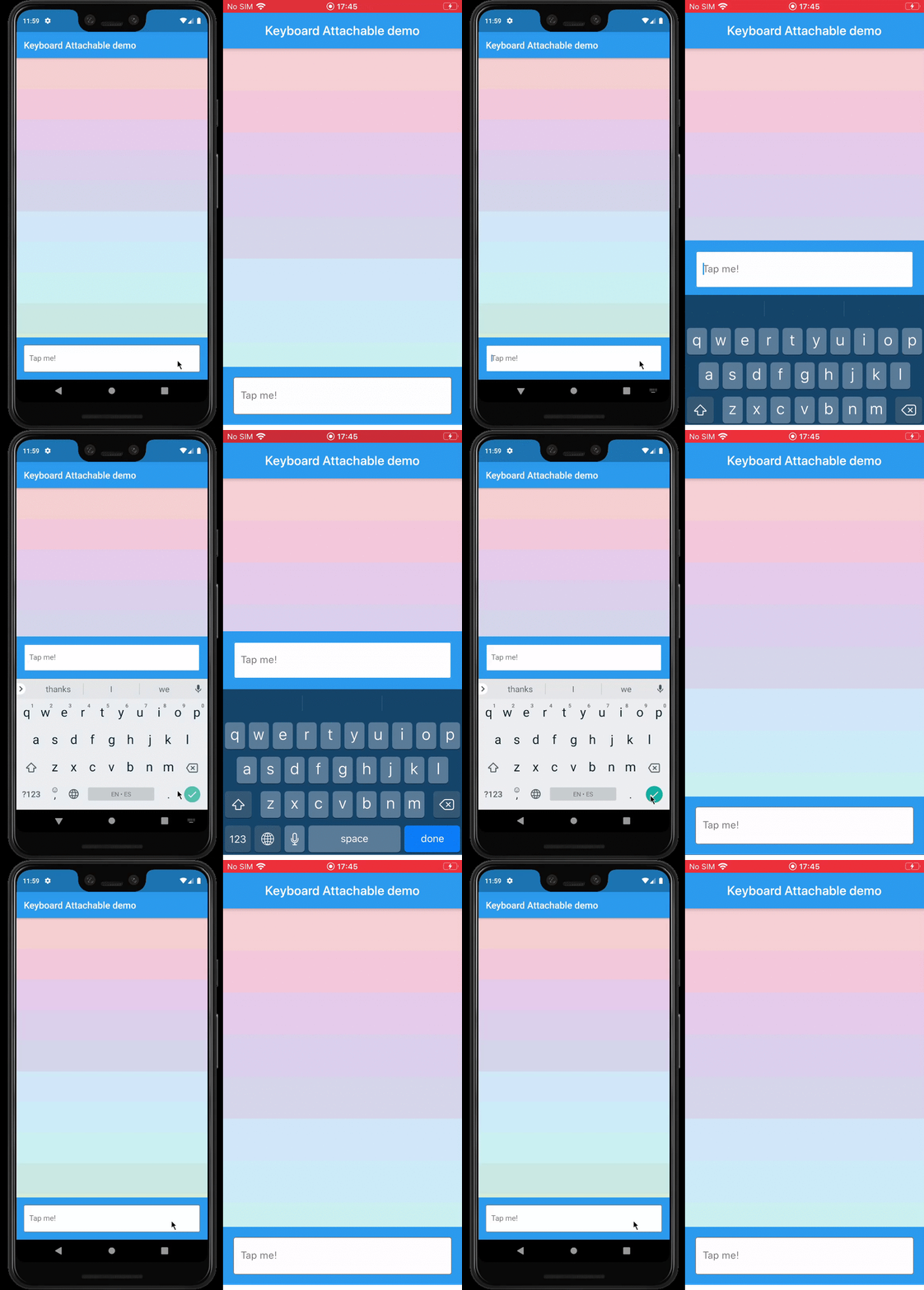
화면 키보드에 동적으로 연결되는 위젯을 생성할 수 있게 해주는 플러터 패키지로, 키보드 위에 직접 컨텍스트 인식형 컨트롤 또는 콘텐츠를 제공함으로써 사용자 경험을 향상시킵니다. 이 패키지는 안드로이드, iOS, macOS, Windows, 리눅스 등 여러 플랫폼을 지원하여 기기 간 일관된 동작을 보장합니다. 기존 UI와의 통합을 단순화하기 위해 위치 지정 및 부착 위젯 관리를 위한 깔끔한 API를 제공합니다.
사용 사례
키보드 위에 액션 버튼 추가
입력 필드 근처에 제안 또는 이모지 표시
사용자 정의 키보드 오버레이 만들기
인라인 컨트롤을 활용한 폼 사용성 향상
텍스트 입력 중 도구에 빠르게 접근할 수 있도록 활성화
주요 기능
크로스 플랫폼 호환성
기존 위젯과의 간편한 통합
키보드에 대한 동적 위치 지정
다양한 위젯 유형 지원
최소한의 보일러플레이트 코드
적합한 대상
인터랙티브 폼을 개발하는 개발자
자주 키보드 상호작용이 필요한 앱
향상된 입력 경험을 원하는 UI 디자이너
키보드 중심 워크플로우를 갖춘 다중 플랫폼 애플리케이션
텍스트 입력에서 사용자 참여를 우선시하는 팀
고려 사항
세밀한 레이아웃 관리가 필요할 수 있습니다
복잡한 위젯으로 인한 성능 영향
키보드 높이 변경에 대한 사용자 정의가 제한적
다른 오버레이 위젯과의 잠재적 충돌
다양한 기기 크기 및 방향에서 테스트가 필요합니다
원본 README
연결된 소스 저장소의 README 원문 스냅샷입니다. 최신 내용은 저장소에서 확인하세요.
keyboard_attachable
A Flutter package to build widgets that can be attached to the soft keyboard.
Features
An alternative to Scaffold's resizeToAvoidBottomInset, with animations.
Control the animations that should happen when the soft keyboard is shown and hidden with a transition builder.
Animate the shrinkage and expansion of the page when the soft keyboard is shown and hidden, matching the platform soft keyboard animation.
Easily add permanent page footers that can be attached to the top of the soft keyboard.
Usage
This package exposes a FooterLayout stateless widget and a KeyboardAttachable stateful widget.
FooterLayout is a widget that can lay out a child widget above a footer. It does that by
positioning a footer widget at the bottom of the available space first, and then positioning a
child widget in the remaining space.
KeyboardAttachable is a widget that adds space below its baseline when the soft keyboard is shown
and hidden with an animation that matches that of the platform keyboard. This widget can be used to
animate its child when the soft keyboard is shown or hidden, so that the child widget appears to be
attached to the keyboard.
You can combine these two widgets by passing a KeyboardAttachable widget as the footer of a
FooterLayout to create a page that shrinks and expands when the soft keyboard appears and
disappears, with an animation that matches the platform keyboard animation. Additionally, you can
pass a child widget to your KeyboardAttachable to have a footer in your page that attaches itself
to the soft keyboard when shown.
Warning: In order for this to work with animations, the resizeToAvoidBottomInset parameter
of the Scaffold above the page has to be false. In addition to that, when there are SafeAreas
involved the layout, it is recommended to set their maintainBottomViewPadding property to true in
order for the animations to run smoothly, like so:
/// Builds a [Scaffold] that lays out a footer at the bottom of the page.classKeyboardAttachablePageextendsStatelessWidget{
@overrideWidgetbuild(BuildContext context) => Scaffold(
backgroundColor: Colors.blue,
resizeToAvoidBottomInset: false,
appBar: AppBar(title: constText("Keyboard Attachable demo")),
body: SafeArea(
maintainBottomViewPadding: true,
child: FooterLayout(
footer: KeyboardAttachableFooter(),
child: ColorsList(),
),
),
);
}
Getting started
In the pubspec.yaml of your flutter project, add the following dependency: