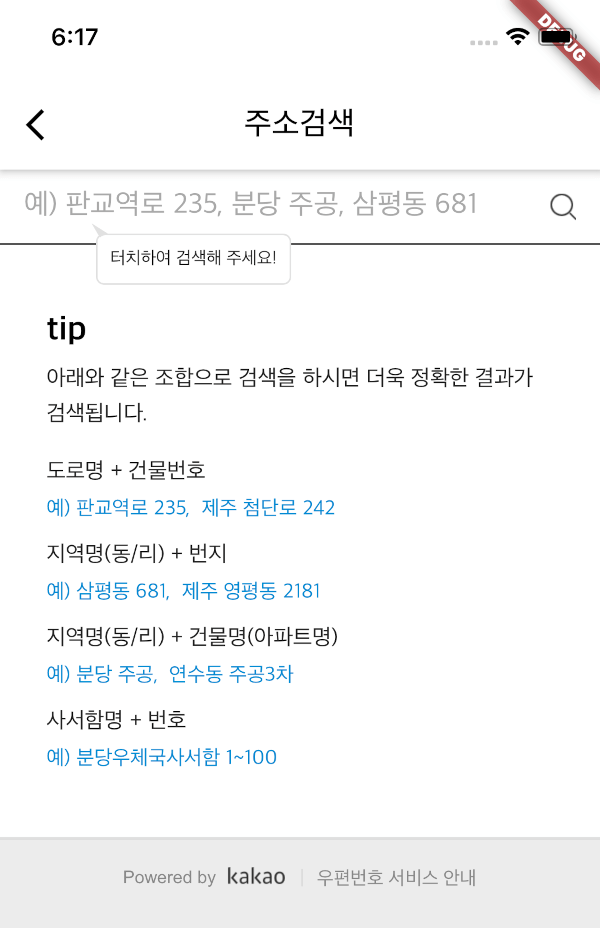
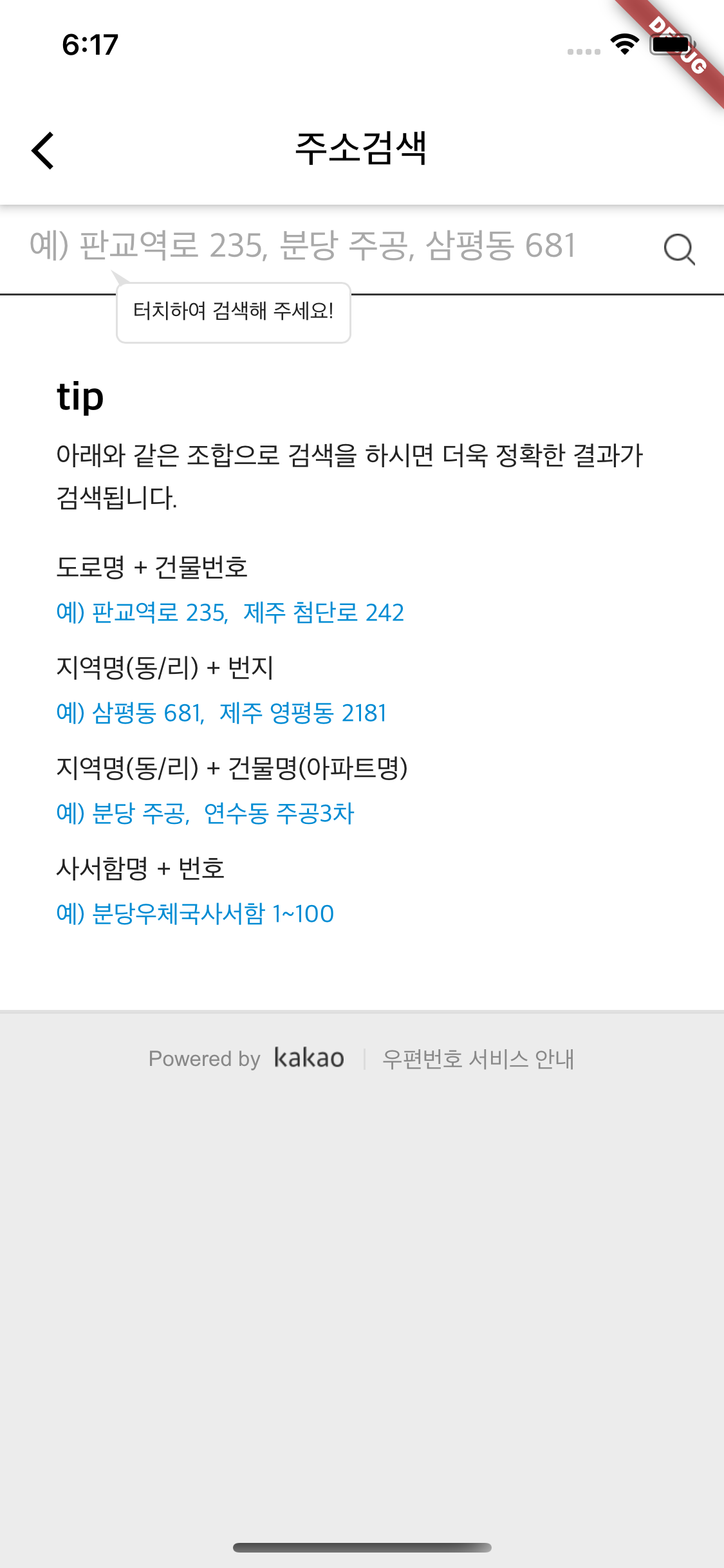
kpostal 패키지는 카카오 우편번호 서비스와 통합하여 플러터 앱에서 한국 주소를 검색할 수 있도록 합니다. 사용자가 검색 가능한 목록에서 주소를 선택할 수 있는 간단하고 네이티브 같은 인터페이스를 제공하여, 대한민국을 대상으로 하는 앱에서 주소 입력의 정확성과 효율성을 향상시킵니다. 이 패키지는 안드로이드 및 iOS 플랫폼을 모두 지원하며, 기기 간 일관된 동작을 보장합니다. 배송 또는 등록 시스템과 같은 정밀한 위치 데이터가 필요한 폼에 적합합니다.
사용 사례
모바일 앱에서 한국 주소 선택
배송 및 운송 양식 입력
위치 정보 포함 사용자 프로필 등록
한국의 위치기반 서비스
전자상거래 앱에서 주소 자동 완성
주요 기능
카카오 우편번호 API 연동
Android 및 iOS 지원
주소 검색을 위한 간단하고 직관적인 UI
실시간 주소 필터링
경량이며 구현이 간편합니다
적합한 대상
한국용 앱을 개발하는 개발자
정확한 한국 우편번호가 필요한 앱
전자상거래 및 물류 플랫폼
신뢰할 수 있는 주소 입력이 필요한 양식
고려 사항
우편번호 검색을 위해 인터넷 연결이 필요합니다
한국 주소만 가능
한국어가 아닌 사용자를 위해 추가 로컬라이제이션이 필요할 수 있습니다
카카오 서비스 이용 가능 여부에 따라 다릅니다
원본 README
연결된 소스 저장소의 README 원문 스냅샷입니다. 최신 내용은 저장소에서 확인하세요.
kpostal is a Korean postal address search widget for Flutter, powered by the Kakao (Daum) postcode service. Push a single widget, get a structured address (postcode, road/jibun address, building info, …) back — with optional latitude/longitude geocoding.
🔎 Kakao postcode search as a ready-made KpostalView widget — zero configuration to get started.
🌐 Multi-platform: Android, iOS, macOS, and Web, built on the official webview_flutter (iframe on Web).
📍 Geocoding built in: latitude/longitude via free platform geocoding (Android/iOS/macOS), plus optional Kakao Maps API geocoding.
🏠 Resilient hosting: uses a GitHub-hosted search page by default, with a local-server fallback (useLocalServer) in case of hosting issues.
🎨 Customizable: custom AppBar, loading indicator, and result callback.
Platform Support
Android
iOS
macOS
Web
Windows
Linux
✅
✅
✅
✅
❌
❌
Requires Flutter 3.38+ / Dart 3.10+.
On Web, useLocalServer is ignored and platform geocoding is unavailable (latitude/longitude are null) — use kakaoKey geocoding instead.
Platform geocoding uses the free OS services with their own usage limits — see the Apple, Android, and geocoding docs.
Quick Start
dependencies:kpostal:
import'package:kpostal/kpostal.dart';
// Use callback.awaitNavigator.push(context, MaterialPageRoute(
builder: (_) => KpostalView(
callback: (Kpostal result) {
print(result.address);
print(result.latitude);
},
),
));
// Or receive the result as a return value.Kpostal result = awaitNavigator.push(
context, MaterialPageRoute(builder: (_) => KpostalView()));
Key fields on the Kpostal result: postCode, address, roadAddress, jibunAddress, buildingName, sido, sigungu, latitude/longitude, kakaoLatitude/kakaoLongitude, userSelectedAddress — see the API reference for the full list.
Setup
🧑🏻💻 With the default hosted page, Android and iOS need no extra setup.
<!-- macos/Runner/DebugProfile.entitlements & Release.entitlements --><key>com.apple.security.network.client</key><true/><!-- only if you use [useLocalServer] --><key>com.apple.security.network.server</key><true/>
Local server (optional, useLocalServer: true) — allow http traffic
The local server serves the search page over http://localhost, so cleartext traffic must be allowed.
Android — add android:usesCleartextTraffic="true" to <application> in AndroidManifest.xml: