패키지, 저장소 및 앱 카테고리 검색

overlay_tutorial 표지
패키지 상세v3.0.0

overlay_tutorial

위젯에 구멍을 내어 오버레이 튜토리얼을 표시하는 Flutter 패키지입니다. 구멍 옆에 힌트를 추가할 수도 있습니다.

AndroidiOSWebmacOSWindowsLinux
30일 다운로드
1.6천
좋아요
69
Pub 점수
130

패키지 설치

flutter pub add overlay_tutorial

패키지 개요

공개 정보를 바탕으로 생성한 선택 가이드입니다.

OverlayTutorial은 특정 위젯을 자르기 오버레이로 강조함으로써 앱 기능을 사용자에게 안내하기 위해 설계된 Flutter 패키지입니다. 개발자는 강조된 영역 옆에 상호작용 가능한 힌트를 표시할 수 있어, 도입 과정과 사용자 참여도를 향상시킵니다. 이 패키지는 Android, iOS, Web, macOS, Windows, Linux 등 여러 플랫폼을 지원하여 크로스플랫폼 애플리케이션에 유연하게 활용할 수 있습니다. pub add를 통해 간단히 통합되어 UI를 방해하지 않으면서 기능 탐색을 개선합니다.

사용 사례

  • 신규 사용자 온보딩
  • 핵심 UI 요소 강조
  • 복잡한 워크플로를 통해 사용자 안내하기
  • 앱 사용성 향상
  • 새로운 기능 소개
  • 앱 기능에 대해 사용자 교육하기

주요 기능

  • 대상 위젯 위의 커팅홀
  • 사용자 정의 가능한 힌트 위치
  • 크로스 플랫폼 지원
  • pub와의 간편한 통합
  • 사용자 정의 가능한 오버레이 외관
  • 다중 플랫폼 대상 지원

적합한 대상

  • 앱 온보딩 흐름
  • 기능 탐색 도구
  • 사용자 교육 인터페이스
  • 모바일 및 웹 애플리케이션
  • UX 개선 프로젝트
  • 인터랙티브 튜토리얼

고려 사항

  • 최적의 UX를 위해 정확한 위치 조정이 필요할 수 있습니다
  • 많은 오버레이 사용 시 성능 영향
  • 기본 스타일링을 넘어서는 사용자 정의가 제한적
  • 올바른 위젯 계층 구조에 의존함
  • 정적 문서에 적합하지 않습니다
  • 모든 대상 플랫폼에서 테스트가 필요합니다

원본 README

연결된 소스 저장소의 README 원문 스냅샷입니다. 최신 내용은 저장소에서 확인하세요.

overlay_tutorial

A Flutter package for displaying overlay tutorial.

Feature

  • Allow to display an overlay tutorial with hole cropping.
  • Allow to display hint aside hole.
  • Allow to customize hole shape.

Usage

Wrap the widget that you want to create a hole using OverlayTutorialHole. Ensure you have OverlayTutorialScope as a parent of these holes.

  1. Use OverlayTutorialScope.enabled property to control the visibility of the overlay tutorial. If this is false, the entire overlay tutorial will be hidden.
  2. Use OverlayTutorialHole.enabled property to control the visibility of the holes.

Wrap your UI


Widget build(BuildContext context) {
  final textTheme = Theme.of(context).textTheme;
  const tutorialColor = Colors.yellow;
  return SafeArea(
    child: Stack(
      children: [
        OverlayTutorialScope(
          enabled: _isTutorialEnabled,
          overlayColor: Colors.blueAccent.withOpacity(.6),
          // Disable all the widgets. All the widgets are now non-interactive.
          child: AbsorbPointer(
            absorbing: _isTutorialEnabled,
            child: Scaffold(
              appBar: AppBar(
                title: Text(widget.title),
              ),
              body: Center(
                child: Column(
                  mainAxisAlignment: MainAxisAlignment.center,
                  children: <Widget>[
                    AnimatedBuilder(
                      animation: _tweenAnimation,
                      builder: (context, child) {
                        return SlideTransition(
                          position: _tweenAnimation,
                          child: child,
                        );
                      },
                      child: OverlayTutorialHole(
                        enabled: true,
                        overlayTutorialEntry: OverlayTutorialCustomShapeEntry(
                          shapeBuilder: (rect, path) {
                            path = Path.combine(
                              PathOperation.difference,
                              path,
                              Path()
                                ..addOval(Rect.fromLTWH(
                                  rect.left - 16,
                                  rect.top,
                                  112,
                                  64,
                                )),
                            );
                            return path;
                          },
                        ),
                        child: const Icon(
                          Icons.share,
                          size: 64,
                        ),
                      ),
                    ),
                    const SizedBox(height: 64),
                    const Text(
                      'You have pushed the button this many times:',
                    ),
                    OverlayTutorialHole(
                      enabled: true,
                      overlayTutorialEntry: OverlayTutorialRectEntry(
                        padding: const EdgeInsets.symmetric(horizontal: 8.0),
                        radius: const Radius.circular(16.0),
                        overlayTutorialHints: <OverlayTutorialWidgetHint>[
                          OverlayTutorialWidgetHint(
                            position: (rect) => Offset(0, rect.bottom),
                            builder: (context, entryRect) {
                              return SizedBox(
                                width: MediaQuery.of(context).size.width,
                                child: Center(
                                  child: Padding(
                                    padding: const EdgeInsets.all(8.0),
                                    child: Text(
                                      'Current Counter will be displayed here',
                                      style: textTheme.bodyText2!
                                          .copyWith(color: tutorialColor),
                                    ),
                                  ),
                                ),
                              );
                            },
                          ),
                        ],
                      ),
                      child: Text(
                        '$_counter',
                        style: Theme.of(context).textTheme.headline4,
                      ),
                    ),
                  ],
                ),
              ),
              floatingActionButton: OverlayTutorialHole(
                enabled: true,
                overlayTutorialEntry: OverlayTutorialRectEntry(
                  padding: const EdgeInsets.all(8.0),
                  radius: const Radius.circular(16.0),
                  overlayTutorialHints: [
                    OverlayTutorialWidgetHint(
                      builder: (context, entryRect) {
                        return Positioned(
                          top: entryRect.rRect!.top - 24.0,
                          left: entryRect.rRect!.left,
                          child: Text(
                            'Try this out',
                            style: textTheme.bodyText2!
                                .copyWith(color: tutorialColor),
                          ),
                        );
                      },
                    ),
                    OverlayTutorialWidgetHint(
                      position: (rect) => Offset(0, rect.center.dy),
                      builder: (context, entryRect) {
                        return SizedBox(
                          width: entryRect.rRect!.left,
                          child: Padding(
                            padding: const EdgeInsets.only(right: 8.0),
                            child: Row(
                              mainAxisAlignment: MainAxisAlignment.end,
                              children: [
                                Flexible(
                                  child: Text(
                                    'Click here to add counter',
                                    style: textTheme.bodyText2!
                                        .copyWith(color: tutorialColor),
                                  ),
                                ),
                              ],
                            ),
                          ),
                        );
                      },
                    ),
                  ],
                ),
                child: FloatingActionButton(
                  onPressed: _incrementCounter,
                  tooltip: 'Increment',
                  child: const Icon(Icons.add),
                ),
              ),
            ),
          ),
        ),
        if (_isTutorialEnabled)
          Align(
            alignment: Alignment.topRight,
            child: GestureDetector(
              onTap: () {
                _isTutorialEnabled = false;
                setState(() {});
              },
              child: Padding(
                padding: const EdgeInsets.all(8.0),
                child: Container(
                  padding: const EdgeInsets.all(16),
                  decoration: const BoxDecoration(
                    shape: BoxShape.circle,
                    color: Colors.black,
                  ),
                  child: const Icon(
                    Icons.close,
                    color: Colors.red,
                  ),
                ),
              ),
            ),
          ),
      ],
    ),
  );
}

Hole Shape

  • OverlayTutorialRectEntry draws a Rectangle shape
  • OverlayTutorialCircleEntry draws a Circle shape
  • OverlayTutorialCustomShapeEntry allows to draw a customized shape

Disabling Widget

Disabling widget is not provided by this package out of the box. You can achieve this using one of the Flutter widget: AbsorbPointer or IgnorePointer. Make sure you do not wrap the OverlayTutorialScope with these widgets as this will disable the widget in OverlayTutorialWidgetHint.

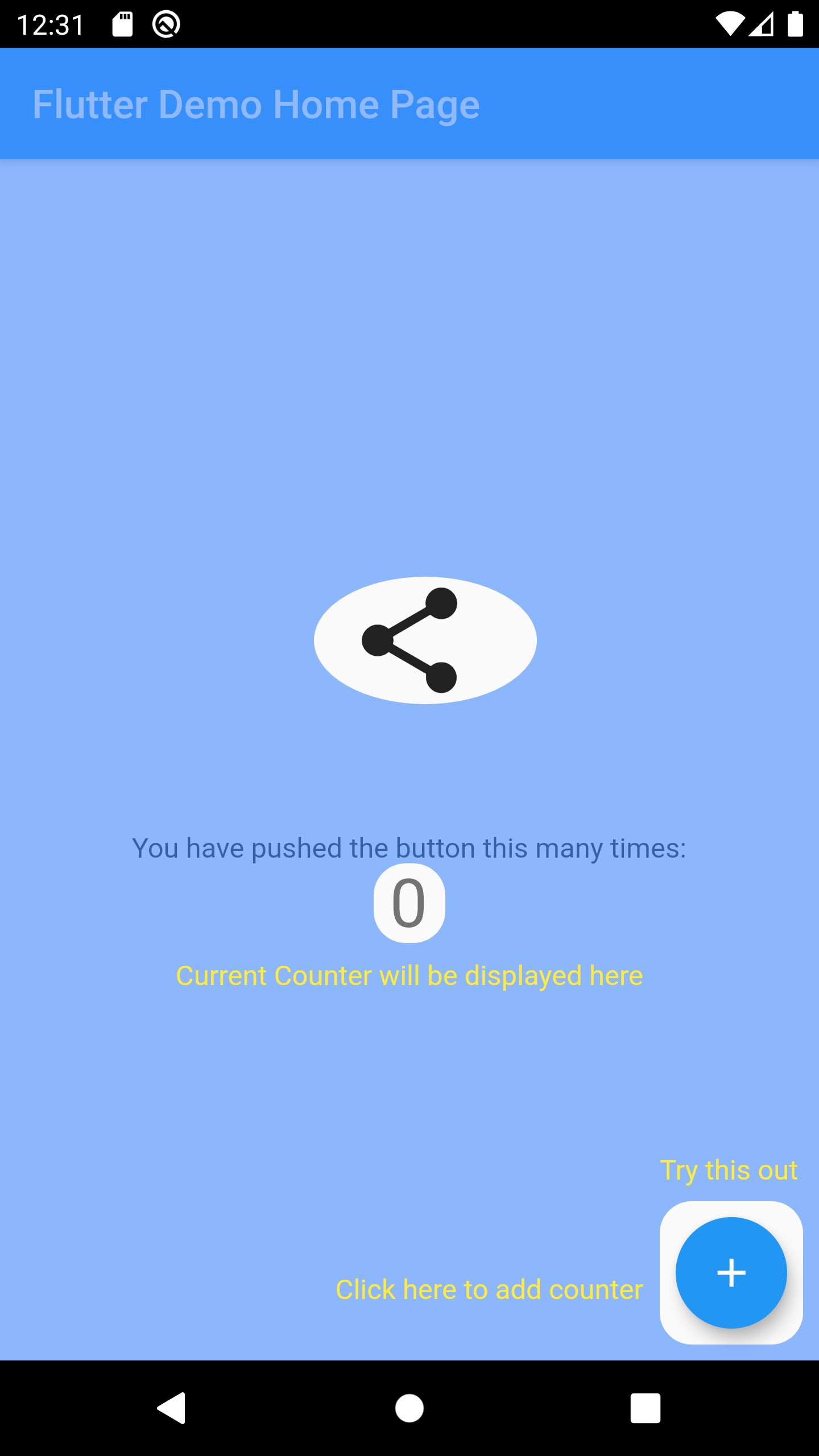
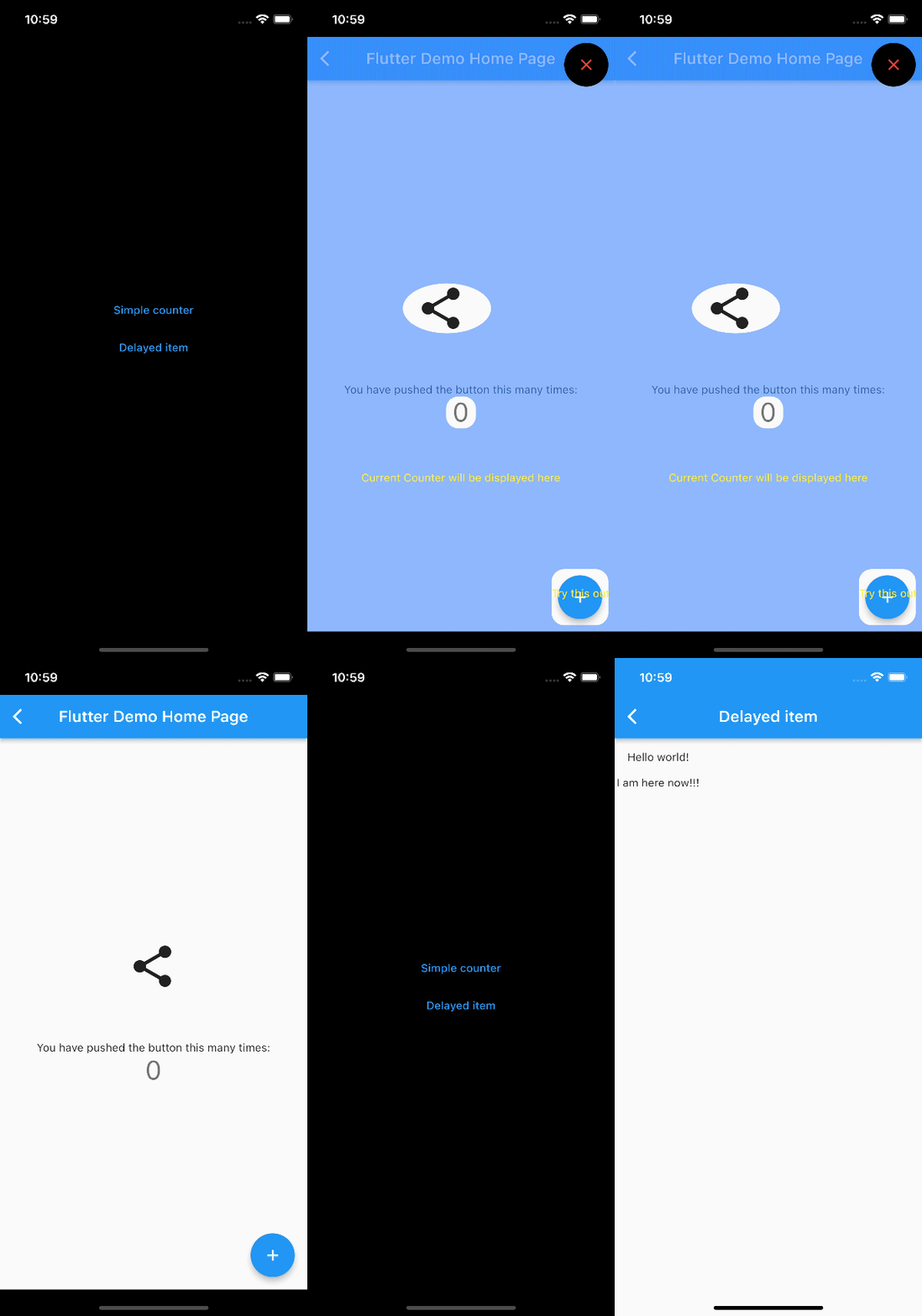
Screenshot

API

Check Dart Documentation

License

License.

카테고리

의존성

의존성 목록 3 개

소스 저장소

이 패키지를 사용하는 프로젝트

아직 데이터가 없습니다.