패키지, 저장소 및 앱 카테고리 검색

pal_widgets 표지
패키지 상세v0.4.0

pal_widgets

Flutter 애플리케이션용 놀라운 온보딩 위젯 세트입니다.

AndroidiOSWebmacOSWindowsLinux
30일 다운로드
52
좋아요
80
Pub 점수
150

패키지 설치

flutter pub add pal_widgets

패키지 개요

공개 정보를 바탕으로 생성한 선택 가이드입니다.

pal_widgets는 사용자 경험을 향상시키기 위해 안내 투어와 코치 마크를 통해 시각적으로 매력적인 온보딩 위젯 모음을 제공하는 Flutter 패키지입니다. 개발자가 앱 기능을 단계별로 소개함으로써 사용자의 참여도와 이해도를 높일 수 있습니다. Android, iOS, Web, macOS, Windows, Linux 등 여러 플랫폼을 지원하여 장치 간 일관된 온보딩 경험을 보장합니다. 사용자 정의 가능한 애니메이션과 직관적인 API를 통해 인터랙티브한 워크스루 구현이 간편해집니다. 온보딩 중 사용자 부담을 줄이고자 하는 앱에 적합합니다.

사용 사례

  • 신규 사용자 온보딩
  • 핵심 앱 기능 강조
  • 안내형 튜토리얼
  • 사용자 유지율 향상
  • 복잡한 인터페이스 소개
  • 초기 사용자 경험 향상

주요 기능

  • 사전 구축된 온보딩 위젯
  • 크로스 플랫폼 지원
  • 사용자 정의 애니메이션
  • 간편한 통합
  • 인터랙티브 코치 마크
  • 반응형 디자인

적합한 대상

  • 모바일 및 웹 애플리케이션
  • 제품 팀
  • UX 디자이너
  • 빠른 온보딩 솔루션을 찾는 개발자
  • 복잡한 워크플로우를 가진 앱
  • 사용자 온보딩에 초점을 맞춘 스타트업

고려 사항

  • Flutter 레이아웃에 대한 이해가 필요합니다
  • 브랜드 일치를 위해 맞춤 설정이 필요할 수 있습니다
  • 많은 단계로 인한 성능 영향
  • 온보딩 사용 사례에 한정
  • 외부 종속성에 의존함
  • 안내되지 않은 UI 흐름에는 적합하지 않습니다

원본 README

연결된 소스 저장소의 README 원문 스냅샷입니다. 최신 내용은 저장소에서 확인하세요.

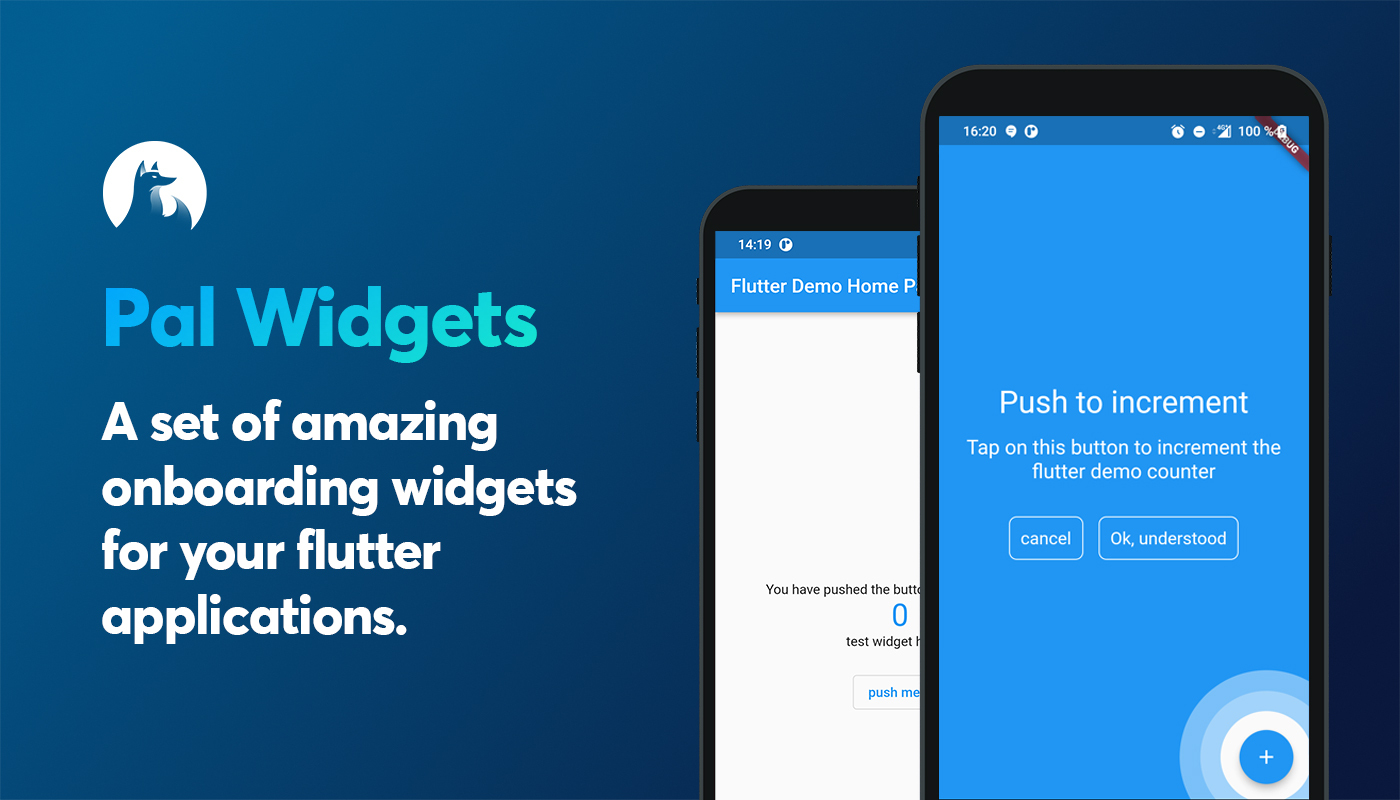
flutter anchored onboarding screen


build License: MIT Pal widgets pubdev


Pal widgets

A flutter package for better onboarding.

A set of amazing onboarding widgets for your flutter applications.

Install package

add in your pubspec.yaml dependencies

pal-widgets: 0.3.0


List of helpers

Name description status
AnchoredHelper An helper do describe another widget of your page. This creates an overlay above your page :white_check_mark:

Anchored helper

This widgets is highly inspired by google onboardings. This shows a circle around any widgets you want and add an overlay were you can add a message.

First embbed you page or your app with a HelperOrchestrator widget.

HelperOrchestrator(
    child: Scaffold(
        appBar: AppBar(
            title: Text(widget.title),
        ),
        body: ...
    ),
)

You now have to get a key text1 for the widget you want to reference using

Text(
    '$_counter',
    key: HelperOrchestrator.of(context).generateKey('text1'),
),
Example

You can now show an anchored helper using

final helper = AnchoredHelper(
    title: const Text('Title lorem pitume'),
    description: const Text('Lorem ipsum lorem ipsum lorem ipsum lorem ipsum lorem ipsum'),,
    bgColor: Colors.blue,
    leftBtnText: const Text('cancel'),
    rightBtnText: const Text('Ok, understood'),
    onError: () => print("widget not found"),
    positivBtnStyle: helperOutlineBtnStyle,
    negativeBtnStyle: helperOutlineBtnStyle,
    onLeftBtnTap: () => HelperOrchestrator.of(context).hideHelper(),
    onRightTap: () => HelperOrchestrator.of(context).hideHelper(),
    onTapAnchor: () => HelperOrchestrator.of(context).hideHelper(),
);

// this will show an overlayed anchored widget using the key text1
HelperOrchestrator.of(context).showAnchoredHelper('text1', helper);
properties
Property description Required
title A Text widget to show as title
description A Text widget to show as description
bgColor A Color as Overlayed background :white_check_mark:
leftBtnText A [Text] widget to show within the left button
rightBtnText A [Text] widget to show within the right button
onLeftBtnTap Action on tap left button
onRightTap Action on tap right button
onError Functions to call when widgets encounters any errors
leftBtnStyle Material style to put on negativ button
rightBtnStyle Material style to put on positiv button
onTapAnchor Action to call when user tap on anchor
widgetFactory The Widget factory to create the anchored helper. Default to AnchoredCircleHoleHelper.anchorFactory which creates a full overlay with an animated hole

There is two Hole Anchor widget factories :

  • AnchoredCircleHoleHelper.anchorFactory: creates a circle hole (default value)
  • AnchoredRectHoleHelper.anchorFactory : creates a rectangle hole on strict widget bounds

Any question?

Contact us on our twitter

카테고리

의존성

의존성 목록 1 개

소스 저장소

이 패키지를 사용하는 프로젝트

아직 데이터가 없습니다.