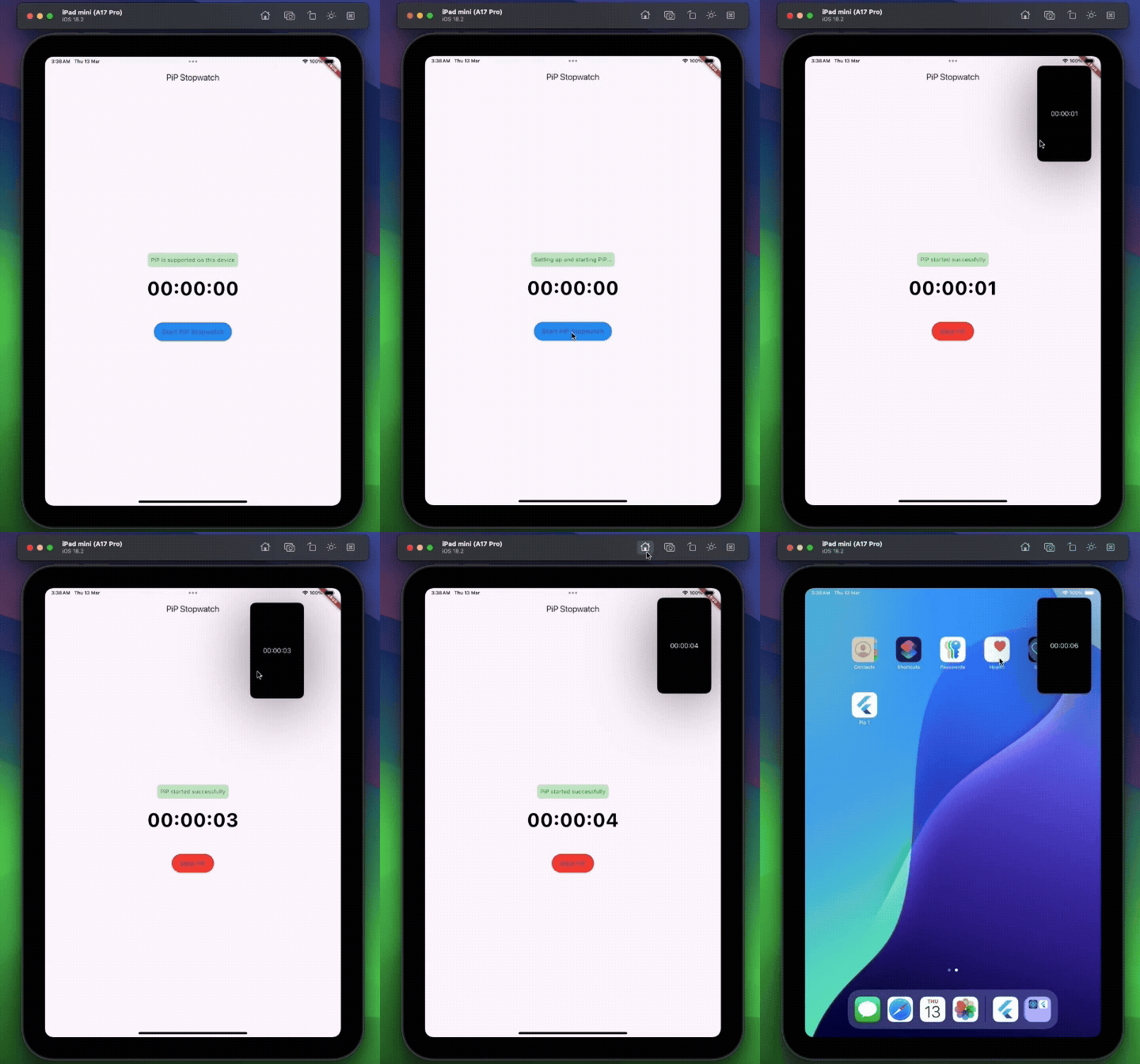
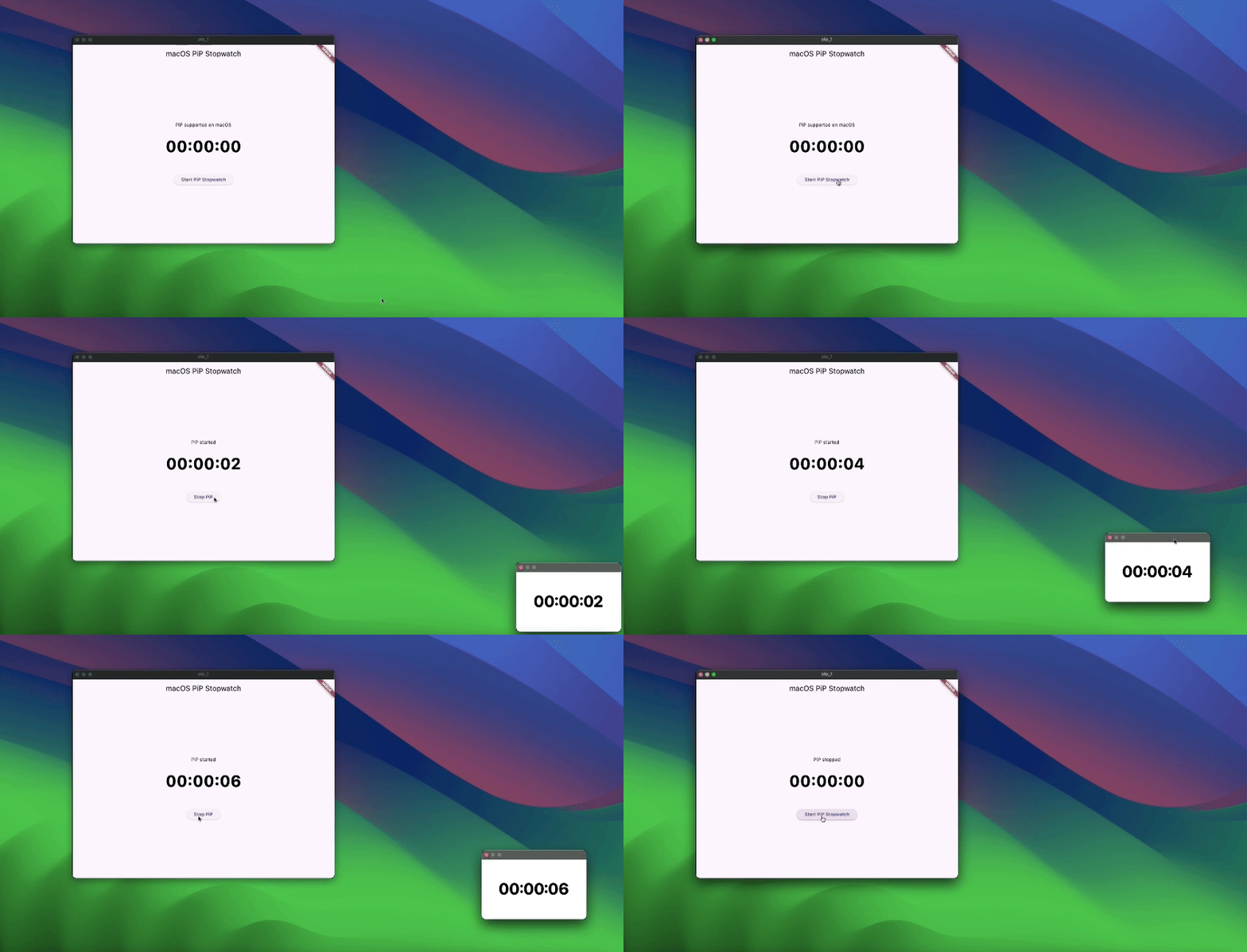
pip_plugin은 Android, iOS, Web, macOS, Windows, Linux에서 피처 인 피처(PiP) 모드 내에서 사용자 정의 텍스트 오버레이를 표시할 수 있는 Flutter 패키지입니다. 주석, 타이머 또는 상태 표시기와 같은 용도로 유용한 PiP 창 위에 부유하는 텍스트 레이어를 일관된 API로 표시합니다. Flutter의 플랫폼 독립 아키텍처와 원활하게 통합되며 동적 콘텐츠 업데이트를 지원합니다. 비디오 재생 또는 멀티태스킹 시나리오 중 지속적인 시각적 피드백이 필요한 앱을 위해 설계되었습니다.
사용 사례
화면 레이블이 있는 실시간 비디오 스트리밍
실시간 주석이 있는 교육용 앱
참가자 상태 오버레이가 있는 비디오 회의
지속적인 UI 힌트가 필요한 멀티태스킹 앱
안내 지침이 포함된 인터랙티브 튜토리얼
주요 기능
크로스 플랫폼 PiP 텍스트 오버레이
사용자 정의 텍스트 스타일 및 위치
재시작 없이 동적 콘텐츠 업데이트
모든 주요 데스크톱 및 모바일 플랫폼을 지원합니다
Flutter pub를 통한 간단한 통합
실시간 오버레이 렌더링
적합한 대상
미디어가 풍부한 Flutter 앱을 개발하는 개발자
PiP에서 지속적인 화면 정보가 필요한 앱
교육 또는 훈련 응용 프로그램
스트리밍 또는 라이브 이벤트 플랫폼
다중 창 또는 멀티태스킹 인터페이스
고려 사항
대상 플랫폼에서 PiP 모드 지원이 필요합니다
다양한 화면 크기에서 텍스트의 가시성은 달라질 수 있습니다
자주 업데이트할 때의 성능 영향
텍스트만 오버레이 가능 (이미지나 복잡한 위젯 불가)
플랫폼별 PiP 동작은 레이아웃에 영향을 줄 수 있습니다
원본 README
연결된 소스 저장소의 README 원문 스냅샷입니다. 최신 내용은 저장소에서 확인하세요.
pip_plugin
⚠️ Experimental
A Flutter plugin that enables a customizable Picture-in-Picture window displaying text.
pip_plugin is an experimental Flutter plugin that lets you display text overlays in Picture-in-Picture mode on Android, iOS, Web, and Desktop. It exposes a simple Dart API to configure the PiP window’s appearance and control its lifecycle.
Wrap your main activity with the provided helper—this is the simplest integration.
Kotlin
import cl.puntito.simple_pip_mode.PipCallbackHelperActivityWrapper

class MainActivity: PipCallbackHelperActivityWrapper() {
    // No additional code needed
}
Java
import cl.puntito.simple_pip_mode.PipCallbackHelperActivityWrapper;

public class MainActivity extends PipCallbackHelperActivityWrapper {
    // No additional code needed
}
Once inherited, PiP callbacks and the PiP widget become available automatically.
2. Callback Helper
If you prefer not to subclass your activity, you can manually wire up the callbacks:
Kotlin
import cl.puntito.simple_pip_mode.PipCallbackHelper
import io.flutter.embedding.engine.FlutterEngine
import io.flutter.embedding.android.FlutterActivity
import android.content.res.Configuration

class MainActivity: FlutterActivity() {
  private val pipHelper = PipCallbackHelper()

  override fun configureFlutterEngine(flutterEngine: FlutterEngine) {
    super.configureFlutterEngine(flutterEngine)
    pipHelper.configureFlutterEngine(flutterEngine)
  }

  override fun onPictureInPictureModeChanged(
    isInPipMode: Boolean,
    newConfig: Configuration?
  ) {
    super.onPictureInPictureModeChanged(isInPipMode, newConfig)
    pipHelper.onPictureInPictureModeChanged(isInPipMode)
  }
}
Java
import cl.puntito.simple_pip_mode.PipCallbackHelper;
import io.flutter.embedding.engine.FlutterEngine;
import io.flutter.embedding.android.FlutterActivity;
import android.content.res.Configuration;

public class MainActivity extends FlutterActivity {
    private final PipCallbackHelper pipHelper = new PipCallbackHelper();

    @Override
    public void configureFlutterEngine(@NonNull FlutterEngine flutterEngine) {
        super.configureFlutterEngine(flutterEngine);
        pipHelper.configureFlutterEngine(flutterEngine);
    }

    @Override
    public void onPictureInPictureModeChanged(
      boolean isInPipMode,
      Configuration newConfig
    ) {
        super.onPictureInPictureModeChanged(isInPipMode, newConfig);
        pipHelper.onPictureInPictureModeChanged(isInPipMode);
    }
}
iOS
In your Info.plist, add PiP to the background modes:
Import the main plugin class and manage PiP mode:
⚠️ Initialize first: call setupPip(...) before using other PiP methods.
/// Prepares PiP with an optional title and configuration.Future<bool> setupPip({
/// On desktop platforms, you can optionally set a `windowTitle`.String? windowTitle,
PipConfiguration? configuration,
});
/// Enters Picture-in-Picture mode.Future<bool> startPip();
/// Exits Picture-in-Picture mode./// (On Android this is a no-op, as PiP closes automatically.)Future<bool> stopPip();
/// Returns whether PiP is supported on the current platform.Future<bool> isPipSupported();
/// Dynamically updates the PiP window’s appearance:/// - backgroundColor, textColor, textSize, textAlign, ratioFuture<bool> update({
Color? backgroundColor,
Color? textColor,
double? textSize,
/// Only `left`, `right`, and `center` are supported.TextAlign? textAlign,
/// ignored on Web platforms.
(int, int)? ratio,
});
/// Changes the displayed text in PiP.Future<bool> updateText(String text);
/// Emits `true`/`false` whenever PiP becomes active/inactive.Stream<bool> get pipActiveStream;
/// Whether the plugin has been initialized.boolget isInitialized;
/// Releases any resources held by the plugin.voiddispose();
Showing Text in PiP
Android: Wrap your UI with the built-in TextPipWidget to render the PiP text overlay, then drive it with the plugin API.
All other platforms: No widget required—just invoke the PipPlugin methods directly.