패키지, 저장소 및 앱 카테고리 검색

simple_pip_mode 표지
패키지 상세v1.1.0

simple_pip_mode

완전한 피처 인 피처 모드 플러그인(Android 전용)

Android
30일 다운로드
6.9천
좋아요
58
Pub 점수
160

패키지 설치

flutter pub add simple_pip_mode

패키지 개요

공개 정보를 바탕으로 생성한 선택 가이드입니다.

Android 전용으로만 Picture-in-Picture(PiP) 모드를 활성화하는 플러터 플러그인입니다. 비디오 재생이나 다른 앱 콘텐츠 탐색 중 지속적인 작업을 수행할 때 이상적인 간단한 API를 제공하여 PiP 모드 진입 및 관리를 가능하게 합니다. 이 플러그인은 PiP에 필요한 Android 전용 라이프사이클 및 구성 설정을 처리하며, 기존 앱에의 통합을 단순화합니다. 최소한의 설정으로 전체 화면과 PiP 전환을 원활하게 지원합니다.

사용 사례

  • 백그라운드에서의 비디오 재생
  • 진행 중인 오디오 또는 비디오 통화
  • 라이브 스트리밍 애플리케이션
  • 내비게이션 중 작업 계속
  • 미디어 플레이어 개선

주요 기능

  • 안드로이드 전용 PiP 지원
  • PiP에 진입하기 위한 간단한 API
  • 자동 라이프사이클 관리
  • 필요한 최소 구성
  • 모드 간 원활한 전환

적합한 대상

  • 안드로이드 비디오 앱
  • 미디어 플레이어
  • 통신 앱
  • 백그라운드 활동이 필요한 앱
  • 간편한 PiP 통합을 찾는 개발자

고려 사항

  • iOS에서 사용 불가
  • Android SDK 26 이상 필요
  • Android 플랫폼에 한정
  • PiP 창 크기의 사용자 정의 없음
  • Android 시스템 수준의 권한에 의존합니다

원본 README

연결된 소스 저장소의 README 원문 스냅샷입니다. 최신 내용은 저장소에서 확인하세요.

Pub page License

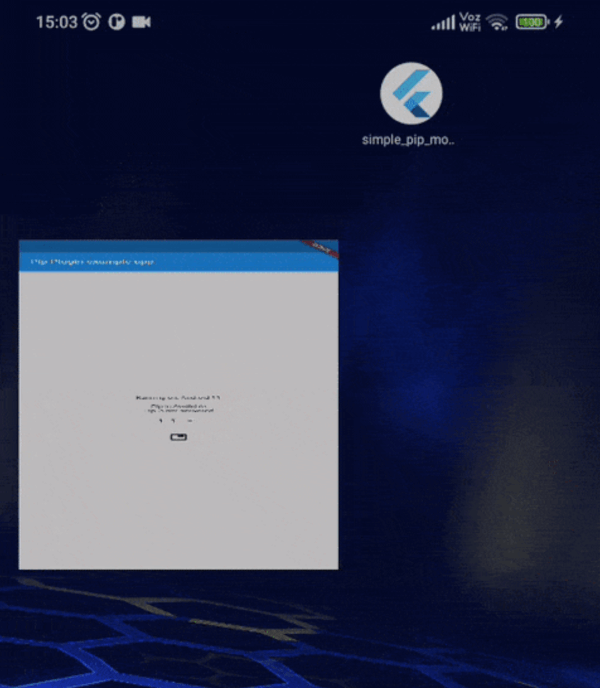
A complete Picture-In-Picture mode plugin for android API level 26+ (Android Oreo).

Provides methods to check feature availability, enter PIP mode, callbacks for mode change and PIP Actions support.

main.webm

auto_enter.webm

actions.webm

Features

  • Verify PIP system availability and current state.
  • Method to enter PIP mode, with aspect ratio, auto enter and seamless resize parameters.
  • On PIP mode change Callbacks.
  • Widget to build PIP-dependent layouts.
  • PIP Actions (media action presets).

Installation

In the dependencies: section of your pubspec.yaml, add the following line:

  simple_pip_mode: <latest_version>

Table of contents

Usage

Update manifest

Add android:supportsPictureInPicture="true" to the activity on your AndroidManifest.xml.

Verify pip support

Use SimplePip.isPipAvailable and SimplePip.isPipActivated static getters to verify whether the device supports Picture In Picture feature and the feature is currently activated respectively.

Entering pip mode

Import simple_pip.dart file and call enterPipMode method.

import 'package:simple_pip_mode/simple_pip.dart';

class MyWidget extends StatelessWidget {
  Widget build(BuildContext context) {
    return IconButton(
      icon: Icon(Icons.picture_in_picture),
      onPressed: () => SimplePip().enterPipMode(),
    );
  }
}

Setting automatic pip mode

Import simple_pip.dart file and call setAutoPipMode method. This needs at least API level 31.

import 'package:simple_pip_mode/simple_pip.dart';

class MyWidget extends StatelessWidget {
  Widget build(BuildContext context) {
    return IconButton(
      icon: Icon(Icons.picture_in_picture),
      onPressed: () => SimplePip().setAutoPipMode(),
    );
  }
}

This way, when user presses home (or uses home gesture), the app enters PIP mode automatically.

Enabling callbacks

There's two ways of enabling callbacks:

Activity wrapper

This is the easiest way to enable the callbacks.

Just import the wrapper class in your main activity file, and inherit from it.

Kotlin
import cl.puntito.simple_pip_mode.PipCallbackHelperActivityWrapper

class MainActivity: PipCallbackHelperActivityWrapper() {
}
Java
import cl.puntito.simple_pip_mode.PipCallbackHelperActivityWrapper;

class MainActivity extends PipCallbackHelperActivityWrapper {
}

Done! now you can use PIP callbacks and the PIP widget.

Callback helper

If something went wrong with Activity wrapper or you don't want to wrap your activity, you can enable callbacks using the callback helper.

To do so, in your main activity file import the callback helper.

import cl.puntito.simple_pip_mode.PipCallbackHelper

Instance a callback helper, provide the flutter engine to it, and finally, call helper on callback.

Kotlin
class MainActivity: FlutterActivity() {
  //...
  private var callbackHelper = PipCallbackHelper()
  //...
  override fun configureFlutterEngine(@NonNull flutterEngine: FlutterEngine) {
    super.configureFlutterEngine(flutterEngine)
    callbackHelper.configureFlutterEngine(flutterEngine)
  }
  
  override fun onPictureInPictureModeChanged(active: Boolean, newConfig: Configuration?) {
    callbackHelper.onPictureInPictureModeChanged(active)
  }
  //...
}
Java
public class MainActivity extends FlutterActivity {
    //...
    private final PipCallbackHelper callbackHelper = new PipCallbackHelper();
    //...
    @Override
    public void configureFlutterEngine(@NonNull FlutterEngine flutterEngine) {
        super.configureFlutterEngine(flutterEngine);
        callbackHelper.configureFlutterEngine(flutterEngine);
    }
    
    @Override
    public void onPictureInPictureModeChanged(boolean active, Configuration newConfig) {
        callbackHelper.onPictureInPictureModeChanged(active);
    }
    //...
}

Done! now you can use PIP callbacks and the PIP widget.

Using callbacks

To use callbacks, just pass them as parameters to SimplePip constructor.

SimplePip _pip = SimplePip(
  onPipEntered: () => doSomething(),
  onPipExited: () => doSomeOtherThing(),
);

Using the PIP widget

To use the widget, you need to enable callbacks first. Import pip_widget.dart file.

Add a PipWidget widget to your tree and give it a child and a pipChild.

[!Note] builder and pipBuilder are deprecated. Use a Builder as the child or pipChild instead.

import 'package:simple_pip_mode/pip_widget.dart';
class MyWidget extends StatelessWidget {
  Widget build(BuildContext context) {
    return PipWidget(
      child: Text('This is built when PIP mode is not active'),
      pipChild: Text('This is built when PIP mode is active'),
    );
  }
}

You can also pass callbacks directly to PipWidget.

Using PIP Actions

To use PIP actions, you need to specify a pipLayout preset on your PipWidget. The current available action layout presets are focused on giving support to media reproduction controls. They are media, media_only_pause, media_live and mediaWithSeek10. Those are defined on the [PipActionsLayout] enum.

You can also add a onPipAction listener to handle actions callbacks from PipWidget. This can be defined on SimplePip(onPipAction: ...) too.

import 'package:simple_pip_mode/pip_widget.dart';
import 'package:simple_pip_mode/actions/pip_action.dart';
import 'package:simple_pip_mode/actions/pip_actions_layout.dart';
class MyWidget extends StatelessWidget {
  ExampleVideoPlayer videoPlayer = ExampleVideoPlayer();
  Widget build(BuildContext context) {
    return PipWidget(
      pipLayout: PipActionsLayout.media,
      onPipAction: (action) {
        switch (action) {
          case PipAction.play:
            // example: videoPlayerController.play();
          case PipAction.pause:
            // example: videoPlayerController.pause();
          case PipAction.next:
            // example: videoPlayerController.next();
          case PipAction.previous:
            // example: videoPlayerController.previous();
          case PipAction.rewind:
            // example: videoPlayerController.seek(-10);
          case PipAction.forward:
            // example: videoPlayerController.seek(10);
          default:
            break;
        }
      },
      pipChild: videoPlayer,
      child: videoPlayer,
    );
  }
}

PIP Actions demo:

pip_actions_example

Notes

Multi-platform apps

Every SimplePip method calls android native code, so make sure you only make a call to a SimplePip method when running in an Android device. This includes SimplePip.isPipAvailable.

Calling SimplePip methods on a non-Android device will raise a MissingPluginException error.

Contribute

Huge thanks to:

  • Erick Daros for PIP Actions feature.
  • song011794 for updating the plugin to Android 14.
  • af-ffr for updating the plugin to add auto enter parameter.
  • kmartins for updating the plugin to add more actions.

Issues and pull requests are appreciated!

카테고리

소스 저장소

이 패키지를 사용하는 프로젝트