패키지, 저장소 및 앱 카테고리 검색

random_color 표지
패키지 상세v1.0.5

random_color

색조, 채도 및 밝기에서 시각적으로 매력적인 랜덤 색상을 생성합니다. 정확한 색상 사양을 선택할 수 있습니다.

30일 다운로드
6.1천
좋아요
152
Pub 점수
30

패키지 설치

flutter pub add random_color

패키지 개요

공개 정보를 바탕으로 생성한 선택 가이드입니다.

random_color 패키지는 색조, 채도 및 밝기를 조정하여 시각적으로 매력적인 랜덤 색상을 생성합니다. 사용자가 특정 색상 파라미터를 정의함으로써 일관되고 미학적으로 균형 잡힌 결과를 얻을 수 있습니다. 동적 UI, 테마 생성 또는 시각 디자인 도구에 이상적이며, 화면에서 색상이 조화롭게 보이도록 보장합니다. 이 패키지는 가볍고 통합이 쉬우며, 사용자 맞춤 설정을 지원하면서도 시각적 품질을 유지합니다. 수동 선택 없이 다양한 독특하고 매력적인 색상이 필요할 때 특히 유용합니다.

사용 사례

  • 동적 UI 테마 생성
  • 시각 디자인 도구
  • 게임 요소 색상 지정
  • 데이터 시각화
  • 사용자 인터페이스 프로토타이핑

주요 기능

  • 색조, 채도 및 밝기 조절
  • 시각적으로 매력적인 색상 출력
  • 사용자 정의 색상 사양
  • Flutter와의 간단한 통합
  • 가볍고 빠름

적합한 대상

  • 랜덤 색상을 필요로 하는 Flutter 개발자
  • 동적 인터페이스를 만드는 디자이너
  • 다양한 색상 테마가 필요한 앱
  • 시각적 요소를 가진 교육용 앱
  • 프로토타이핑 도구

고려 사항

  • 플랫폼별 제한 사항에 대해 언급되지 않음
  • 색상 팔레트를 지원하지 않습니다
  • RGB 기반 색상 생성에 제한됨
  • 기본 설정 외에 내장된 색 조화 규칙이 없습니다
  • 색 대비를 수동으로 처리해야 합니다

원본 README

연결된 소스 저장소의 README 원문 스냅샷입니다. 최신 내용은 저장소에서 확인하세요.

Random color generator

pub package CodeFactor

Pub link: https://pub.dartlang.org/packages/random_color

This library will generate random colors that are visually pleasing and can be customized by passing custom hue, saturation and brightness range. This allows it to generate just specific color with slight differences.

Blue colors:
Red colors:
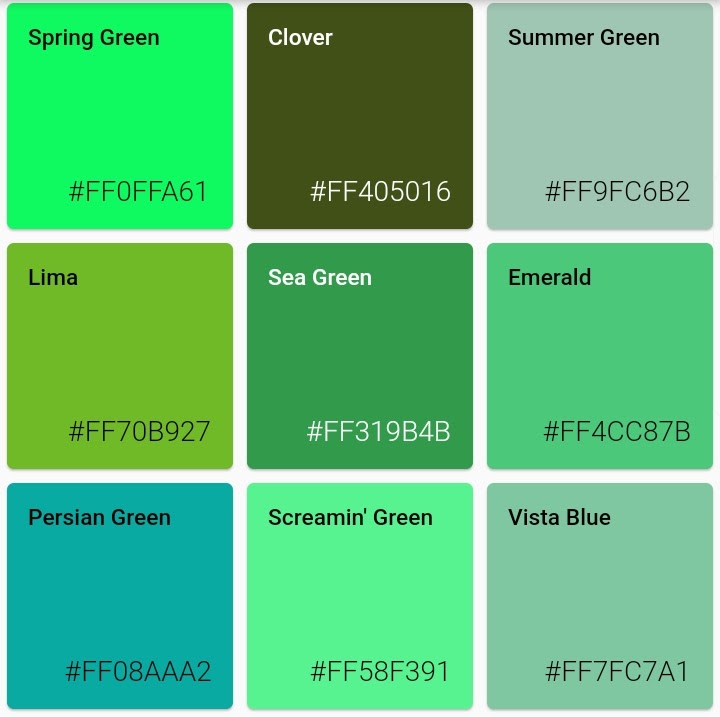
Green:
Low saturation:
High saturation:
Light colors:
Dark colors:
Usage
Getting random color:

random color function can be called with parameters colorHue, colorSaturation and colorBrightness allowing for customization of colors the generator will pass.

import 'package:random_color/random_color.dart';

RandomColor _randomColor = RandomColor();

Color _color = _randomColor.randomColor();
Getting color name:

You can get color name from hex string (without # and alpha hex values) or from Color object

  Color _color = Color('FF0000'.toStringRadix(16));
  MyColor _myColor = getColorNameFromColor(_color);

  // Prints: 'Red'
  print(_myColor.getName);
Get just red colors:

Random color can generate just specific color type, as long hue, saturation and brightness are not too limiting this will still give rich result

import 'package:random_color/random_color.dart';

RandomColor _randomColor = RandomColor();

Color _color = _randomColor.randomColor(colorHue: ColorHue.red);
Get just red and blue colors:

You can combine multiple hue ranges to choose from

import 'package:random_color/random_color.dart';

RandomColor _randomColor = RandomColor();

Color _color = _randomColor.randomColor(
  colorHue: ColorHue.multiple([ColorHue.red, ColorHue.blue])
);
Get highly saturated colors:
import 'package:random_color/random_color.dart';

RandomColor _randomColor = RandomColor();

Color _color = _randomColor.randomColor(
  colorSaturation: ColorSaturation.highSaturation
);
Get light colors:
import 'package:random_color/random_color.dart';

RandomColor _randomColor = RandomColor();

Color _color = _randomColor.randomColor(
  colorBrightness: ColorBrightness.light
);
Tests

If you want to run the tests for this project under Flutter Dart

flutter pub pub run test

카테고리

소스 저장소

이 패키지를 사용하는 프로젝트