연결된 소스 저장소의 README 원문 스냅샷입니다. 최신 내용은 저장소에서 확인하세요.
✊ We stand in solidarity with the Tibetan people in their struggle for freedom and cultural preservation. Learn more at Free Tibet.
simple_barcode_scanner
simple_barcode_scanner that let you scan barcode and qr code in mobile,web and windows.
Demo
| Android |
IOS |
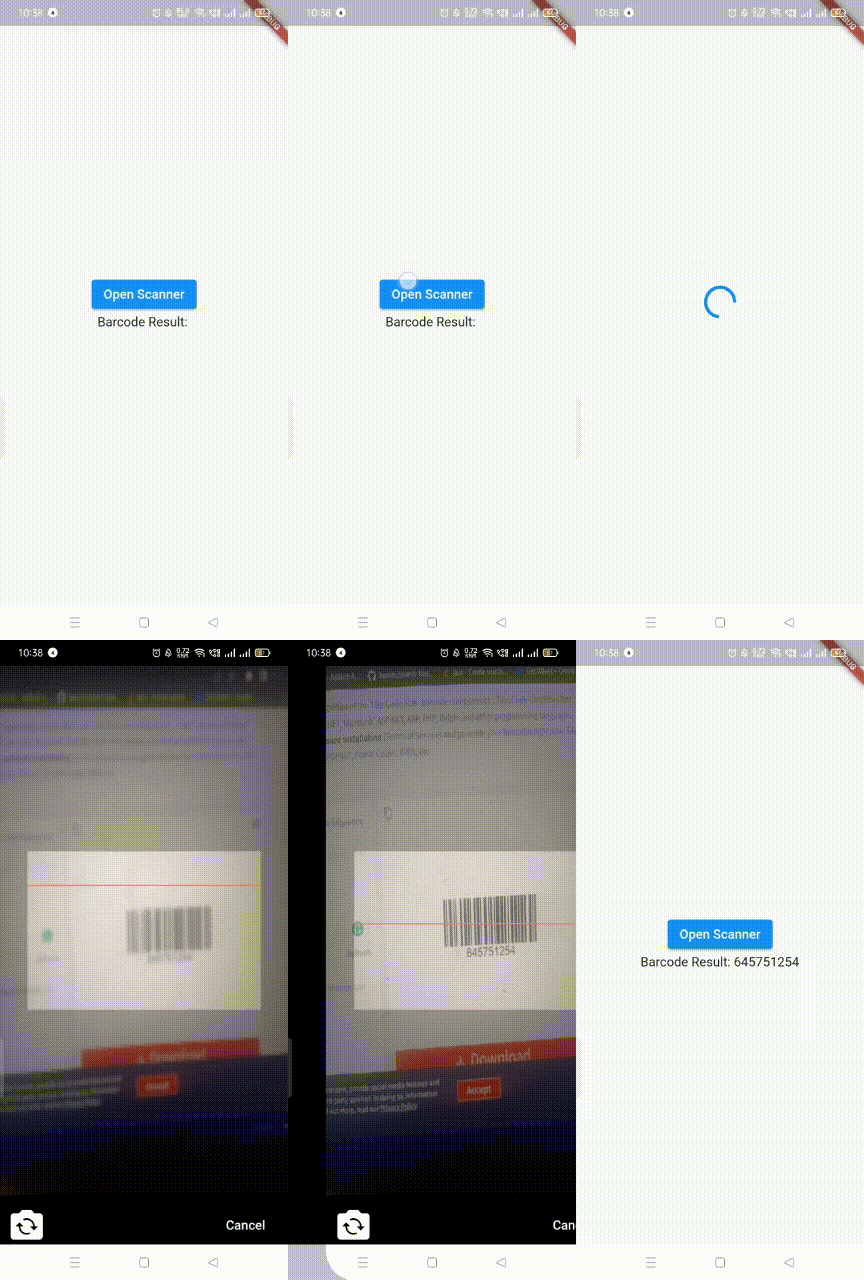 |
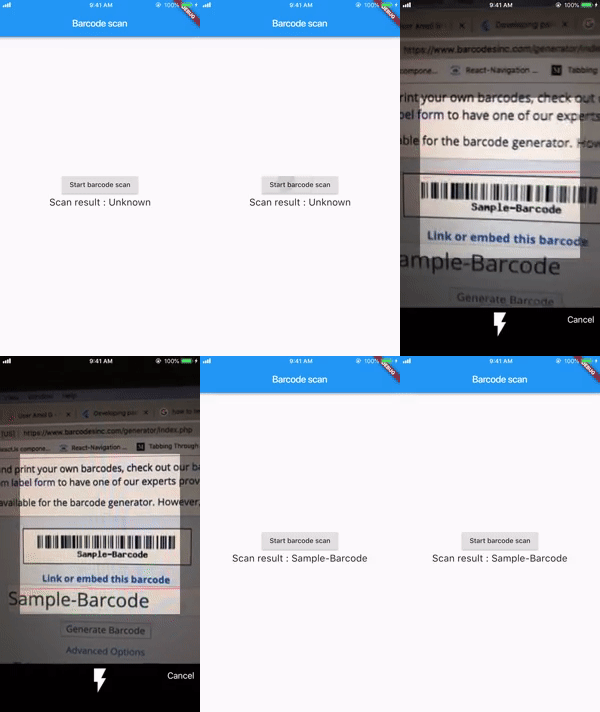 |
| Window |
Web |
 |
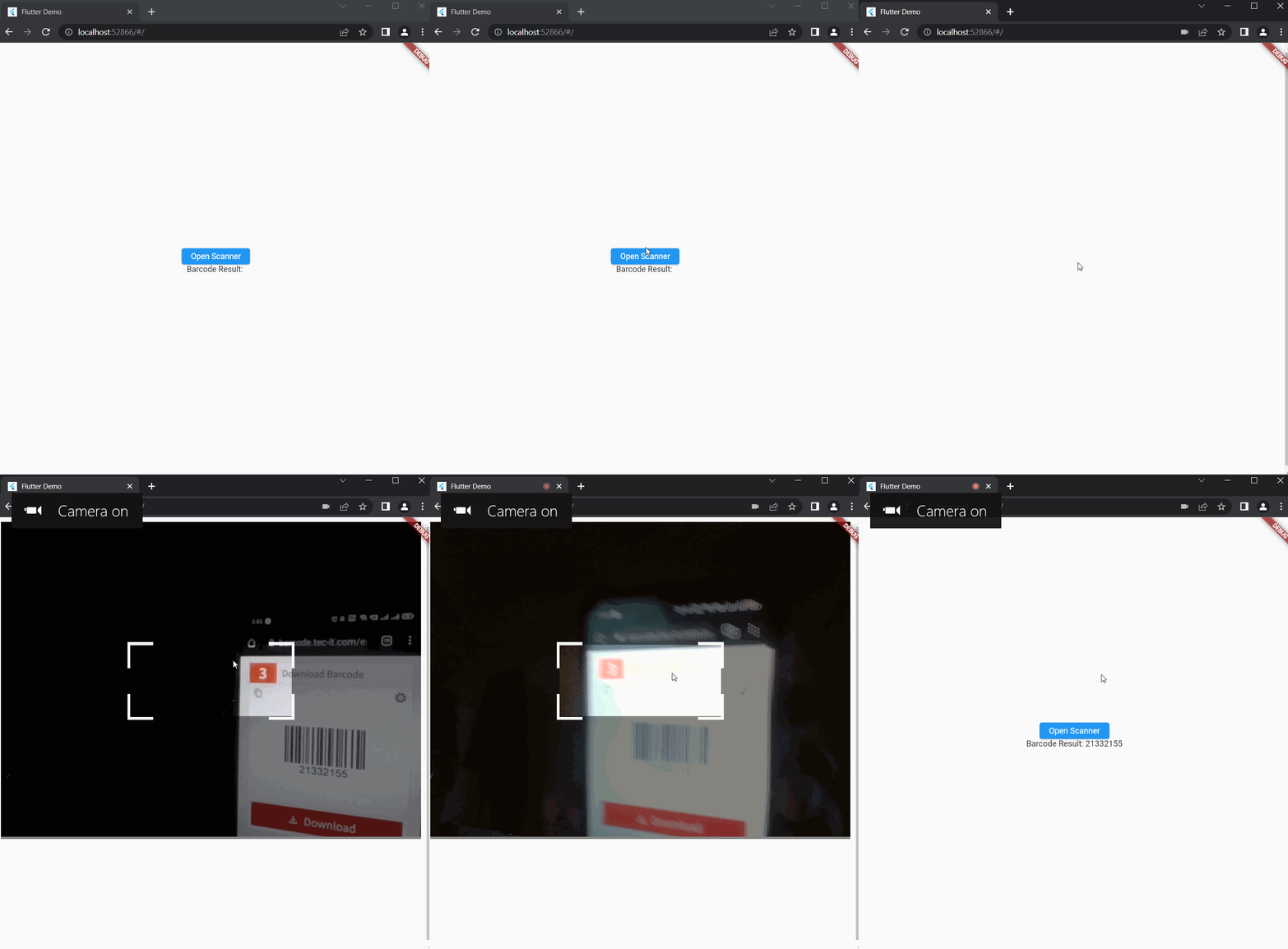 |
Credit
- This plugin is built upon the flutter_barcode_scanner for Android and iOS. Since the original plugin is no longer actively maintained, I have forked the repository and implemented additional features on top of it. Special thanks to Amol Gangadhare for his work.
Features
- Scan barcode in mobile devices using flutter_barcode_scanner
- Scan barcode in web/window using html5-qrcode package
Installation and configuration
Getting started
simple_barcode_scanner: ^0.3.1
Import the library:
import 'package:simple_barcode_scanner/simple_barcode_scanner.dart';
Usage
- To scan barcode
   ElevatedButton(
              onPressed: () async {

String? res = await SimpleBarcodeScanner.scanBarcode(
                  context,
                  barcodeAppBar: const BarcodeAppBar(
                    appBarTitle: 'Test',
                    centerTitle: false,
                    enableBackButton: true,
                    backButtonIcon: Icon(Icons.arrow_back_ios),
                  ),
                  isShowFlashIcon: true,
                  delayMillis: 2000,
                  cameraFace: CameraFace.front,
                );
                setState(() {
                  result = res as String;
                });
              },
              child: const Text('Open Scanner'),
            )
- To stream barcode
   ElevatedButton(
              onPressed: () async {

                SimpleBarcodeScanner.streamBarcode(
                  context,
                  barcodeAppBar: const BarcodeAppBar(
                    appBarTitle: 'Test',
                    centerTitle: false,
                    enableBackButton: true,
                    backButtonIcon: Icon(Icons.arrow_back_ios),
                  ),
                  isShowFlashIcon: true,
                  delayMillis: 2000,
                ).listen((event) {
                  print("Stream Barcode Result: $event");
                });
              },
              child: const Text('Open Scanner'),
            )
- To Scan with widget(Android Only)
   SizedBox(
                width: 200,
                height: 200,
                child: SimpleBarcodeScanner(
                  scaleHeight: 200,
                  scaleWidth: 400,
                  onScanned: (code) {
                    setState(() {
                      result = code;
                    });
                  },
                  continuous: true,
                  onBarcodeViewCreated: (BarcodeViewController controller) {
                    this.controller = controller;
                  },
                )),
Todo
- Flash and switch camera are only available in mobile devices
- Enhancement
Note
Feel free to fork and send pull request.
- iOS support may be delayed as I currently do not have access to an iOS device for testing. Contributions and testing help from the community are welcome!
- If you have any questions, feedback or ideas,You can create an
issue. If you enjoy this
project, I'd appreciate your 🌟 on GitHub.
You can also buy me a cup of coffee

publish
dart pub publish --dry-run
dart pub publish