연결된 소스 저장소의 README 원문 스냅샷입니다. 최신 내용은 저장소에서 확인하세요.
simulator


Warning: This is a work in progress and may contain bugs. Use at your own risk.
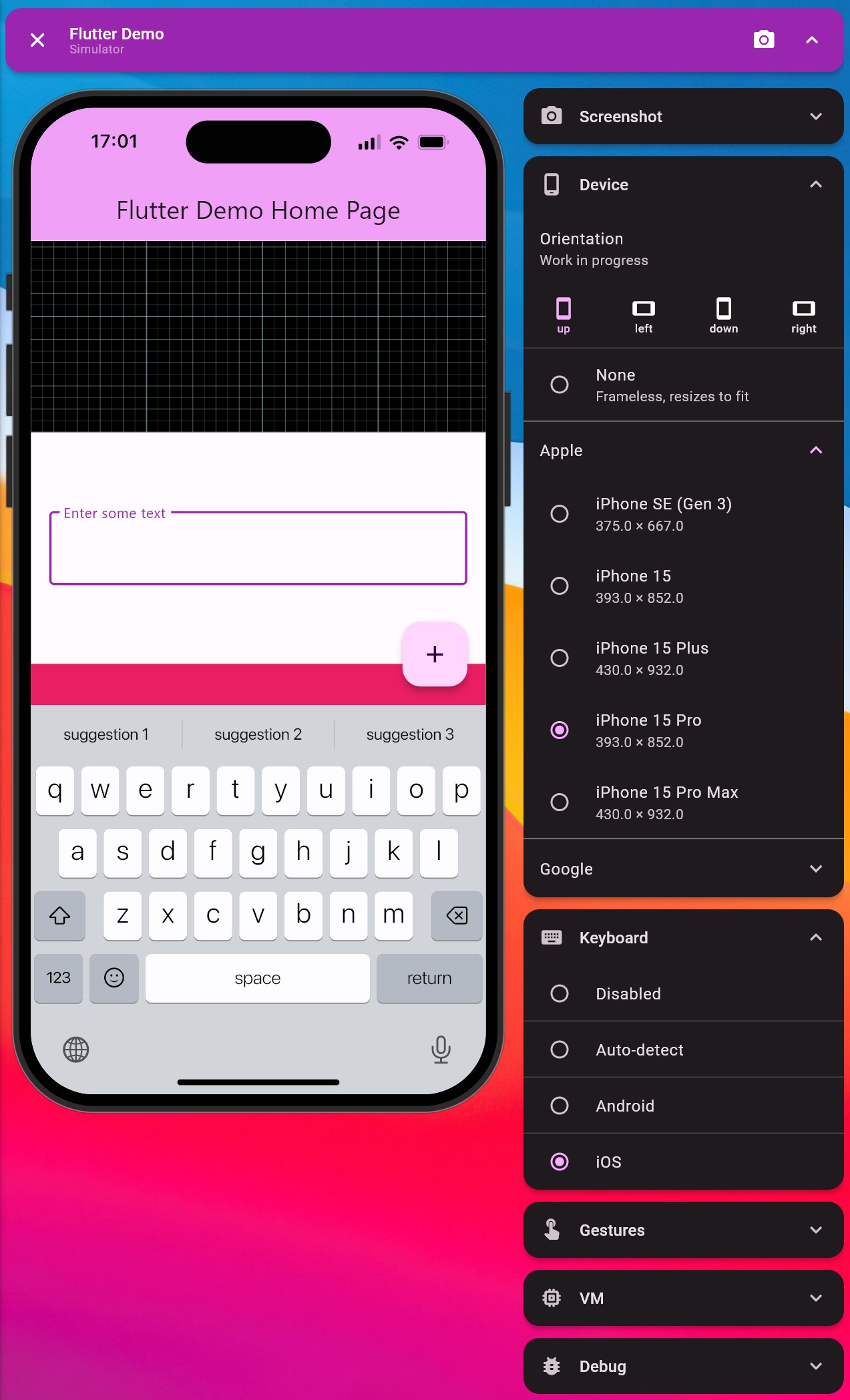
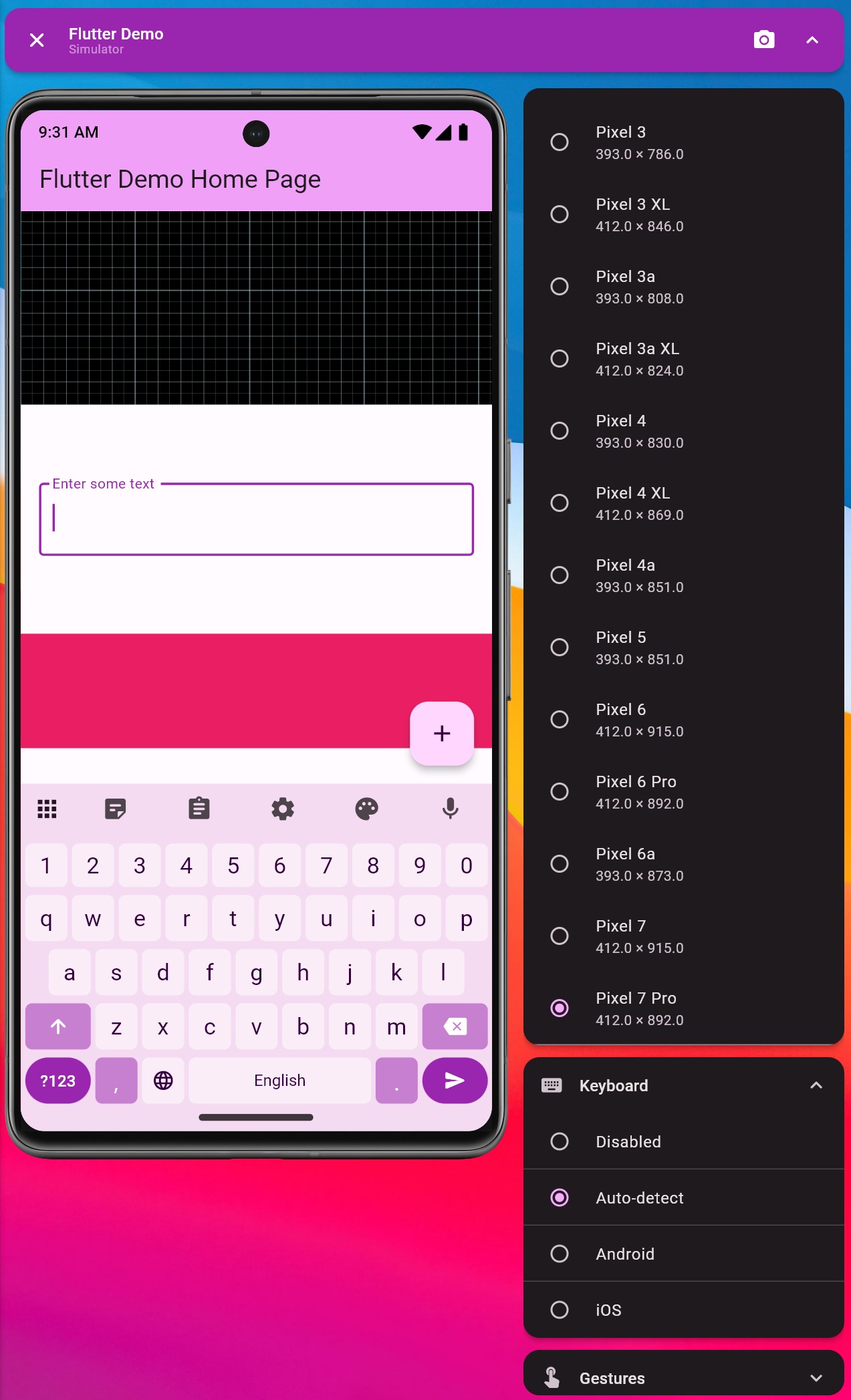
A device simulator for Flutter. Run your app on the desktop, and simulate a device of your choice. Perfect for rapid development of multi-platform user interfaces.
Why?
In my experience, developing a multi-platform app is a pain. You have to constantly switch between devices to see how your app looks and behaves. This is especially true for mobile gestures and keyboard input. This package aims to solve this problem by providing a way to simulate a device on the desktop. It's not perfect, but it's a start. I personally find that I'm much more productive when using this package.
Another benefit is that building and hot-refreshing the app is much faster on the desktop. This is especially true for complex UIs.
However, this package is not a replacement for testing on real devices. It's just a tool to make development easier.
Features
- Simulate your app on a bunch of Android and iOS devices (list below).
- Pixel-perfect screenshotting of the simulated device. Great for creating marketing images.
- Simulate the device keyboard.
- Synthesize mobile gestures (tap, drag, pinch, etc.) with a mouse.
- Quickly enable various Flutter debug flags.
- Complete
MediaQuery and system locale control.
- Ability to add custom modules.
In progress:
- Device rotations (works, but is buggy).
- Video recording of the simulated device.
- Make it easier to intercept system calls.
- Improve the locale module.
Supported devices
- iPhone 15
- iPhone 15 Plus
- iPhone 15 Pro
- iPhone 15 Pro Max
- iPhone SE (gen 3)
- Pixel phones (from 2 to 7, with
a and XL variants)
Usage
- Add the package to your
pubspec.yaml:
dependencies:
  simulator: ^0.3.2
Note: this package only works in Debug mode. The entire code of the package should be tree-shaken away in Release mode.
- Create an entrypoint for the simulator. It should be a separate file from your main entrypoint. For example,
main.simulator.dart:
import 'package:simulator/simulator.dart';

void main() {
  runSimulatorApp(MyApp());
}
Note: if you have code that uses FlutterWidgetsBinding.ensureInitialized(), you should replace it with SimulatorFlutterWidgetsBinding.ensureInitialized(). This makes sure that the simulator initializes its bindings.
Now you can run the simulator with flutter run -t lib/main.simulator.dart. Make sure that the simulator is ran for the desktop platform.
macOS
The minimum macOS deployment target is 10.15.0.
See https://github.com/macosui/macos_window_utils.dart?tab=readme-ov-file#getting-started for more information on how to change the minimum deployment target.
Built-in modules
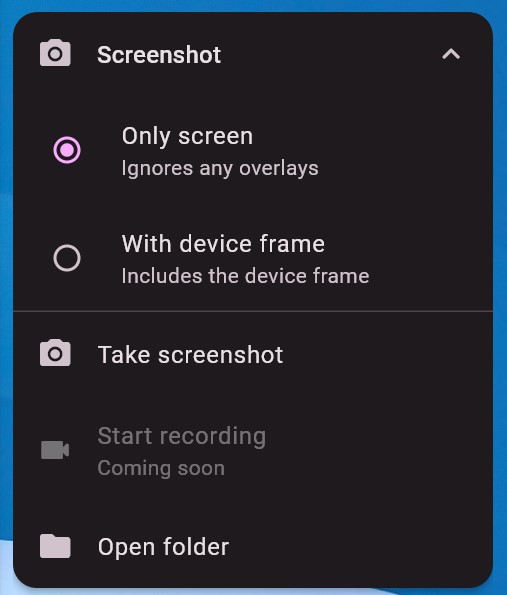
Screenshot module
Allows you to take a screenshot of the simulated device (or just the app). By default, the screenshots are saved to the temporary directory.
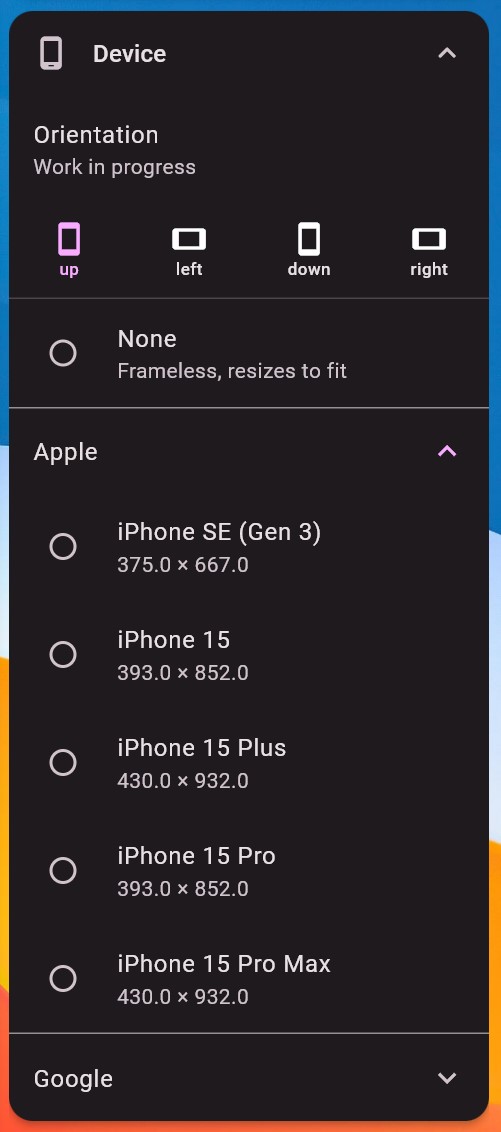
Device module
Allows you to pick a device to simulate. The device is picked from a list of supported devices.
Keyboard module
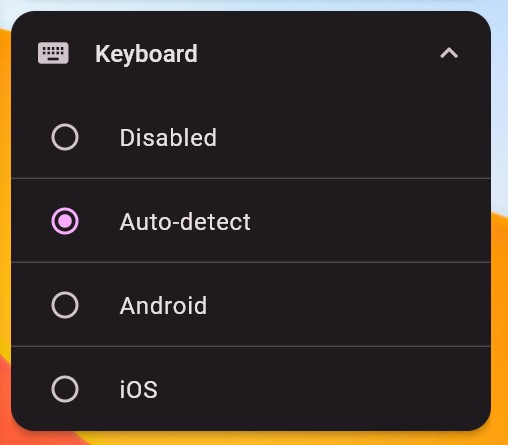
Allows you to simulate the device keyboard. When the system call to show the keyboard is intercepted, the keyboard is shown in the simulator instead. You can choose between no keyboard, an iOS or an Android keyboard (or auto-detect based on the platform).
Gestures module
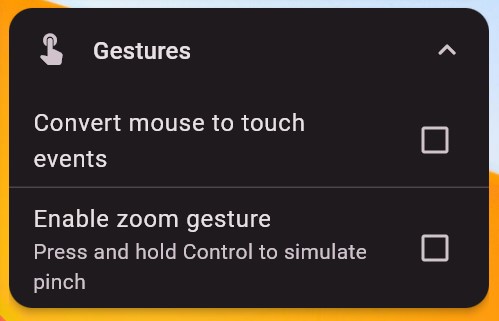
Allows you to simulate mobile gestures with a mouse. The main feature is the conversion of mouse events to touch gestures in the simulator view. You can also simulate a zoom gesture by enabling it and holding the Ctrl key.
VM module
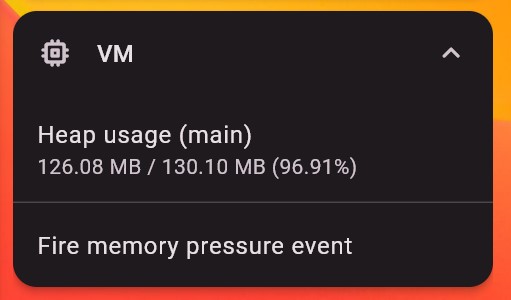
Shows the heap usage for all of the isolates in the VM. It also allows you to fire the memory pressure event (didHaveMemoryPressure()).
Debug module
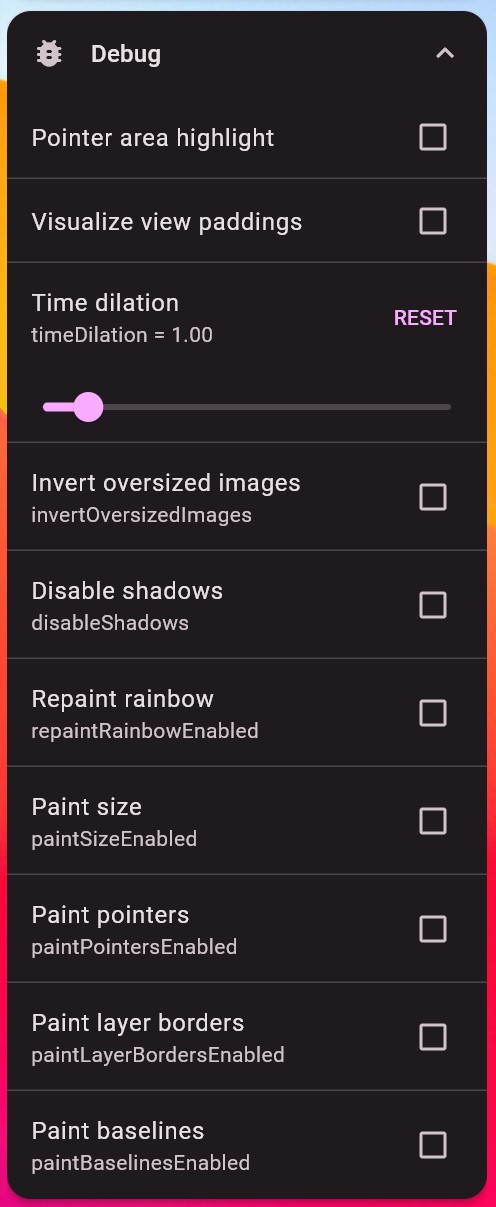
Allows you to enable various Flutter debug flags. You can enable the performance overlay, the debug banner, the repaint rainbow, and the slow animations.
Additionally, includes some custom debugging flags:
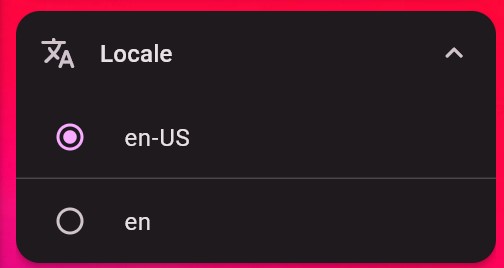
Locale module
Allows you to control the system locale. This is work-in-progress and will be improved.
MediaQuery module
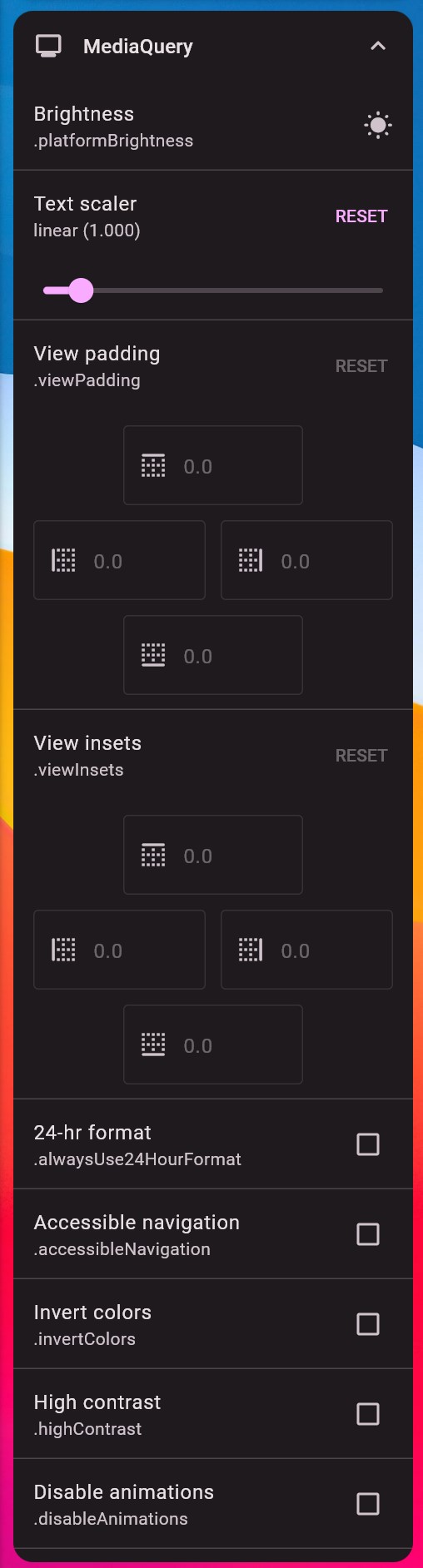
Allows you to set the MediaQuery properties for the app. This is transparent to the app and appears like host device properties.
Custom modules
More documentation soon. If curious, check the lib/src/modules directory.
Contacts
For any questions, feel free to contact me at:
