패키지, 저장소 및 앱 카테고리 검색

text_to_speech 표지
패키지 상세v0.2.3

text_to_speech

Flutter 플러그인은 음성 합성(TTS, Text-to-Speech) 서비스를 제공합니다.

AndroidiOSWebmacOS
30일 다운로드
698
좋아요
150
Pub 점수
150

패키지 설치

flutter pub add text_to_speech

패키지 개요

공개 정보를 바탕으로 생성한 선택 가이드입니다.

안드로이드, iOS, 웹 및 맥OS에서 텍스트 음성 변환(TTS) 기능을 가능하게 하는 플러터 플러그인입니다. 앱이 텍스트를 자연스러운 발성으로 변환할 수 있으며, 언어, 높낮이, 속도와 같은 사용자 정의 가능한 설정으로 음성 재생을 지원합니다. 접근성 기능, 음성 보조기, 상호작용 학습 앱에 이상적입니다. 플러터 생태계와 원활하게 통합되며 커뮤니티 기여를 위해 GitHub에서 유지 관리됩니다.

사용 사례

  • 접근성 기능
  • 음성 안내 내비게이션
  • 상호작용 학습 앱
  • 앱에서의 오디오 피드백
  • 읽기 보조 도구

주요 기능

  • 크로스 플랫폼 지원
  • 사용자 정의 가능한 음성 매개변수
  • 간단한 API 통합
  • 다중 언어를 지원합니다
  • 실시간 텍스트 변환

적합한 대상

  • 접근성 있는 앱을 개발하는 개발자
  • 교육 앱 제작자
  • 음성 보조 기능 통합
  • 음성 피드백이 필요한 앱

고려 사항

  • 플랫폼별 권한이 필요합니다
  • 일부 플랫폼에서 음성 선택이 제한됨
  • 웹 지원은 브라우저에 따라 달라질 수 있습니다
  • 성능은 장치의 TTS 엔진에 따라 달라집니다
  • 언어 사용 가능 여부는 OS에 따라 다릅니다

원본 README

연결된 소스 저장소의 README 원문 스냅샷입니다. 최신 내용은 저장소에서 확인하세요.

Text To Speech

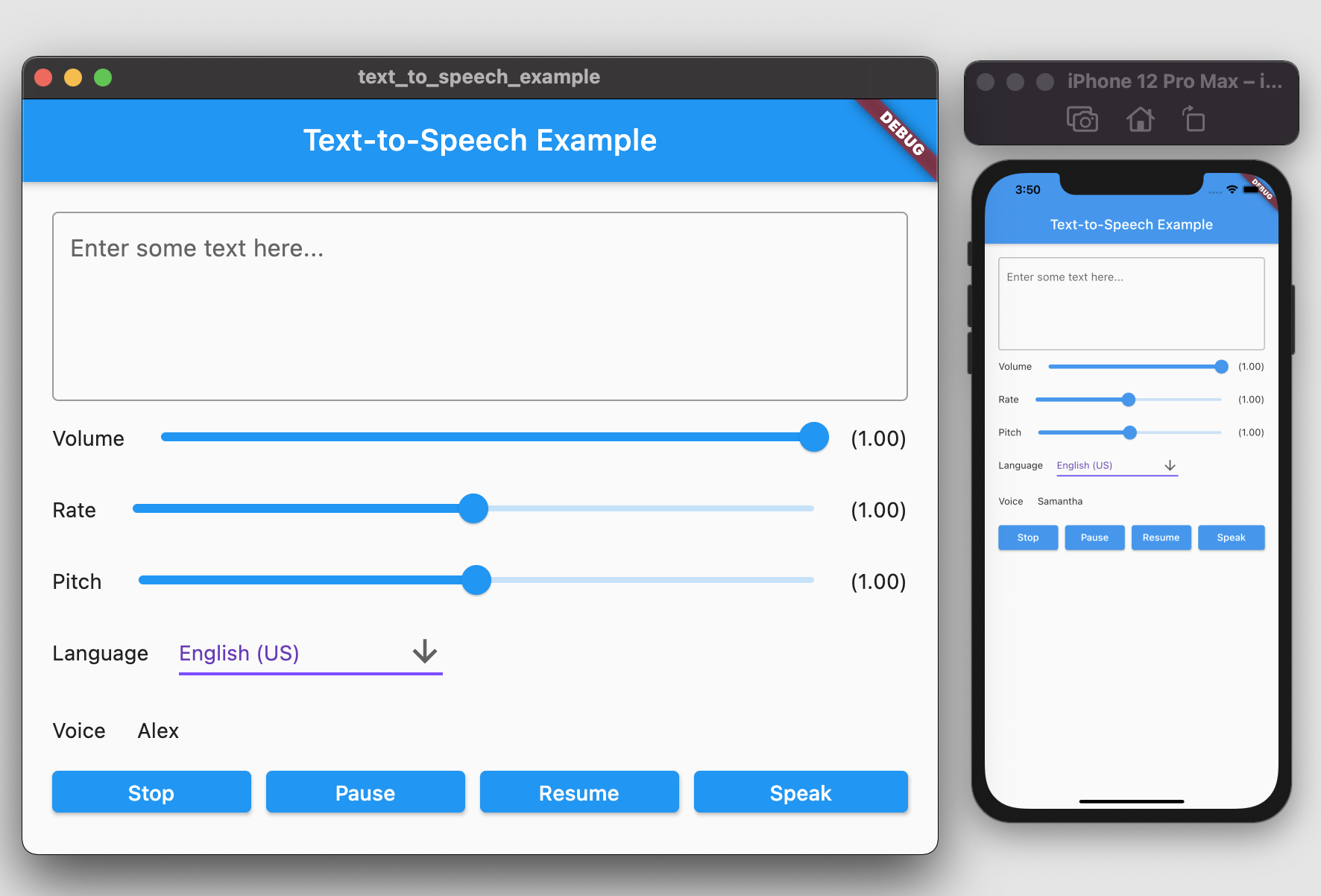
A Flutter plugin provides TTS (Text-To-Speech) Service. This plugin aims to offer the most of TTS API feature from iOS, Android, web, and macOS.

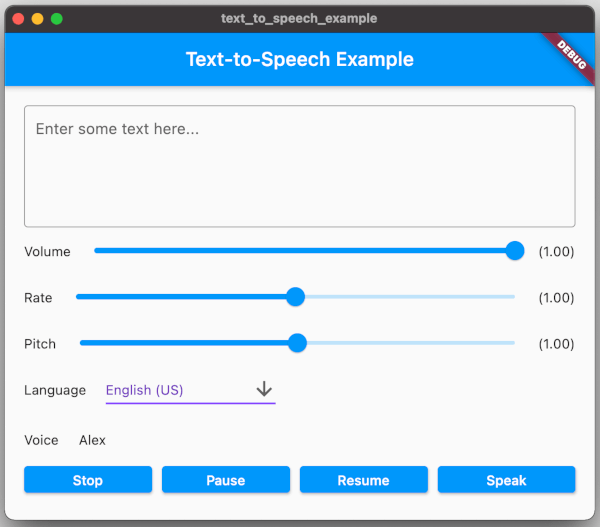
screenshot.png

Getting Started

To use this plugin, add text_to_speech as a dependency in your pubspec.yaml file:

dependencies:  
  text_to_speech: ^0.2.3

Installation

Android
  • Minimum SDK version: 21
  • Applications targeting SDK 30 (Android 11) need to declare TextToSpeech.Engine.INTENT_ACTION_TTS_SERVICE in the queries elements of Android Manifest (See Android documentation).
<queries>  
  <intent>  
      <action android:name="android.intent.action.TTS_SERVICE" />  
  </intent>  
 </queries>  
iOS & macOS
  • iOS minimum version: 7.0
  • macOs minimum version 10.14

(See Apple documentation).

Features

Feature Android iOS Web macOS
speak :white_check_mark: :white_check_mark: :white_check_mark: :white_check_mark:
stop :white_check_mark: :white_check_mark: :white_check_mark: :white_check_mark:
pause - :white_check_mark: :white_check_mark: :white_check_mark:
resume - :white_check_mark: :white_check_mark: :white_check_mark:
set volume :white_check_mark: :white_check_mark: :white_check_mark: :white_check_mark:
set rate :white_check_mark: :white_check_mark: :white_check_mark: :white_check_mark:
set pitch :white_check_mark: :white_check_mark: :white_check_mark: :white_check_mark:
set language :white_check_mark: :white_check_mark: :white_check_mark: :white_check_mark:
get language :white_check_mark: :white_check_mark: :white_check_mark: :white_check_mark:
get voice :white_check_mark: :white_check_mark: :white_check_mark: :white_check_mark:

Usages

To start, import the dependency in your code:

import 'package:text_to_speech/text_to_speech.dart';  

Then, create instance of TextToSpeech class:

TextToSpeech tts = TextToSpeech();  

Speak

String text = "Hello, Good Morning!";  
tts.speak(text);  

Set Volume

Volume range: 0-1 where 0 is silence, and 1 is the maximum volume (the default behavior).

double volume = 1.0;  
tts.setVolume(volume);  

Set Rate

Rate range: 0-2.
1.0 is the normal and default speech rate. Lower values slow down the speech (0.5 is half the normal speech rate). Greater values accelerate it (2.0 is twice the normal speech rate).

double rate = 1.0;  
tts.setRate(rate);  

Set Pitch

Pitch range: 0-2.
1.0 is the normal pitch, lower values lower the tone of the synthesized voice, greater values increase it.

double pitch = 1.0;  
tts.setPitch(pitch);  

Set Language

Accepting locale tag name of specific language, e.g. 'en-US'. You can retrieve list of supported language using getLanguage function.

String language = 'en-US';  
tts.setLanguage(language);  

Get Languages

Provide list of supported language codes in locale tag name format, e.g. 'en-US'. You can get display name for specific language code

String language = 'en-US';  
tts.setLanguage(language);  

Get Voice

We can get all available voices or get voices of specific language. This function will returns particular voice name.

List<String> voices = await tts.getVoices();  
  
String language = 'en-US';  
List<String> voices = await tts.getVoiceByLang(language);  

Native API Reference

  • Android TTS API: https://developer.android.com/reference/android/speech/tts/TextToSpeech
  • iOS/macOS AVSpeechSynthesizer API: https://developer.apple.com/documentation/avfaudio/avspeechsynthesizer
  • Web Speech API: https://dvcs.w3.org/hg/speech-api/raw-file/tip/speechapi.html#tts-section

Example

You can find example in the example folder and run it to check the implementation.
Move to example directory:

$ cd example  

Run Android / iOS

$ flutter run -d <device_name>  

Run Web

$ flutter run -d chrome  

Run macOS

$ flutter run -d macOS  

TODO

  • [ ] Utterance Status Listener
  • [ ] Linux Implementation
  • [ ] Windows Implementation

카테고리

의존성

의존성 목록 3 개

  • text_to_speech_macos^0.1.1
  • text_to_speech_platform_interface^0.1.3
  • text_to_speech_web^0.1.2

소스 저장소

이 패키지를 사용하는 프로젝트