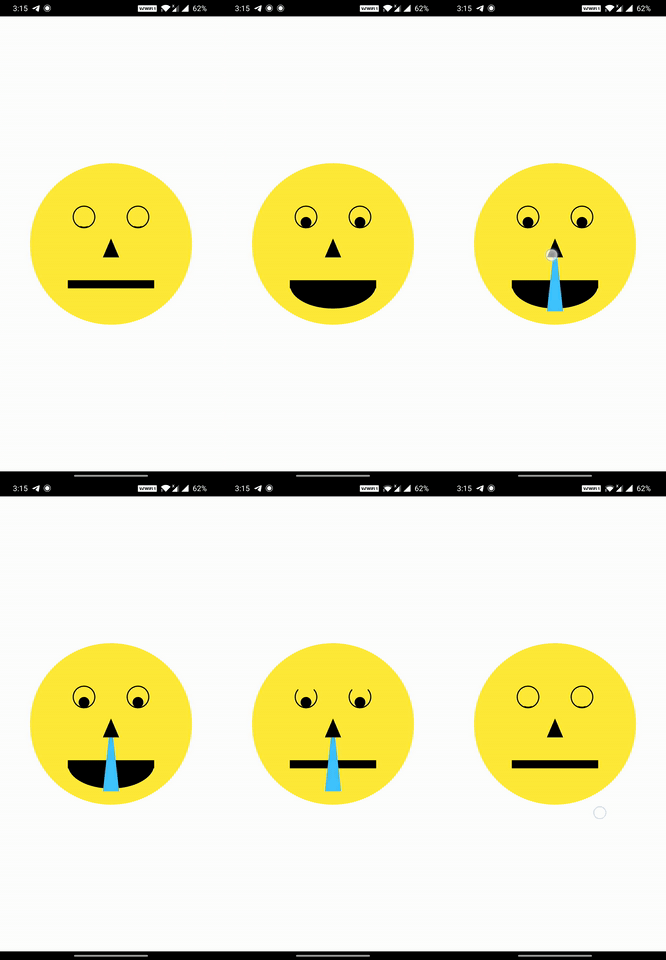
CustomPainter 내에 그려진 개별 형태에서 제스처 감지를 가능하게 하는 플러터 라이브러리입니다. 개발자는 캔버스의 특정 형상에 onTap, onLongPress, onPan 등의 다양한 터치 콜백을 연결할 수 있으며, 그리기, 페인팅 및 서명 애플리케이션의 상호작용을 향상시킵니다. 사용자가 별개의 요소를 탭하거나 조작할 수 있는 인터랙티브 캔버스를 만들기에 적합합니다.
사용 사례
인터랙티브 그림 앱
캔버스 기반 서명 도구
제스처 반응형 다이어그램
형태 수준의 상호작용을 갖춘 사용자 지정 페인트
교육용 그림 인터페이스
주요 기능
형태 수준의 제스처 감지
onTap, onLongPress, onPan 지원
CustomPainter와의 간편한 통합
모든 플러터 플랫폼에서 작동합니다
경량화되고 집중적인 API
적합한 대상
인터랙티브 캔버스 기능을 구축하는 개발자
그려진 형태에 터치 피드백이 필요한 앱
사용자 정의 그림에서 복잡한 제스처 로직을 가진 UI
고려 사항
CustomPainter 내의 형태에 제한됨
기본적으로 겹치는 모양을 처리하지 않습니다
복잡한 레이아웃에서 히트 테스팅을 신중하게 관리해야 합니다
원본 README
연결된 소스 저장소의 README 원문 스냅샷입니다. 최신 내용은 저장소에서 확인하세요.
Flutter library to bring your CustomPainter 🎨 to Life ✨⚡️
touchable library gives you the ability to add various gestures and animations to each Shape you draw on your canvas in the CustomPainter
The CustomPainter lets you only draw shapes on the canvas. But most would want to let user interact with the drawings.
Add all kinds of gesture callbacks to each drawing to give interaction capability to the shapes you draw on the canvas.
Animating individual shapes has never been this easy.
Auto Handles the painting style (filled ▮ , stroke ▯) and detects touch accordingly.
Handles Painting stroke width. So if your shapes are painted thick , we still got it covered ✓
Supports clipping and different clipping modes for the drawings.
Supports HitTestBehavior for each shape.
Simple and Easy API. Just wrap your CustomPaint with CanvasTouchDetector and use the TouchyCanvas in your painter.
With touchable , you get what the normal canvas always missed : touchability 😉
Installation
Add the touchable package as dependency in your pubspec.yaml
dependencies:
  touchable:
Usage
Just Wrap your CustomPaint widget with CanvasTouchDetector. It takes a builder function as argument that expects your CustomPaint widget as shown below.
Inside your CustomPainter class's paint method , create and use the TouchyCanvas object (using the context obtained from the CanvasTouchDetector and canvas) to draw any shape with different gesture callbacks.
var myCanvas = TouchyCanvas(context,canvas);
myCanvas.drawRect( rect , Paint() , onTapDown: (tapDetail){
    //Do stuff here. Probably change your state and animate
});
MyPainter example :
classMyPainterextendsCustomPainter{
finalBuildContext context ;
MyPainter(this.context); // context from CanvasTouchDetector@overridevoidpaint(Canvas canvas, Size size) {
var myCanvas = TouchyCanvas(context,canvas);
myCanvas.drawCircle(Offset(10, 10), 60, Paint()..color=Colors.orange ,
onTapDown: (tapdetail) {
print("orange Circle touched");
},
onPanDown:(tapdetail){
print("orange circle swiped");
}
);
myCanvas.drawLine(
Offset(0, 0),
Offset(size.width - 100, size.height - 100),
Paint()
..color = Colors.black
..strokeWidth = 50,
onPanUpdate: (detail) {
print('Black line Swiped'); //do cooler things here. Probably change app state or animate
});
}
}
When you draw shapes on the canvas (TouchyCanvas) , it keeps track of the dimensions of each shape you draw and their painting style , stroke , order , clippings etc.
When user performs any gesture on the screen , based on the location of the gesture , the appropriate shape is selected from the lot taking clipping regions , paint , hitTest behaviour etc into account in an optimized way. Callbacks of the corresponding shapes (one or more depending on the hitTest behavior) are executed.