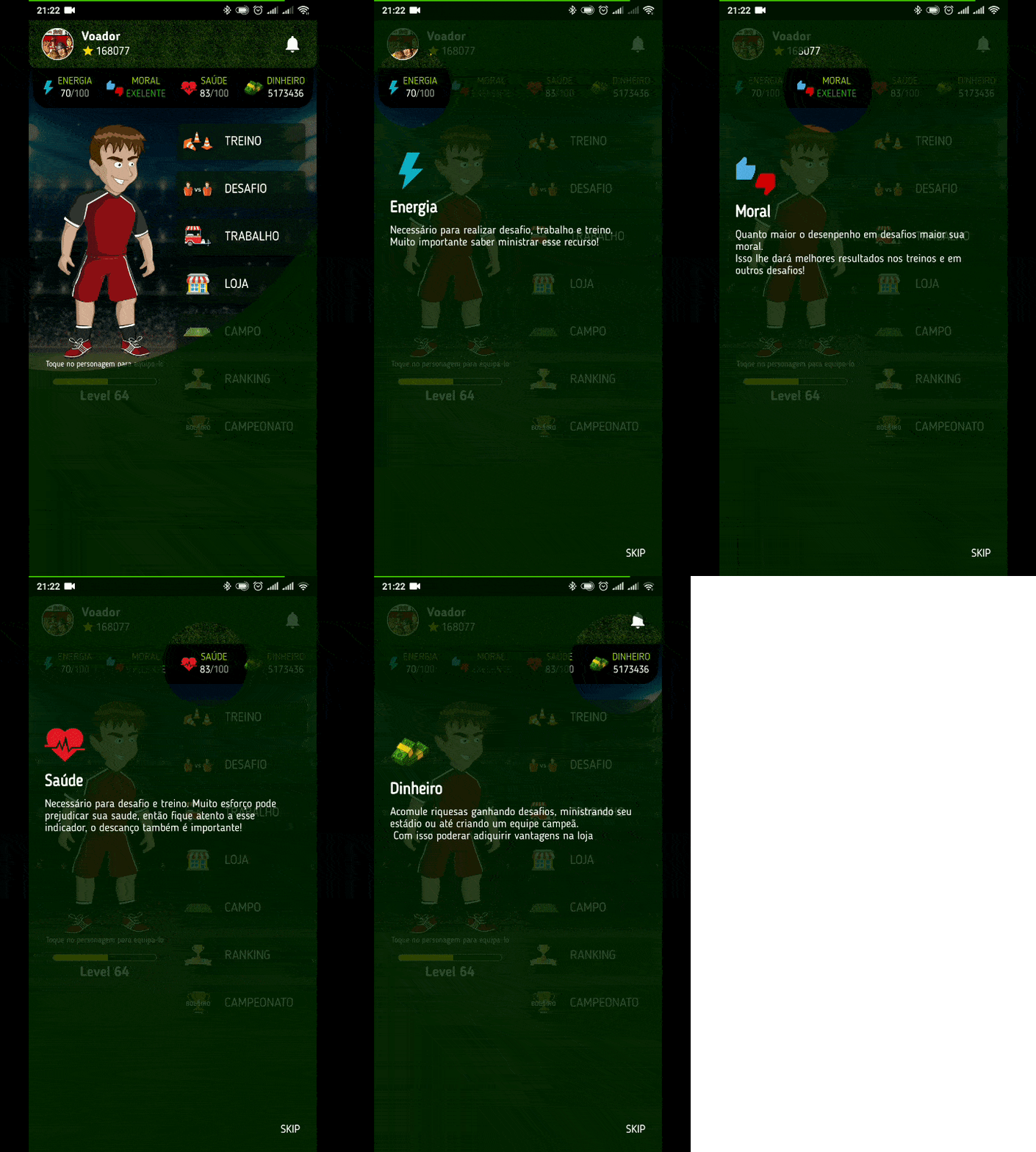
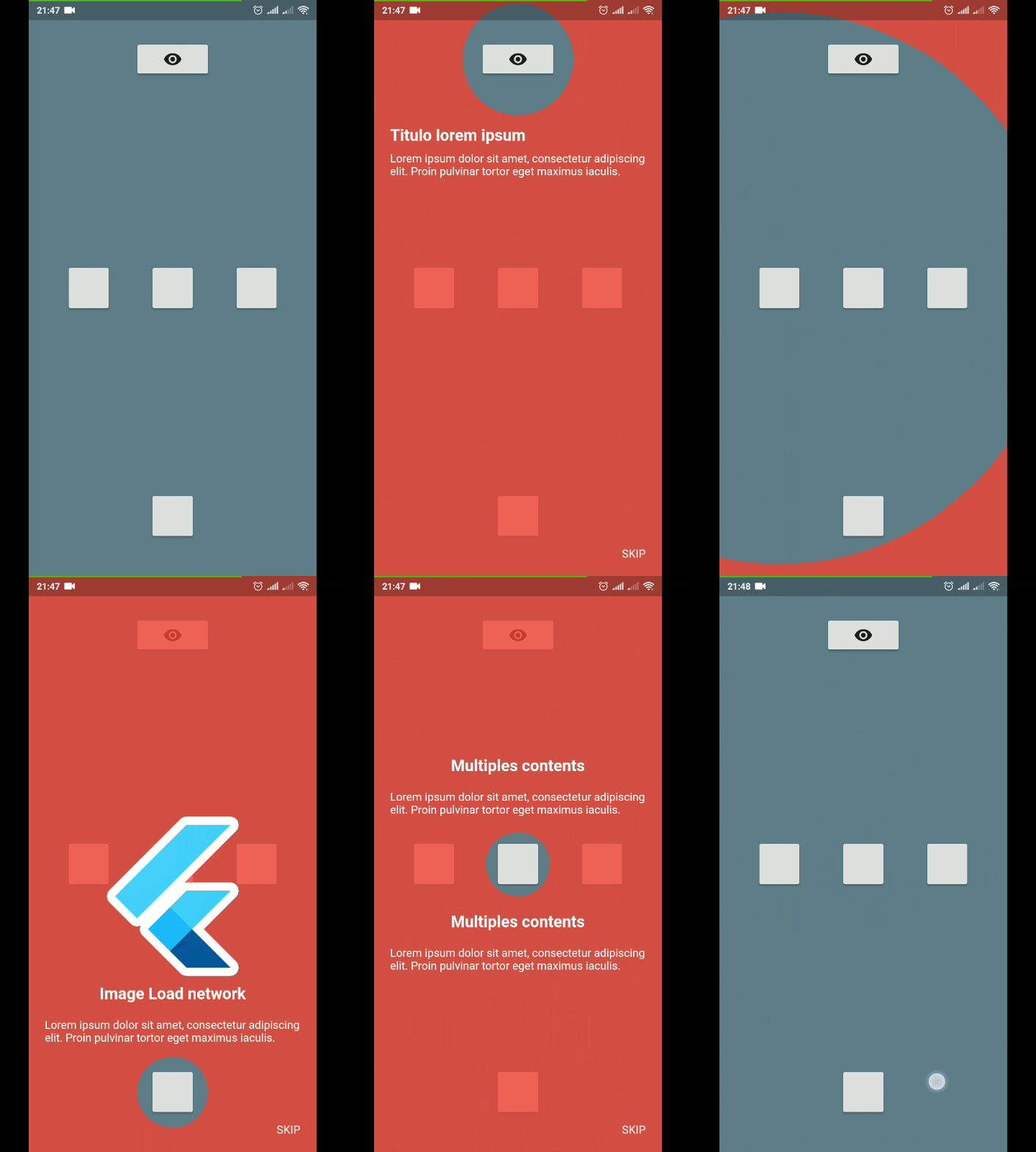
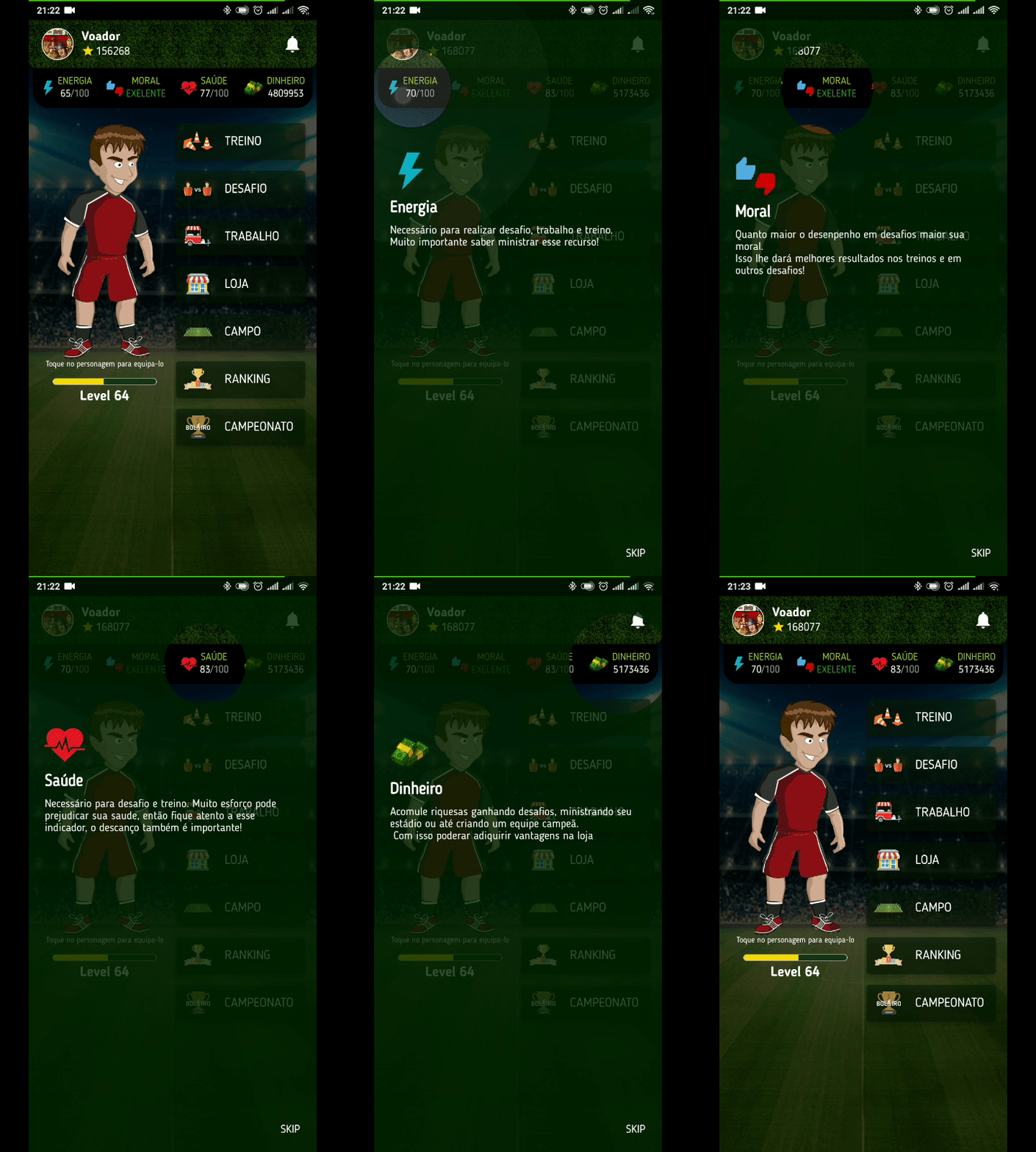
연결된 소스 저장소의 README 원문 스냅샷입니다. 최신 내용은 저장소에서 확인하세요.
TutorialCoachMark
Create a beautiful and easy tutorial for your application.
Usage
To use this plugin, add tutorial_coach_mark as a dependency in your pubspec.yaml file .
Example
import 'package:flutter/material.dart' ;
import 'package:tutorial_coach_mark/tutorial_coach_mark.dart' ;
void showTutorial () {
TutorialCoachMark tutorial = TutorialCoachMark (
targets: targets,
colorShadow: Colors .red,
onFinish: (){
print ("finish" );
},
onClickTargetWithTapPosition: (target, tapDetails) {
print ("target: $target " );
print ("clicked at position local: ${tapDetails.localPosition} - global: ${tapDetails.globalPosition} " );
},
onClickTarget: (target){
print (target);
},
onSkip: (){
print ("skip" );
return true ;
}
)..show (context:context);
}
Creating targets (TargetFocus)
TargetFocus is the class that represents the widget that will be focused and configure what will be displayed after you focus it.
Attributes:
Attribute
Type
Description
identifydynamic
free for identification use
keyTargetGlobalKey
GlobalKey widget that wants to be focused
targetPositionTargetPosition
If you do not want to use GlobalKey, you can create a TargetPosition to determine where to focus
contentsContentTarget[]
Content list you want to display after focusing widget
shapeShapeLightFocus
ShapeLightFocus.Circle or ShapeLightFocus.RRect
radiusdouble
Use when shape = ShapeLightFocus.RRect
borderSideBorderSide
colorColor
Custom color to target
enableOverlayTabbool
enable click in all screen to call next step
enableTargetTabbool
enable click in target to call next step
alignSkipAlignment
use to align the skip in the target
paddingFocusAlignment
settings padding of the focus in target
focusAnimationDurationDuration
override the widget's global focus animation duration
unFocusAnimationDurationDuration
override the widget's global unfocus animation duration
pulseVariationTween
override interval pulse animation
Creating contents (ContentTarget)
ContentTarget is the class responsible for determining what should be displayed and how it will appear after focusing on the widget.
Attributes:
Attribute
Type
Description
alignAlignContent
With this attribute you determine in which region to display the content in relation to the focused widget (top,bottom,left,right)
paddingEdgeInsets
Padding of the content
childWidget
Content you want to be displayed
builderWidget
Content you want to be displayed
customPositionCustomTargetContentPosition
Add custom position when align is AlignContent.custom
Example Complete
import 'package:flutter/material.dart' ;
import 'package:tutorial_coach_mark/tutorial_coach_mark.dart' ;
List <TargetFocus > targets = List ();
@override
void initState () {
targets.add (
TargetFocus (
identify: "Target 1" ,
keyTarget: keyButton,
contents: [
TargetContent (
align: ContentAlign .bottom,
child: Container (
child:Column (
mainAxisSize: MainAxisSize .min,
crossAxisAlignment: CrossAxisAlignment .start,
children: <Widget >[
Text (
"Titulo lorem ipsum" ,
style: TextStyle (
fontWeight: FontWeight .bold,
color: Colors .white,
fontSize: 20.0
),
),
Padding (
padding: const EdgeInsets .only (top: 10.0 ),
child: Text ("Lorem ipsum dolor sit amet, consectetur adipiscing elit. Proin pulvinar tortor eget maximus iaculis." ,
style: TextStyle (
color: Colors .white
),),
)
],
),
)
)
]
)
);
targets.add (
TargetFocus (
identify: "Target 2" ,
keyTarget: keyButton4,
contents: [
TargetContent (
align: ContentAlign .left,
child: Container (
child: Column (
mainAxisSize: MainAxisSize .min,
crossAxisAlignment: CrossAxisAlignment .start,
children: <Widget >[
Text (
"Multiples content" ,
style: TextStyle (
fontWeight: FontWeight .bold,
color: Colors .white,
fontSize: 20.0
),
),
Padding (
padding: const EdgeInsets .only (top: 10.0 ),
child: Text ("Lorem ipsum dolor sit amet, consectetur adipiscing elit. Proin pulvinar tortor eget maximus iaculis." ,
style: TextStyle (
color: Colors .white
),),
)
],
),
)
),
TargetContent (
align: ContentAlign .top,
child: Container (
child: Column (
mainAxisSize: MainAxisSize .min,
crossAxisAlignment: CrossAxisAlignment .start,
children: <Widget >[
Text (
"Multiples content" ,
style: TextStyle (
fontWeight: FontWeight .bold,
color: Colors .white,
fontSize: 20.0
),
),
Padding (
padding: const EdgeInsets .only (top: 10.0 ),
child: Text ("Lorem ipsum dolor sit amet, consectetur adipiscing elit. Proin pulvinar tortor eget maximus iaculis." ,
style: TextStyle (
color: Colors .white
),),
)
],
),
)
)
]
)
);
targets.add (
TargetFocus (
identify: "Target 3" ,
keyTarget: keyButton5,
contents: [
TargetContent (
align: ContentAlign .right,
child: Container (
child: Column (
mainAxisSize: MainAxisSize .min,
crossAxisAlignment: CrossAxisAlignment .start,
children: <Widget >[
Text (
"Title lorem ipsum" ,
style: TextStyle (
fontWeight: FontWeight .bold,
color: Colors .white,
fontSize: 20.0
),
),
Padding (
padding: const EdgeInsets .only (top: 10.0 ),
child: Text ("Lorem ipsum dolor sit amet, consectetur adipiscing elit. Proin pulvinar tortor eget maximus iaculis." ,
style: TextStyle (
color: Colors .white
),),
)
],
),
)
)
]
)
);
}
void showTutorial () {
TutorialCoachMark (
targets: targets,
colorShadow: Colors .red,
onClickTarget: (target){
print (target);
},
onClickTargetWithTapPosition: (target, tapDetails) {
print ("target: $target " );
print ("clicked at position local: ${tapDetails.localPosition} - global: ${tapDetails.globalPosition} " );
},
onClickOverlay: (target){
print (target);
},
onSkip: (){
print ("skip" );
return true ;
},
onFinish: (){
print ("finish" );
},
)..show (context:context);
}
Contribution
If you find any errors or want to add improvements, you can open a issue or develop the fix and open a pull request. Thank you for your cooperation!