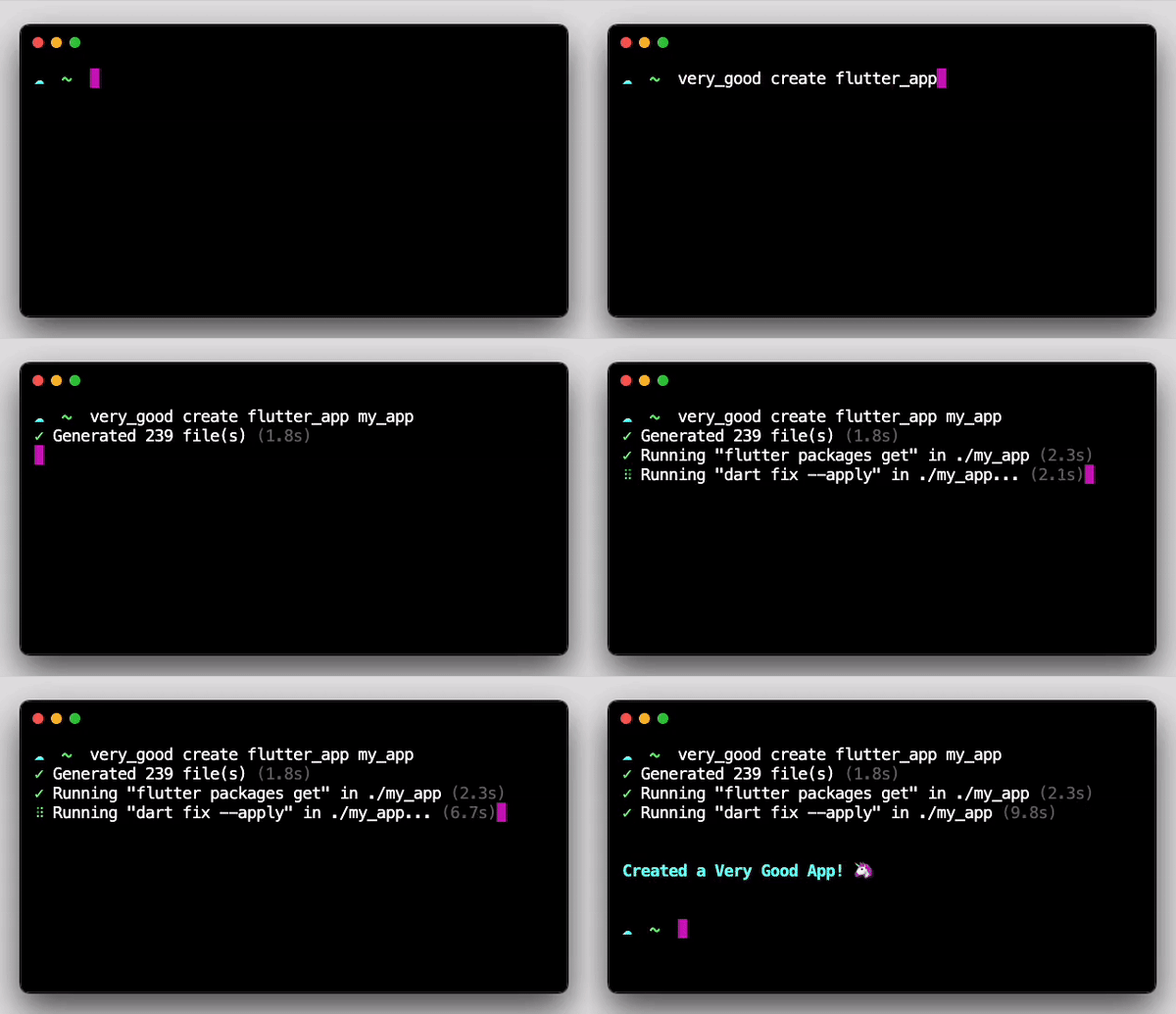
Very Good Ventures에서 개발한 Dart 및 Flutter 개발을 위한 명령줄 인터페이스(CLI) 도구입니다. 직관적인 명령어를 통해 프로젝트 설정, 코드 생성 및 일반적인 개발 워크플로우를 간소화합니다. Android, iOS, Web, macOS, Windows, Linux 등 다양한 플랫폼에서 프로젝트 구조를 표준화하고 반복 코드를 줄여 생산성을 향상시키도록 설계되었습니다. Dart 생태계와 원활하게 통합되며, 클린 아키텍처 및 테스트 중심 개발과 같은 현대적인 개발 방법론을 지원합니다. 일관성 유지와 신입 구성원의 빠른 정착을 목표로 하는 팀에게 특히 유용합니다.
Create a very good project in seconds based on the provided template. Each template has a corresponding sub-command (e.g.,very_good create flutter_app will generate a Flutter starter app).
Creates a new very good project in the specified directory.

Usage: very_good create <subcommand> <project-name> [arguments]
-h, --help    Print this usage information.

Available subcommands:
  app_ui_package    Generate a Very Good App UI package.
  dart_cli          Generate a Very Good Dart CLI application.
  dart_package      Generate a Very Good Dart package.
  docs_site         Generate a Very Good documentation site.
  flame_game        Generate a Very Good Flame game.
  flutter_app       Generate a Very Good Flutter application.
  flutter_package   Generate a Very Good Flutter package.
  flutter_plugin    Generate a Very Good Flutter plugin.

Run "very_good help" to see global options.
Usage
# Create a new Flutter app named my_app
very_good create flutter_app my_app
# Create a new Flutter app named my_app with a custom org
very_good create flutter_app my_app --desc "My new Flutter app" --org "com.custom.org"# Create a new Flutter app named my_app with a custom application id
very_good create flutter_app my_app --desc "My new Flutter app" --application-id "com.custom.app.id"# Create a new App UI package named my_app_ui_package
very_good create app_ui_package my_app_ui_package --desc "My new App UI package"# Create a new Flame game named my_game
very_good create flame_game my_game --desc "My new Flame game"# Create a new Flutter package named my_flutter_package
very_good create flutter_package my_flutter_package --desc "My new Flutter package"# Create a new Dart package named my_dart_package
very_good create dart_package my_dart_package --desc "My new Dart package"# Create a new Dart package named my_dart_package that is publishable
very_good create dart_package my_dart_package --desc "My new Dart package" --publishable
# Create a new Dart CLI application named my_dart_cli
very_good create dart_cli my_dart_cli --desc "My new Dart CLI package"# Create a new Dart CLI application named my_dart_cli with a custom executable name
very_good create dart_cli my_dart_cli --desc "My new Dart CLI package" --executable-name my_executable_name
# Create a new Flutter plugin named my_flutter_plugin (all platforms enabled)
very_good create flutter_plugin my_flutter_plugin --desc "My new Flutter plugin"# Create a new Flutter plugin named my_flutter_plugin (some platforms only)
very_good create flutter_plugin my_flutter_plugin --desc "My new Flutter plugin" --platforms android,ios,macos
# Create a new docs site named my_docs_site
very_good create docs_site my_docs_site
# Run all tests
very_good test# Run all tests and collect coverage
very_good test --coverage
# Run all tests and enforce 100% coverage
very_good test --coverage --min-coverage 100
# Run only tests in ./some/other/directory
very_good test ./some/other/directory
# Run tests recursively
very_good test --recursive
# Run tests recursively (shorthand)
very_good test -r
# Run tests on a specific platform
very_good test --platform chrome
# Install packages in the current directory
very_good packages get

# Install packages in ./some/other/directory
very_good packages get ./some/other/directory

# Install packages recursively
very_good packages get --recursive

# Install packages recursively (shorthand)
very_good packages get -r
Check packages' licenses in a Dart or Flutter project.
# Check licenses in the current directory
very_good packages check licenses
# Only allow the use of certain licenses
very_good packages check licenses --allowed="MIT,BSD-3-Clause,BSD-2-Clause,Apache-2.0"# Deny the use of certain licenses
very_good packages check licenses --forbidden="unknown"# Check licenses for certain dependencies types
very_good packages check licenses --dependency-type="direct-main,transitive"# Check and list licenses in the current directory
very_good packages check licenses --reporter="csv"
Start the MCP (Model Context Protocol) server for AI assistant integration.
ℹ️ Experimental
This command relies on the Dart MCP Server. This is an experimental package and may change or become unstable without notice. Use it with caution at your own risk.
# Start the MCP server
very_good mcp
The MCP server exposes Very Good CLI functionality through the Model Context Protocol, allowing AI assistants to interact with the CLI programmatically. This enables automated project creation, testing, and package management through MCP-compatible tools.
Available MCP Tools:
create: Create new Dart/Flutter projects (https://cli.vgv.dev/docs/category/templates)
tests: Run tests with optional coverage and optimization (https://cli.vgv.dev/docs/commands/test)
packages_check_licenses: Check packages for issues and licenses (https://cli.vgv.dev/docs/commands/check_licenses)
packages_get: Get package information and dependencies (https://cli.vgv.dev/docs/commands/get_pkgs)
See the complete list of commands and usage information.
🦄 A Very Good Command-Line Interface
Usage: very_good <command> [arguments]
Global options:
-h, --help Print this usage information.
--version Print the current version.
--[no-]verbose Noisy logging, including all shell commands executed.
Available commands:
create very_good create <subcommand> <project-name> [arguments]
Creates a new very good project in the specified directory.
mcp Start the MCP (Model Context Protocol) server. WARNING: This is an experimental package and may change or become unstable without notice. Use it with caution at your own risk.
packages Command for managing packages.
test Run tests in a Dart or Flutter project.
update Update Very Good CLI.
Run "very_good help <command>"for more information about a command.