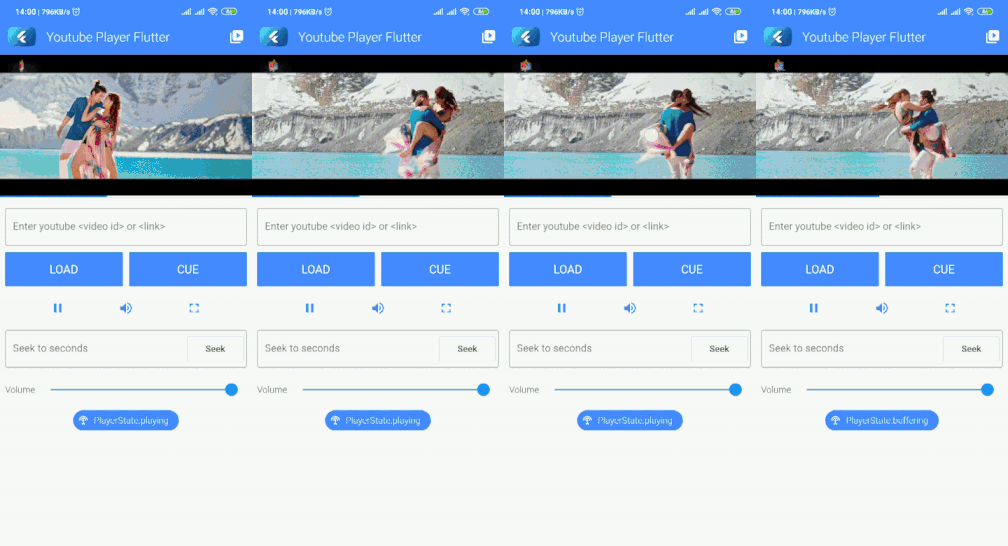
공식 iFrame Player API를 사용하여 YouTube 동영상을 인라인으로 재생할 수 있는 플러터 플러그인입니다. Android, iOS, Web, macOS, Windows 등 여러 플랫폼을 지원하며, 플러터 애플리케이션에 YouTube 콘텐츠를 원활하게 통합할 수 있도록 합니다. 다양한 재생 컨트롤, 이벤트 및 품질 설정을 지원하는 사용자 정의 가능한 비디오 플레이어를 제공합니다. 개발자는 외부 플레이어나 복잡한 대안 없이 앱 내에서 YouTube 동영상을 쉽게 삽입하고 관리할 수 있습니다.
사용 사례
모바일 앱에 YouTube 동영상 삽입
웹 애플리케이션 내에서 비디오 스트리밍
비디오 튜토리얼 또는 콘텐츠 허브 만들기
교육용 앱에 비디오 재생 통합
미디어 풍부한 Flutter 경험 구축
주요 기능
iFrame 플레이어 API를 지원합니다
크로스 플랫폼 호환성
사용자 지정 가능한 플레이어 UI
재생 상태에 대한 이벤트 처리
기기 간 반응형 디자인
비디오 품질 선택
적합한 대상
미디어 중심 앱을 개발하는 개발자
교육 또는 튜토리얼 플랫폼
콘텐츠 전달 응용 프로그램
임베디드 비디오 스트리밍이 필요한 앱
다중 플랫폼을 대상으로 하는 플러터 팀
고려 사항
비디오 로딩을 위해 인터넷 연결이 필요합니다
네이티브 플레이어에 비해 사용자 지정 옵션이 제한적
YouTube API 사용 가능 여부에 따라 다릅니다
저사양 장치에서의 성능에 대한 잠재적 영향
일부 플랫폼에서는 추가 권한이 필요할 수 있습니다
원본 README
연결된 소스 저장소의 README 원문 스냅샷입니다. 최신 내용은 저장소에서 확인하세요.
Youtube Player for Flutter
A Flutter monorepo for seamless YouTube video playback, powered by the official iFrame Player API.
Web platform implementation for youtube_player_iframe (added automatically)
Web
Which package should I use?
youtube_player_flutter: just want a player that works
The quickest path to YouTube playback in your app. It ships with ready-made controls, a progress bar, drag-to-seek, pinch-to-fullscreen, and a live stream UI, all out of the box. Drop it in, point it at a video ID, and you're done.
flutter pub add youtube_player_flutter
Best for: apps that want a polished, functional player with minimal setup.
youtube_player_iframe: want full control over the player
A lower-level package that gives you the complete YouTube iFrame API. You own the UI; the package handles playback state, playlists, metadata, fullscreen transitions, thumbnails, and more. Includes a lazy-loading thumbnail widget perfect for video lists.
flutter pub add youtube_player_iframe
Best for: apps with a custom player design, complex playback logic, or playlist management needs.
youtube_player_iframe_web: you probably don't need to add this
This is the web platform implementation consumed automatically by youtube_player_iframe. You only need to add it directly if you're building a platform plugin or working inside this monorepo.