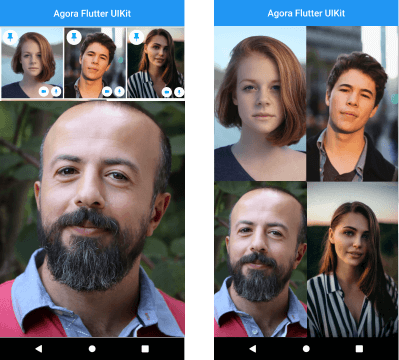
Aus öffentlichen Paketdaten erstellte Orientierung.
Agora UIKit ist ein Flutter-Plugin, das Entwicklern ermöglicht, mit minimalem Code schnell Echtzeit-Videoanrufe und Live-Videoübertragungen in ihre Anwendungen zu integrieren. Von Agora.io entwickelt, bietet es vorgefertigte UI-Komponenten für Videokonferenzen, wodurch Funktionen wie Audio-/Videogespräche, Bildschirmfreigabe und Live-Übertragungen einfach umgesetzt werden können. Das Paket vereinfacht komplexe Echtzeitkommunikationsabläufe durch intuitive APIs und reduziert die Entwicklungszeit erheblich. Es unterstützt skalierbare, latenzarme Interaktionen über Plattformen hinweg – ideal für Apps, die eine nahtlose Videoverbindung erfordern.
Anwendungsfälle
Video-Konferenz-Apps
Live-Streaming-Plattformen
Virtuelle Klassenzimmer
Ferngesundheitsberatung
Team-Kollaborations-Tools
Hauptmerkmale
Vordefinierte Videoanruf-Oberfläche
Einfache Integration mit wenigen Codezeilen
Unterstützung für Live-Streaming und Gruppenanrufe
Niedrige Latenz Echtzeitkommunikation
Anpassbare Benutzeroberflächenkomponenten
Geeignet für
Entwickler, die eine schnelle Video-Integration suchen
Apps, die Echtzeit-Videofunktionen benötigen
Startups, die kommunikationsintensive Apps bauen
Bildungs- und Telehealth-Plattformen
Hinweise
Benötigt ein Agora-Konto und API-Schlüssel
Eingeschränkte Anpassung ohne zusätzliche Codierung
Abhängig von Agoras Backend-Infrastruktur
Kann plattformspezifische Konfigurationen erfordern, um die volle Funktionalität zu erreichen
Original-README
Originaler README-Schnappschuss aus dem verknüpften Quell-Repository. Aktuelle Inhalte finden Sie im Repository.
[ARCHIVED] Agora VideoUIKit for Flutter
⚠️ This project is no longer maintained and has been archived.
Please note that this repository is now in a read-only state and will not receive any further updates or support.
We recommend migrating to the following alternatives:
Agora SDK: For developers seeking a customizable solution with full control over the user experience. Learn more
Agora App Builder: For those preferring a no-code approach to integrate real-time engagement features. Get started
Instantly integrate Agora video calling or video streaming into your Flutter application.
NOTE: The Flutter VideoUIKit( >version 1.1.0) uses the latest version of the Agora 4.x SDK. To know more about the changes and the new features in the 4.x SDK, kindly take a look at the docs.
Getting started
Roadmap
[ ] Add Usernames
[x] More Event Callbacks
[x] Add RTM SDK
[x] Screen Sharing (Currently in Beta)
[x] Layout for One to One Video Call
[ ] Layout for Voice Calls
[ ] Re-orderable list view (Floating Layout)
[ ] Cloud recording
[ ] Promoting an audience member to a broadcaster role.
Agora Video SDK requires camera and microphone permission to start video call.
Android
Open the AndroidManifest.xml file and add the required device permissions to the file.
<manifest>
...
<uses-permissionandroid:name="android.permission.READ_PHONE_STATE"/><uses-permissionandroid:name="android.permission.INTERNET" /><uses-permissionandroid:name="android.permission.RECORD_AUDIO" /><uses-permissionandroid:name="android.permission.CAMERA" /><uses-permissionandroid:name="android.permission.MODIFY_AUDIO_SETTINGS" /><uses-permissionandroid:name="android.permission.ACCESS_NETWORK_STATE" /><!-- The Agora SDK requires Bluetooth permissions in case users are using Bluetooth devices.--><uses-permissionandroid:name="android.permission.BLUETOOTH" />
...
</manifest>
iOS
Open info.plist and add:
Privacy - Microphone Usage Description, and add a note in the Value column.
Privacy - Camera Usage Description, and add a note in the Value column.
Your application can still run the voice call when it is switched to the background if the background mode is enabled. Select the app target in Xcode, click the Capabilities tab, enable Background Modes, and check Audio, AirPlay, and Picture in Picture.
The plan is to grow this library and have similar offerings across all supported platforms. There are already similar libraries for Android, iOS, React Native, and Web React, so be sure to check them out.