Pakete, Repositories und App-Kategorien suchen

Cover von app_feedback
Paketdetailsv0.0.2

app_feedback

Ein Flutter-Paket zum Sammeln von App-Rückmeldungen von Benutzern.

30-Tage-Downloads
82
Likes
20
Pub-Punkte
60

Paket installieren

flutter pub add app_feedback

Paketübersicht

Aus öffentlichen Paketdaten erstellte Orientierung.

Ein Flutter-Paket, das den Prozess der Sammlung von Benutzerfeedback in mobilen Anwendungen vereinfacht. Es bietet eine einfache Schnittstelle, über die Benutzer direkt aus der App Feedback abgeben können, was die Benutzerbeteiligung erhöht und Entwicklern hilft, wertvolle Erkenntnisse effizient zu sammeln. Das Paket ist leichtgewichtig und lässt sich nahtlos in bestehende Flutter-Projekte mit minimalem Aufwand integrieren. Es unterstützt anpassbare Feedback-Formulare und kann erweitert werden, um zusätzliche Metadaten wie Geräteinformationen oder Screenshots einzuschließen. Ideal für Apps, die die Benutzererfahrung durch direkte Eingaben verbessern möchten.

Anwendungsfälle

  • Sammlung von Benutzer-Vorschlägen
  • Fehler melden
  • Erfassung von Funktionsanforderungen
  • Verbesserung der App-Nutzbarkeit
  • Überwachung der Benutzerzufriedenheit
  • In-App-Rückmeldezyklen aktivieren

Hauptmerkmale

  • Einfache Integration mit Flutter
  • Anpassbarer Feedback-Formular
  • Geräteinformationsunterstützung
  • Leicht und schnell
  • Erweiterbarer Entwurf
  • Einfache Konfiguration

Geeignet für

  • Entwickler, die Benutzereingaben suchen
  • Apps, die auf Benutzererfahrung fokussiert sind
  • Startups, die MVPs bauen
  • Teams, die schnell iterieren
  • Projekte, die Low-Code-Rückmeldewerkzeuge erfordern
  • Mobile Apps mit aktiven Nutzerbasis

Hinweise

  • Keine integrierte Backend-Speicherung
  • Benötigt externe Dienstleistung zur Feedback-Verwaltung
  • Eingeschränkte Anpassung ohne Code
  • Nicht geeignet für unternehmenskritische Analysen
  • Kein Offline-Feedback-Support
  • Abhängig von Drittanbieter-Hosting für Daten

Original-README

Originaler README-Schnappschuss aus dem verknüpften Quell-Repository. Aktuelle Inhalte finden Sie im Repository.

App Feedback

Open Source Love Hits GitHub last commit GitHub code size in bytes GitHub stars GitHub forks

pub package Likes Popularity Pub points

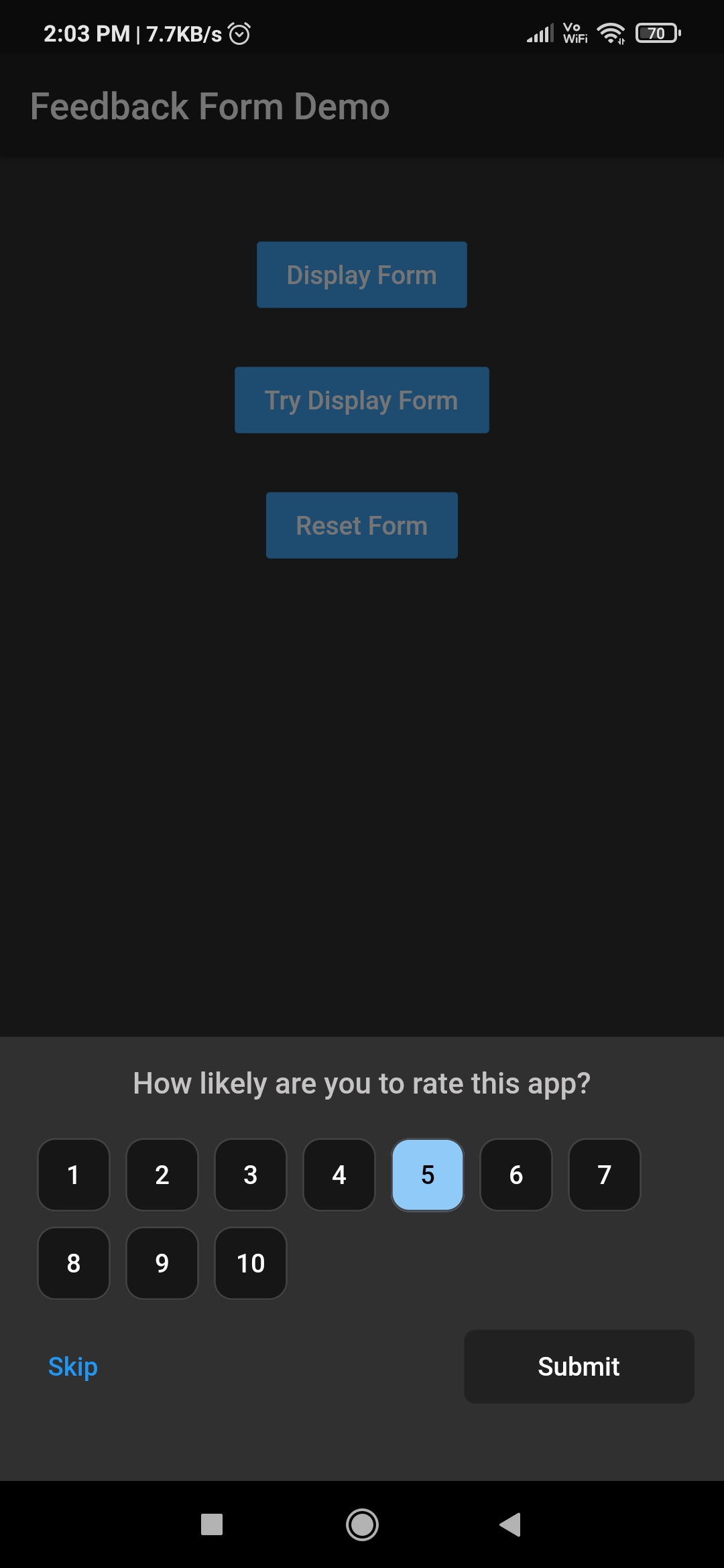
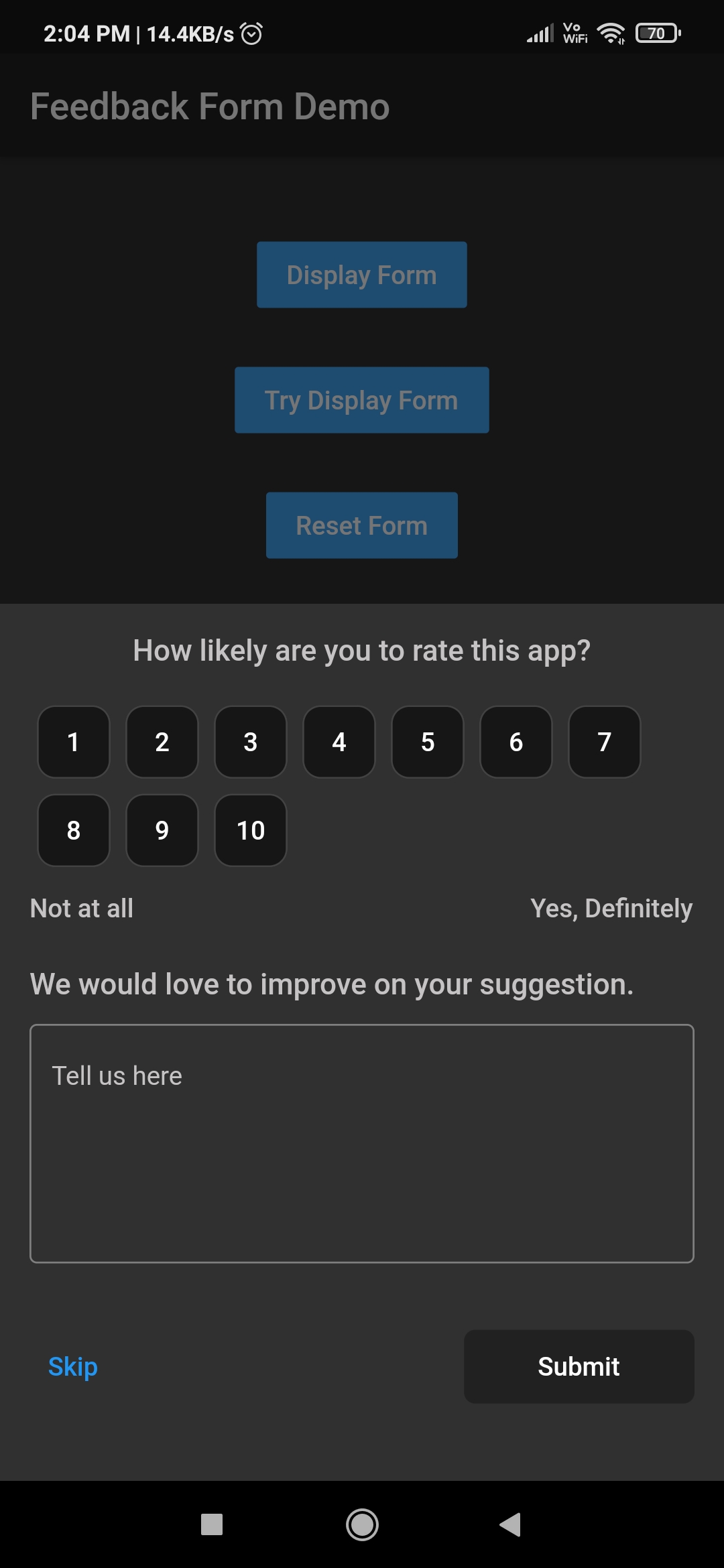
A Flutter package for getting app feedback from users. It provides the utility to display feedback form depending upon the requirement. Feedback form can be displayed instantly at any time or after certain period of time.

Download Demo App GitHub All Releases

How to use this package

1. Add library to pubspec.yml
dependencies:
  app_feedback: ^0.0.2
2. Import library in dart file.
import 'package:app_feedback/app_feedback.dart';
3. Create a instance of AppFeedback
AppFeedback feedbackForm = AppFeedback.instance;
4. Initialize the app feedback (Ony if you want to ask user for his feedback periodically)
 @override
  void initState() {
    /// `duration` is set to 10 seconds for testing purpose.
    /// Change this duration on the basis of how often you want to ask user for his feedback.
    /// For example duration can be 15 days, 1 or 2 month etc.
    feedbackForm.init(FeedbackConfig(duration: Duration(seconds: 10)));
    super.initState();
  }
5. Create a method which will launch the feedback form
 void tryDisplay() {
    feedbackForm.tryDisplay(context, onSubmit: (UserFeedback feedback) {
      print(feedback);
    });
  }
6. Create a button to call tryDisplay method.
TextButton(
    onPressed: tryDisplay,
    child: Text("Try Display Form")
 ),

Note

  1. feedbackForm will only be displayed once provided duration in step 3 has passed.
  2. Once feedbackForm is displayed then it won't be displayed until the next cycle of the duration is completed.
  3. The config data provided in first time initialization of feedbackForm is stored in local cache and other initialization data will be ignored.
7. Clear old configuration

Invoke clearConfig method only if there is a need to clear the old config values otherwise ignore this.

  void clearConfig() async {
    await feedbackForm.clearConfig();
 }

Note

  1. After clearing the configuration it won't be display the feedback form ever until new initialization.
  2. Clear configuration form doesn't mean reset the duration cycle. It just removes the all configuration from the cache.
  3. To reset duration and other configuration do call the feedbackForm.init() method with new config values.
Display instant feedbackForm

If there is a need to display feedbackForm instantly on any time then invoke feedbackForm.display method. By calling this method won't reset the duration cycle provided in above step 3. To invoke below method there is no need to initialize the feedbackForm.

void launchAppFeedback() {
    feedbackForm.display(context,
        option: Option(
          maxRating: 10,
          ratingButtonTheme: RatingButtonThemeData.defaultTheme,
        ), onSubmit: (feedback) {
      print(feedback);
    });
  }
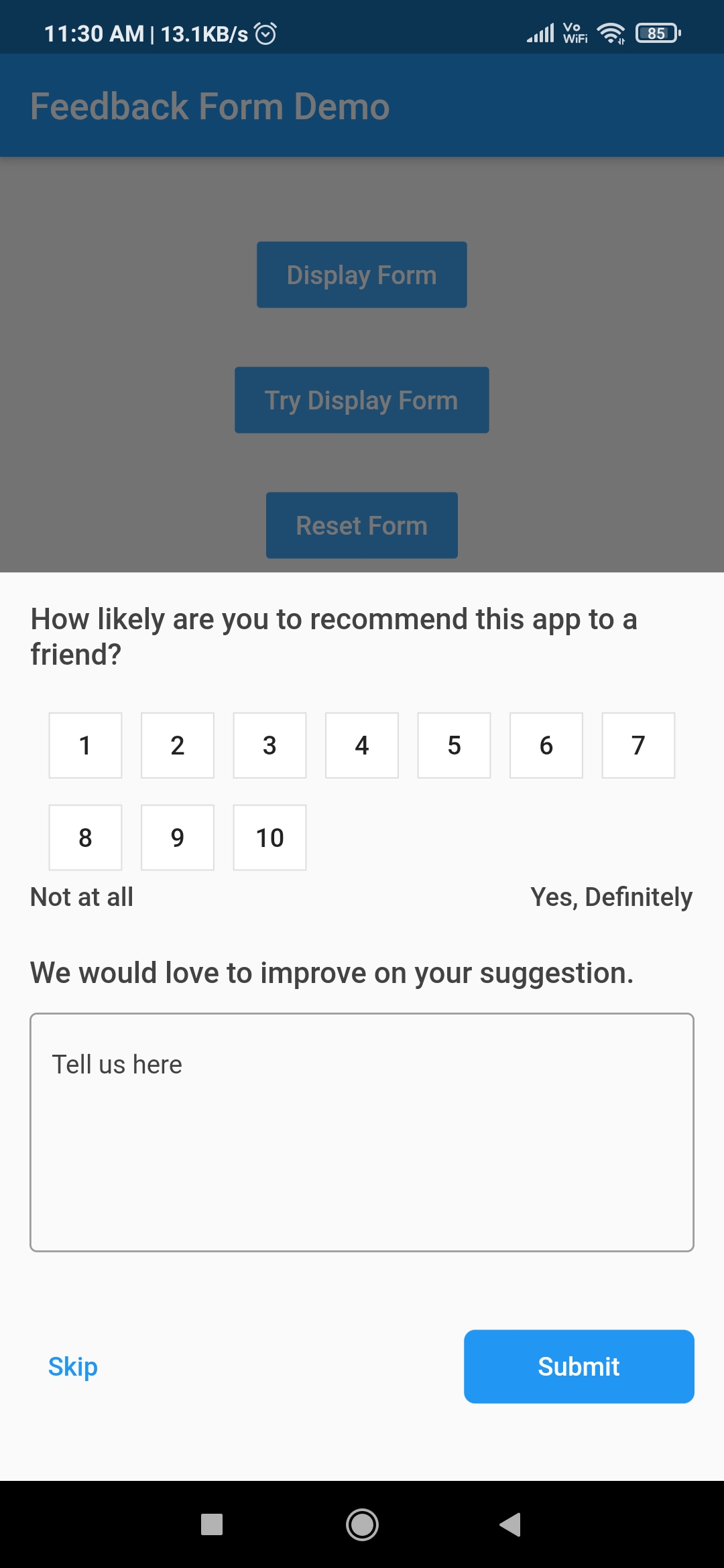
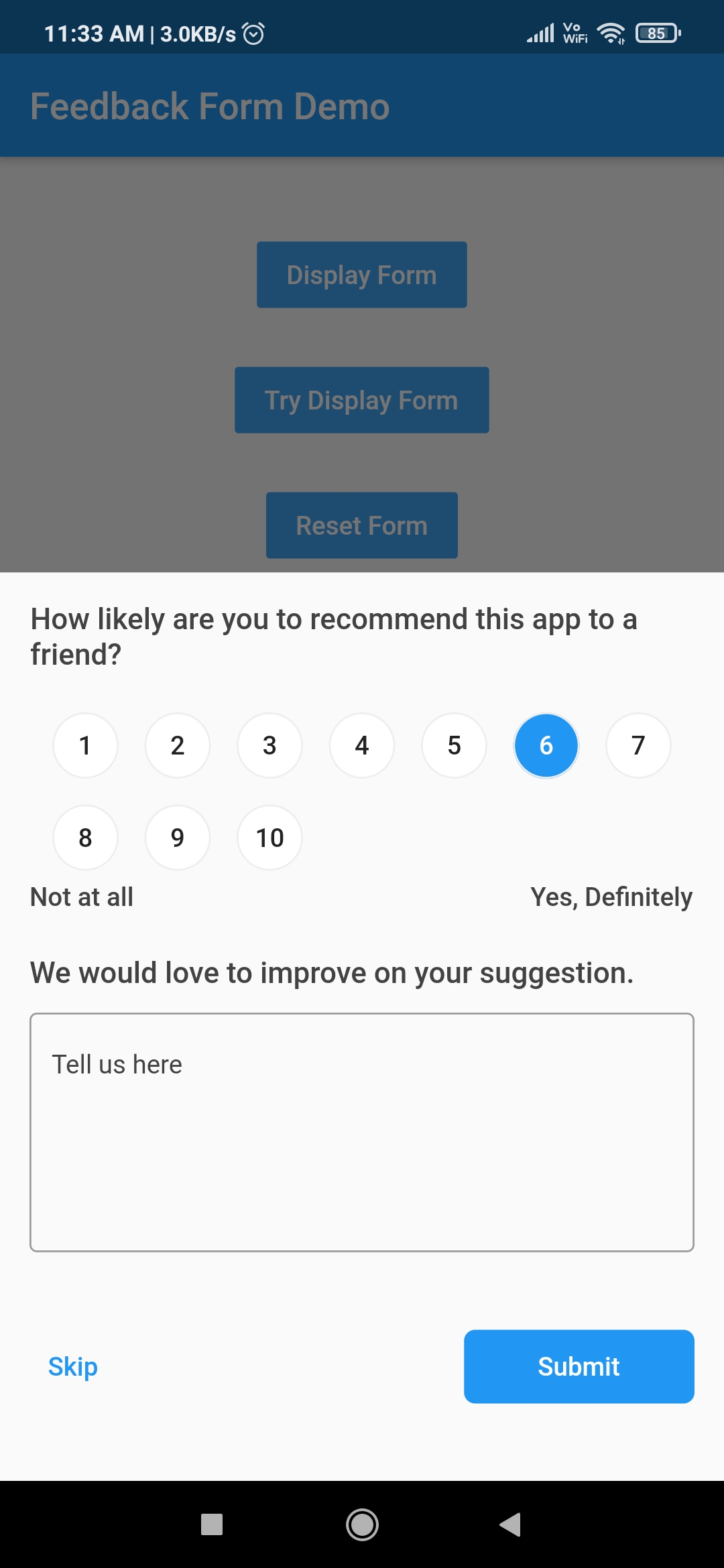
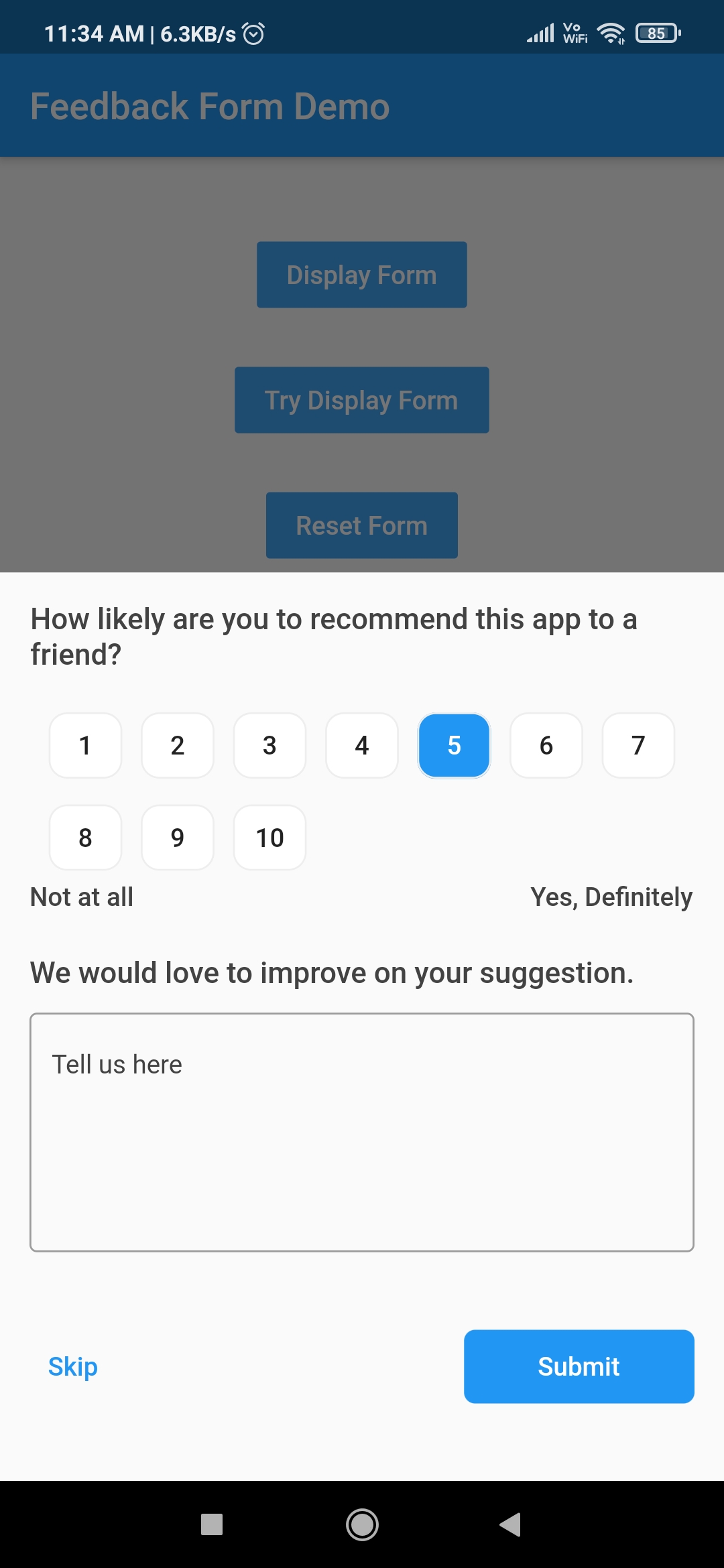
Feedback form Customised Rating button Customised Rating button
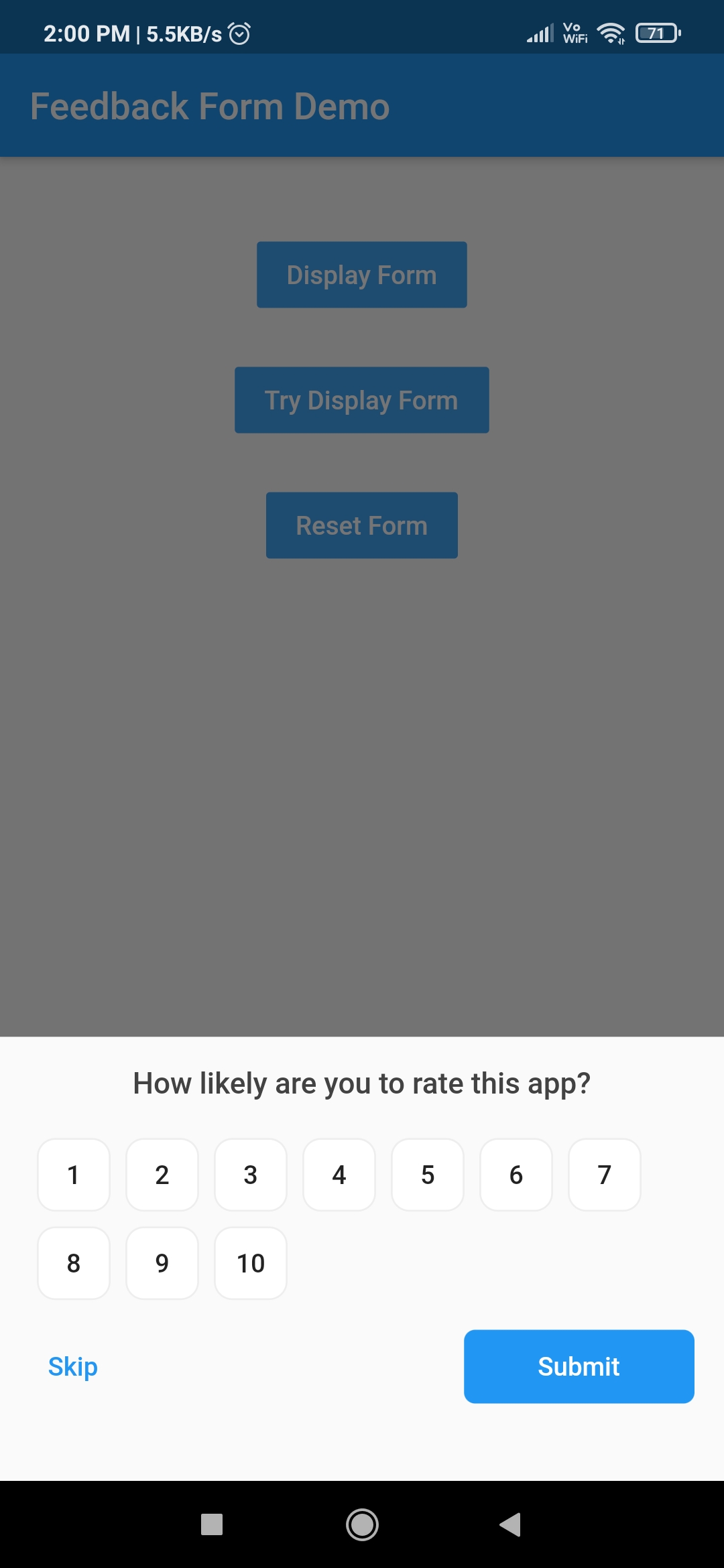
Hidden feedback field Customised feedback form Customised feedback form

Other Flutter packages

Name Stars Pub
Filter List GitHub stars pub package
Empty widget GitHub stars pub package
Add Thumbnail GitHub stars pub package
Country Provider GitHub stars pub package

Pull Requests

I welcome and encourage all pull requests. It usually will take me within 24-48 hours to respond to any issue or request.

Created & Maintained By

Sonu Sharma (Twitter) (Youtube) (Insta) Twitter Follow

If you found this project helpful or you learned something from the source code and want to thank me, consider buying me a cup of :coffee:

Visitors Count

Loading

Kategorien

Abhängigkeiten

Abhängigkeiten 2 Einträge

Quell-Repository

Projekte, die dieses Paket verwenden