Aus öffentlichen Paketdaten erstellte Orientierung.
AppFlowyBoard ist ein Flutter-Widget, das zur Erstellung von Brett-Interfaces mit mehreren Gruppen entwickelt wurde und intuitive Drag-and-Drop-Interaktionen zwischen den Gruppen ermöglicht. Es eignet sich hervorragend zum Organisieren von Aufgaben, Projekten oder Inhalten in einer visuellen, flexiblen Anordnung. Für den Einsatz auf mehreren Plattformen konzipiert, unterstützt es Android, iOS, macOS, Windows und Linux. Das Widget ist Teil des AppFlowy-Ökosystems und legt den Fokus auf Produktivität und benutzerfreundliche Datenverwaltung. Seine modulare Architektur ermöglicht Entwicklern eine nahtlose Anpassung des Gruppenverhaltens und der Elementinteraktionen.
Anwendungsfälle
Aufgabenverwaltung
Projektplanung
Inhaltsorganisation
Visueller Workflow-Entwurf
Kooperatives Bearbeiten
Hauptmerkmale
Mehrgruppen-Board-Layout
Zwischen Gruppen verschieben
Plattformübergreifende Unterstützung
anpassbare Gruppenitems
erweiterbare Benutzeroberflächenkomponenten
Geeignet für
Produktivitäts-Apps
Kanban-artige Werkzeuge
Dashboard-Baukästen
Entwicklerwerkzeuge
Interaktive Datenanzeigen
Hinweise
Erfahrung mit Flutter-Gesten erforderlich
Kann zusätzliche Zustandsverwaltung erfordern
Beschränkte Dokumentation außerhalb von GitHub
Am besten geeignet für mittelgroße bis große Bretter
Abhängig vom AppFlowy-Ökosystem für vollständige Funktionalität
Original-README
Originaler README-Schnappschuss aus dem verknüpften Quell-Repository. Aktuelle Inhalte finden Sie im Repository.
appflowy_board
AppFlowy Board
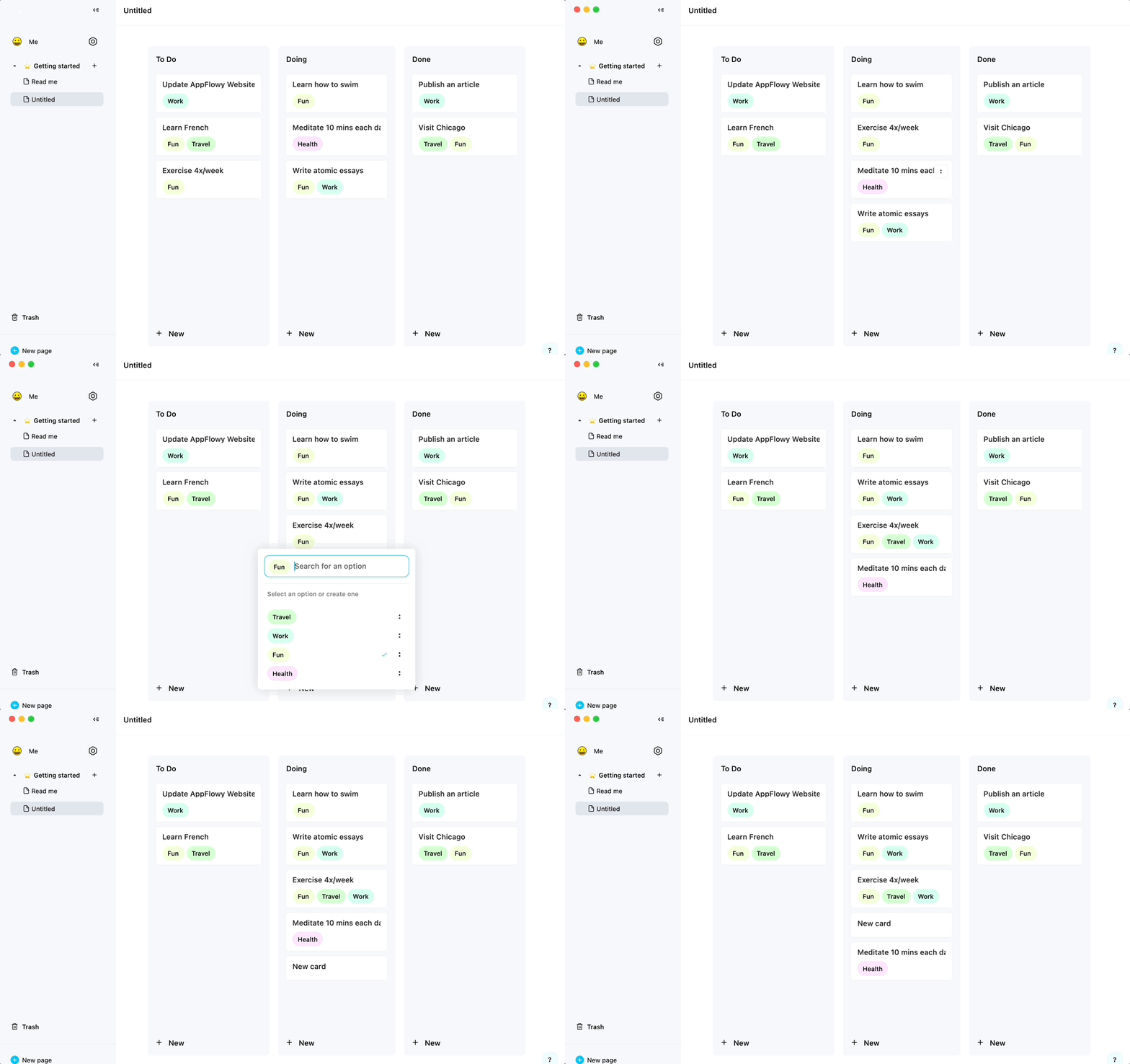
A customizable and draggable Kanban Board widget for Flutter
This will add a line like this to your package's pubspec.yaml:
dependencies:
  appflowy_board: ^0.1.0
Create your first board
Initialize an AppFlowyBoardController for the board. It contains the data used by the board. You can
register callbacks to receive the changes of the board.
finalAppFlowyBoardController controller = AppFlowyBoardController(
onMoveGroup: (fromGroupId, fromIndex, toGroupId, toIndex) {
debugPrint('Move item from $fromIndex to $toIndex');
},
onMoveGroupItem: (groupId, fromIndex, toIndex) {
debugPrint('Move $groupId:$fromIndex to $groupId:$toIndex');
},
onMoveGroupItemToGroup: (fromGroupId, fromIndex, toGroupId, toIndex) {
debugPrint('Move $fromGroupId:$fromIndex to $toGroupId:$toIndex');
},
);
Provide an initial value of the board by initializing the AppFlowyGroupData. It represents a group data and contains list of items. Each item displayed in the group requires to implement the AppFlowyGroupItem class.
voidinitState() {
final group1 = AppFlowyGroupData(id: "To Do", items: [
TextItem("Card 1"),
TextItem("Card 2"),
]);
final group2 = AppFlowyGroupData(id: "In Progress", items: [
TextItem("Card 3"),
TextItem("Card 4"),
]);
final group3 = AppFlowyGroupData(id: "Done", items: []);
controller.addGroup(group1);
controller.addGroup(group2);
controller.addGroup(group3);
super.initState();
}
classTextItemextendsAppFlowyGroupItem{
finalString s;
TextItem(this.s);
@overrideStringget id => s;
}
Finally, return a AppFlowyBoard widget in the build method.
To quickly grasp how it can be used, look at the /example/lib folder.
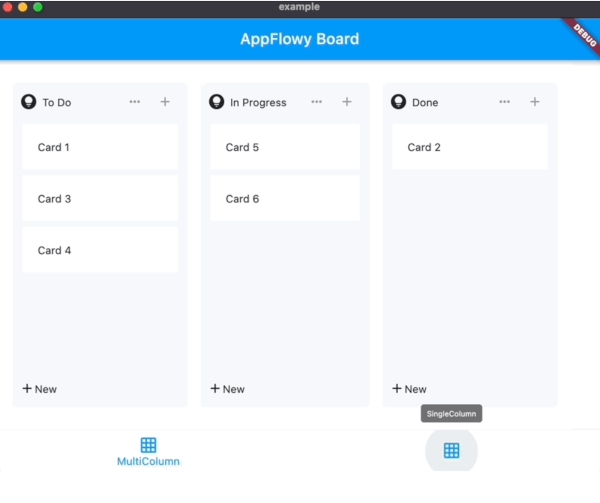
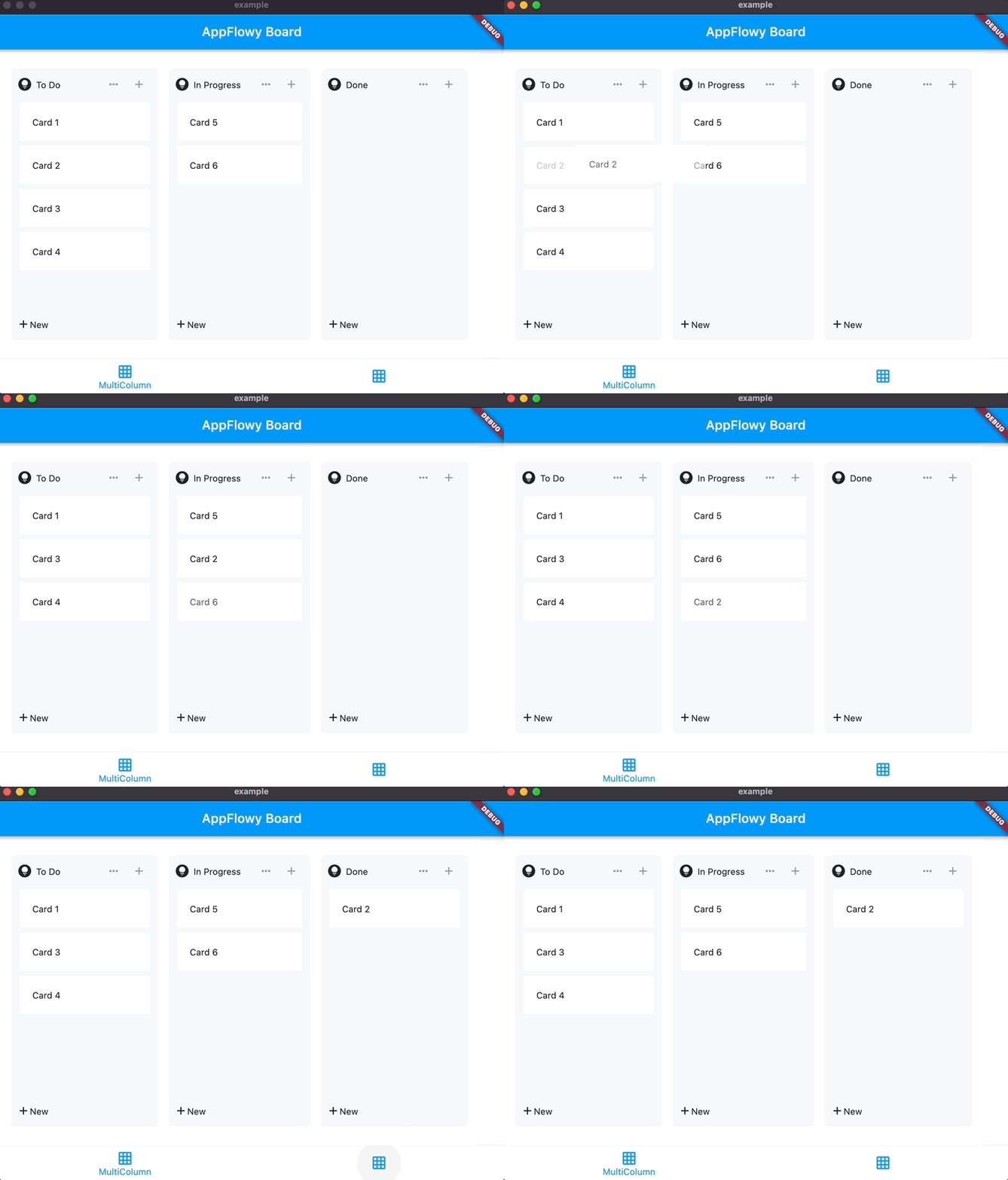
First, run main.dart to play with the demo.
Second, let's delve into multi_board_list_example.dart to understand a few key components:
A Board widget is created via instantiating an AppFlowyBoard object.
In the AppFlowyBoard object, you can find the AppFlowyBoardController, which is defined in board_data.dart, is fed with pre-populated mock data. It also contains callback functions to materialize future user data.
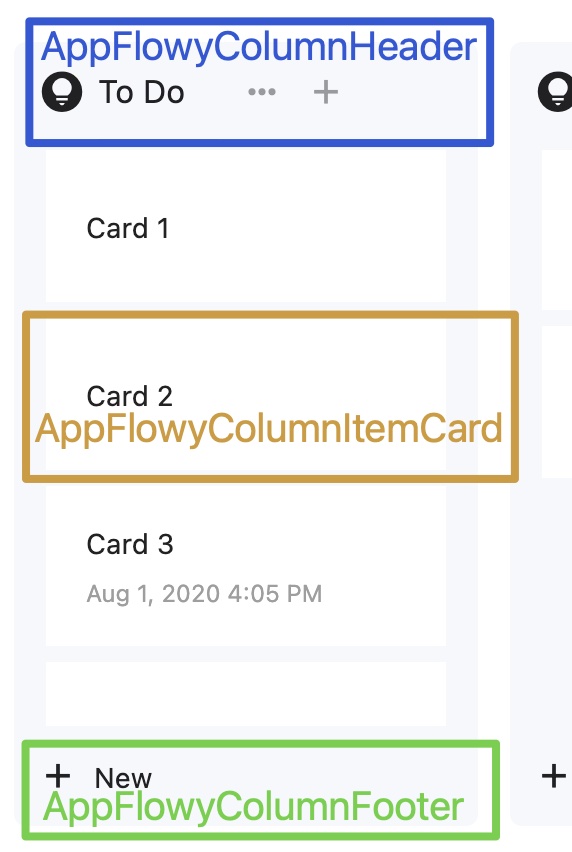
Three builders: AppFlowyBoardHeaderBuilder, AppFlowyBoardFooterBuilder, AppFlowyBoardCardBuilder. See below image for what they are used for.
Glossary
Please refer to the API documentation.
Contributing
Contributions are what make the open source community such an amazing place to learn, inspire, and create. Any contributions you make are greatly appreciated.