Aus öffentlichen Paketdaten erstellte Orientierung.
Ein Flutter-Paket, das die Online-Buchungsfunktion innerhalb der App ermöglicht und speziell für eine nahtlose Integration mit Echtzeit-Datenquellen wie Firestore über Streams konzipiert ist. Es bietet eine anpassbare Kalender-Oberfläche zur Verwaltung von Buchungen, Anzeige von Verfügbarkeiten und dynamische Behandlung von Buchungsereignissen. Ideal für Anwendungen, die Live-Updates und interaktive Planung erfordern, wie z. B. Terminsysteme, Veranstaltungsplaner oder Service-Buchungsplattformen. Das Paket unterstützt mehrere Plattformen und sorgt für konsistente Benutzererfahrungen auf verschiedenen Geräten.
Anwendungsfälle
Online-Terminbuchung
Ereignisbuchungssysteme
Servicebuchungs-Oberflächen
Echtzeit-Verfügbarkeitsverfolgung
Integration mit Firestore für Echtzeit-Updates
Hauptmerkmale
Stream-basierte Unterstützung für Echtzeitdaten
Plattformübergreifende Kompatibilität
Anpassbare Kalender-Oberfläche
Dynamische Buchungsereignisverarbeitung
Einfache Integration mit Firebase Firestore
Geeignet für
Entwickler, die Termin-Apps erstellen
Teams, die Firestore für Backend-Daten verwenden
Anwendungen, die Live-Buchungsaktualisierungen benötigen
Multiplattform-Planungstools
benutzerorientierte Buchungsoberflächen
Hinweise
Kenntnisse über Streams und asynchrone Programmierung erforderlich
Abhängig von einer externen Datenquelle (z. B. Firestore)
Möglicherweise benutzerdefinierte Stile für die Markenabstimmung erforderlich
Die Leistung hängt vom Datenvolumen des Streams ab
Eingeschränkte integrierte Überprüfung über grundlegende Eingabeprüfungen hinaus
Original-README
Originaler README-Schnappschuss aus dem verknüpften Quell-Repository. Aktuelle Inhalte finden Sie im Repository.
Booking Calendar
Want to make online bookings in your app? Then luckily you need look no further!
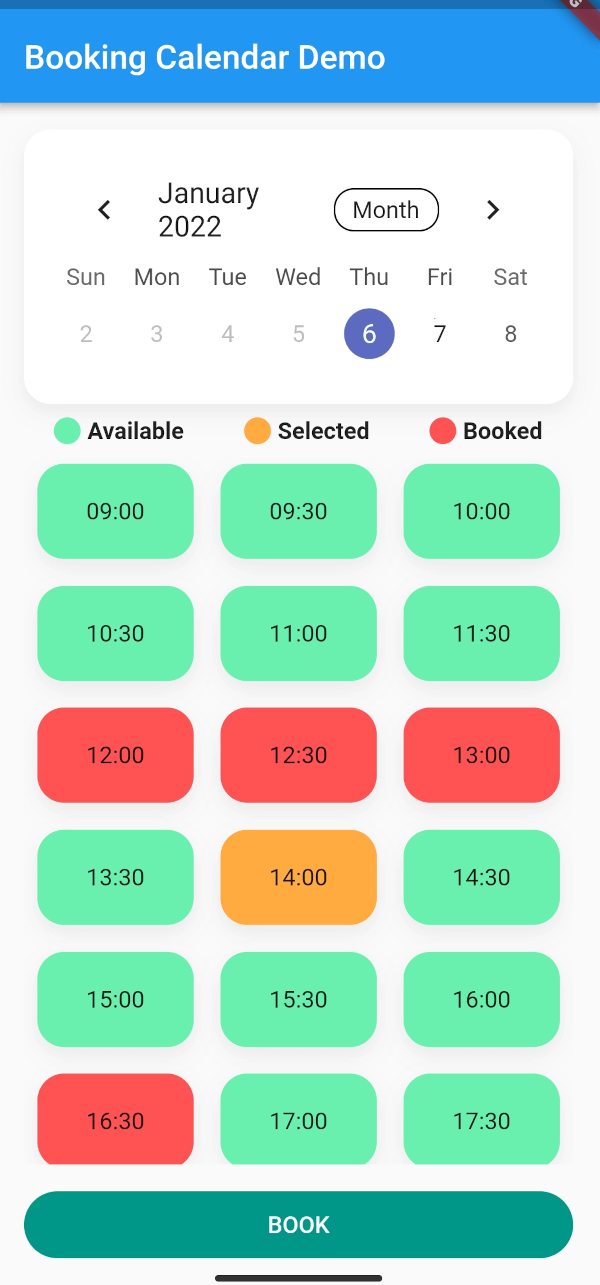
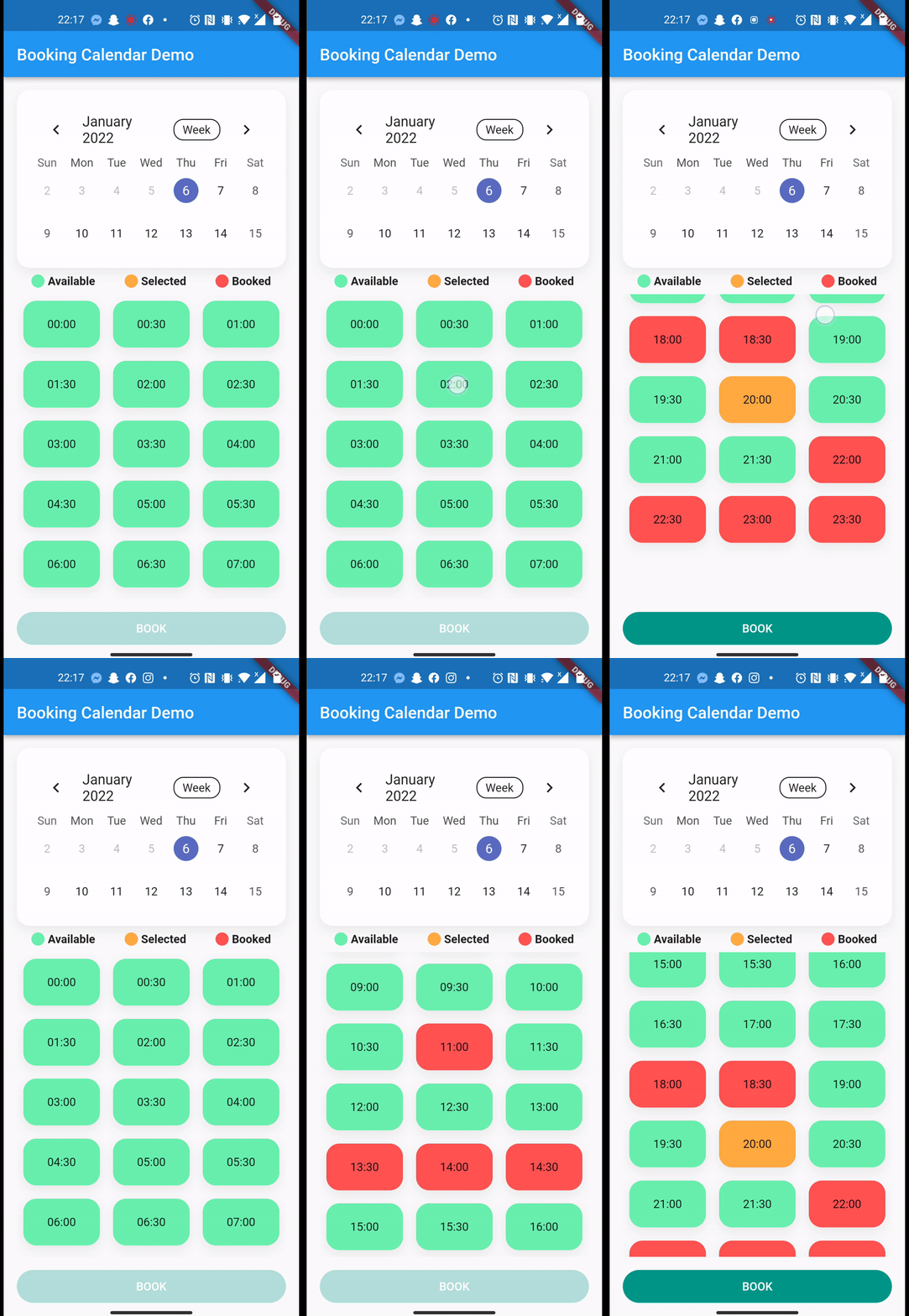
With a total of 4 lines, you get a working online booking system where users can track bookings in real-time.
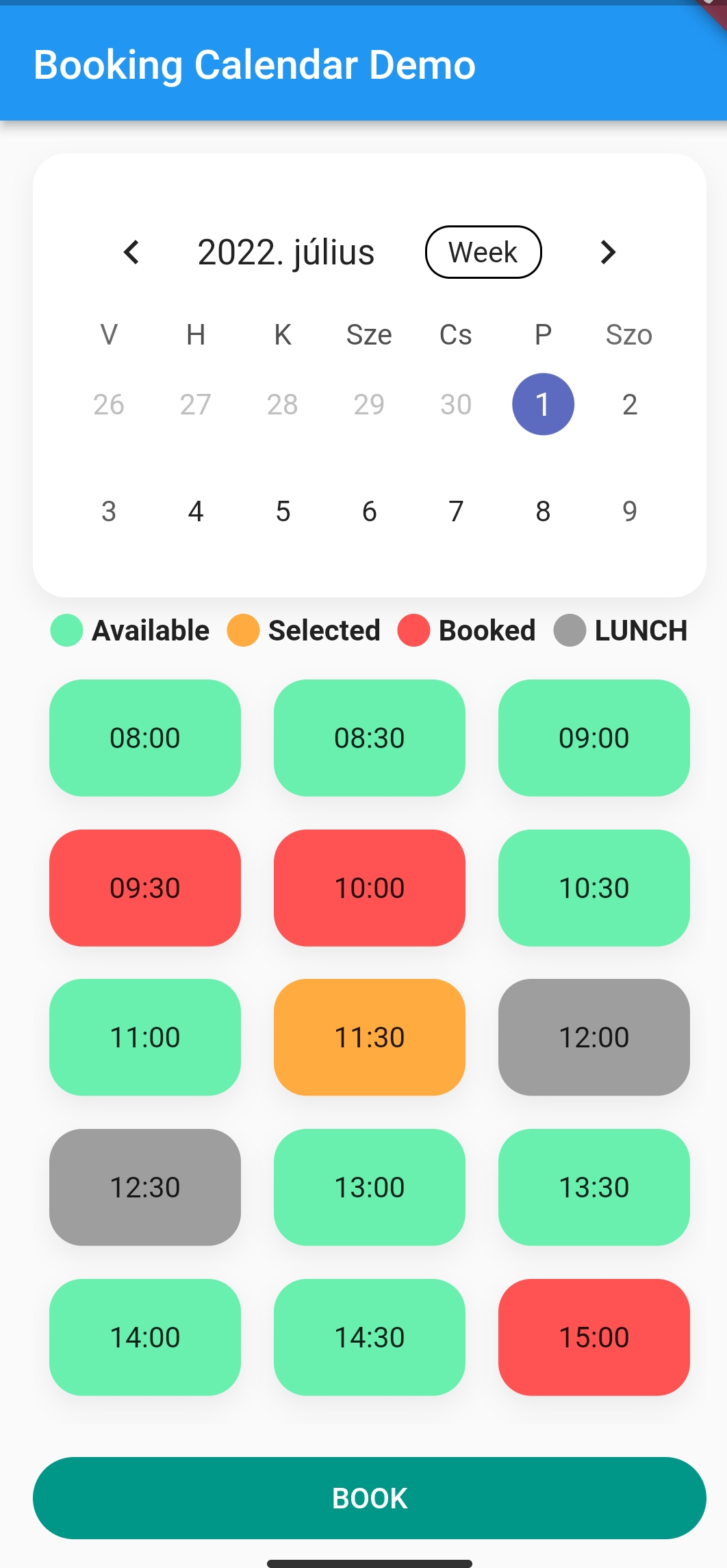
It calculates the cases where there would be a conflict in the calendar and displays them in different colors.
You can customise your booking calendar with a number of additional parameters.
After you successfully integrated Firebase to your app. How to setup Firebase with Flutter
In this example, we will book sporting slots, using Firebase Firestore.
Here is the model we store in the Firebase:
import'package:cloud_firestore/cloud_firestore.dart';
import'package:json_annotation/json_annotation.dart';
import'package:sport.bp/util/app_util.dart';
part'sport_booking.g.dart';
@JsonSerializable(explicitToJson: true)
classSportBooking{
/// The generated code assumes these values exist in JSON.finalString? userId;
finalString? userName;
finalString? placeId;
finalString? serviceName;
finalint? serviceDuration;
finalint? servicePrice;
//Because we are storing timestamp in Firestore, we need a converter for DateTime/* static DateTime timeStampToDateTime(Timestamp timestamp) {
return DateTime.parse(timestamp.toDate().toString());
}
static Timestamp dateTimeToTimeStamp(DateTime? dateTime) {
return Timestamp.fromDate(dateTime ?? DateTime.now()); //To TimeStamp
}*/@JsonKey(fromJson: AppUtil.timeStampToDateTime, toJson: AppUtil.dateTimeToTimeStamp)
finalDateTime? bookingStart;
@JsonKey(fromJson: AppUtil.timeStampToDateTime, toJson: AppUtil.dateTimeToTimeStamp)
finalDateTime? bookingEnd;
finalString? email;
finalString? phoneNumber;
finalString? placeAddress;
SportBooking(
{this.email,
this.phoneNumber,
this.placeAddress,
this.bookingStart,
this.bookingEnd,
this.placeId,
this.userId,
this.userName,
this.serviceName,
this.serviceDuration,
this.servicePrice});
/// Connect the generated [_$SportBookingFromJson] function to the `fromJson`/// factory.factorySportBooking.fromJson(Map<String, dynamic> json) => _$SportBookingFromJson(json);
/// Connect the generated [_$SportBookingToJson] function to the `toJson` method.Map<String, dynamic> toJson() => _$SportBookingToJson(this);
}
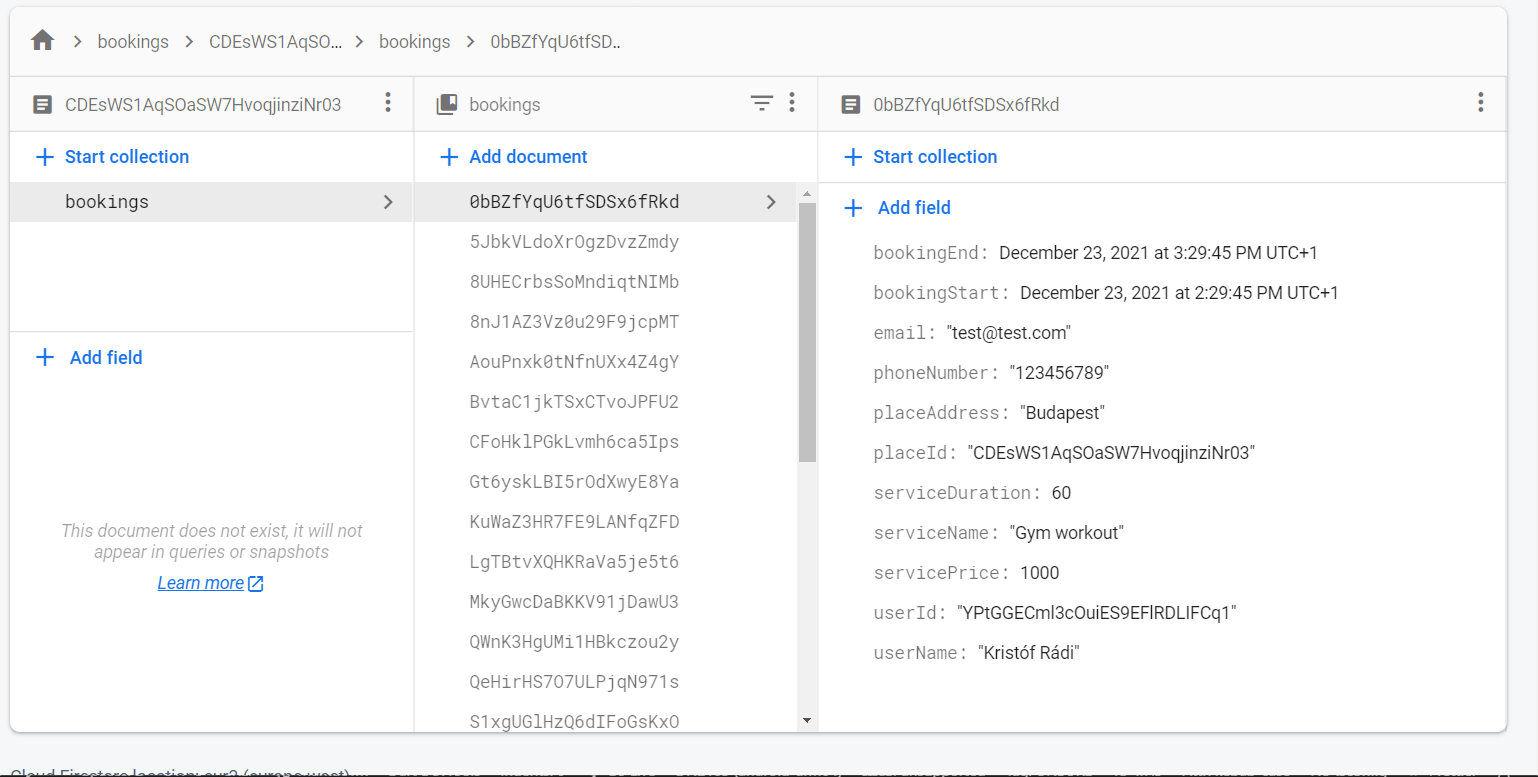
This is how the structure of the data looks like in the Firestore document:
So after the Firebase init, we can access the Firestore collection.
CollectionReference bookings = FirebaseFirestore.instance.collection('bookings');
///This is how can you get the reference to your data from the collection, and serialize the data with the help of the Firestore [withConverter]. This function would be in your repository.CollectionReference<SportBooking> getBookingStream({requiredString placeId}) {
return bookings.doc(placeId).collection('bookings').withConverter<SportBooking>(
fromFirestore: (snapshots, _) => SportBooking.fromJson(snapshots.data()!),
toFirestore: (snapshots, _) => snapshots.toJson(),
);
}
///How you actually get the stream of data from Firestore with the help of the previous function///note that this query filters are for my data structure, you need to adjust it to your solution.Stream<dynamic>? getBookingStreamFirebase(
{requiredDateTime end, requiredDateTime start}) {
returnApiRepository.
.getBookingStream(placeId: 'YOUR_DOC_ID')
.where('bookingStart', isGreaterThanOrEqualTo: start)
.where('bookingStart', isLessThanOrEqualTo: end)
.snapshots(),
}
///After you fetched the data from firestore, we only need to have a list of datetimes from the bookings:List<DateTimeRange> convertStreamResultFirebase(
{requireddynamic streamResult}) {
///here you can parse the streamresult and convert to [List<DateTimeRange>]///Note that this is dynamic, so you need to know what properties are available on your result, in our case the [SportBooking] has bookingStart and bookingEnd propertyList<DateTimeRange> converted = []
for (var i = 0; i < streamResult.size; i++) {
final item = streamResult.docs[i].data();
converted.add(DateTimeRange(start: (item.bookingStart!), end: (item.bookingEnd!)));
}
return converted;
}
///This is how you upload data to FirestoreFuture<dynamic> uploadBookingFirebase(
{requiredBookingService newBooking}) async {
await bookings
.doc('your id, or autogenerate')
.collection('bookings')
.add(newBooking.toJson())
.then((value) => print("Booking Added"))
.catchError((error) => print("Failed to add booking: $error"));
}
}
/**AFTER YOU HAVE EVERY HELPER FUNCTION YOU CAN PASS THESE TO YOUR BOOKINGCALENDAR */BookingCalendar(
bookingService: mockBookingService,
convertStreamResultToDateTimeRanges: convertStreamResultFirebase,
getBookingStream: getBookingStreamFirebase,
uploadBooking: uploadBookingFirebase,
uploadingWidget: constCircularProgressIndicator(),
//... other customisation properties
),
Additional information
Feel free to add issues, open PR-s and leave comments on the github repository.