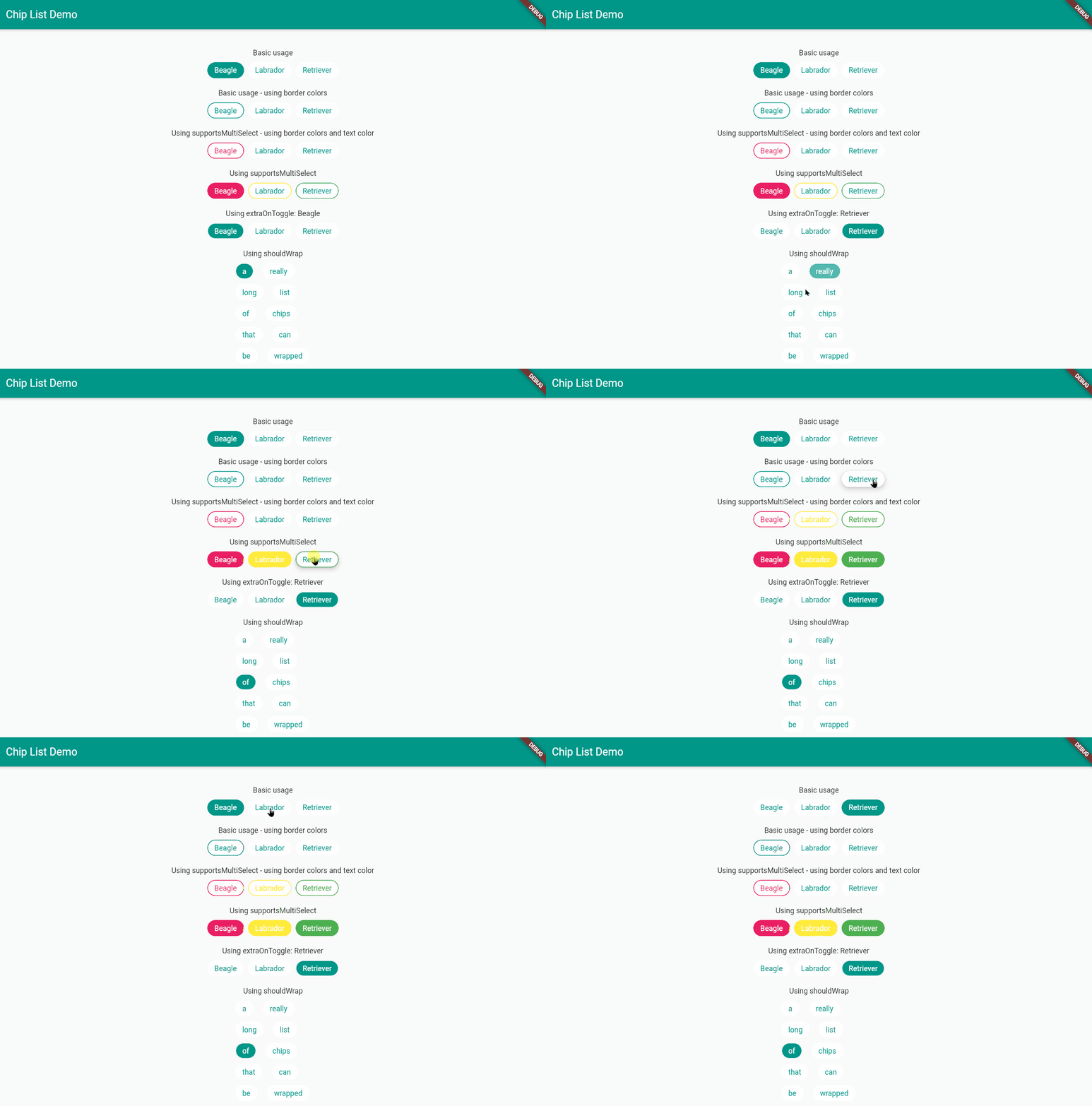
Aus öffentlichen Paketdaten erstellte Orientierung.
Das chip_list-Paket vereinfacht die Erstellung anpassbarer Listen von ChoiceChip-Widgets in Flutter. Es bietet eine intuitive API zum Erstellen interaktiver, auswählbarer Chip-Gruppen mit minimalem Boilerplate-Code. Entwickler können die Stilisierung und das Verhalten der Chips einfach anpassen und so ideale Lösungen für Filter-, Tagging- oder Auswahl-Schnittstellen schaffen. Das Paket unterstützt alle wichtigen Plattformen wie Android, iOS, Web, macOS, Windows und Linux und sorgt für konsistente Cross-Platform-Erlebnisse. Durch seinen Fokus auf Flexibilität und Benutzerfreundlichkeit verbessert chip_list die UI-Entwicklung ohne Kompromisse bei den Anpassungsmöglichkeiten.
Anwendungsfälle
Filteroptionen in Formularen
Tag-Systeme
Benutzerpräferenzauswahl
Interaktive Kategorienavigation
dynamische Auswahl-Eingaben
Mehrfachauswahl-Schnittstellen
Hauptmerkmale
Einfache Integration mit ChoiceChip
Hochgradig anpassbare Erscheinung
Plattformübergreifende Unterstützung
Minimale Einrichtung erforderlich
Eingebaute Auswahlverwaltung
Kompatibilität mit responsive Design
Geeignet für
Flutter-Entwickler, die Formularoberflächen erstellen
Apps, die dynamische chipbasierte Auswahl erfordern
Designer, die wiederverwendbare Chip-Komponenten suchen
Projekte, die Mehrfachauswahl-Funktionen benötigen
Teams, die schnelle UI-Entwicklung priorisieren
Hinweise
Erfordert Verständnis des ChoiceChip-Widgets
Für komplexe Layouts kann zusätzliche Styling notwendig sein
Beschränkt auf chipbasierte Interaktionen
Nicht geeignet für nicht-interaktive Inhalte
Am besten innerhalb scrollbarer Container für lange Listen verwendet
Original-README
Originaler README-Schnappschuss aus dem verknüpften Quell-Repository. Aktuelle Inhalte finden Sie im Repository.
Features
Creates a list of ChoiceChips. Also allows for selecting multiple chips at once and allows use in sync with other widgets. This package is intended to solve all your woes with regards to Chips.
Well, maybe not all, but if you would like to request a feature, fire away !
See /example/main.dart for an example on how to use the state of the list for updating the state of other widgets, and other fancy properties.
If you want to wrap the ChipList, then set shouldWrap to true.
You can then use all the properties of a typical Wrap widget to further customize appearance.
Setting individual colors for active/inactive background and border color and text color
If you want to have full control of the parameters specified above over each and every single chip, you can do so by setting the color within the activeBgColorList, inactiveBgColorList,
activeTextColorList and inactiveTextColorList respectively, wherever appropriate.
Use a single color if you want it to be used for all chips. Otherwise, the length of the list must be equal to the length of listOfChipNames.
Note that if you don't, then the package has defaults as specified in the documentation. (You can hover over the property in your IDE to see more 🙂).
Spacing in between each Chip
Whether you choose to let the axis to Axis.vertical or Axis.horizontal, you can set the spacing by tweaking widgetSpacing.
New attributes added to improve customisation if you set useMaterial3 = true
showCheckmark lets you enable or disable checkmarks in chips
checkmarkColor lets you set the color of the checkmark if it's enabled
⚠ Warning !!!!!!!!!
The flutter_lints package might suggest that you make listOfChipIndicesCurrentlySeclected a constant.
PLEASE DO NOT DO SO.
The widget will not respond to user interaction, seemingly without any reason.
The whole point of the API being designed like this is so that you have direct access to the currently selected indices, without the need for any state management and such.
That list will be updated as the user interacts with the widget. It is intended to be used in case you would like to incorporate the contents for any logic.
For an example, look at the section title "using extraOnToggle" in the provided example. The index is used to display the currently selected indice's label elsewhere in the UI.