Pakete, Repositories und App-Kategorien suchen

Cover von cli_completion
Paketdetailsv0.6.0

cli_completion

Vervollständigungsfunktion für Dart-Befehlszeilenschnittstellen, die mit CommandRunner erstellt wurden. Erstellt von Very Good Ventures.

AndroidiOSmacOSWindowsLinux
30-Tage-Downloads
970.000
Likes
71
Pub-Punkte
150

Paket installieren

flutter pub add cli_completion

Paketübersicht

Aus öffentlichen Paketdaten erstellte Orientierung.

Ein Flutter/Dart-Paket, das die automatische Vervollständigung für Befehlszeilenschnittstellen unterstützt, die mit CommandRunner erstellt wurden. Entwickelt von Very Good Ventures ermöglicht es Entwicklern, die Benutzerfreundlichkeit von CLI durch intelligente Vorschläge für Befehle, Flags und Argumente zu verbessern. Das Paket integriert sich nahtlos in bestehende CommandRunner-basierte Tools und unterstützt die wichtigsten Plattformen wie Android, iOS, macOS, Windows und Linux. Es vereinfacht die Entwicklung interaktiver, benutzerfreundlicher Befehlszeilenanwendungen mit minimalem Aufwand.

Anwendungsfälle

  • Verbesserung der Benutzerfreundlichkeit von CLI-Tools
  • Tab-Vervollständigung zu Befehlszeilenanwendungen hinzufügen
  • Verbesserung der Entwicklererfahrung in Terminal-Arbeitsabläufen
  • Interaktive Dart-CLI-Tools erstellen
  • Unterstützung der komplexen Argumentanalyse mit Vorschlägen

Hauptmerkmale

  • Nahtlose Integration mit CommandRunner
  • plattformunabhängiger Vervollständigungs-Support
  • Minimale Konfiguration erforderlich
  • Echtzeit-Tab-Vervollständigung
  • Erweiterbar für benutzerdefinierte Vervollständigungen

Geeignet für

  • Dart CLI Entwickler
  • Tools, die interaktive Terminal-Eingabe erfordern
  • Open-Source-CLI-Projekte
  • CommandRunner-basierte Anwendungen
  • Teams, die bei der CLI-Gestaltung auf UX achten

Hinweise

  • Erfordert CommandRunner als Abhängigkeit
  • Beschränkt auf Dart-basierte CLI-Tools
  • Kann eine plattformspezifische Einrichtung erfordern, um die volle Funktionalität zu gewährleisten
  • Nicht geeignet für nicht-CLI-Anwendungsfälle

Original-README

Originaler README-Schnappschuss aus dem verknüpften Quell-Repository. Aktuelle Inhalte finden Sie im Repository.

CLI Completion

Very Good Ventures Very Good Ventures

ci coverage pub package style: very good analysis License: MIT


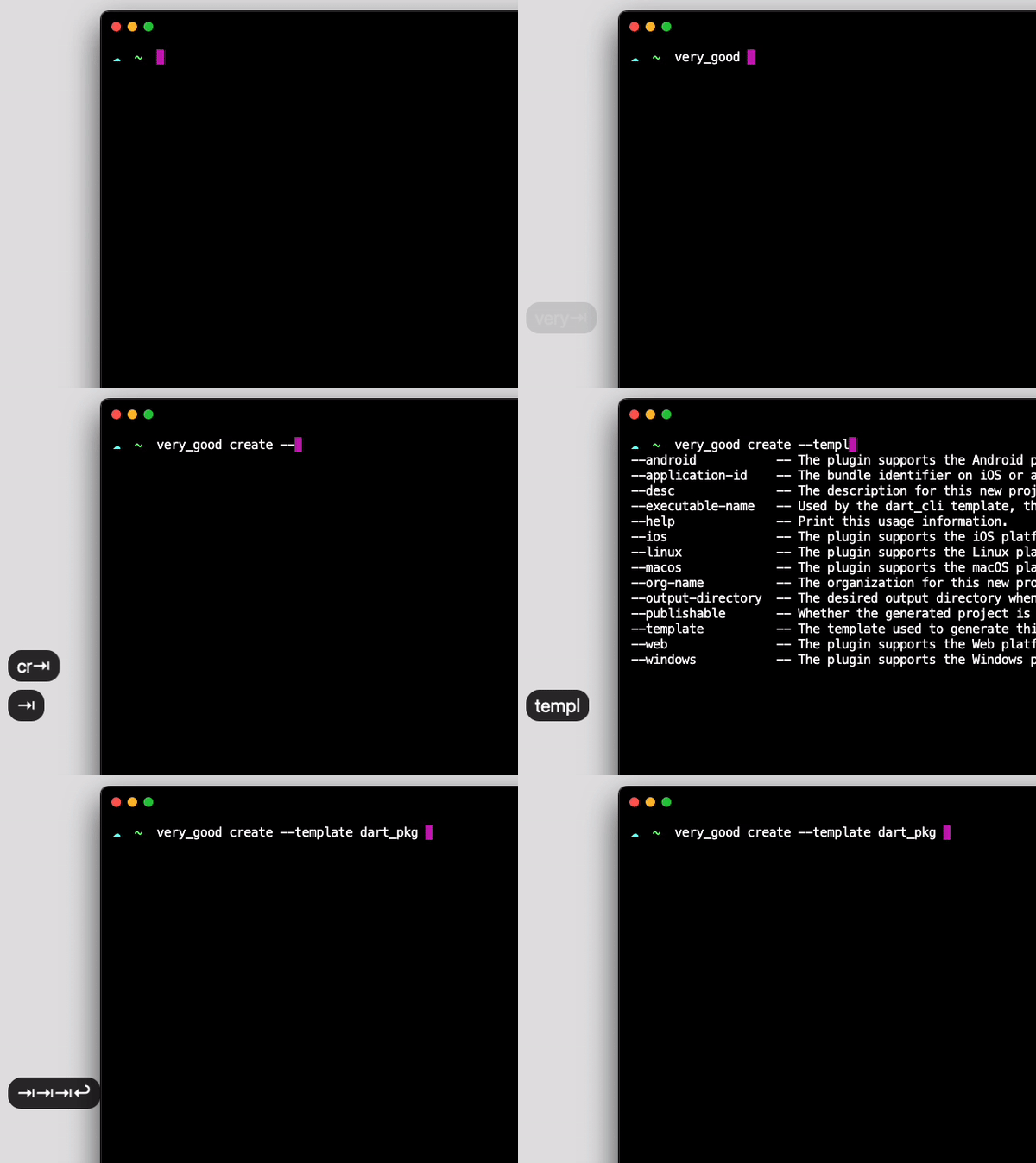
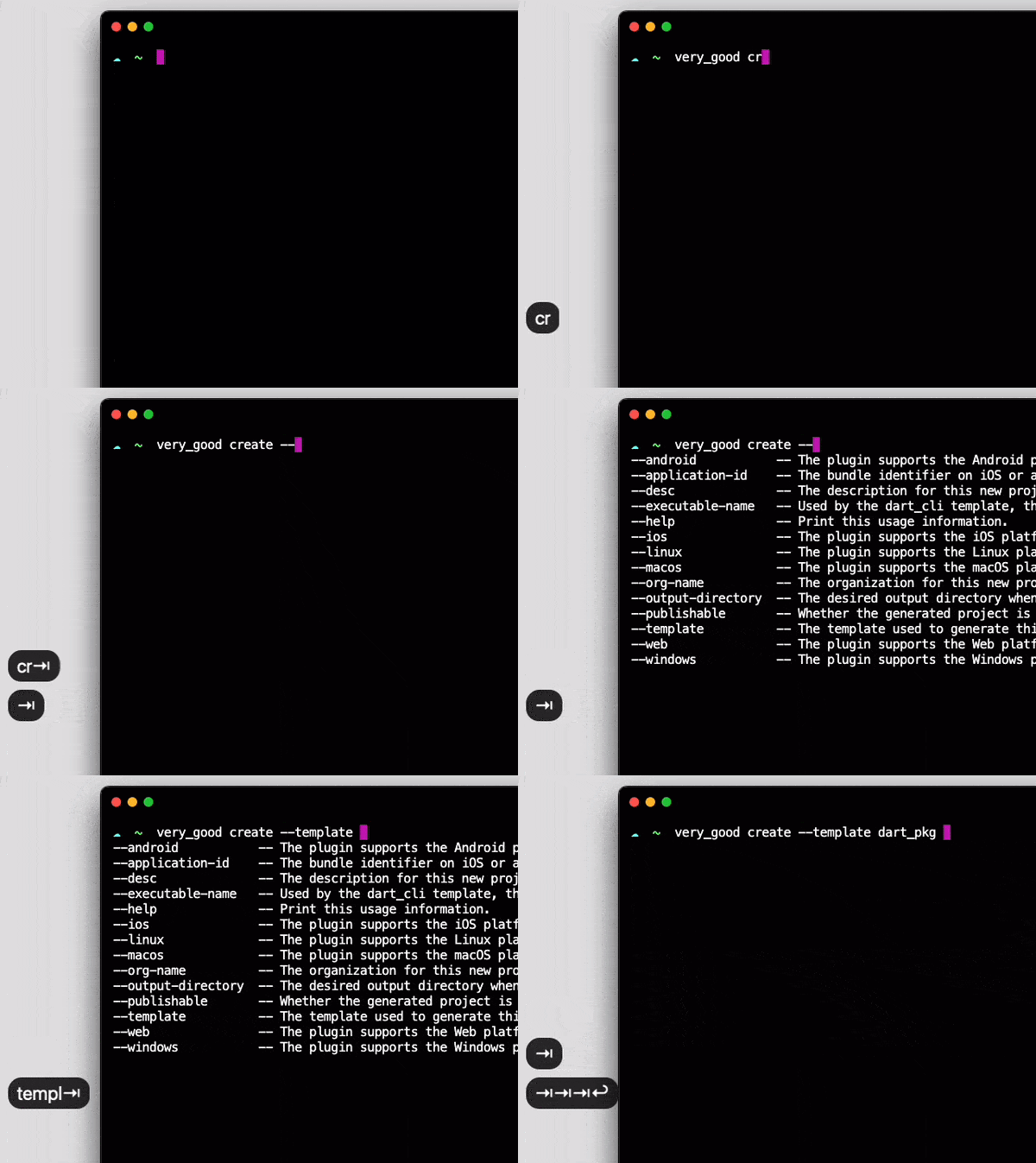
screen

Completion functionality for Dart Command-Line Interfaces built using CommandRunner.

Developed with 💙 by Very Good Ventures 🦄

Installation 💻

❗ In order to start using CLI Completion you must have the Dart SDK installed on your machine.

flutter pub add cli_completion

Usage ✨

On your CommandRunner class, extend CompletionCommandRunner :

import 'package:cli_completion/cli_completion.dart';

class ExampleCommandRunner extends CompletionCommandRunner<int> {
...

This will make the first command run to install the completion files automatically. To disable that behavior, set enableAutoInstall to false:

class ExampleCommandRunner extends CompletionCommandRunner<int> {
  
  @override
  bool get enableAutoInstall => false;
...

When enableAutoInstall is set to false, users will have to call install-completion-files to install these files manually.

$ example_cli install-completion-files

Additionally, when enableAutoInstall is disabled a completion-script command is exposed. It prints the completion script for the current shell to stdout, so users can install it wherever they prefer:

$ example_cli completion-script >> ~/.zshrc

Documentation 📝

For an overview of how this package works, check out the documentation.


Troubleshooting 🧠🔨

Tab completion is taking too long

Handling completion requests should be straightforward.

If there are any checks (like analytics, telemetry, or anything that you may have on run or runCommand overrides) before running subcommands, make sure you fast track the completion command to skip all of the unnecessary computations.

Example:

@override
Future<int?> runCommand(ArgResults topLevelResults) async {
  if (topLevelResults.command?.name == 'completion') {
    super.runCommand(topLevelResults);
      return;
  }
  // ... analytics and other unrelated stuff 
Tab completion is not working on my zsh terminal

If you are not using any zsh framework such as Oh My Zsh, you have to start the completion system manually.

Add the following lines to your ~/.zshrc file:

# Add this to the start of your zsh starter file (~/.zshrc)
autoload -Uz compinit
compinit

Kategorien

Abhängigkeiten

Abhängigkeiten 5 Einträge

Quell-Repository

Projekte, die dieses Paket verwenden