Pakete, Repositories und App-Kategorien suchen

Cover von cupertino_progress_bar
Paketdetailsv0.2.0

cupertino_progress_bar

Eine nicht-interaktive Fortschrittsleiste enthält eine Strecke, die von links nach rechts füllt, um den Fortschritt einer Aufgabe mit bekannter Dauer anzuzeigen.

AndroidiOSWebmacOSWindowsLinux
30-Tage-Downloads
5720
Likes
18
Pub-Punkte
150

Paket installieren

flutter pub add cupertino_progress_bar

Paketübersicht

Aus öffentlichen Paketdaten erstellte Orientierung.

Eine nicht-interaktive Fortschrittsleiste, die die Aufgabenfortschritte visuell darstellt, indem sie eine Spur von links nach rechts füllt. Mit Cupertino-Stil (iOS-ähnlich) gestaltet, integriert sie sich nahtlos in Flutter-Anwendungen für iOS und andere Plattformen. Ideal zur Darstellung des Abschlussstatus von Aufgaben mit bekannter Dauer, wie beispielsweise Dateiuploads oder Ladevorgänge. Das Komponente ist leichtgewichtig und entspricht der Design-Sprache von Apple, unterstützt gleichzeitig mehrere Plattformen.

Anwendungsfälle

  • Upload-/Download-Fortschritt anzeigen
  • Aufgabenabschluss in Formularen anzeigen
  • Ladezustände in Apps visualisieren
  • Verfolgung des Medienwiedergabeprogress
  • Anzeigen des Fortschritts der App-Initialisierung

Hauptmerkmale

  • iOS-ähnlicher Cupertino-Design
  • Linker- nach-Rechts-Füllanimation
  • Standardmäßig nicht interaktiv
  • Plattformübergreifende Unterstützung
  • Anpassbare Track- und Fortschrittsfarben
  • Glatte visuelle Übergänge

Geeignet für

  • iOS-geprägte Flutter-Anwendungen
  • Fortschrittsindikatoren in mobilen Apps
  • Einfache, saubere Ladefeedback
  • Apps, die konsistente Benutzeroberflächen für die Plattform erfordern
  • Entwickler legen Wert auf natives Aussehen und Gefühl

Hinweise

  • Nicht geeignet für interaktive Benutzereingaben
  • Begrenzte Anpassungsmöglichkeiten außer Farbe und Größe
  • Benötigt manuelle Aktualisierung des Fortschrittwerts
  • Unterstützt keine umgekehrte Richtung
  • Keine integrierten Pausen-/Fortsetzungssteuerungen

Original-README

Originaler README-Schnappschuss aus dem verknüpften Quell-Repository. Aktuelle Inhalte finden Sie im Repository.

Cupertino Progress Bar for Flutter

pub license: BSD build codecov

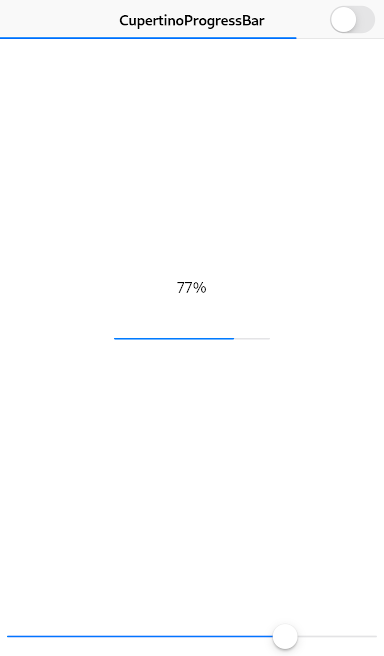
A progress bar includes a track that fills from left to right to show the progression of a task with a known duration. Progress bars are non-interactive, although they are often accompanied by a button for canceling the corresponding operation.

Screenshots

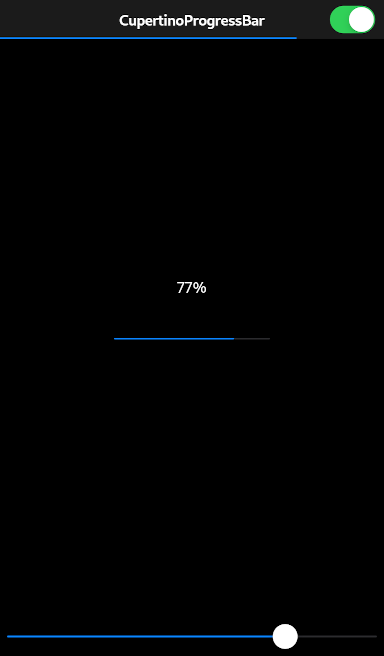
Light Dark
Light CupertinoProgressBar Dark CupertinoProgressBar

Example

CupertinoProgressBar(
  value: 0.77,
)

Guidelines

Always report progress accurately. Don’t display inaccurate progress information just to make your app appear busy. Only use progress bars for tasks that are quantifiable. Otherwise, use an activity indicator.

Use progress bars for tasks with a well-defined duration. Progress bars are great for showing the status of a task, especially when it helps convey how much longer the task needs to complete.

Hide the unfilled portion of track in navigation bars and toolbars. By default, a progress bar’s track includes both filled and unfilled portions. When used in a navigation bar or toolbar, such as to denote a page loading, a progress bar should be configured to hide the unfilled portion of the track.

Consider customizing a progress bar’s appearance to match your app. A progress bar’s appearance can be adjusted to match your app’s design. You can specify, for example, a custom color for both the track and fill.

See also:

Usage

To use this package, add cupertino_progress_bar as a dependency in your pubspec.yaml file.

Kategorien

Quell-Repository

Projekte, die dieses Paket verwenden