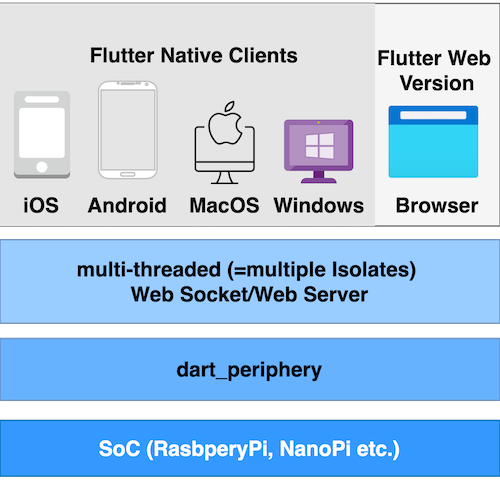
dart_periphery ist eine Dart-Portierung der nativen c-periphery-Bibliothek für Linux-Peripherie-I/O (GPIO, LED, PWM, SPI, I2C, MMIO, ADC und serielle Peripherie-I/O).
Aus öffentlichen Paketdaten erstellte Orientierung.
dart_periphery ist eine Dart-Bibliothek, die niedrigschwelligen Zugriff auf Linux-Peripherie-I/O-Schnittstellen bietet, darunter GPIO, I2C, SPI, PWM, LED, ADC, MMIO und serielle Kommunikation. Es dient als Dart-Port der c-periphery-C-Bibliothek und ermöglicht direkte Hardware-Interaktion auf Linux-basierten Systemen. Für IoT- und eingebettete Anwendungen konzipiert, erlaubt es Entwicklern, physische Geräte programmatisch über Dart-Code zu steuern und zu überwachen. Das Paket ist ideal für Projekte, die Echtzeit-Hardware-Interaktion mit minimaler Abstraktion erfordern.
Anwendungsfälle
Steuerung von GPIO-Pins
Lesen von Sensordaten über I2C/SPI
LEDs und Motoren mit PWM steuern
Schnittstelle zu Mikrocontrollern
Echtzeit-Hardwareüberwachung
Entwicklung von eingebetteten Systemen
Hauptmerkmale
Unterstützt mehrere Linux-Peripherie-Schnittstellen
Low-Level-Hardwarezugriff
Plattformübergreifende Linux-Kompatibilität
Bindungen an die native c-periphery-Bibliothek
Leichtgewichtig und effizient
Thread-sichere Operationen
Geeignet für
IoT-Geräteentwickler
Embedded-Systems-Engineer
Hardware-Prototyping
Linux-basierte Automatisierungsprojekte
Dart-Entwickler, die mit physischen Geräten arbeiten
Hinweise
Benötigt Linux-Betriebssystem
Benötigt Root- oder privilegierten Zugriff
Beschränkt auf Linux-Plattformen
Hardware-spezifische Konfiguration erforderlich
Nicht geeignet für mobile oder Web-Anwendungen
Original-README
Originaler README-Schnappschuss aus dem verknüpften Quell-Repository. Aktuelle Inhalte finden Sie im Repository.
dart_periphery is a Dart port of the native c-periphery library (v2.5.0)
for Linux Peripheral I/O (GPIO, LED, PWM, SPI, I2C, MMIO and Serial peripheral I/O). This package
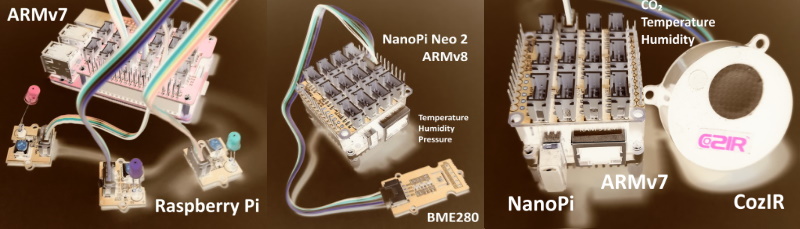
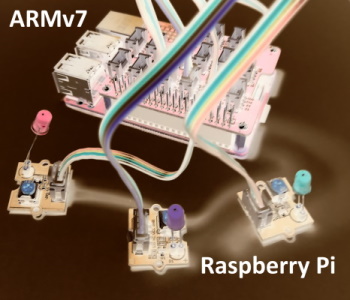
is designed for System on Chips (SoCs) such as Raspberry Pi, NanoPi, Banana Pi, and others.
What is c-periphery?
Abstract from the project web site:
c-periphery is a small C library for
GPIO,
LED,
PWM,
SPI,
I2C,
MMIO (Memory Mapped I/O)
Serial peripheral I/O
interface access in userspace Linux. c-periphery simplifies and consolidates the native Linux APIs to these interfaces. c-periphery is useful in embedded Linux environments (including Raspberry Pi, BeagleBone, etc. platforms) for interfacing with external peripherals. c-periphery is re-entrant, has no dependencies outside the standard C library and Linux, compiles into a static library for easy integration with other projects, and is MIT licensed
dart_periphery binds the c-periphery library with the help of the dart:ffi mechanism.
Nevertheless, dart_periphery tries to be close as possible to the original library.
See the following documentation. Thanks to Vanya Sergeev for his great job!
🤔 Why c-periphery?
The number of GPIO libraries/interfaces is shrinking:
import'package:dart_periphery/dart_periphery.dart';
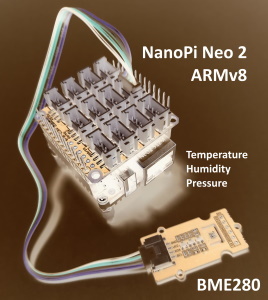
/// https://wiki.seeedstudio.com/Grove-Barometer_Sensor-BME280//// Grove - Temp&Humi&Barometer Sensor (BME280) is a breakout board for Bosch BMP280 high-precision,/// low-power combined humidity, pressure, and temperature sensor.voidmain() {
// Select the right I2C bus number /dev/i2c-?// 1 for Raspberry Pi, 0 for NanoPi (Armbian), 2 Banana Pi (Armbian)var i2c = I2C(1);
try {
print('I2C info:' + i2c.getI2Cinfo());
var bme280 = BME280(i2c);
var r = bme280.getValues();
print('Temperature [°] ${r.temperature.toStringAsFixed(1)}');
print('Humidity [%] ${r.humidity.toStringAsFixed(1)}');
print('Pressure [hPa] ${r.pressure.toStringAsFixed(1)}');
} finally {
i2c.dispose();
}
}
import'package:dart_periphery/dart_periphery.dart';
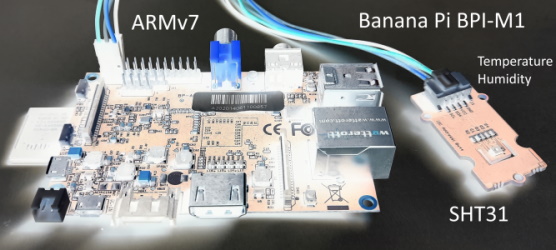
/// Grove - Temp&Humi Sensor(SHT31) is a highly reliable, accurate,/// quick response and integrated temperature & humidity sensor.voidmain() {
// Select the right I2C bus number /dev/i2c-?// 1 for Raspberry Pi, 0 for NanoPi (Armbian), 2 Banana Pi (Armbian)var i2c = I2C(1);
try {
var sht31 = SHT31(i2c);
print(sht31.getStatus());
print('Serial number ${sht31.getSerialNumber()}');
print('Sensor heater active: ${sht31.isHeaterOn()}');
var r = sht31.getValues();
print('SHT31 [t°] ${r.temperature.toStringAsFixed(2)}');
print('SHT31 [%°] ${r.humidity.toStringAsFixed(2)}');
} finally {
i2c.dispose();
}
}
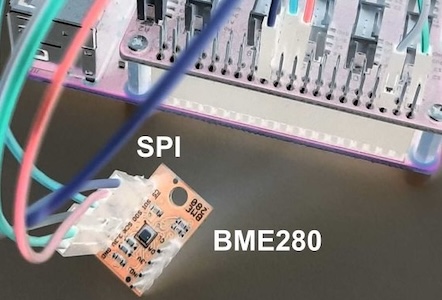
SPI
import'package:dart_periphery/dart_periphery.dart';
voidmain() {
var spi = SPI(0, 0, SPImode.mode0, 1000000);
try {
print('SPI info:' + spi.getSPIinfo());
var bme280 = BME280.spi(spi);
var r = bme280.getValues();
print('Temperature [°] ${r.temperature.toStringAsFixed(1)}');
print('Humidity [%] ${r.humidity.toStringAsFixed(1)}');
print('Pressure [hPa] ${r.pressure.toStringAsFixed(1)}');
} finally {
spi.dispose();
}
}
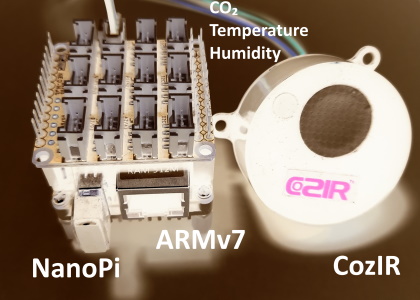
Serial
import'package:dart_periphery/dart_periphery.dart';
import'dart:io';
////// [COZIR CO2 Sensor](https://co2meters.com/Documentation/Manuals/Manual_GC_0024_0025_0026_Revised8.pdf)///voidmain() {
print('Serial test - COZIR CO2 Sensor');
var s = Serial('/dev/serial0', Baudrate.b9600);
try {
print('Serial interface info: ' + s.getSerialInfo());
// Return firmware version and sensor serial number - two lines
s.writeString('Y\r\n');
var event = s.read(256, 1000);
print(event.toString());
// Request temperature, humidity and CO2 level.
s.writeString('M 4164\r\n');
// Select polling mode
s.writeString('K 2\r\n');
// print any response
event = s.read(256, 1000);
print('Response ${event.toString()}');
sleep(Duration(seconds: 1));
for (var i = 0; i < 5; ++i) {
s.writeString('Q\r\n');
event = s.read(256, 1000);
print(event.toString());
sleep(Duration(seconds: 5));
}
} finally {
s.dispose();
}
}
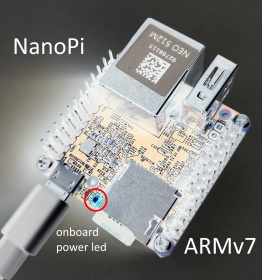
Led
import'package:dart_periphery/dart_periphery.dart';
import'dart:io';
voidmain() {
/// Nano Pi power led - see 'ls /sys/class/leds/'var led = Led('nanopi:red:pwr');
try {
print('Led handle: ${led.getLedInfo()}');
print('Led name: ${led.getLedName()}');
print('Led brightness: ${led.getBrightness()}');
print('Led maximum brightness: ${led.getMaxBrightness()}');
var inverse = !led.read();
print('Original led status: ${(!inverse)}');
print('Toggle led');
led.write(inverse);
sleep(Duration(seconds: 5));
inverse = !inverse;
print('Toggle led');
led.write(inverse);
sleep(Duration(seconds: 5));
print('Toggle led');
inverse = !inverse;
led.write(inverse);
sleep(Duration(seconds: 5));
print('Toggle led');
led.write(!inverse);
} finally {
led.dispose();
}
}
PWM
Ensure that PWM is correctly enabled. e.g. see the following documentation for the Raspberry Pi.
Important hint:dart_periphery includes an automatic mechanism to load the correct library.
The additional methods described here can be used to override this default mechanism if needed.
But be aware, any of these methods to disable or change the behaviour the auto detection must be
called before any dart_periphery interface is used!
/// Sets the tmp directory for the extraction of the libperiphery.so file.voidsetTempDirectory(String tmpDir)
/// Allows to load an existing libperiphery.so file from tmp directory. voidreuseTmpFileLibrary(bool reuse)
/// loads the shared library /// export LD_LIBRARY_PATH=/usr/local/lib:$LD_LIBRARY_PATHuseSharedLibrary();
If this method is called, dart_periphery loads the shared library. For this case c-periphery
must be installed as a shared library. See the section Shared Library for details.
To load a custom library call following method
voidsetCustomLibrary(String absolutePath)
This method can also be helpful for a currently not supported platform.
If you want to load the library from the current directory call
Starting from version 0.9.7, the default library handling mechanism creates a temporary library
file, named in the format e.g. pid_1456_libperiphery_arm.so. The unique process ID for each isolate
prevents repeated creation of the temporary library, avoiding crashes caused by overwriting an
actively used library.
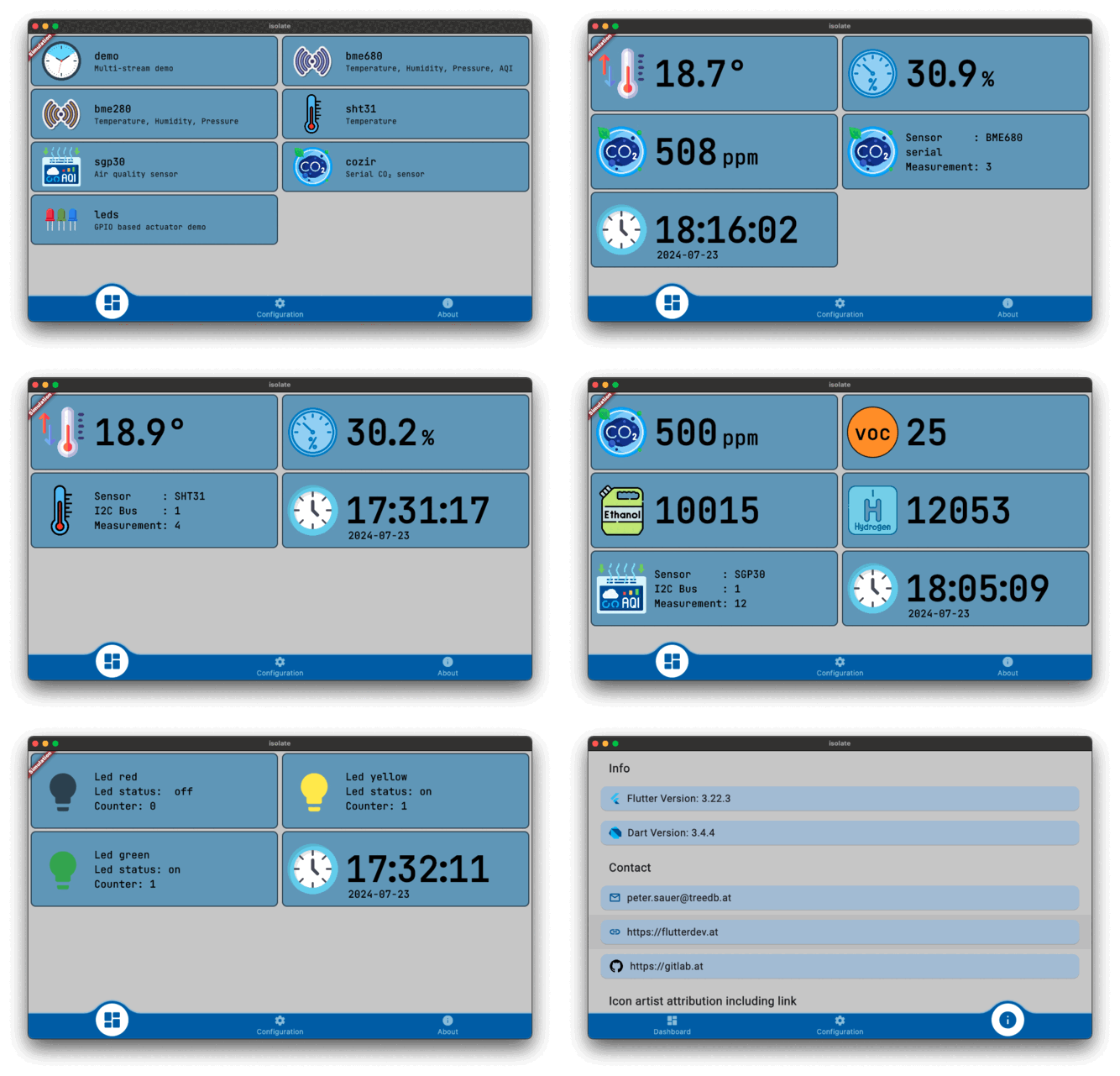
This subproject bases on
flutter-pi and implements a simple
Dart isolate/stream architecture designed to transfer sensor data from an isolate to the Flutter UI:
Isolate interface: This consists of the steps InitTask, MainTask, and ExitTask, along with a
limited back channel for controlling the Dart isolate. This setup is typically used for sensor
measurements:
InitTask: Initializes the sensor.
MainTask: Collects sensor data and passes it to a stream.
ExitTask: Disposes of the sensor.
Listening Mode: Supports user-defined handling for isolate events.
This variant remains on standby for data; once data is processed, the result is passed to the stream
and subsequently to the Flutter UI. This model is used for actuator control, such as operating a LED.
Support for Multiple Streams: Enables handling of multiple data streams simultaneously.
This project is currently still beta and development is ongoing.
💧 flutter_sensor_tester
This project builds upon the flutter_pi_sensor_tester by introducing a client/server architecture, enhancing its functionality for distributed applications.
Currently in its alpha stage, the project is scheduled for release in March 2025.
³ Raspberry Pi OS (64-bit), NanoPi Neo2 with a Allwinner H5, Quad-core 64-bit CPU
⁴ Fails for NanoPi, NanoPi Neo2 and Banana Pi on Armbian- same behavior like the original
c-periphery test program. This is a point of deeper investigations
Code review - this is my first public Dart project. I am a Java developer and probably I tend
to solve problems rather in the Java than in the Dart way.