Aus öffentlichen Paketdaten erstellte Orientierung.
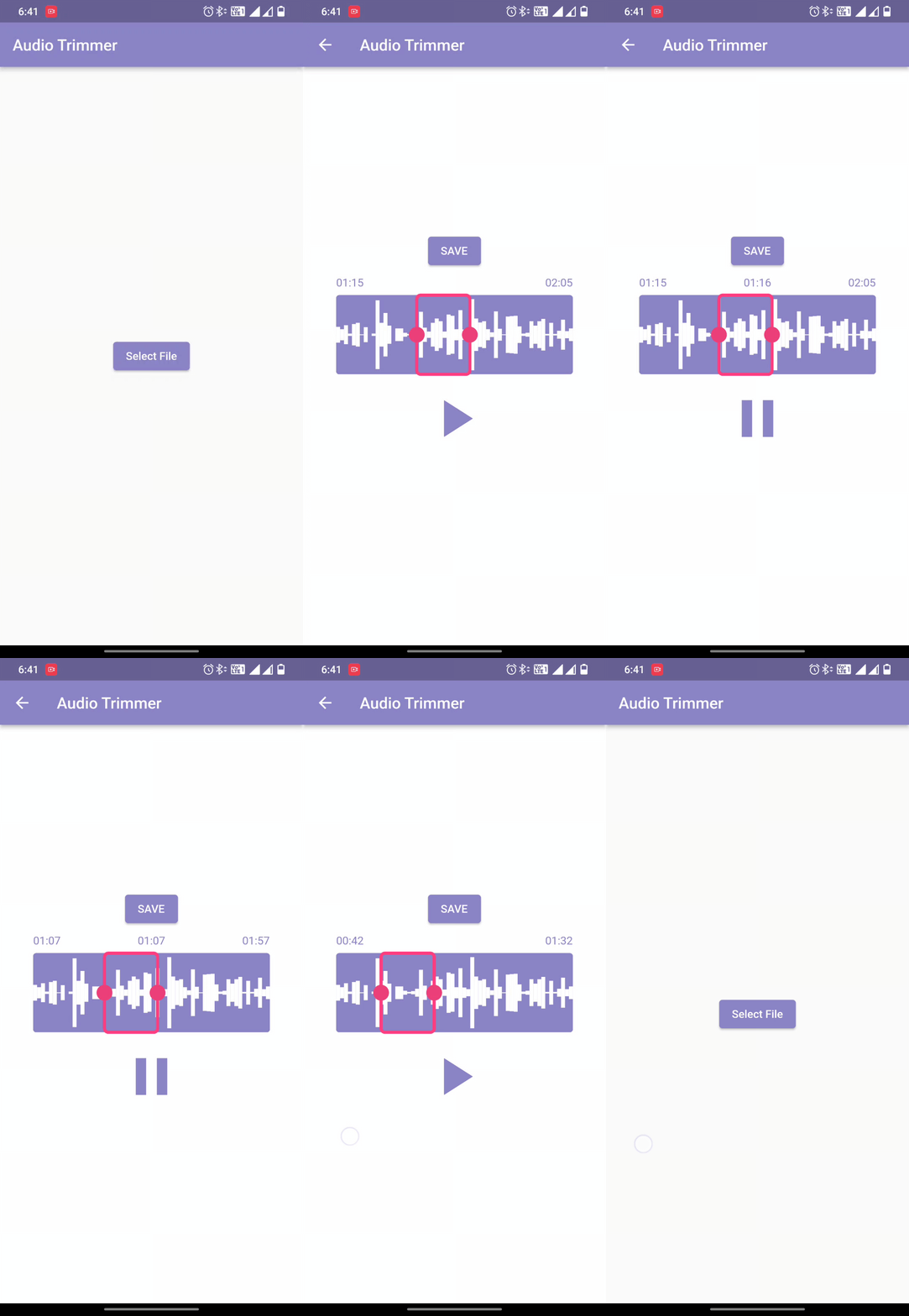
Easy Audio Trimmer ist ein Flutter-Paket, das entwickelt wurde, um Aufgaben zum Trimmen von Audiodateien zu vereinfachen. Es ermöglicht Benutzern, Audiodateien abzurufen, sie innerhalb angegebener Start- und Endzeiten zu schneiden und die resultierenden Clips in der Dateisystem des Geräts zu speichern. Das Paket unterstützt Android, iOS und macOS und ist somit für plattformübergreifende Audio-Editing-Anwendungen geeignet. Mit einfachen APIs wird die Integration in Apps, die grundlegende Audio-Manipulation erfordern, ohne komplizierte Einrichtung, erleichtert.
Anwendungsfälle
Erstellung von Audioschnitten
Podcast-Editierung
Stimmenaufnahmekürzung
Audioverarbeitung innerhalb der App
Vorbereitung von Social-Media-Inhalten
Hauptmerkmale
Einfache API zum Trimmen
Dateisystem-Speicherung
Plattformübergreifende Unterstützung
Zeitraumauswahl (Start/Ende)
Audiodateiabruf
Geeignet für
Entwickler, die Audio-Apps erstellen
Lernhilfsmittel mit Sprachaufnahme
Inhaltschöpfer, die schnelle Bearbeitungen benötigen
Mobile Apps mit Audiofunktionen
Apps, die leichte Audio-Editing erfordern
Hinweise
Erfordert Dateiberechtigungen unter Android und iOS
Beschränkt auf grundlegende Trim-Vorgänge
Keine Audioformatkonvertierung
Abhängig von der native Plattform-Audioverarbeitung
Kann zusätzliche Fehlerbehandlung für große Dateien erfordern
Original-README
Originaler README-Schnappschuss aus dem verknüpften Quell-Repository. Aktuelle Inhalte finden Sie im Repository.
Welcome to Easy Audio Trimmer! This is a Flutter package that allows you to easily trim audio files within your Flutter app.
Features
Trim audio files within your Flutter app
Specify the start and end times for the trimmed audio file
Audio playback control.
Retrieving and storing audio file.
Trimmed audio files are saved on the device
Easy to use with a simple function call
Compatible with most audio file formats (mp3, wav, aac, etc.)
While running on the Android platform if it gives an error that the minSdkVersion needs to be 24, or on iOS platform that the Podfile platform version should be 11, first go to pubspec.lock file and see if the version of ffmpeg_kit_flutter has -LTS suffix. This should fix all issues for iOS platform.
On Android, if you still face the same issue, try adding the following to the <project_directory>/android/app/src/main/AndroidManifest.xml:
"We would like to thank the contributors to the Video Trimmer repository for their invaluable assistance in creating this project. We used code from the Video Trimmer tool to implement the trimming and editing features in this project, and we are grateful for the opportunity to use it in our work. Thank you to the team behind Video Trimmer for their valuable contributions."
License
Copyright (c) 2022 Mayur Pitroda
Permission is hereby granted, free of charge, to any person obtaining a copy
of this software and associated documentation files (the "Software"), to deal
in the Software without restriction, including without limitation the rights
to use, copy, modify, merge, publish, distribute, sublicense, and/or sell
copies of the Software, and to permit persons to whom the Software is
furnished to do so, subject to the following conditions:
The above copyright notice and this permission notice shall be included in all
copies or substantial portions of the Software.
THE SOFTWARE IS PROVIDED "AS IS", WITHOUT WARRANTY OF ANY KIND, EXPRESS OR
IMPLIED, INCLUDING BUT NOT LIMITED TO THE WARRANTIES OF MERCHANTABILITY,
FITNESS FOR A PARTICULAR PURPOSE AND NONINFRINGEMENT. IN NO EVENT SHALL THE
AUTHORS OR COPYRIGHT HOLDERS BE LIABLE FOR ANY CLAIM, DAMAGES OR OTHER
LIABILITY, WHETHER IN AN ACTION OF CONTRACT, TORT OR OTHERWISE, ARISING FROM,
OUT OF OR IN CONNECTION WITH THE SOFTWARE OR THE USE OR OTHER DEALINGS IN THE
SOFTWARE.