Aus öffentlichen Paketdaten erstellte Orientierung.
Easy Formz ist ein Flutter-Paket, das entwickelt wurde, um die Formularverwaltung zu vereinfachen, indem es einen strukturierten Ansatz für die Formularerstellung und Validierung bereitstellt. Es reduziert Boilerplate-Code und steigert die Produktivität von Entwicklern durch intuitive APIs zur Verwaltung von Formularzuständen, Validierungsregeln und Übermittlungslogik. Auf Dart basiert, integriert es sich nahtlos in Flutter-Anwendungen auf mehreren Plattformen wie Android, iOS, Web, macOS, Windows und Linux. Durch den Einsatz immutabler Datenstrukturen und reaktiver Muster fördert das Paket sauberen, wartbaren Code. Es ist besonders nützlich für Entwickler, die mit minimalem Aufwand stabile, skalierbare Formulare erstellen möchten.
Anwendungsfälle
Formularerstellung mit minimalem Boilerplate
Reaktive Formularzustandsverwaltung
Plattformübergreifende Formularimplementierung
Komplexe Validierungslogikverarbeitung
Verbesserte Formularübermittlungsabläufe
Hauptmerkmale
Unveränderliche Formularzustände
Eingebaute Validierungswerkzeuge
Reaktive Formularupdates
Unterstützung für benutzerdefinierte Validatoren
Einfache Integration mit Flutter-Widgets
Geeignet für
Entwickler, die komplexe Formulare erstellen
Teams, die die Wartbarkeit des Codes priorisieren
Projekte, die eine plattformübergreifende Formularkonsistenz erfordern
Anwendungen mit strengen Validierungsanforderungen
Flutter-Anfänger lernen das Formularhandling
Hinweise
Erfahrung mit Reaktiven Programmierkonzepten erforderlich
Kann zusätzliche Einrichtung für erweiterte Validierungsszenarien erfordern
Am besten geeignet für Projekte, die State-Management-Lösungen wie Bloc oder Provider verwenden
Beschränkte Dokumentation über grundlegende Beispiele hinaus
Nicht ideal für sehr einfache Einmalformulare
Original-README
Originaler README-Schnappschuss aus dem verknüpften Quell-Repository. Aktuelle Inhalte finden Sie im Repository.
EasyFormz Package
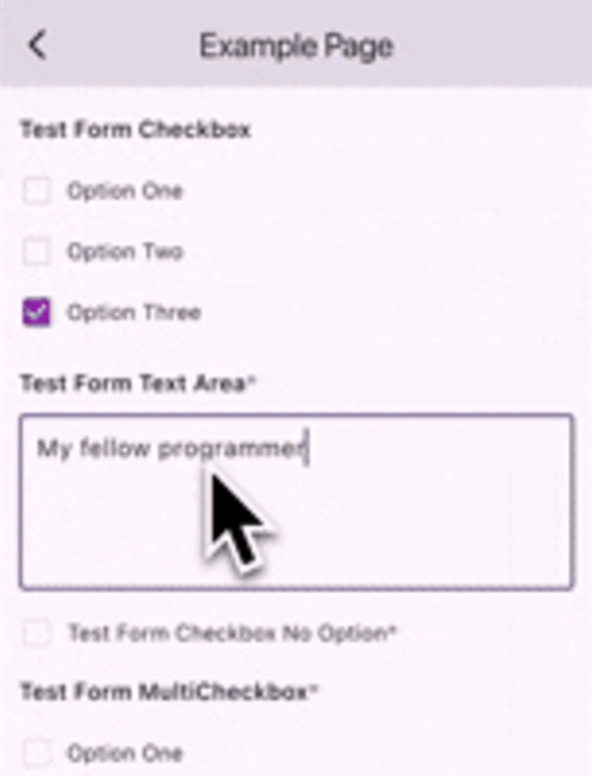
The purpose of this package is to facilitate the creation of dynamic forms based on data received from the server. The package provides several basic components, including form types such as 'input', 'textarea', 'dropdown', 'checkbox', 'multicheckbox', 'radio', 'date', and 'time'. Additionally, users have the flexibility to create custom forms if none of the predefined form types suit their needs.
Let's say you have a list of form page then you can do like the following example:
final formPages = [
    FormPage(
         id: 'gweorj29',
         label: 'Example Page 1',
         description: 'This form displays all the existing forms available',
         formConfigs: forms1,
     ),
        FormPage(
         id: 'gweorj29',
         label: 'Example Page 2',
         description: 'This form displays all the existing forms available',
         formConfigs: forms2,
     ),
];
To create a custom form component based on the form configuration using the customBuilder, consider the following example:
EasyFormz(
controller: controller,
customBuilder: (config, onValueChanged) {
if (config.type == 'custom_form') {
// Customize and return the specific custom form component based on the condition.returnCustomDropdown(
config: config,
onChanged: (value) => onValueChanged(value),
);
}
},
);
Custom Error Component Builder
Custom error component is available by using the errorBuilder, consider the following example:
To personalize the appearance of the dynamic form, you can modify the theme settings using the theme parameter. Below is an example of customizing the theme for a EasyFormz: