Pakete, Repositories und App-Kategorien suchen

Cover von fab_circular_menu_plus
Paketdetailsv0.0.4

fab_circular_menu_plus

Ein Flutter-Paket zum Erstellen eines schönen Kreis-Menüs mit einem schwebenden Aktionsschaltfläche.

AndroidiOSWebmacOSWindowsLinux
30-Tage-Downloads
571
Likes
56
Pub-Punkte
160

Paket installieren

flutter pub add fab_circular_menu_plus

Paketübersicht

Aus öffentlichen Paketdaten erstellte Orientierung.

Ein Flutter-Paket, das die Erstellung eleganter kreisförmiger Menüs um einen Floating Action Button (FAB) ermöglicht. Es bietet reibungslose Animationen und anpassbare Optionen für Menüelemente, wodurch es ideal für die Verbesserung der Benutzerinteraktion in mobilen und Web-Anwendungen ist. Das Paket unterstützt mehrere Plattformen wie Android, iOS, Web, macOS, Windows und Linux und sorgt für ein konsistentes Verhalten über Geräte hinweg. Durch intuitive Konfiguration und responsive Design wird die Implementierung interaktiver FAB-basierter Navigation vereinfacht.

Anwendungsfälle

  • Interaktive FAB-Menüs in mobilen Apps hinzufügen
  • Verbesserung der Benutzeroberfläche mit animierten kreisförmigen Aktionen
  • Kontextbezogene Schnellaktionsschnittstellen erstellen
  • Gestenbasierte Navigation in Web-Anwendungen umsetzen
  • Gestaltung von barrierefreien, berührungsfreundlichen Steuerelementen

Hauptmerkmale

  • Glatte kreisförmige Animation für Menüerweiterung
  • Anpassbare Menüelement-Layouts und -Stile
  • Unterstützung für mehrere Plattformziele
  • Einfache Integration mit bestehenden FAB-Komponenten
  • Konfigurierbare Auslösegesten und -zeiten

Geeignet für

  • Entwickler, die funktionenreiche mobile Benutzeroberflächen erstellen
  • Designer, die dynamische FAB-Interaktionen suchen
  • Teams, die auf plattformübergreifende Konsistenz abzielen
  • Apps, die eine intuitive Gestenbasierte Navigation erfordern
  • Projekte, die auf visuelle Aufwertung und Benutzerengagement setzen

Hinweise

  • Kann eine Leistungsoptimierung auf Low-End-Geräten erfordern
  • Begrenzte Anpassungsmöglichkeiten für komplexe Menüverhalten
  • Abhängig von der Stabilität des Gestensystems von Flutter
  • Nicht ideal für dichte Menüstrukturen
  • Am besten geeignet für moderate Anzahlen von Menüelementen (4–8)

Original-README

Originaler README-Schnappschuss aus dem verknüpften Quell-Repository. Aktuelle Inhalte finden Sie im Repository.

FAB Circular Menu

Pub package License Null safety Platform

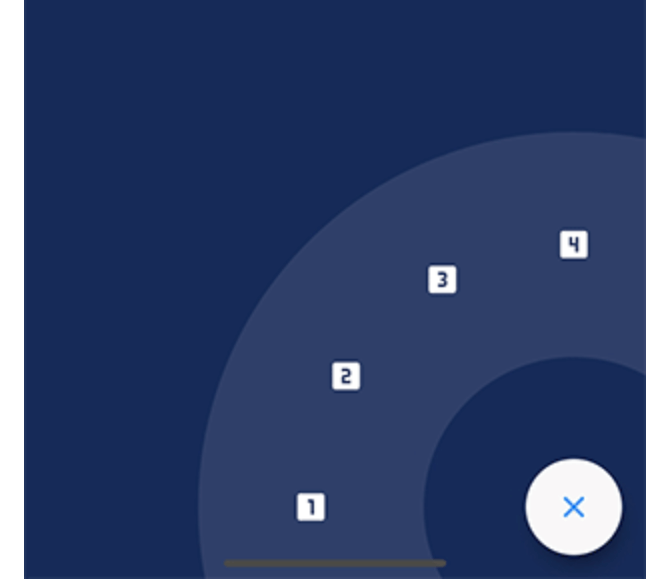
A Flutter package to create a nice circular menu using a Floating Action Button.

Originally inspired by Mayur Kshirsagar's great FAB Microinteraction design. It is implemented as a Flutter plugin by Mariano Cordova (source code). This plugin is the continuation of the discontinued original plugin. I merged some of my bug fixes and made some changes to my liking.

I forked this plugin out of necessity and I have only a very limited time for maintenance, so PRs are highly welcome if any change is desired.

Showcase

Installation

Just add fab_circular_menu_plus to your pubspec.yml file

dependencies:
  fab_circular_menu_plus: ^0.0.1

Example

class MyApp extends StatelessWidget {
  @override
  Widget build(BuildContext context) {
    return MaterialApp(
      home: Scaffold(
        body: Placeholder(),
        floatingActionButton: FabCircularMenuPlus(
          children: <Widget>[
            IconButton(icon: Icon(Icons.home), onPressed: () {
              print('Home');
            }),
            IconButton(icon: Icon(Icons.favorite), onPressed: () {
              print('Favorite');
            })
          ]
        )
      )
    );
  }
}

You can check for a more complete example in the example directory.

Customize

You can customize the widget appearance using the following properties:

Property Description Default
alignment Sets the widget alignment Alignment.bottomRight
ringColor Sets the ring color accentColor
ringDiameterLimitFactor Sets the ring diameter limit factor 1.5
ringDiameter Sets the ring diameter screenWidth * ringDiameterLimitFactor (portrait)
screenHeight * ringDiameterLimitFactor (landscape)
ringWidthLimitFactor Sets the ring width limit factor 0.2
ringWidth Sets the ring width ringDiameter * ringWidthLimitFactor
fabSize Sets the FAB size 64.0
fabElevation Sets the elevation for the FAB 8.0
fabColor Sets the FAB color primaryColor
fabOpenColor Sets the FAB color while the menu is open. This property takes precedence over fabColor -
fabCloseColor Sets the FAB color while the menu is closed. This property takes precedence over fabColor -
fabChild Sets the child inside the FAB. This property takes precedence over fabOpenicon and fabCloseIcon -
fabOpenIcon Sets the FAB icon while the menu is open Icon(Icons.menu)
fabCloseIcon Sets the FAB icon while the menu is closed Icon(Icons.close)
fabMargin Sets the widget margin EdgeInsets.all(16.0)
animationDuration Changes the animation duration Duration(milliseconds: 800)
animationCurve Allows you to modify the animation curve Curves.easeInOutCirc
onDisplayChange This callback is called every time the menu is opened or closed, passing the current state as a parameter. -

Handling the menu programmatically

It is possible to handle the menu programmatically by using a key. Just create a key and set it in the key property of the FabCircularMenuPlus, then use the key to get the current state and open, close or check the status of the menu.

class MyApp extends StatelessWidget {
  final GlobalKey<FabCircularMenuPlusState> fabKey = GlobalKey();

  @override
  Widget build(BuildContext context) {
    return MaterialApp(
      home: Scaffold(
        body: RaisedButton(
          onPressed: () {
            if (fabKey.currentState.isOpen) {
              fabKey.currentState.close();
            } else {
              fabKey.currentState.open();
            }
          },
          child: Text('Toggle menu')
        ),
        floatingActionButton: FabCircularMenuPlus(
          key: fabKey,
          children: <Widget>[
            // ...
          ]
        )
      )
    );
  }
}

Contributing

I will be very happy if you contribute to this project, feel free to submit a PR.

Kategorien

Abhängigkeiten

Abhängigkeiten 1 Einträge

Quell-Repository

Projekte, die dieses Paket verwenden