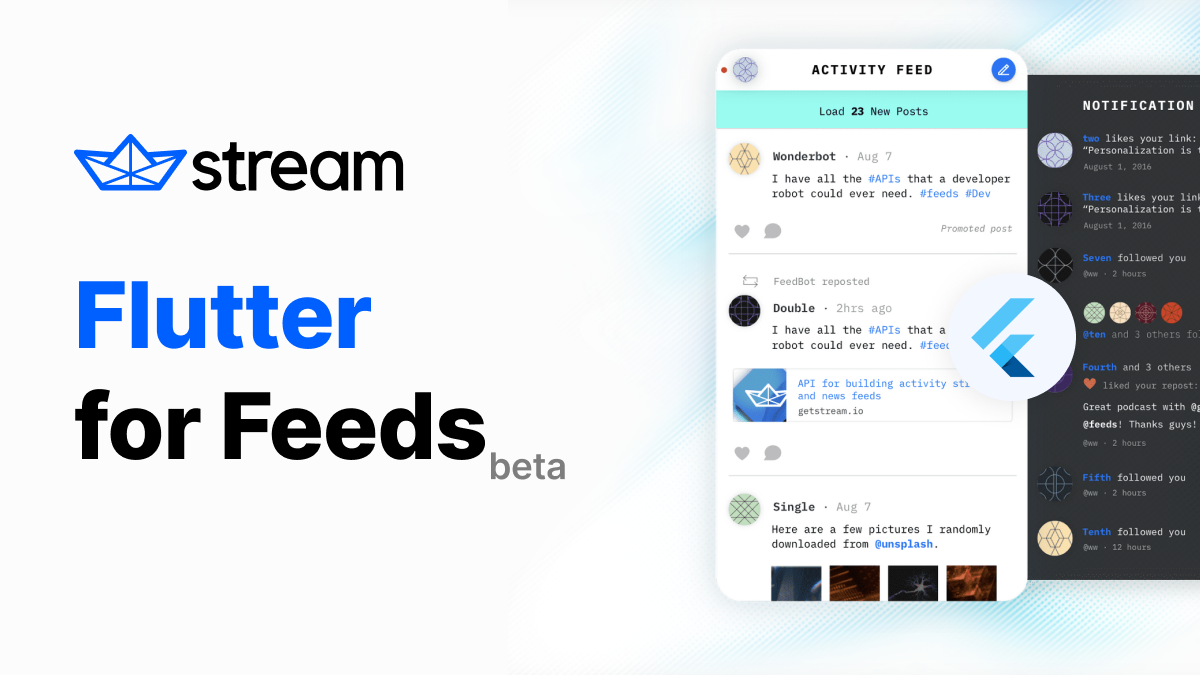
Faye ist ein Publish/Subscribe-Nachrichtenprotokoll, das auf dem Bayeux-Protokoll basiert, einem Nachrichtensystem, das zur Übertragung asynchroner Nachrichten über HTTP verwendet wird.
Aus öffentlichen Paketdaten erstellte Orientierung.
Faye Dart ist eine Client-Bibliothek für das Faye-Publish/Subscribe-Nachrichtenprotokoll, die auf dem Bayeux-Protokoll basiert und die Echtzeit-Asynchronübertragung von Nachrichten über HTTP ermöglicht. Sie ermöglicht es Flutter-Anwendungen, Live-Updates von Servern zu erhalten, was sie ideal für Chat-Apps, Benachrichtigungen und kooperative Tools macht. Das Paket unterstützt mehrere Plattformen wie Android, iOS, Web, macOS, Windows und Linux und gewährleistet damit plattformübergreifende Konsistenz. Entwickelt von GetStream.io, integriert es sich nahtlos in Flutter-Projekte über pub.dev.
Anwendungsfälle
Echtzeit-Chats-Anwendungen
Live-Benachrichtigungen
Kooperationseditoren
Streaming-Datenaktualisierungen
Server-sent Event-Verarbeitung
Hauptmerkmale
Plattformübergreifende Unterstützung
Leichte Bayeux-Protokollimplementierung
Asynchrone Nachrichtenübermittlung
Einfache Integration mit Flutter
Unterstützt sowohl Veröffentlichen als auch Abonnieren
Geeignet für
Echtzeit-Funktionsentwicklung
Apps, die Server-Push-Benachrichtigungen erfordern
Multiplattform-Anwendungen
Backend-getriebene UI-Aktualisierungen
Hochinteraktive Benutzeroberflächen
Hinweise
Benötigt einen kompatiblen Faye-Server
Beschränkt auf HTTP-basierten Transport
Könnte zusätzliche Fehlerbehandlung für Netzwerkinstabilität erforderlich sein
Abhängig von externer Server-Infrastruktur
Nicht geeignet für hochfrequente, niedriglatenzige Szenarien ohne Optimierung
Original-README
Originaler README-Schnappschuss aus dem verknüpften Quell-Repository. Aktuelle Inhalte finden Sie im Repository.
The official Dart client for Stream Activity Feeds, a service for building activity feed applications. This library can be used on any Dart project and on both mobile and web apps with Flutter. You can sign up for a Stream account at https://getstream.io/get_started.
Note: The user interface for the activity feed can vary widely across different apps. Most of our activity feed customers integrate with Stream via their backend and build their own UI. This takes advantage of Stream’s scalability while keeping full control over the UI. We update this library but not as frequently as other SDKs.
:warning: This SDK is no longer actively maintained by Stream
A Feeds integration includes a combination of server-side and client-side code and the interface can vary widely which is why we are no longer focussing on supporting this SDK. If you are starting from scratch we recommend you only use the server-side SDKs.
This is by no means a reflection of our commitment to maintaining and improving the Feeds API which will always be a product that we support.
We continue to welcome pull requests from community members in case you want to improve this SDK.
🔗 Quick Links
Register to get an API key for Stream Activity Feeds
Tutorial to learn how to setup a timeline feed, follow other feeds and post new activities.
This package can be integrated into Flutter applications. Remember to not expose the App Secret in your Flutter web apps, mobile apps, or other non-trusted environments like desktop apps.
🔌 Usage
API client setup Serverside + Clientside
If you want to use the API client directly on your web/mobile app you need to generate a user token server-side and pass it.
Server-side token generation
// Instantiate a new client (server side)const apiKey = 'my-API-key';
const secret = 'my-API-secret';
// Instantiate a new client (server side)var client = StreamFeedClient(apiKey, secret: secret);
// Optionally supply the app identifier and an options object specifying the data center to use and timeout for requests (15s)
client = StreamFeedClient(apiKey,
secret: secret,
appId: 'yourappid',
options: StreamHttpClientOptions(
location: Location.usEast, connectTimeout: Duration(seconds: 15)));
// Create a token for user with id "the-user-id"final userToken = client.frontendToken('the-user-id');
:warning: for security, you must never expose your API secret or generated client side token, and it's highly recommended to use exp claim in client side token.
Client API init
// Instantiate new client with a user tokenvar client = StreamFeedClient(apiKey, token: Token('userToken'));
🔮 Examples
// Instantiate a feed object server sidevar user1 = client.flatFeed('user', '1');
// Get activities from 5 to 10 (slow pagination)final activities = await user1.getActivities(limit: 5, offset: 5);
// Filter on an id less than a given UUIDfinal filtered_activities = await user1.getActivities(
limit: 5,
filter: Filter().idLessThan('e561de8f-00f1-11e4-b400-0cc47a024be0')
// All API calls are performed asynchronous and return a Promise objectawait user1
.getActivities(
limit: 5,
filter: Filter().idLessThan('e561de8f-00f1-11e4-b400-0cc47a024be0'))
.then((value) => /* on success */print(value))
.onError((error,
stackTrace) => /* on failure, reason.error contains an explanation */print(error));
// Create a new activityfinal activity = Activity( actor: '1', verb: 'tweet', object: '1', foreignId: 'tweet:1' );
final added_activity = await user1.addActivity(activity);
// Create a bit more complex activityfinal complex_activity = Activity(
actor: '1',
verb: 'run',
object: '1',
foreignId: 'run:1',
extraData: {
'course': {'name': 'Golden Gate park', 'distance': 10},
'participants': ['Thierry', 'Tommaso'],
'started_at': DateTime.now().toIso8601String(),
},
);
final added_complex_activity = await user1.addActivity(complex_activity);
// Remove an activity by its idawait user1.removeActivityById('e561de8f-00f1-11e4-b400-0cc47a024be0');
// or remove by the foreign idawait user1.removeActivityByForeignId('tweet:1');
// mark a notification feed as readawait notification1.getActivities(
marker: ActivityMarker().allRead(),
);
// mark a notification feed as seenawait notification1.getActivities(
marker: ActivityMarker().allSeen(),
);
// Follow another feedawait user1.follow(client.flatFeed('flat', '42'));
// Stop following another feedawait user1.unfollow(client.flatFeed('flat', '42'));
// Stop following another feed while keeping previously published activities// from that feedawait user1.unfollow(client.flatFeed('flat', '42'), keepHistory: true);
// Follow another feed without copying the historyawait user1.follow(client.flatFeed('flat', '42'), activityCopyLimit: 0);
// List followers, followingawait user1.getFollowers(limit: 10, offset: 10);
await user1.getFollowed(limit: 10, offset: 0);
await user1.follow(client.flatFeed('flat', '42'));
// adding multiple activitiesconst activities = [
Activity(actor: '1', verb: 'tweet', object: '1'),
Activity(actor: '2', verb: 'tweet', object: '3'),
];
await user1.addActivities(activities);
// specifying additional feeds to push the activity to using the to param// especially useful for notification style feedsfinal to = FeedId.fromIds(['user:2', 'user:3']);
final activityTo = Activity(
to: to,
actor: '1',
verb: 'tweet',
object: '1',
foreignId: 'tweet:1',
);
await user1.addActivity(activityTo);
// adding one activity to multiple feedsfinal feeds = FeedId.fromIds(['flat:1', 'flat:2', 'flat:3', 'flat:4']);
final activityTarget = Activity(
actor: 'User:2',
verb: 'pin',
object: 'Place:42',
target: 'Board:1',
);
// ⚠️ server-side only!await client.batch.addToMany(activityTarget, feeds!);
// Batch create follow relations (let flat:1 follow user:1, user:2 and user:3 feeds in one single request)const follows = [
FollowRelation(source: 'flat:1', target: 'user:1'),
FollowRelation(source:'flat:1', target: 'user:2'),
FollowRelation(source:'flat:1', target: 'user:3'),
];
// ⚠️ server-side only!await client.batch.followMany(follows);
// Updating parts of an activityfinalset = {
'product.price': 19.99,
shares: {
facebook: '...',
twitter: '...',
},
};
final unset = ['daily_likes', 'popularity'];
// ...by IDfinal update = ActivityUpdate.withId( '54a60c1e-4ee3-494b-a1e3-50c06acb5ed4', set, unset);
await client.updateActivityById(update);
// ...or by combination of foreign ID and timeconst timestamp = DateTime.now();
const foreignID= 'product:123';
final update2 = ActivityUpdate.withForeignId(
foreignID,
timestamp,
set,
unset,
);
await client.updateActivityById(update2);
// update the 'to' fields on an existing activity// client.flatFeed("user", "ken").function (foreign_id, timestamp, new_targets, added_targets, removed_targets)// new_targets, added_targets, and removed_targets are all arrays of feed IDs// either provide only the `new_targets` parameter (will replace all targets on the activity),// OR provide the added_targets and removed_targets parameters// NOTE - the updateActivityToTargets method is not intended to be used in a browser environment.await client.flatFeed('user', 'ken').updateActivityToTargets('foreign_id:1234', timestamp, ['feed:1234']);
await client.flatFeed('user', 'ken').updateActivityToTargets('foreign_id:1234', timestamp, null, ['feed:1234']);
await client.flatFeed('user', 'ken').updateActivityToTargets('foreign_id:1234', timestamp, null, null, ['feed:1234']);
Realtime (Faye)
Stream uses Faye for realtime notifications. Below is quick guide to subscribing to feed changes
// ⚠️ userToken is generated server-side (see previous section)final client = StreamFeedClient('YOUR_API_KEY', token: userToken,appId: 'APP_ID');
final user1 = client.flatFeed('user', '1');
// subscribe to the changesfinal subscription = await userFeed.subscribe((message) => print(message));
// now whenever something changes to the feed user 1// the callback will be called// To cancel a subscription you can call cancel on the// object returned from a subscribe call.// This will remove the listener from this channel.await subscription.cancel();
Stream is free for most side and hobby projects. To qualify your project/company needs to have < 5 team members and < $10k in monthly revenue.
For complete pricing details visit our Feed Pricing Page
Structure
Stream Feed Dart is a monorepo built using Melos. Individual packages can be found in the packages directory while configuration and top level commands can be found in melos.yaml.
To get started, run bootstrap after cloning the project.
melos bootstrap
Dart version requirements
This API Client project requires Dart v2.12 at a minimum.
You can find generic API documentation enriched by code snippets from this package at https://getstream.io/activity-feeds/docs/flutter-dart/?language=dart
We've recently closed a $38 million Series B funding round and we keep actively growing.
Our APIs are used by more than a billion end-users, and you'll have a chance to make a huge impact on the product within a team of the strongest engineers all over the world.