Pakete, Repositories und App-Kategorien suchen

Paketdetailsv1.1.3

floatingpanel

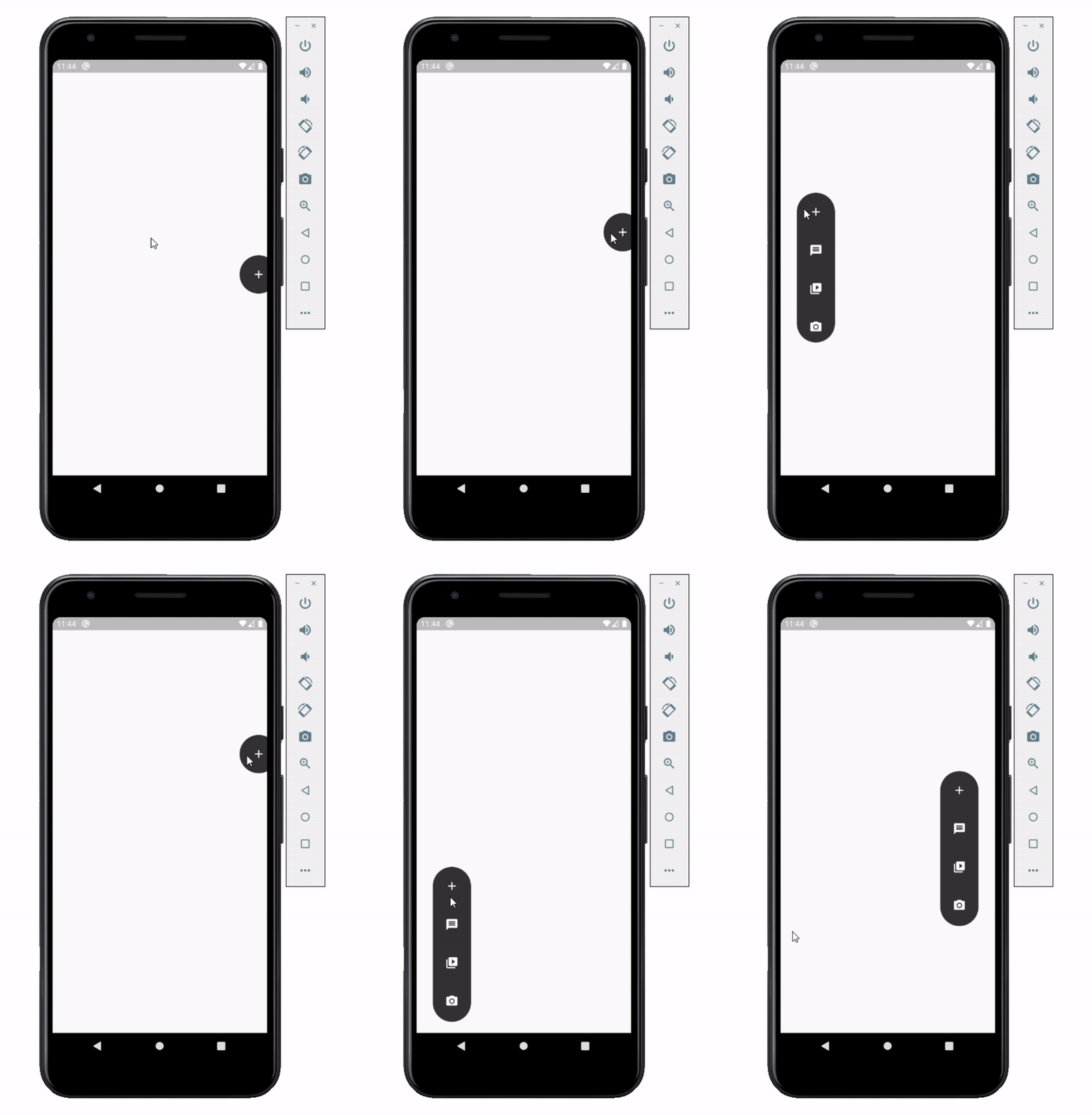
Der Floating Panel hilft Ihnen, einfach zu bedienende Menüs zu erstellen, die Sie an jede Kante des Bildschirms (horizontal) ziehen und ablegen können.

30-Tage-Downloads
44
Likes
130
Pub-Punkte
30

Paket installieren

flutter pub add floatingpanel

Paketübersicht

Aus öffentlichen Paketdaten erstellte Orientierung.

FloatingPanel ist ein Flutter-Paket, das Entwicklern ermöglicht, ziehbare Fließmenüs zu erstellen, die an jeder horizontalen Kante des Bildschirms positioniert werden können. Es bietet eine reibungslose, interaktive Benutzererfahrung, bei der Benutzer das Panel mit Gesten bewegen können, was es ideal für den schnellen Zugriff auf Aktionen oder Navigationsoptionen macht. Das Paket ist leichtgewichtig und lässt sich nahtlos in bestehende Flutter-Anwendungen integrieren. Es unterstützt die Anpassung von Aussehen und Verhalten über konfigurierbare Eigenschaften. Mit dem Fokus auf Einfachheit verbessert FloatingPanel die Benutzeroberflächengestaltung durch eine intuitive Möglichkeit, kontextbezogene Steuerelemente darzustellen.

Anwendungsfälle

  • Schnellaktionen-Menüs
  • Kontextuelle Navigation
  • Geste-basierte Benutzeroberflächenelemente
  • Mobile-App-Werkzeugleiste
  • Anpassbare Seitenplatten
  • Benutzereinstellungen

Hauptmerkmale

  • Ziehbare Positionierung
  • Horizontale Kanten-Ausrichtung
  • Glatte Gestenunterstützung
  • Anpassbare Erscheinung
  • Leichte Implementierung
  • Einfache Integration mit Flutter

Geeignet für

  • Mobile-App-Entwickler
  • UI/UX-Designer
  • Interaktive Widget-Ersteller
  • Flutter-Anfänger
  • Apps, die schwebende Steuerungen benötigen
  • Geste-basierte Schnittstellen

Hinweise

  • Beschränkt auf horizontale Kanten
  • Kein vertikaler Kantenanschluss
  • Kann zusätzliche Stilisierung erfordern
  • Nicht geeignet für komplexe Layouts
  • Die Leistung hängt von der Komplexität des Inhalts ab
  • Benötigt manuelle Behandlung von Randbedingungen
Original-README

Originaler README-Schnappschuss aus dem verknüpften Quell-Repository. Aktuelle Inhalte finden Sie im Repository.

Flutter Float Box

Float Box - v1.0

Overview

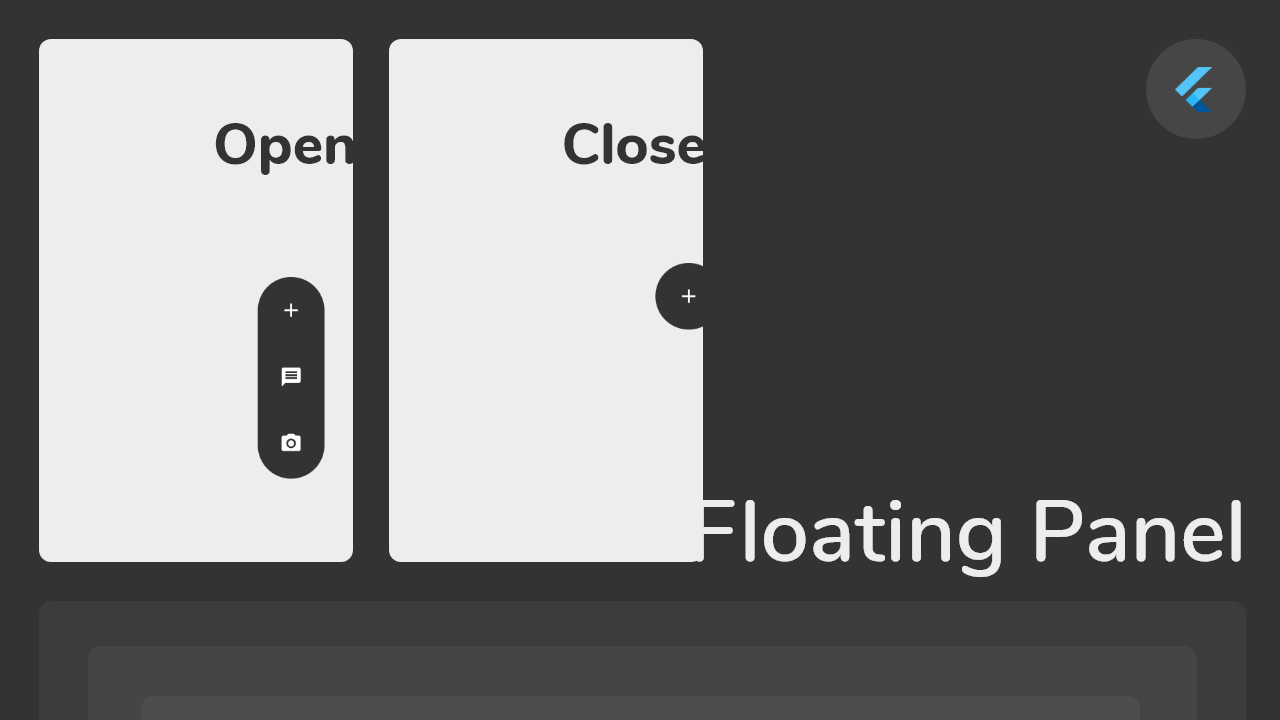
alt Floating Panel

Float box is a true floating panel for your app, which can be docked to either edges of the screen (horizontally).

Code - Basic:

This is what you needs to get the widget working. Import Widget -> Add 'FloatBoxPanel' at the bottom of your stack widget. Add icons inside the "buttons" list.

import 'package:widgets/float_box.dart'; // Import Float Box Widget

Stack(
    children: [
        ...

        // Add Float Box Panel at the bottom of the 'stack' widget.
        FloatBoxPanel(
            buttons: [
                // Add Icons to the buttons list.
                Icons.message,
                Icons.photo_camera,
                Icons.video_library
            ]
        );
    ]
);

alt Floating Panel

Code - All Properties:

These are all the properties you can customize of the floating panel.

    import 'package:widgets/float_box.dart'; // Import Float Box Widget
    
    Stack(
        children: [
            ...
    
            // Add Float Box Panel at the bottom of the 'stack' widget.
            FloatBoxPanel(
                positionTop: 0.0, // Initial Top Position
                positionLeft: 0.0, // Initial Left Position
                backgroundColor: Color(0xFFEDEDED), // Color of the panel
                contentColor: Colors.black, // Color of the icons
                panelShape: PanelShape.rectangle, // 'PanelShape.rectangle' or 'PanelShape.rounded', border radius property doesn't work in the rounded shape
                borderRadius: BorderRadius.circular(8.0), // Border radius of the panel
                dockType: DockType.inside, // 'DockType.inside' or 'DockType.outside', weather to dock the panel outside or inside the edge of the screen
                dockOffset: 5.0, // Offset the dock from the edge depending on the 'dockType' property
                panelAnimDuration: 300, // Duration for panel open and close animation
                panelAnimCurve: Curves.easeOut, // Curve for panel open and close animation
                dockAnimDuration: 300, // Auto dock to the edge of screen - animation duration
                dockAnimCurve: Curves.easeOut, // Auto dock animation curve
                panelOpenOffset: 20.0, // Offset from the edge of screen when panel is open
                panelIcon: Icons.menu, // Panel open/close icon
                size: 70.0, // Size of single button in the panel
                iconSize: 24.0, // Size of icons
                borderWidth: 1.0, // Width of panel border
                borderColor: Colors.black, // Color of panel border
                onPressed: (index) {
                    print("Clicked on item: $index");
                }
                buttons: [
                    // Add Icons to the buttons list.
                    Icons.message,
                    Icons.photo_camera,
                    Icons.video_library
                ]
            );
        ]
    );

Kategorien

Quell-Repository

Projekte, die dieses Paket verwenden

Noch keine Daten verfügbar.