Aus öffentlichen Paketdaten erstellte Orientierung.
Ein Flutter-Paket, das entwickelt wurde, um EPUB-Dokumente mithilfe von Epub.js und flutter_inappwebview anzuzeigen. Es ermöglicht eine nahtlose Integration interaktiver, reaktionsfähiger E-Book-Lesefunktionen in Flutter-Anwendungen mit Funktionen wie Textauswahl, Navigation und Formatierung. Ideal für Bildungs-, Bibliotheks- oder inhaltsreiche Anwendungen, die Offline- oder Online-Buchansicht erfordern. Das Paket ist mit Android- und iOS-Plattformen kompatibel.
Anwendungsfälle
Digitale Bücher in Apps lesen
Bereitstellung von Bildungsinhalten
Offline-Dokumentenansicht
Bibliotheksanwendung Integration
Interaktive Lehrbuchanzeigen
Hauptmerkmale
Unterstützt EPUB-Format
Verwendet Epub.js für die Darstellung
Integriert sich mit flutter_inappwebview
Reaktive und interaktive Benutzeroberfläche
Textauswahl und Navigation
Geeignet für
E-Learning-Apps
Digitale Bibliotheks-Tools
Inhaltsverlage
Mobile Leseanwendungen
Apps, die Offline-EPUB-Unterstützung benötigen
Hinweise
Internetverbindung für die erste WebView-Einrichtung erforderlich
Eingeschränkte Anpassung der EPUB-Darstellung
Abhängig von der Leistung des externen WebView
Kann auf verschiedenen Geräten zu Layout-Unstimmigkeiten führen
Nicht für sehr große EPUB-Dateien optimiert
Original-README
Originaler README-Schnappschuss aus dem verknüpften Quell-Repository. Aktuelle Inhalte finden Sie im Repository.
Flutter Epub Viewer
A powerful Flutter package for viewing EPUB documents, built by combining the capabilities of Epub.js and flutter_inappwebview. This package provides a highly customizable and feature-rich EPUB reader for your Flutter applications.
✨ Features
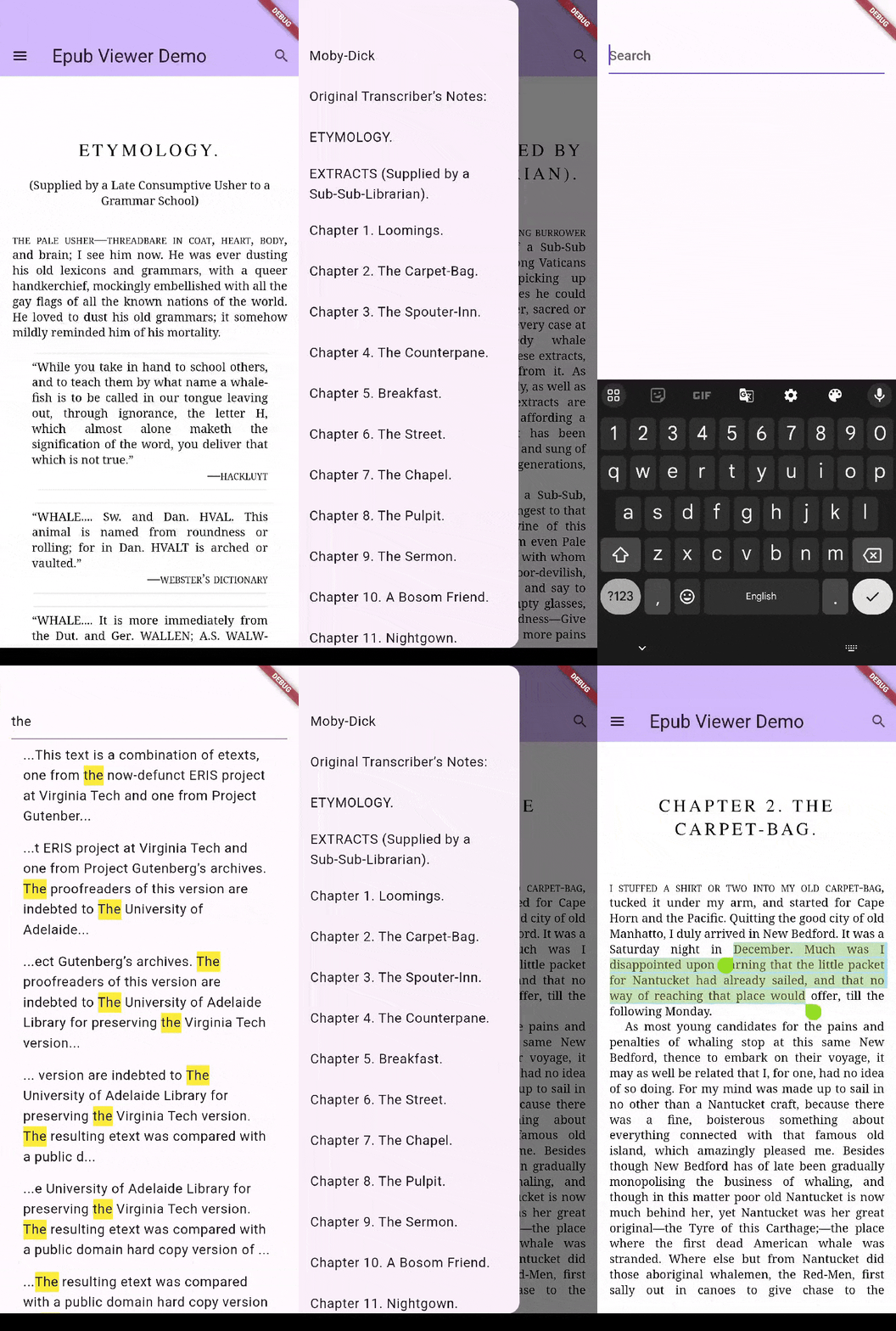
Text Highlighting: Highlight important text within the EPUB.
Search Functionality: Search for specific terms or phrases within the book.
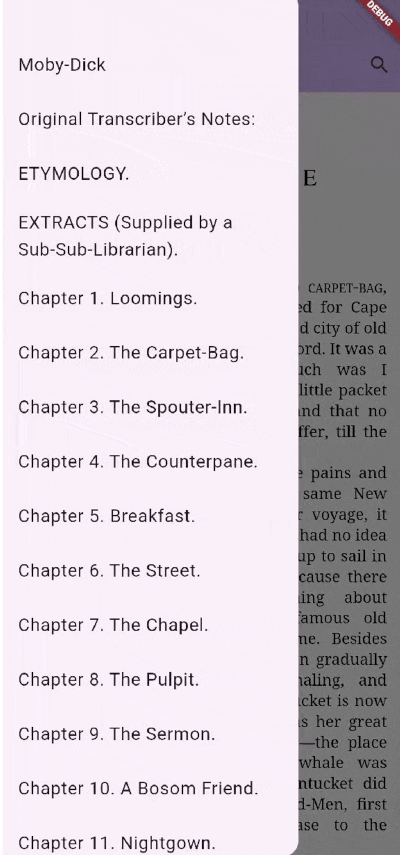
Chapter Listing: Easy navigation through chapters.
Text Selection: Select text for copying or other actions.
Customizable UI: Tailor the look and feel to match your app's design.
Reading Progress: Resume reading from where you left off using CFI (Canonical Fragment Identifier).
Custom Context Menus: Define custom actions for text selection.
Versatile Loading: Load EPUBs from Files, URLs, or Assets.
Also, ensure you complete the platform-wise setup for flutter_inappwebview as described here.
Web
Web is supported out of the box — no extra setup is required. Instead of a webview
plugin, the viewer renders epub.js inside a native <iframe> and communicates with
it through dart:js_interop, so all EpubController/EpubViewer APIs and callbacks
behave the same as on mobile.
Notes for web:
Prefer EpubSource.fromData(Uint8List) or EpubSource.fromAsset(...). EpubSource.fromUrl(...)
works only if the remote server sends permissive CORS headers; EpubSource.fromFile(...)
is not available (there is no filesystem).
The epub <iframe> composites above the Flutter scene, so Flutter widgets placed
over the viewer (a Drawer, dialog, or pushed route) may not receive taps. Keep
interactive controls outside the viewer's rectangle (e.g. an AppBar or a side
panel) — see the example app.
macOS
macOS uses the same flutter_inappwebview (WKWebView) rendering path as iOS, so
all EpubController/EpubViewer APIs and callbacks behave the same as on mobile.
Requires a macOS deployment target of 10.13 or higher (a
flutter_inappwebview requirement). Set platform :osx, '10.13' (or higher) in
your app's macos/Podfile if it is currently lower.
Loading an EPUB from the network (EpubSource.fromUrl(...)) or writing
highlights/annotations may require the App Sandbox network entitlement. Add
com.apple.security.network.client to macos/Runner/*.entitlements if network
loads fail.
Complete the macOS setup for flutter_inappwebview as described
here.
⚠️ Migrating from 1.x to 2.0
The package no longer re-exports flutter_inappwebview's ContextMenu. Replace it
with the package-owned EpubContextMenu / EpubContextMenuItem:
Request methods (getCurrentLocation, search, extractText, getRectFromCfi,
…) now return their values directly and throw TimeoutException instead of hanging
if the viewer never replies. Tune the wait via EpubController.requestTimeout.
Source of the EPUB (URL, File, or Asset). Note: OPF format is not fully tested.
headers
Map<String, String>
HTTP headers for loading EPUBs from the network.
initialCfi
String?
Initial CFI string to specify the starting position. Defaults to the first chapter if null.
displaySettings
EpubDisplaySettings?
Initial display settings (flow, snap, etc.).
selectionContextMenu
EpubContextMenu?
Custom context menu for text selection (mobile). If null, the default menu is used. Ignored on web.
selectAnnotationRange
bool
If true, clicking an annotation automatically selects the text range. Defaults to false.
Callbacks
Callback
Description
onEpubLoaded
Called when the EPUB is successfully loaded and displayed.
onChaptersLoaded
Called when the chapters are loaded. Returns a list of EpubChapter.
onRelocated
Called when the EPUB page changes. Returns EpubLocation.
onTextSelected
Called when text is selected. Returns EpubTextSelection.
onAnnotationClicked
Called when an annotation (highlight/underline) is clicked. Provides CFI range and rect.
onTouchDown
Called on touch down event. Provides normalized (x, y) coordinates.
onTouchUp
Called on touch up event. Provides normalized (x, y) coordinates.
EpubController Methods
Use the EpubController to interact with the viewer programmatically:
// Navigation
epubController.display(cfi: cfiString); // Move to specific CFI or chapter href
epubController.next(); // Go to next page
epubController.prev(); // Go to previous page
epubController.toProgressPercentage(0.5); // Go to 50% progress
epubController.moveToFistPage(); // Go to first page
epubController.moveToLastPage(); // Go to last page// Information
epubController.getCurrentLocation(); // Get current location info
epubController.getChapters(); // Get list of chapters
epubController.getMetadata(); // Get book metadata// Search
epubController.search(query: "search term"); // Search in EPUB// Annotations
epubController.addHighlight(cfi: cfiString, color: Colors.yellow); // Add highlight
epubController.removeHighlight(cfi: cfiString); // Remove highlight
epubController.addUnderline(cfi: cfiString); // Add underline
epubController.removeUnderline(cfi: cfiString); // Remove underline// Custom ThemeEpubTheme.custom(
customCss: {
'p': {
'font-family': 'Roboto, sans-serif',
'font-size': '18px',
'line-height': '1.5',
'color': '#333333',
},
'h1': {
'color': 'blue'
},
"a": {
"color": "inherit !important",
"-webkit-text-fill-color": "red !important"
},
"a:link": {
"color": "inherit !important",
"-webkit-text-fill-color": "red !important"
},
},
);
// Selection
epubController.clearSelection(); // Clear active selection
epubController.extractText(startCfi: start, endCfi: end); // Extract text from range
epubController.extractCurrentPageText(); // Extract text from current page// Settings
epubController.setSpread(spread: EpubSpread.auto); // Set spread mode
epubController.setFlow(flow: EpubFlow.paginated); // Set flow mode
epubController.setManager(manager: EpubManager.defaultManager); // Set manager
epubController.setFontSize(fontSize: 16); // Adjust font size
⚠️ Limitations & Known Issues
OPF Support: The OPF format is not fully supported yet.
Android Animation: onRelocated callback may be broken when useSnapAnimationAndroid is set to true in EpubDisplaySettings on Android.
Scrolled Flow: Chapter navigation might break initially when using scrolled flow.