Aus öffentlichen Paketdaten erstellte Orientierung.
flutter_html_table ist ein Flutter-Erweiterungspaket, das die Darstellung von HTML-Tabellen in Flutter-Anwendungen ermöglicht. Es erweitert die HTML-Parsing-Funktionen von Flutter und ermöglicht Entwicklern, strukturierte Daten aus HTML-Zeichenketten als interaktive und stilisierte Tabellen anzuzeigen. Das Paket unterstützt responsive Layouts und integriert sich nahtlos in servergetriebene UI-Workflows. Es ist besonders nützlich zum Anzeigen dynamischer Inhalte wie Berichte, Dashboards oder Datengitter, die über APIs abgerufen werden. Für den Einsatz auf mehreren Plattformen entwickelt, funktioniert es unter Android, iOS, Web, macOS, Windows und Linux.
Anwendungsfälle
Dynamische Daten aus HTML-Zeichenfolgen rendern
Tabellarische Daten in servergesteuerten Benutzeroberflächen anzeigen
Erstellen von responsive Datengittern in Web- und Mobilanwendungen
Integration von HTML-Inhalten mit Flutter-Widgets
Berichte oder Dashboards aus HTML-Quellen generieren
Hauptmerkmale
Unterstützt HTML-Tabellensyntax
Plattformübergreifende Kompatibilität
Reaktionssicheres Layout-Handling
Integration mit servergesteuerten UI-Frameworks
Einfache Einbindung in bestehende Flutter-Projekte
Geeignet für
Entwickler, die servergesteuerte UI-Muster verwenden
Teams, die mit HTML-basiertem Content Delivery arbeiten
Apps, die dynamische Tabellenrendering erfordern
Web- und Mobile-Apps, die eine konsistente Datenpräsentation benötigen
Projekte, die die Widget-Erzeugung von Flutter nutzen
Hinweise
Erforderliche korrekte HTML-Eingabeformatierung
Eingeschränkter Stilsteuerungsvergleich mit nativen Flutter-Tabellen
Möglicherweise ist zusätzliche Analyse für komplexe HTML-Strukturen erforderlich
Am besten geeignet für statischen oder halb-dynamischen Tabelleninhalt
Hängt von der zugrundeliegenden flutter_html-Bibliothek für die Kernfunktionen ab
Original-README
Originaler README-Schnappschuss aus dem verknüpften Quell-Repository. Aktuelle Inhalte finden Sie im Repository.
flutter_html
A Flutter widget for rendering HTML and CSS as Flutter widgets.
Widgetbuild(context) {
returnHtml(
data: """
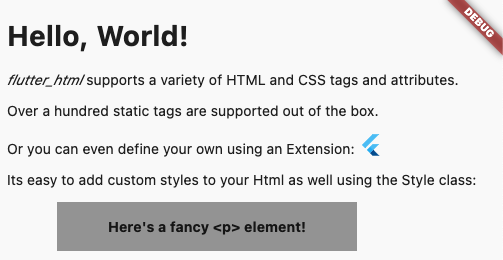
<h1>Hello, World!</h1>
<p><span style="font-style:italic;">flutter_html</span> supports a variety of HTML and CSS tags and attributes.</p>
<p>Over a hundred static tags are supported out of the box.</p>
<p>Or you can even define your own using an <code>Extension</code>: <flutter></flutter></p>
<p>Its easy to add custom styles to your Html as well using the <code>Style</code> class:</p>
<p class="fancy">Here's a fancy <p> element!</p>
""",
extensions: [
TagExtension(
tagsToExtend: {"flutter"},
child: constFlutterLogo(),
),
],
style: {
"p.fancy": Style(
textAlign: TextAlign.center,
padding: constEdgeInsets.all(16),
backgroundColor: Colors.grey,
margin: Margins(left: Margin(50, Unit.px), right: Margin.auto()),
width: Width(300, Unit.px),
fontWeight: FontWeight.bold,
),
},
);
}
This package is designed with simplicity in mind. Originally created to allow basic rendering of HTML content into the Flutter widget tree,
this project has expanded to include support for basic styling as well!
If you need something more robust and customizable, the package also provides a number of extension APIs for extremely granular control over widget rendering!
Below, you will find brief descriptions of the parameters theHtml widget accepts and some code snippets to help you use this package.
Constructors:
The package currently has two different constructors - Html() and Html.fromDom().
The Html() constructor is for those who would like to directly pass HTML from the source to the package to be rendered.
If you would like to modify or sanitize the HTML before rendering it, then Html.fromDom() is for you - you can convert the HTML string to a Document and use its methods to modify the HTML as you wish. Then, you can directly pass the modified Document to the package. This eliminates the need to parse the modified Document back to a string, pass to Html(), and convert back to a Document, thus cutting down on load times.
Parameters:
Parameters
Description
data
The HTML data passed to the Html widget. This is required and cannot be null when using Html().
document
The DOM document passed to the Html widget. This is required and cannot be null when using Html.fromDom().
onLinkTap
Optional. A function that defines what the widget should do when a link is tapped. The function exposes the src of the link as a String to use in your implementation.
extensions
Optional. A powerful API that allows you to customize everything when rendering a specific HTML tag.
shrinkWrap
Optional. A bool used while rendering different widgets to specify whether they should be shrink-wrapped or not, like ContainerSpan
onlyRenderTheseTags
Optional. An exclusive set of elements the Html widget should render. Note that your html will be wrapped in <body> and <html> if it isn't already, so you should include those in this list.
doNotRenderTheseTags
Optional. A set of tags that should not be rendered by the Html widget.
style
Optional. A powerful API that allows you to customize the style that should be used when rendering a specific HTMl tag.
This package is simply a convenience package that exports all the other external packages below. You should use this if you plan to render all the tags that require external dependencies.
This package renders iframes using the webview_flutter plugin.
When rendering iframes, the package considers the width, height, and sandbox attributes.
Sandbox controls the JavaScript mode of the webview - a value of null or allow-scripts will set javascriptMode: JavascriptMode.unrestricted, otherwise it will set javascriptMode: JavascriptMode.disabled.
You can set the navigationDelegate of the webview with the navigationDelegate property on IframeHtmlExtension. This allows you to block or allow the loading of certain URLs.
flutter_html_math
This package renders MathML elements using the flutter_math_fork plugin.
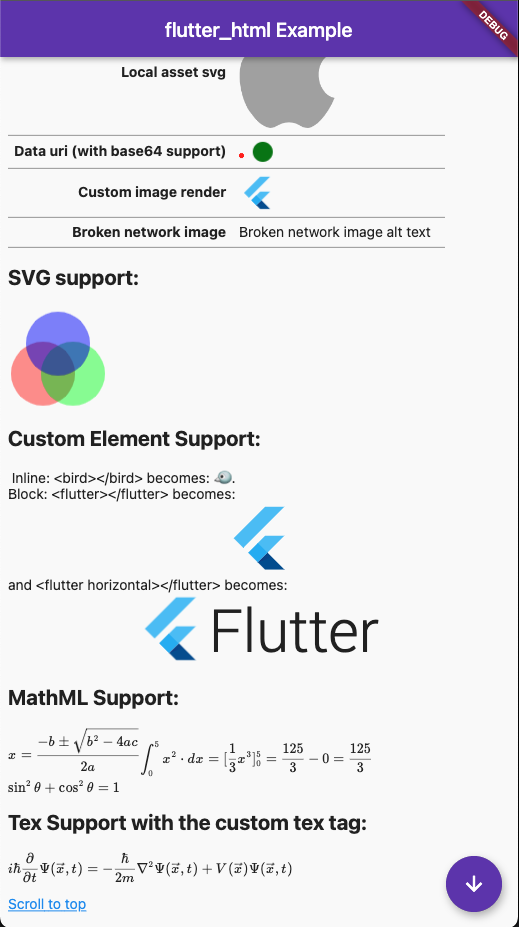
When rendering MathML, the package takes the MathML data within the <math> tag and tries to parse it to Tex. Then, it will pass the parsed string to flutter_math_fork.
Because this package is parsing MathML to Tex, it may not support some functionalities. The current list of supported tags can be found on the Wiki, but some of these only have partial support at the moment.
This package renders svg elements using the flutter_svg plugin.
When rendering SVGs, the package takes the SVG data within the <svg> tag and passes it to flutter_svg. The width and height attributes are considered while rendering, if given.
The package also exposes a few ways to render SVGs within an <img> tag, specifically base64 SVGs, asset SVGs, and network SVGs.
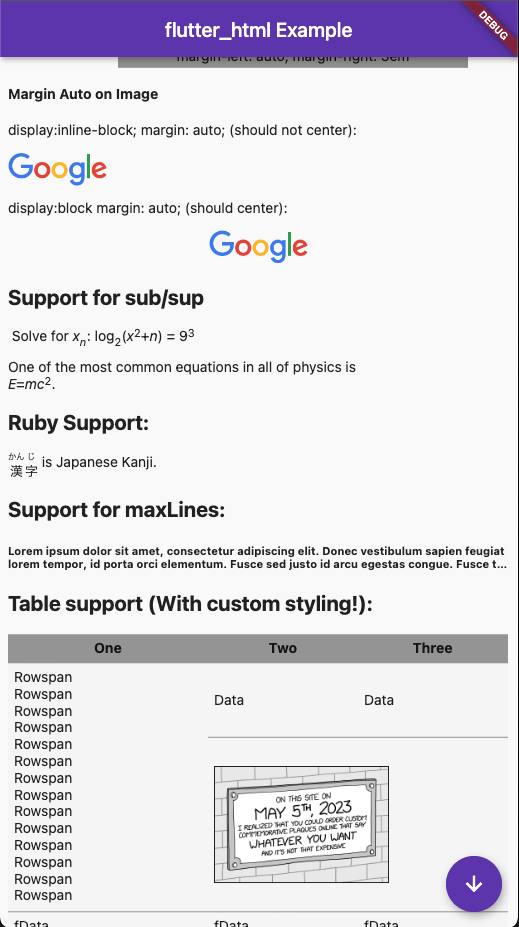
When rendering table elements, the package tries to calculate the best fit for each element and size its cell accordingly. Rowspans and colspans are considered in this process, so cells that span across multiple rows and columns are rendered as expected. Heights are determined intrinsically to maintain an optimal aspect ratio for the cell.