Ein Flutter-Paket zur Bereitstellung von physikbasierten Animationen, einschließlich anpassbarer Feder- und Schwerkraftsimulationen, die sowohl als Physik-Simulationen als auch als Animationskurven verwendet werden können.
Aus öffentlichen Paketdaten erstellte Orientierung.
flutter_physics ist ein Flutter-Paket, das physicsbasierte Animationen mit anpassbaren Feder- und Schwerkraftsimulationen ermöglicht. Es ermöglicht Entwicklern, realistische Bewegungseffekte zu erstellen, indem physikalische Prinzipien wie Masse, Steifigkeit und Dämpfung genutzt werden. Das Paket kann sowohl als Simulationsmotor als auch als Quelle für Animationskurven verwendet werden und bietet flüssige und natürliche Übergänge in Benutzeroberflächenelementen. Ideal für interaktive Komponenten wie verschiebbare Widgets, Bounce-Effekte oder dynamische Layouts, unterstützt es alle wichtigen Plattformen, einschließlich Android, iOS, Web, macOS, Windows und Linux.
Anwendungsfälle
Interaktive Drag-and-Drop-Oberflächen
Bewegliche oder elastische Benutzeroberflächenelemente
Dynamische Layoutübergänge
Nachbildung der realen Physik in Apps
Flüssige Scroll-Effekte erstellen
Hauptmerkmale
Anpassbare Federdynamik
Schwerefeldbasierte Bewegungssimulation
Unterstützung für Animationskurven
Plattformübergreifende Kompatibilität
Echtzeit-Physik-Updates
Einstellbare Masse, Steifigkeit und Dämpfung
Geeignet für
Entwickler, die interaktive Benutzeroberflächen erstellen
Apps, die natürliche Bewegungseffekte erfordern
Animationen mit physikalischer Realität
Plattformübergreifende mobile und Web-Anwendungen
Designsysteme, die Fließfähigkeit betonen
Hinweise
Verständnis von Physikparametern erforderlich
Kann die Leistung bei komplexen Simulationen beeinträchtigen
Nicht ideal für einfache lineare Animationen
Erfordert sorgfältige Abstimmung für das gewünschte Verhalten
Originaler README-Schnappschuss aus dem verknüpften Quell-Repository. Aktuelle Inhalte finden Sie im Repository.
Flutter Physics
Physics-based animation primitives for Flutter, with drop-in replacements for Flutter's animation controllers and implicitly animated widgets. Unify curves and physics in one powerful system!
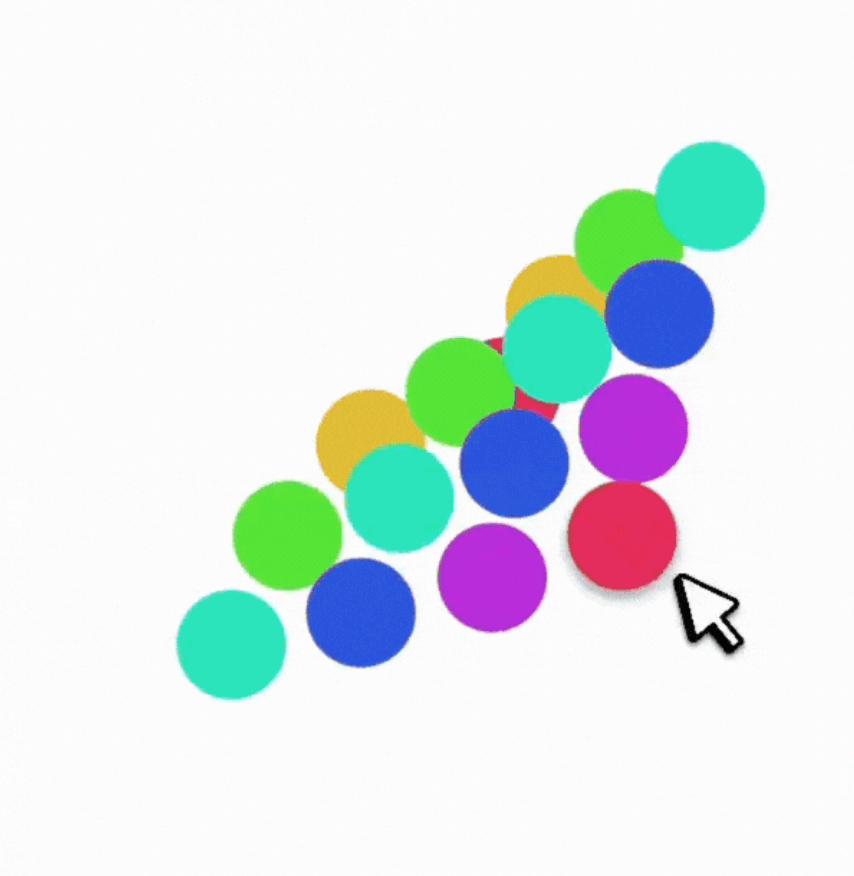
A springy grid of cells that:
Can be dragged around with Spring physics
Smoothly reacts to being "grabbed" mid-flight
Observe how the physics-based AContainer's velocity is preserved when the container is resized mid-flight, while the standard AnimatedContainer results in a sudden jump in velocity.
flutter_physics extends Flutter’s animation system with physics-based motion. It seamlessly merges curves (e.g. Curves.easeInOut) and dynamic simulations (e.g. Spring, Gravity) under a single type called Physics.(*) This means you can freely swap a spring simulation for a standard curve, without changing your widget structure or controller logic.
You’ll find:
🎮 PhysicsController: A drop-in replacement for AnimationController that supports both curves and physics.
🎨 ImplicitlyPhysicsAnimatedWidget and friends: Physics-based versions of Flutter's implicitly animated widgets (AContainer, APadding, ASize, ASwitcher, etc.).
🏗️ PhysicsBuilder and PhysicsBuilder2D: Builder widgets for single or 2D animations with physics.
🚀 Better velocity management: Physics simulations can preserve velocity on target changes, enabling fluid gesture-based UIs.
⚡ Unified animations: Use standard duration for curve-based motion or let the physics simulation drive the timing automatically.
(*) Note: Physics is just an alias for Curve — but the PhysicsSimulation class implements both Curve and Simulation.
In traditional Flutter animations, you typically define a Curve (e.g., Curves.easeOut) and rely on a 0→1 tween. Physics animations replace or supplement that approach by calculating the object’s position over time based on forces like springs, gravity, or friction.
But in this library, Physics can be either a Curve or a PhysicsSimulation. Yes, that means you can do:
physics: Curves.easeInOut
or:
physics: Spring.elegant
…with no other code changes!
PhysicsSimulation = Simulation + Curve
Every built-in physics (e.g. Spring, Gravity) implements both:
This lets them plug into Flutter’s animation system as if they were just curves, while still offering dynamic velocity and “natural” motion.
Example code snippet that looks identical for both scenarios:
// PhysicsController
controller.animateTo(
  100.0,
  physics: Spring.elegant, // or Curves.easeInOut
);
Implementing Your Own Physics
To roll your own simulation, extend PhysicsSimulation:
classMyWackyPhysicsextendsPhysicsSimulation{
MyWackyPhysics() : super(start: 0, end: 100, initialVelocity: 10);
@overridedoubleget duration {
/* Solve for duration in seconds */
}
@overridedoublex(double time) => /* compute position at time (in seconds) */;
@overridedoubledx(double time) => /* compute velocity at time (in seconds) */;
@overrideboolisDone(double time) => /* return true if we've settled */;
@overridePhysicsSimulationcopyWith({/* updated fields */}) {
// Return new instance with updated fields
}
@overridedoublesolveInitialVelocity(double start, double end, double durationInSeconds) {
// Recast the start-end in time
}
}
You can now use your custom physics in PhysicsController or implicitly in AValue, AContainer, etc., just like a curve.
Controllers
PhysicsController (1D)
Drop-in replacement for AnimationController, but supports physics-based animations:
final _controller = PhysicsController(
vsync: this,
defaultPhysics: Spring.withDamping(
mass: 1.0,
dampingFraction: 0.8,
),
);
void_moveToEnd() {
// No duration needed if using a physics simulation:
_controller.animateTo(
1.0,
velocityDelta: 500.0, // add some velocity from a gesture
);
}
If you need N-dimensional motion (like 3D transforms, or more), use PhysicsControllerMulti. It handles arrays of doubles. It’s conceptually the same but scales to an arbitrary number of dimensions.
Implicitly Physics Animated Widgets
We provide physics-based alternatives to all of Flutter’s ImplicitlyAnimatedWidgets, collectively under ImplicitlyPhysicsAnimatedWidget. They animate changes in layout properties using either a curve or a physics simulation, without requiring you to manage a controller yourself.
Examples include:
AContainer (vs AnimatedContainer)
APadding (vs AnimatedPadding)
AAlign (vs AnimatedAlign)
AScale, ARotation, AOpacity, APositioned, etc.
Physics-Animated Properties vs Tween-Animated Properties
In standard implicitly animated widgets, you specify a duration and a curve. Whenever a property changes, the widget re-runs the animation from 0 to 1 via a "Tween" animation.
This approach has some limitations:
Fixed Duration: The animation always takes exactly the specified duration, even if interrupted mid-way. This results in discontinuities when a value is changed successively.
No Velocity Preservation: Each change restarts from 0, losing any momentum from previous animations. This makes interactive animations feel less fluid.
0→1 Constraint: Tweens must map everything to a 0→1 range, which can be unintuitive for properties like position or scale that have natural units. For example, a Tween<double> from 1 to 3 and another from 3 to 100 are treated as having the same length by the animation system.
Curve Limitations: Standard curves can't react dynamically to changes or preserve physical properties like momentum and elasticity.
With a physics-based approach, you achieve dynamic, continuous motion, velocity preservation, and physics-driven timing.
With ImplicitlyPhysicsAnimatedWidget, you can specify either:
AValue<T> automatically animates between values of any type T, be it double, Color, Offset, or your own custom object (by providing normalize and denormalize):
How do I ensure a fixed duration with a physics-based widget?
Provide a duration if you’re using a curve. If you explicitly want a spring to finish in X seconds, you can set up a custom spring or use the copyWith(duration: ...) approach.
Velocity handling
By default, if you set a new target mid-animation, physics-based animations keep going with their prior velocity. If that’s not desired, you can pass velocityOverride: 0.0 in animateTo() calls.
Performance
For most use cases, it’s about the same as the standard animation system (the library piggybacks on the same Ticker logic). As is the case with any animation system, over-animating a huge number of items could degrade performance, so measure carefully.
Thanks for Checking Out flutter_physics!
We hope flutter_physics helps you build delightful, natural-feeling UIs with minimal boilerplate. Physics or curves? You don’t have to choose—this library merges them in one easy place.
Happy animating!
Enjoy building physically reactive Flutter apps!
Send me PRs, issues, and more demos if you come up with interesting new physics or widget patterns!


 Observe how the physics-based