Pakete, Repositories und App-Kategorien suchen

Cover von flutter_pin_code_fields
Paketdetailsv2.2.0

flutter_pin_code_fields

Ein Flutter-Paket, das Ihnen hilft, anpassbare PIN-Felder zu generieren. Kann für Login-PINs oder OTP verwendet werden.

AndroidiOSWebmacOSWindowsLinux
30-Tage-Downloads
2490
Likes
28
Pub-Punkte
150

Paket installieren

flutter pub add flutter_pin_code_fields

Paketübersicht

Aus öffentlichen Paketdaten erstellte Orientierung.

Ein anpassbarer Flutter-Paket zur Erstellung von PIN-Feldern, ideal für Login-PINs oder OTP-Eingaben. Es bietet eine saubere, wiederverwendbare Oberfläche mit Unterstützung für verschiedene Stiloptionen und Eingabeverifizierung. Das Paket ist auf allen wichtigen Plattformen kompatibel, einschließlich Android, iOS, Web, macOS, Windows und Linux. Entwickelt für Einfachheit und Flexibilität ermöglicht es Entwicklern, sichere und benutzerfreundliche PIN-Eingabemöglichkeiten problemlos in ihre Apps zu integrieren.

Anwendungsfälle

  • OTP-Verifizierungsabläufe
  • Benutzeranmeldung mit PIN
  • Sichere Authentifizierungs-Schnittstellen
  • Formularingaben, die numerische Codes erfordern
  • Mehrschrittige Onboarding-Prozesse

Hauptmerkmale

  • Anpassbare Feldgestaltung
  • Unterstützung für verschiedene Eingabetypen
  • Eingebaute Überprüfung
  • Plattformübergreifende Kompatibilität
  • Einfache Integration mit Formularcontrollern
  • Reaktives Design für alle Geräte

Geeignet für

  • Entwickler, die Authentifizierungsfeatures erstellen
  • Apps, die sichere PIN-Eingabe erfordern
  • Projekte, die OTP-Eingabefelder benötigen
  • UI-intensive Formulare mit numerischer Eingabe
  • Mobile und Web-Anwendungen mit konsistenter Benutzererfahrung

Hinweise

  • Erfordert manuelle Behandlung der Übermittlungslogik
  • Eingeschränkte eingebaute Fehlerrückmeldung
  • Keine native Unterstützung für biometrische Fallback
  • Möglicherweise sind zusätzliche Stile für komplexe Themen erforderlich
  • Nicht für sehr lange PINs über 6-8 Stellen optimiert

Original-README

Originaler README-Schnappschuss aus dem verknüpften Quell-Repository. Aktuelle Inhalte finden Sie im Repository.

Flutter Pin Code Fields

GitHub workflow status Version GitHub license

A Flutter package to generate customizable pin code fields.

⭐️ to show support!

Features

  • Highly customizable
  • Responsive
  • Supports animations
  • Supports autofocus
  • Supports autofill
  • Supports obscuring text with custom character

Usage

Add flutter_pin_code_fields as a dependency in your pubspec.yaml file.

# pubspec.yaml

dependencies:
  flutter_pin_code_fields: <latest_version>
import import 'package:flutter_pin_code_fields/flutter_pin_code_fields.dart';

class MyApp extends StatelessWidget {
  @override
  Widget build(BuildContext context) {
    return PinCodeFields(
      onComplete(text) => print(text);
    );
  }
}

Examples

Basic

Complete example at example/lib/basic.dart.

Example - Basic
PinCodeFields(
  onComplete(text) => print(text),
)

Obscuring text

Complete example at example/lib/obscuring_text.dart.

Example - Obscuring text
PinCodeFields(
  length: 6,
  obscureText: true,
  obscureCharacter: "🔴",
  onComplete(text) => print(text),
)

Customized

Complete example at example/lib/customized.dart.

Example - Customized
PinCodeFields(
  length: 4,
  fieldBorderStyle: FieldBorderStyle.square,
  responsive: false,
  fieldHeight: 130.0,
  fieldWidth: 130.0,
  borderWidth: 5.0,
  activeBorderColor: Colors.blue,
  activeBackgroundColor: Colors.white,
  borderRadius: BorderRadius.circular(20.0),
  keyboardType: TextInputType.number,
  inputFormatters: [FilteringTextInputFormatter.digitsOnly],
  autoHideKeyboard: false,
  fieldBackgroundColor: Colors.black12,
  borderColor: Colors.black12,
  textStyle: TextStyle(
    fontSize: 30.0,
    fontWeight: FontWeight.bold,
  ),
  onComplete(text) => print(text),
)

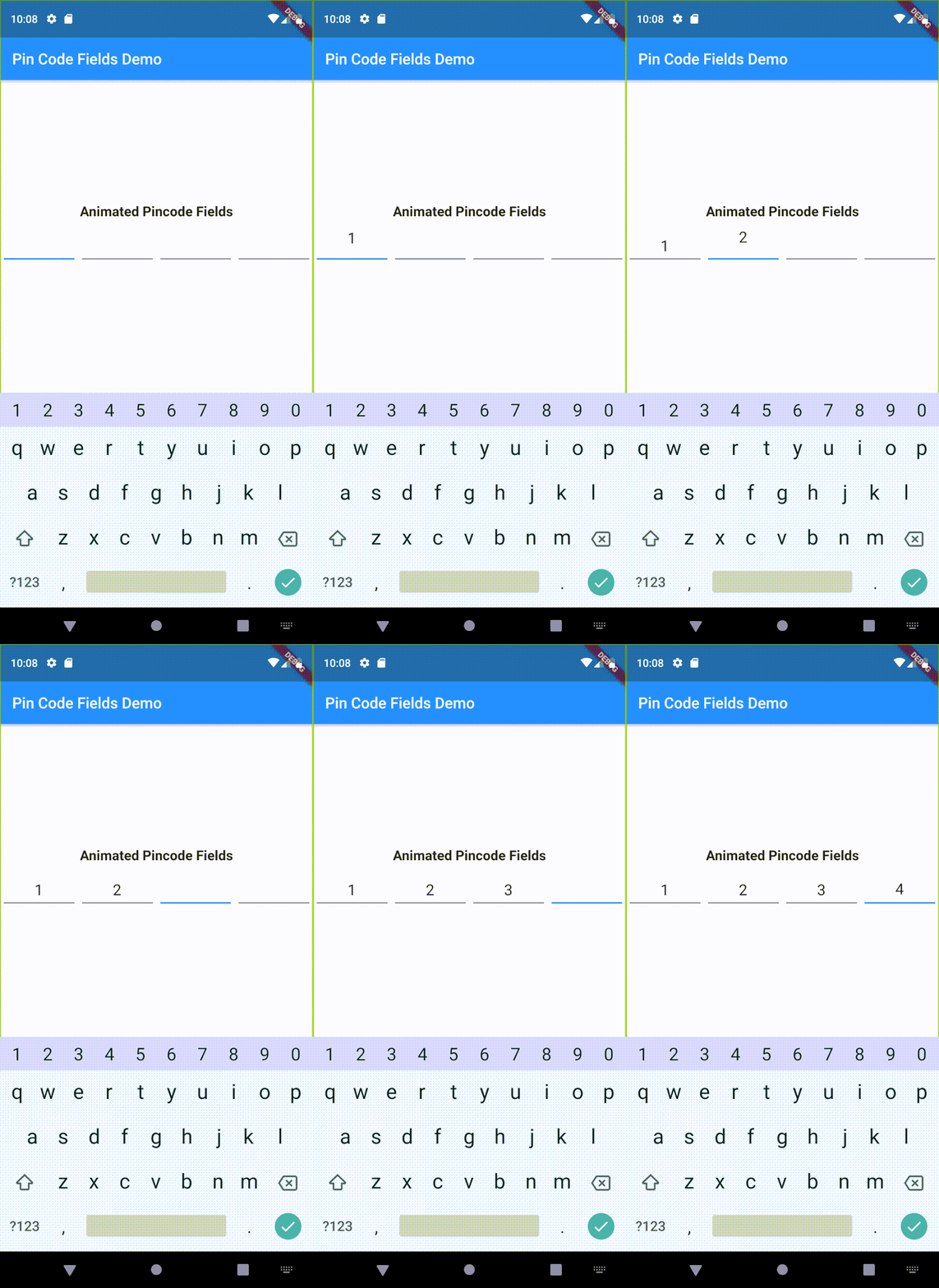
Animated

Complete example at example/lib/animated.dart.

Example - Animated
PinCodeFields(
  obscureText: true,
  obscureCharacter: "❌",
  animation: Animations.rotateRight,
  animationDuration: Duration(milliseconds: 250),
  animationCurve: Curves.bounceInOut,
  switchInAnimationCurve: Curves.bounceIn,
  switchOutAnimationCurve: Curves.bounceOut,
)

Properties

Name Type Default Description
length int 4 Total number of pin code fields.
margin EdgeInsets EdgeInsets.all(5.0) Margin between the fields.
padding EdgeInsets EdgeInsets.only(bottom: 5.0) Padding within the field.
fieldHeight double Height of the field.
fieldWidth double Width of the field.
borderWidth double 2.0 Width of the border of the field.
borderRadius BorderRadius Border raduis of the field.
borderColor Color Colors.grey Border color of the field.
activeBorderColor Color Colors.blue Border color of the active field.
fieldBorderStyle FieldBorderStyle FieldBorderStyle.bottom Border styles of the field.
fieldBackgroundColor Color Colors.transparent Background color of the fields.
activeBackgroundColor Color Colors.transparent Background color of the active field.
enabled bool true Enable/ disable editing the fields.
responsive bool true Adjust the size of the fields automatically to the available space.
autofocus bool false Enable/ disabled autofocus.
textStyle TextStyle Text style for the fields.
obscureText bool false Enable/ disable obscuring the text in the fields.
obscureCharacter String * Character to obscure the text in the fields.
keyboardType TextInputType TextInputType.visiblePassword Keyboard type.
inputFormatters List<TextInputFormatter> Input formatters for the fields.
autoHideKeyboard bool true Hides the keyboard automatically on complete.
animation Animations Animations.fade Animation for the fields.
animationDuration Duration Duration(milliseconds: 150) Duration of the animation.
animationCurve Curve Curves.easeInOut Animation curve.
switchInAnimationCurve Curve Curves.easeIn Switch in animation curve.
switchOutAnimationCurve Curve Curves.easeOut Switch out animation curve.
controller TextEditingController Text editing controller for the fields.
focusNode FocusNode Focus node for the fields.
onChange ValueChanged<String> Callback that returns text on input.
onComplete [required] ValueChanged<String> Callback that returns text on filling all the fields.

Kategorien

Quell-Repository

Projekte, die dieses Paket verwenden