Aus öffentlichen Paketdaten erstellte Orientierung.
flutter_pollfish ist ein Flutter-Plugin, das Entwicklern die nahtlose Integration von Umfragen von Pollfish in ihre mobilen Anwendungen ermöglicht. Es erlaubt die Sammlung von In-App-Rückmeldungen und hilft dabei, direkt von der Zielgruppe wertvolle Nutzer-Einblicke zu erhalten. Das Plugin unterstützt sowohl Android als auch iOS und gewährleistet eine breite Kompatibilität. Mit minimaler Einrichtung über pub add bietet es einen einfachen Weg, interaktive Umfragen einzubetten, ohne tiefgehende Kenntnisse in native Code benötigen zu müssen. Dieses Werkzeug ist ideal für Apps, die die Benutzererfahrung durch Echtzeit-Feedback verbessern möchten.
Anwendungsfälle
Sammlung von Nutzerfeedback im App
Marktforschung innerhalb mobiler Apps
Verbesserung der App-Erfahrung basierend auf Benutzereingaben
Verbraucher-Einblicke während der App-Nutzung sammeln
Überwachung der Benutzerzufriedenheit im Laufe der Zeit
Hauptmerkmale
Einfache Integration mit Flutter
Unterstützung für Android und iOS
Echtzeit-Umfragebereitstellung
Minimale Konfiguration erforderlich
Native Umfrage-Rendering
Geeignet für
Mobile Apps, die Benutzerfeedback suchen
Produktteams, die sich auf die Verbesserung der Benutzererfahrung konzentrieren
Marktforscher, die In-App-Umfragen verwenden
Startups sammeln frühe Nutzererkenntnisse
Apps, die darauf abzielen, die Engagement durch Feedback zu steigern
Hinweise
Benötigt ein Pollfish-Konto und API-Schlüssel
Der Umfrageinhalt muss den Richtlinien von Pollfish entsprechen
Möglicher Einfluss auf die App-Leistung, wenn nicht verwaltet
Eingeschränkte Anpassungsmöglichkeiten im Vergleich zu Native-SDKs
Abhängig von der Verfügbarkeit externer Dienste
Original-README
Originaler README-Schnappschuss aus dem verknüpften Quell-Repository. Aktuelle Inhalte finden Sie im Repository.
flutter_pollfish
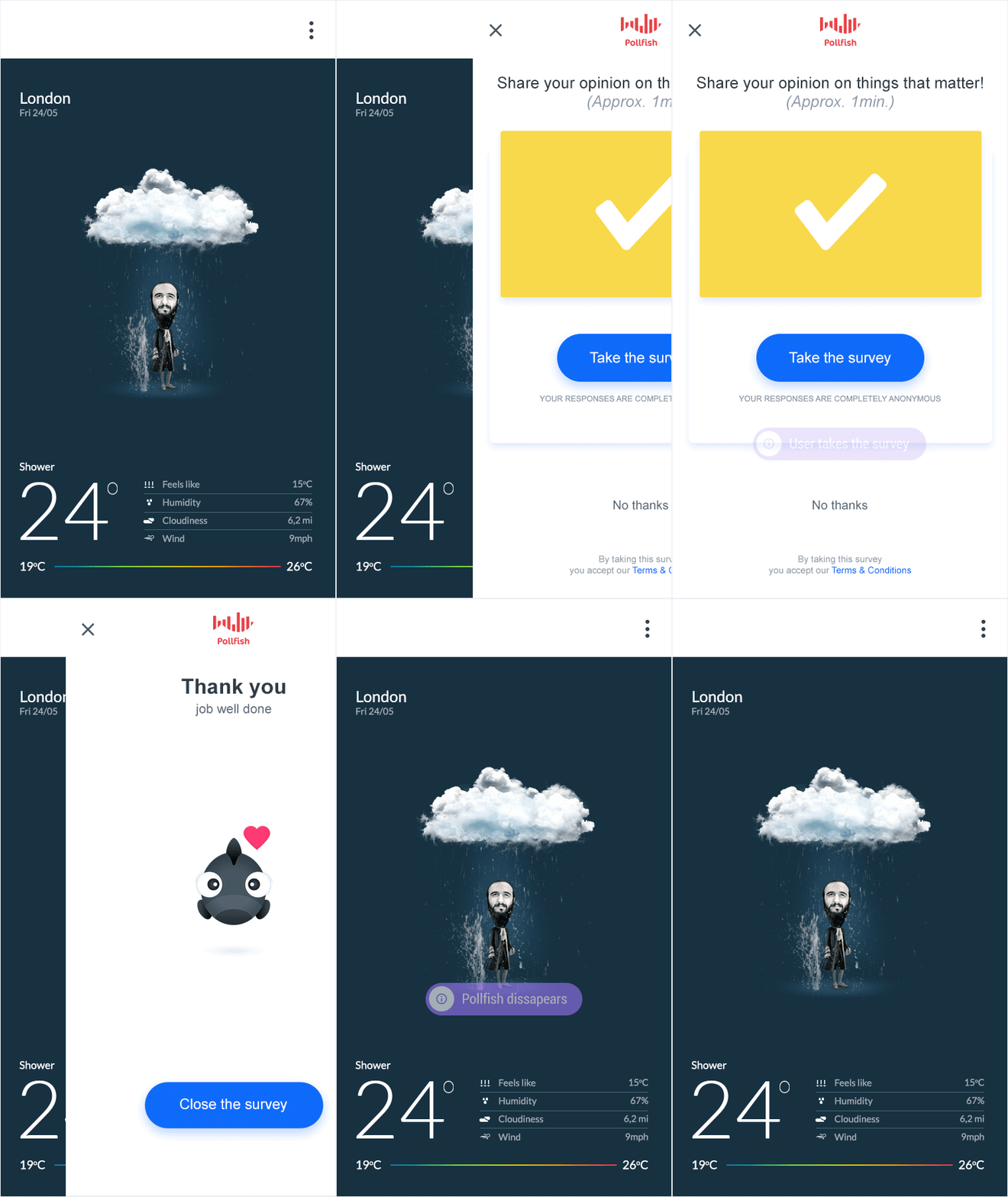
Pollfish Flutter plugin, allows integration of Pollfish surveys into Flutter Android and iOS apps.
Prerequisites
Android SDK 21 or higher using Google Play Services
iOS version 11.0 or higher
Flutter version 1.20.0 or higher
Dart SDK version 2.12.0 or higher
CocoaPods version 1.10.0 or higher
Note: Apps designed for Children and Families program should not be using Pollfish SDK, since Pollfish does not collect responses from users less than 16 years old
Note: Pollfish iOS SDK utilizes Apple's Advertising ID (IDFA) to identify and retarget users with Pollfish surveys. As of iOS 14 you should initialize Pollfish Flutter plugin in iOS only if the relevant IDFA permission was granted by the user
Quick Guide
Sign Up for a Pollfish Developer account,
Create new apps for each targeting platform (Android & iOS) and grap the API keys
Install Pollfish plugin and call init function
Set to Release mode and publish on app store
Update your app's privacy policy
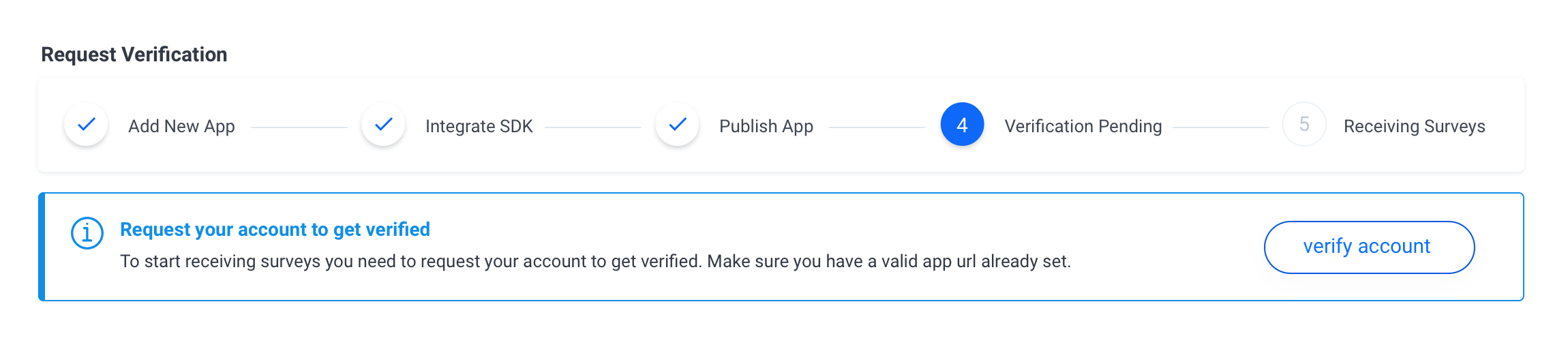
Request your account to get verified from Pollfish Dashboard
Migrate to v4
Pollfish Flutter Plugin v4 introduces a different API with added customization options during initialization. If you have already integrated Pollfish Flutter Plugin < v4 in you app, please take some time reading the migration guide below.
2. Add new apps in Pollfish panel and copy the given API Keys
Login at www.pollfish.com, add a new app for each targeting platform (Android & iOS) at Pollfish panel in section My Apps and copy the given API keys to use later in your init function in your app.
3. Install the plugin
Add this to your package's pubspec.yaml file:
dependencies:...flutter_pollfish:^4.2.0
Execute the following command
flutter packages get
Android 12
Apps updating their target API level to 31 (Android 12) or higher will need to declare a Google Play services normal permission in the AndroidManifest.xml file.
Navigate to the android/app/src/main directory inside your project's root, locate the AndroidManifest.xml file and add the following line just before the <application>.
You can read more about Google Advertising ID changes here.
iOS 14+
Request IDFA Permission (Recommended but optional)
Pollfish surveys can work with or without the IDFA permission on iOS 14+. If no permission is granted in the ATT popup, the SDK will serve non personalized surveys to the user. In that scenario the conversion is expected to be lower. Offerwall integrations perform better compared to single survey integrations when no IDFA permission is given. Our recommendation is that you should ask for IDFA usage permission prior to Pollfish initialization.
The Pollfish plugin must be initialized with one or two api keys depending on which platforms are you targeting. You can retrieve an API key from Pollfish Dashboard when you sign up and create a new app.
FlutterPollfish.instance.init(androidApiKey: 'ANDROID_API_KEY', iOSApiKey: 'IOS_API_KEY', rewardMode: true); // Android and iOS
FlutterPollfish.instance.init(androidApiKey: 'ANDROID_API_KEY', iOSApiKey: null, rewardMode: true); // Android only
FlutterPollfish.instance.init(androidApiKey: null, iOSApiKey: 'IOS_API_KEY', rewardMode: true); // iOS only
5.1 Configure Pollfish behaviour (Optional)
You can set several params to control the behaviour of Pollfish survey panel within your app with the use of the various optional arguments of the initialization function. Below you can see all the available options.
Note: All the params are optional, except the releaseMode setting that turns your integration in release mode prior publishing to the Google Play or App Store.
No
Type
Description
5.1.1
Position
indicatorPosition Sets the Position where you wish to place the Pollfish indicator.
5.1.2
int
indicatorPadding Sets padding from the top or bottom according to Position of the indicator.
5.1.3
bool
offerwallMode Sets Pollfish to Offerwall mode.
5.1.4
bool
releaseMode Sets Pollfish SDK to Debug or Release mode.
5.1.5
bool
rewardMode Initializes Pollfish in reward mode.
5.1.6
String
requestUUID Sets a unique id to identify a user and be passed through server-to-server callbacks.
5.1.7
Map<String, Object>
userProperties Send attributes that you receive from your app regarding a user, in order to receive a better fill rate and higher priced surveys.
5.1.8
RewardInfo
rewardInfo An object holding information regarding the survey completion reward.
5.1.9
String
clickId A pass throught param that will be passed back through server-to-server callback.
5.1.10
String
userId A unique id used to identify a user.
5.1.11
String
signature A parameter used to secure the rewardConversion and rewardName parameters passed on rewardInfoJson object.
5.1.12
String
placementId The id of the placement to load
5.1.1. indicatorPosition
Sets the Position where you wish to place Pollfish indicator -->
Also this setting sets from which side of the screen you would like Pollfish survey panel to slide in.
Pollfish indicator is shown only if Pollfish is used in a non rewarded mode.
There are six different options available:
Position.topLeft
Position.topRight
Position.middleLeft
Position.middleRight
Position.bottomLeft
Position.bottomRight
If you do not set explicity a position for Pollfish indicator, it will appear by default at Position.topLeft
Note: If you would like to skip the Pollfish Indicator please set the rewardMode to true
Below you can see an example on how you can set Pollfish indicator to slide from top right corner of the screen:
Sets Pollfish SDK to Developer or Release mode. If you do not set this param it will turn the SDK to Developer mode by default in order for the publisher to be able to test the survey flow.
You can use Pollfish either in Debug or in Release mode.
Debug/Developer mode is used to show to the developer how Pollfish will be shown through an app (useful during development and testing).
Release mode is the mode to be used for a released app in AppStore (start receiving paid surveys).
Note: Be careful to set release mode parameter to true prior releasing to Google Play or AppStore!
Initializes Pollfish in reward mode. This means that Pollfish Indicator (section 4.1.1) will not be shown and Pollfish survey panel will be automatically hidden until the publisher explicitly calls Pollfish show function (The publisher should wait for the Pollfish Survey Received Callback). This behaviour enables the option for the publishers, to show a custom prompt to incentivize the users to participate in a survey.
Note: If not set, the default value is false and Pollfish indicator is shown.
This mode should be used if you want to incentivize users to participate to surveys. We have a detailed guide on how to implement the rewarded approach here
Note: Reward mode should be used along with the Survey Received callback so the publisher knows when to prompt the user and call FlutterPollfish.instance.show();
Sets a unique id to identify a user or a request and be passed back to the publisher through server-to-server callbacks. You can read more on how to retrieve this param through the callbacks here
Below you can see an example on how you can pass a requestUUID during initialization:
Passing user attributes to skip or shorten Pollfish Demographic surveys.
If you know upfront some user attributes like gender, age, education and others you can pass them during initialization in order to shorten or skip entirely Pollfish Demographic surveys and archieve better fill rate and higher priced surveys.
Note: You need to contact Pollfish live support on our website to request your account to be eligible for submitting demographic info through your app, otherwise values submitted will be ignored by default.
Note: You can read more on demographic surveys along with a list with all the available options here
An example of how you can pass user demographics can be found below:
A Json object passing information during initialization regarding the reward settings, overriding the values as speciefied on the Publisher's Dashboard
Overrides the reward name as specified in the Publisher's Dashboard
rewardConversion
Overrides the reward conversion as specified on the Publisher's Dashboard. Conversion is expecting a number matching this function ( 1 USD = X Points ) where X is a Double number.
final rewardInfo = RewardInfo('Dollars', 1.2);

FlutterPollfish.instance.init(
  ...
  rewardInfo: rewardInfo
);
5.1.9. clickId
A pass through parameter that will be returned back to the publisher through server-to-server callbacks as specified here
Setting the userId will override the default behaviour and use that instead of the Advertising Id, of the corresponding platform, in order to identify a user
You can pass the id of a user as identified on your system. Pollfish will use this id to identify the user across sessions instead of an ad id/idfa as advised by the stores. You are solely responsible for aligning with store regulations by providing this id and getting relevant consent by the user when necessary. Pollfish takes no responsibility for the usage of this id. In any request from your users on resetting/deleting this id and/or profile created, you should be solely liable for those requests.
An optional parameter used to secure the rewardName and rewardConversion parameters as provided in the RewardInfo object (4.1.10). If rewardConversion and rewardName are defined, signature is required to be calculated and set as well.
This parameter can be used to prevent tampering around reward conversion, if passed during initialisation. The platform supports url validation by requiring a hash of the rewardConversion, rewardName, and clickId. Failure to pass validation will result in no surveys return and firing PollfishSurveyNotAvailable callback.
In order to generate the signature field you should sign the combination of $rewardConversion$rewardName$clickId parameters using the HMAC-SHA1 algorithm and your account's secret_key that can be retrieved from the Account Information section on your Pollfish Dashboard.
Note: Although rewardConversion and rewardName are mandatory for the hashing to work, clickId parameter is optional and you should add them for extra security.
Note: Please keep in mind if your rewardConversion is a whole number, you have to calculate the signature useing the floating point value with 1 decimal point.
The id of the placement you wish to load as provided by the publisher dashboard. If not provided, then the default placement of the ad unit will be loaded.
Add the following paragraph to your app's privacy policy
“Survey Serving Technology
This app uses Pollfish SDK. Pollfish is an on-line survey platform, through which, anyone may conduct surveys. Pollfish collaborates with Publishers of applications for smartphones in order to have access to users of such applications and address survey questionnaires to them. When a user connects to this app, a specific set of user's device data (including Advertising ID, Device ID, other available electronic identifiers and further response meta-data is automatically sent, via our app, to Pollfish servers, in order for Pollfish to discern whether the user is eligible for a survey. For a full list of data received by Pollfish through this app, please read carefully the Pollfish respondent terms located at https://www.pollfish.com/terms/respondent. These data will be associated with your answers to the questionnaires whenever Pollfish sends such questionnaires to eligible users. Pollfish may share such data with third parties, clients and business partners, for commercial purposes. By downloading the application, you accept this privacy policy document and you hereby give your consent for the processing by Pollfish of the aforementioned data. Furthermore, you are informed that you may disable Pollfish operation at any time by visiting the following link https://www.pollfish.com/respondent/opt-out. We once more invite you to check the Pollfish respondent's terms of use, if you wish to have more detailed view of the way Pollfish works and with whom Pollfish may further share your data."
If you have any question, like why you do not see surveys on your own device in release mode, please have a look in our FAQ page
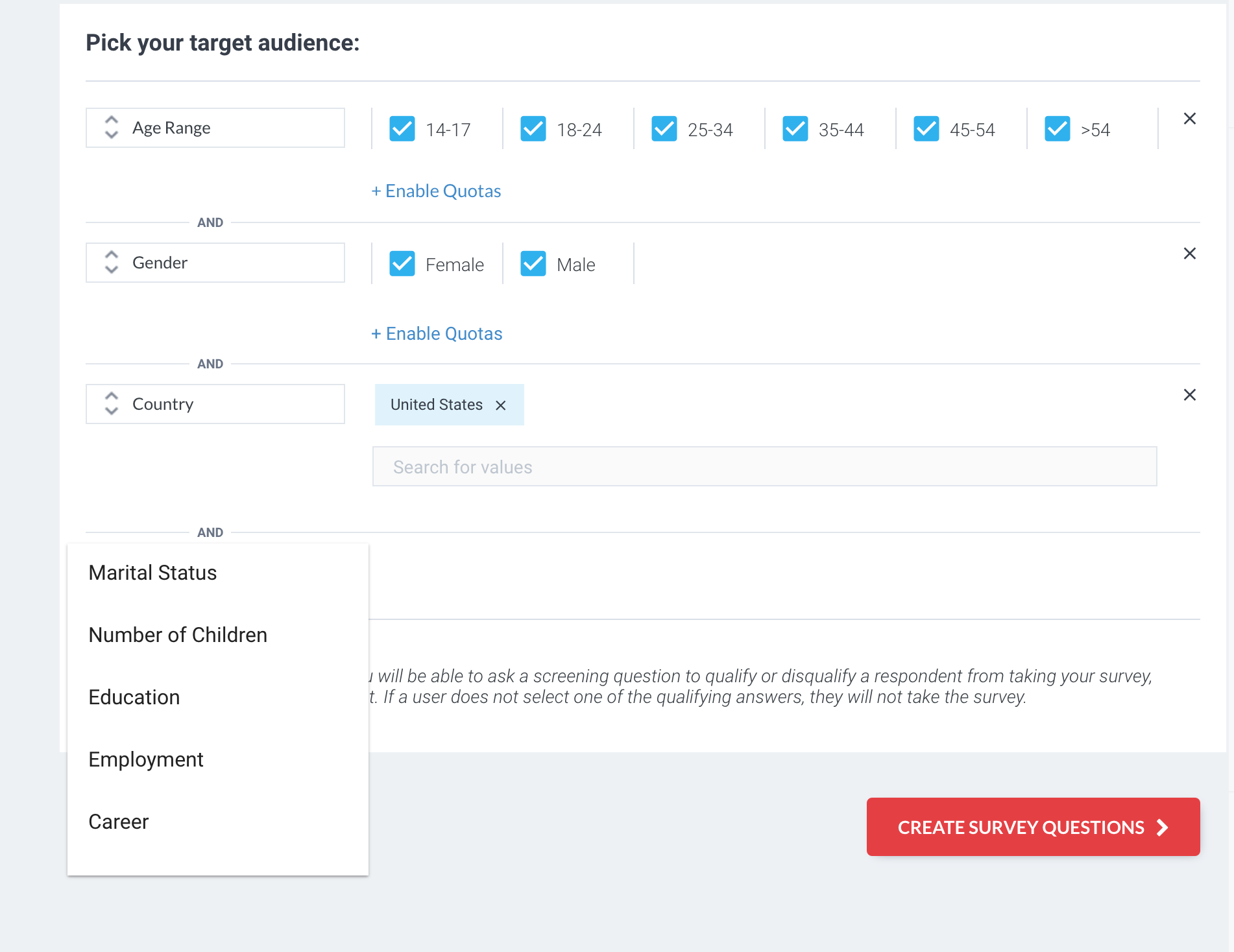
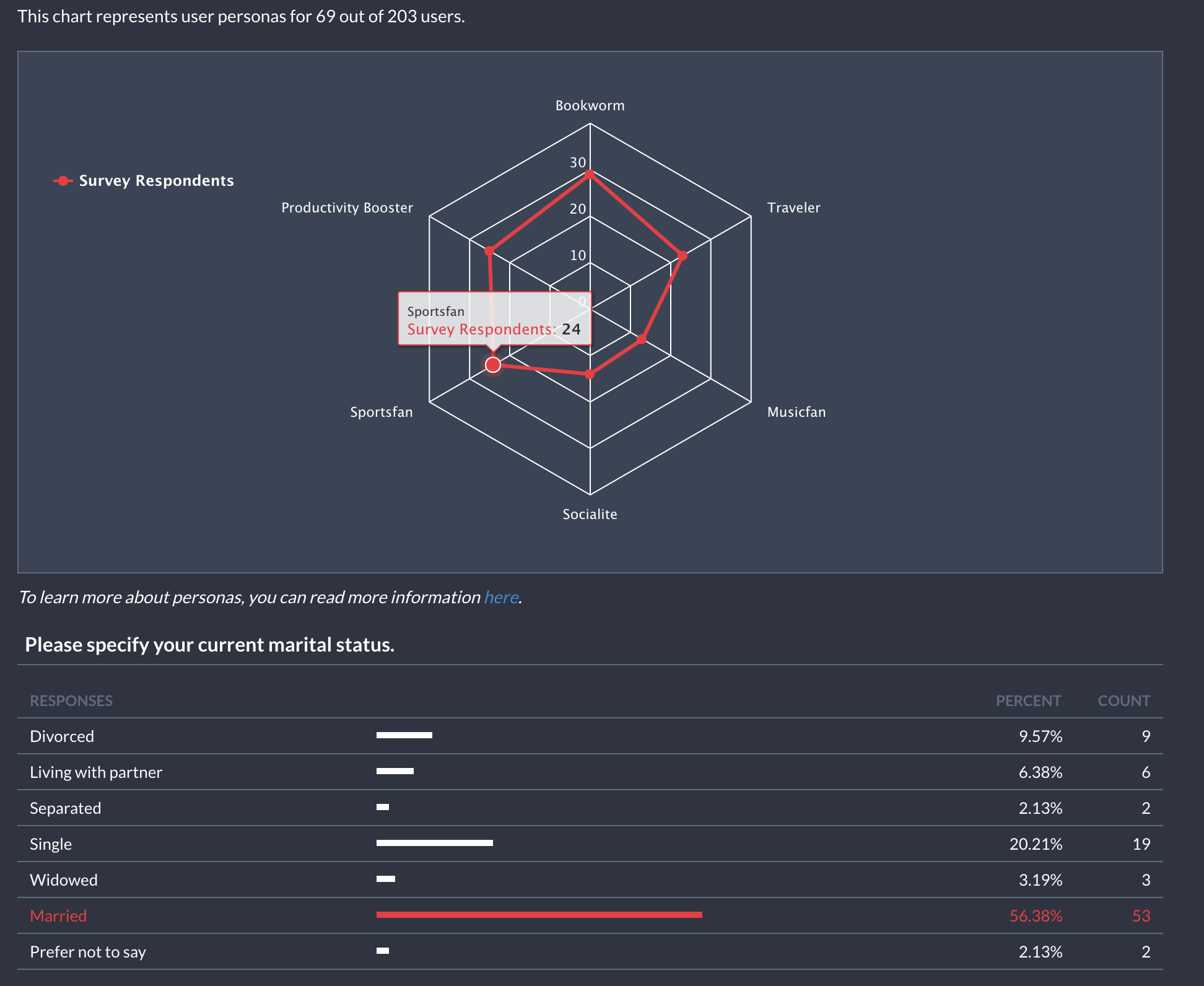
Note: Please bear in mind that the first time a user is introduced to the platform, when no paid surveys are available, a standalone demographic survey will be shown, as a way to increase the user's exposure in our clients' survey inventory. This survey returns no payment to app publishers, since it is part of the process users need to go through in order to join the platform. Bear in mind that if a paid survey is available at that point of time, the demographic questions will be inserted at the begining of the survey, before the actual survey questions. Our aim is to provide advanced targeting solutions to our customers and to do that we need to have this information on the available users. Targeting by marital status or education etc. are highly popular options in the survey world and we need to keep up with the market. A vast majority of our clients are looking for this option when using the platform. Based on previous data, over 80% of the surveys designed on the platform require this new type of targeting.
In our efforts to include publishers in this process and be as transparent as possible we provide full control over the process. We let publishers decide if their users are served these standalone surveys or not, in 2 different ways. Firstly by monitoring the process in code and excluding any users by listening to the relevant noitifications (Pollfish Survey Received, Pollfish Survey Completed) and checking the Pay Per Survey (PPS) field which will be 0 USD cents. Secondly, publishers can disable the standalone demographic surveys through the Pollfish Developer Dashboard in the Settings area of an app. You can read more on demographic surveys here.
7. Request your account to get verified
After your app is published on an app store you should request your account to get verified from your Pollfish Developer Dashboard.
When your account is verified you will be able to start receiving paid surveys from Pollfish clients.
Optional Section
In this section we will list several options that can be used to control Pollfish surveys behaviour, how to listen to several notifications or how to be eligible to more targeted (high-paid) surveys. All these steps are optional.
8. Implement Pollfish Event Listeners
8.1. Get notified when a Pollfish survey is received
You can get notified when a Pollfish survey is received. With this notification, you can also get informed about the type of survey that was received, money to be earned if survey gets completed, shown in USD cents and other info around the survey such as LOI and IR.
Note: If Pollfish is initialized in offerwall mode then the event parameter will be null, otherwise it will include info around the received survey.
8.2. Get notified when a Pollfish survey is completed
You can get notified when a user completed a survey. With this notification, you can also get informed about the type of survey, money earned from that survey in USD cents and other info around the survey such as LOI and IR.
8.3. Get notified when a user is not eligible for a Pollfish survey
You can get notified when a user is not eligible for a Pollfish survey. In market research monetization, users can get screened out while completing a survey beucase they are not relevant with the audience that the market researcher was looking for. In that case the user not eligible notification will fire and the publisher will make no money from that survey. The user not eligible notification will fire after the surveyReceived event, when the user starts completing the survey.
FlutterPollfish.instance.setPollfishUserNotEligibleListener(onPollfishUserNotEligible);
voidonPollfishUserNotEligible() => setState(() {
print('User Not Eligible');
}
8.4. Get notified when a Pollfish survey is not available
You can be notified when a Pollfish survey is not available.
FlutterPollfish.instance.setPollfishSurveyNotAvailableListener(onPollfishSurveyNotAvailable);
voidonPollfishSurveyNotAvailable() => setState(() {
print('Survey Not Available');
}
8.5. Get notified when a user has rejected a Pollfish survey
You can be notified when a user has rejected a Pollfish survey.
8.6. Get notified when a Pollfish survey panel has opened
You can register and get notified when a Pollfish survey panel has opened. Publishers usually use this notification to pause a game until the pollfish panel is closed again.
8.7. Get notified when a Pollfish survey panel has closed
You can register and get notified when a Pollfish survey panel has closed. Publishers usually use this notification to resume a game that they have previously paused when the Pollfish panel was opened.