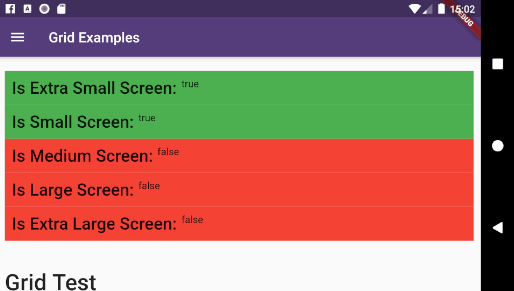
Aus öffentlichen Paketdaten erstellte Orientierung.
Flutter Responsive bietet eine Reihe von Layout-Widgets, die entwickelt wurden, um responsive Benutzeroberflächen in Flutter zu erstellen und sich an der Herangehensweise von Bootstrap anpassungsfähiger Gestaltung orientieren. Es ermöglicht Entwicklern, Layouts zu erstellen, die sich automatisch an verschiedene Bildschirmgrößen und -ausrichtungen auf mehreren Plattformen anpassen. Das Paket vereinfacht die Implementierung flexibler Raster, Breakpoints und reaktiver Komponenten, ohne komplexes benutzerdefiniertes Logik erfordern zu müssen. Ideal für Apps, die konsistente UIs auf mobilen Geräten, Tablets, Web und Desktop-Geräten benötigen.
Anwendungsfälle
Erstellen von plattformübergreifenden, reaktionsfähigen Dashboards
Adaptive Layouts für mobile und Web erstellen
Skalierbare Benutzeroberflächen für Tablets und Desktops gestalten
Implementierung von gitterbasierten responsiven Designs
Konsistente UX über Gerätearten sicherstellen
Hauptmerkmale
Layout-Anpassungen basierend auf Breakpoints
Flexibles Gittersystem
Plattformübergreifende Kompatibilität
Bootstrap-inspirierte Designmuster
Einfache Integration in bestehende Flutter-Projekte
Geeignet für
Entwickler, die mehrere Plattformen ansprechen
Teams, die responsive Admin-Panels erstellen
Projekte, die adaptive Benutzeroberflächen erfordern
Frontend-orientierte Flutter-Anwendungen
Apps mit unterschiedlichen Anforderungen an Bildschirmgrößen
Hinweise
Kann das Erlernen neuer Widget-Konventionen erfordern
Eingeschränkte Anpassungsmöglichkeiten im Vergleich zur manuellen Layout-Codierung
Abhängig vom plattformspezifischen Rendering-Verhalten
Am besten geeignet für regelmäßige Rasterlayouts
Nicht ideal für hochdynamische oder nicht-gitterbasierte Benutzeroberflächen
Original-README
Originaler README-Schnappschuss aus dem verknüpften Quell-Repository. Aktuelle Inhalte finden Sie im Repository.
About flutter_responsive plugin
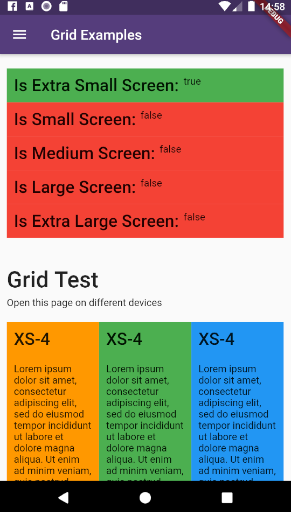
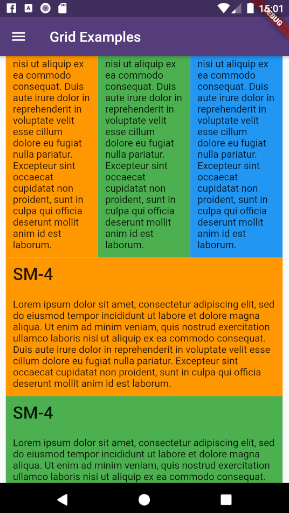
This plugin provides a easy and productive way to work with responsive layouts for Flutter Applications in mobile, desktop and web, allowing your layout to adapt and wrap widgets ( Container, Rows, Columns and RichText ) referent to the size of his parent element.
This project follows the GNU General Public License V3, wich means you can change the entire project the way as you want to, but you need to share your improvements back to the community.
To share your improvements, please first do a Fork of this project, change what you need to and finally do a pull request. And don´t let to share your ideas and needs on "Issues" page, even before to start your changes.
IMPORTANT NOTES:
This plugin was based on Bootstrap Web Project, but do not implement all its features (not yet).
The column's layer responsiveness is based on the size of the global screen, such as Bootstrap does.
All the widgets contains margin, padding, width, height (maximum and minimum edges), such as div Html element.
Fell free to improve and change this project.
How to Use
Add the dependency bellow into your pubspec.yaml file.
dependencies:flutter_responsive:^0.0.6#Please, ensure to use the most updated version
ResponsiveRow: Container wich contains many columns or even other widget.
OBS: Its not necessary to wrap inner widgets into a ResponsiveCol object.
ResponsiveRow(

  margin: EdgeInsets.only(top: 20, bottom: 5),

  children: <Widget>[

    ResponsiveCol(),
    ResponsiveCol(),
    ResponsiveCol(),

    Text('It´s fine to use another widget directly inside a ResponsiveRow')
  ]
),
This project is a starting point for a Flutter
plug-in package,
a specialized package that includes platform-specific implementation code for
Android and/or iOS.
For help getting started with Flutter, view our
online documentation, which offers tutorials,
samples, guidance on mobile development, and a full API reference.
To run the full example App, wich contains performance and case tests, do the steps bellow:
Clone this project into your local machine using Github Desktop or any other git program of your preference.
Download Android Studio and the last Flutter SDK into your local machine. Configure they to works properly such as this article here
Run flutter pub get to update all the dependencies
Debug the file example/lib/main.dart or any of the unity case tests located on test folder on emulator or real device.
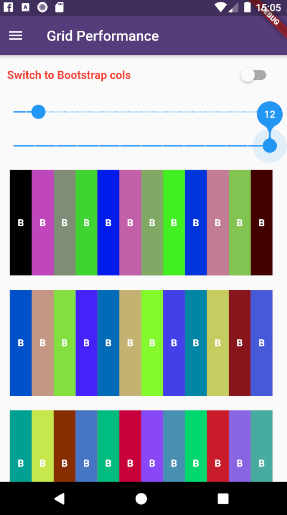
To run properly the performance tests, please run the app using flutter run --release